
The Tool Desk
Outbyte Driver Updater FREEScan for outdated or missing drivers - takes under a minuteDriver Scan →Outbyte PC Repair FREERepair Windows errors before they cause bigger problemsFix Now →iTechGuides is reader-supported. When you buy through links on our site, we may earn an affiliate commission. As an Amazon Associate I earn from qualifying purchases. Learn more
As of August 9, 2026, the Samsung Galaxy S26 Ultra is the best overall phone display for most buyers. Its combination of QHD+ sharpness, strong outdoor readability, anti-reflective Gorilla Armor 2 glass, 1–120Hz LTPO refresh, and built-in Privacy Display is more useful than a high peak-brightness number alone.
There are better choices for specific priorities: the Google Pixel 10 Pro XL for color accuracy and balanced image quality, the iPhone 17 Pro Max for the best large iPhone screen, and the OnePlus 15 for high-refresh-rate gaming. The HONOR Magic8 Pro is the most interesting global option for low-flicker features, while the Samsung Galaxy Z Fold8 Ultra offers the best large foldable workspace.
One warning applies to every ranking: advertised peak brightness is not an apples-to-apples measurement. A phone’s local HDR peak, outdoor High Brightness Mode, full-screen brightness, reflection control, automatic-brightness tuning, and thermal behavior can all produce different real-world results.
Windows Errors? Fix Them Before They Spread
Repair common Windows errors and clear accumulated junk for a smoother, more stable PC - no reinstall needed.Free scan · no reinstallOutdated Drivers Are Slowing You Down
One free scan finds every outdated or missing driver and matches the right update for your exact hardware.Free scan · exact hardware matchQuick verdict
| Category | Best choice | Why it stands out | Main qualification |
|---|---|---|---|
| Best overall display | Samsung Galaxy S26 Ultra | 6.9-inch QHD+ AMOLED, 1–120Hz LTPO, anti-reflective glass, sharp text, excellent versatility, and Privacy Display. | Privacy Display can reduce brightness, narrow viewing angles, or change colors. PWM-sensitive users may also prefer to test it before buying. |
| Best color and balanced quality | Google Pixel 10 Pro XL | Accurate color, strong HDR handling, 1–120Hz LTPO, and a 6.8-inch high-resolution panel. DxOMark awarded its display a leading score of 161. | Google’s 3,300-nit peak claim is considerably higher than some independent measurements. |
| Best iPhone display | iPhone 17 Pro Max | 6.9-inch OLED, adaptive 120Hz ProMotion, 1-nit minimum brightness, strong outdoor performance, and improved anti-reflection. | Its resolution is lower than the Galaxy S26 Ultra’s, and independent brightness results vary by test method. |
| Best for gaming smoothness | OnePlus 15 | 165Hz gaming mode, 1–120Hz adaptive everyday refresh, fast touch response, 10-bit color, and a flat LTPO AMOLED panel. | 165Hz works only in supported games; normal system use remains capped at 120Hz. |
| Best low-flicker-oriented alternative | HONOR Magic8 Pro | Manufacturer-claimed 4,320Hz PWM dimming, dynamic dimming, circadian display modes, and extensive eye-comfort controls. | Those are manufacturer specifications, not a guarantee that every user will find the display comfortable. US availability is limited or region-dependent. |
| Best large foldable experience | Samsung Galaxy Z Fold8 Ultra | An 8-inch inner screen and 6.5-inch cover screen provide the most tablet-like workspace in this group. | The inner display’s outdoor performance and reflectivity are not yet as thoroughly established as those of conventional flagships. |
| Best independently measured foldable brightness | Google Pixel 10 Pro Fold | DxOMark testing reported 2,859 cd/m² on its foldable display, described by Notebookcheck as a foldable record at the time of testing. | It is not the newest large foldable, and the inner screen still has conventional foldable compromises. |
This guide focuses on phones available or actively sold in 2026, with the main recommendations aimed at US buyers. HONOR, Vivo, OPPO, and Xiaomi models are covered separately because sales, bands, software, warranty support, and official availability vary substantially by country.
Pixel 11 is not included. Google’s Pixel 11 launch event is scheduled for August 12, 2026, three days after this article’s cutoff. A phone should not enter a best-displays ranking until it has been officially announced, independently tested, and made available to buy. Android Central has the event details.
What makes a phone display the best?
The best display is not necessarily the one with the largest number in the brightness row. A useful ranking weighs several characteristics together:
Popular on Amazon

- PRIVACY DISPLAY: Automatically hide your screen from those beside you. The built-in privacy display can be preset¹ to turn on when receiving notifications, typing passwords, or using specific apps
- TYPE IT IN. TRANSFORM IT FAST: Enhance any shot in seconds on your smartphone by using Photo Assist² with Galaxy AI.³ Add objects, restore details, or apply new styles by simply typing or tapping
- NIGHTS, CAPTURED CLEARLY: From gigs to city lights, record and capture moments after dark with clarity using Nightography so your photos and videos stay crisp and clear on your Samsung Galaxy
- MAKE IT. EDIT IT. SHARE IT: Turn everyday moments into something personal with creative tools built right into your mobile phone, whether it’s a special contact photo, custom wallpaper, an invitation or more⁴
- HELP THAT KEEPS UP: Stay in the moment while Now Nudge with Galaxy AI helps you respond faster and stay organized with smart suggestions⁵ that appear exactly when you need them on your phone
- Outdoor readability: high-brightness behavior, automatic-brightness tuning, contrast, and how effectively the glass suppresses reflections.
- HDR quality: peak highlight brightness, full-screen behavior, tone mapping, black levels, color volume, and format support such as HDR10, HDR10+, Dolby Vision, Ultra HDR, or HDR Vivid.
- Color accuracy: a dependable Natural, Standard, or sRGB-like mode, accurate white balance and grayscale, and wide-gamut coverage when the content calls for it.
- Motion and responsiveness: the adaptive refresh range, the maximum refresh rate available in actual software, touch latency, and pixel response time.
- Low-light comfort: minimum brightness, PWM frequency and modulation depth, DC-like dimming, and useful accessibility controls.
- Physical viewing quality: reflections, viewing angles, flat or curved glass, bezels, camera cutouts, and—on foldables—the crease and inner-screen coating.
- Practical features: always-on display, stylus support, privacy modes, wet-touch or glove behavior, durability, and repair implications.
Why phone brightness numbers are misleading
Brightness specifications usually describe several different things that manufacturers do not always present in the same way.
| Term | What it normally means | Where it matters |
|---|---|---|
| Peak brightness | The highest luminance reached by a small bright area, often during HDR playback. | Small HDR highlights such as sunlight, sparks, or specular reflections. |
| HBM | High Brightness Mode, usually triggered by strong ambient light and automatic brightness. | Outdoor use, although the duration and actual output can vary with heat and battery conditions. |
| Typical or full-screen brightness | Brightness when a much larger portion—or nearly all—of the screen is white or bright. | Web pages, maps, documents, menus, and bright games. |
| Independent measurement | A tester’s result under a particular window size, display mode, ambient-light level, and measurement protocol. | Useful for comparisons only when the test conditions are comparable. |
An OLED panel can produce a very bright small highlight without sustaining that output across the entire screen. A white webpage also consumes more power and generates more heat than a small HDR highlight, so the phone may reduce brightness. Reflections can further overwhelm the image even when the panel itself is technically bright.
That is why a 3,000-nit phone can look less readable in direct sun than a 2,000-nit phone with better anti-reflective glass. Automatic-brightness behavior, black-level preservation, viewing angle, thermal throttling, and the screen’s reflectance all matter.
Xiaomi describes HBM as the maximum brightness available in strong-light conditions, while Digit explains why manufacturer brightness figures are often measured in special HDR conditions. PhoneArena’s display methodology is also useful because its 20% average picture level can be more representative of OLED phone use than a tiny white test window.
Claimed brightness versus examples from independent testing
| Phone | Manufacturer claim | Independent example | How to interpret it |
|---|---|---|---|
| Galaxy S26 Ultra | 2,600 nits peak | Tom’s Guide measured 1,806 nits in its iPhone comparison; Notebookcheck found performance broadly in line with the previous generation. | Its anti-reflective surface may be more important outdoors than the claim alone suggests. |
| Pixel 10 Pro XL | 3,300 nits peak; 2,200 nits HDR | Notebookcheck measured approximately 1,947 nits during HDR playback and 2,080 nits with the ambient-light sensor active. | Excellent display evidence overall, but do not treat 3,300 nits as guaranteed full-screen brightness. |
| iPhone 17 Pro Max | 3,000 nits outdoor peak | Tom’s Guide measured 1,899 nits; Notebookcheck measured up to 2,344 cd/m². | The differing results reflect different test methods rather than necessarily a product defect. |
| OnePlus 15 | 1,800-nit HBM on the official US specification page | Notebookcheck measured about 1,109 nits average maximum and 1,434 nits in a smaller bright area; Digit measured 3,120 nits under its own conditions. | Use the official US HBM figure for a product comparison and keep third-party peak readings separate. |
| HONOR Magic8 Pro | 6,000-nit HDR peak; 4,320Hz PWM claim | Android Central reported approximately 3,600 nits in testing. | The 6,000-nit number is a local HDR peak, not ordinary full-screen output. |
These measurements should not be merged into one universal league table. A result from Digit, Tom’s Guide, Notebookcheck, PhoneArena, or DxOMark may use a different window size, display mode, brightness control, ambient-light setup, and test duration.
Quick wins for a faster PC:
Scan for outdated or missing drivers - takes under a minuteDriver Scan →Repair Windows errors before they cause bigger problemsFix Now →Best overall: Samsung Galaxy S26 Ultra
Buy the Galaxy S26 Ultra if you want the most versatile phone display: sharp enough for fine text and stylus work, highly readable outdoors, smooth in everyday use, and equipped with a useful privacy feature no mainstream rival matches.
The S26 Ultra has a 6.9-inch Dynamic AMOLED 2X panel with 1–120Hz adaptive refresh, QHD+-class 1440p resolution, and approximately 498–500 pixels per inch depending on the calculation used. Samsung claims up to 2,600 nits peak brightness. The official US model starts at $1,299.99 before trade-in. Its official product page lists the display and hardware details.
Why it wins
- Sharpness: QHD+ is excellent for small text, high-resolution photographs, maps, and S Pen annotation. It is also the sharpest conventional flagship panel in this group.
- Outdoor visibility: Gorilla Armor 2’s anti-reflective treatment can reduce distracting reflections. That can matter more in direct sunlight than another phone’s higher local peak claim.
- Versatility: The 1–120Hz LTPO range balances smooth scrolling with lower-power static content.
- Privacy Display: Samsung can limit side-angle visibility across the screen or for selected apps, credentials, and notifications. It is particularly useful on public transport, in cafés, or when entering financial information.
- Stylus support: The integrated S Pen digitizer gives the large, sharp panel a practical advantage for notes, markup, and detailed editing.
Privacy Display is not a free upgrade with no downside. Samsung warns that the feature can change brightness, colors, and clarity outside the preferred viewing angle. Depending on the mode, it can narrow the usable viewing area or make the display look less vivid. Most owners will want it available rather than permanently enabled.
What keeps it from being an uncontested winner
Notebookcheck found brightness broadly comparable to the previous generation rather than dramatically ahead of every competitor. Tom’s Guide measured the iPhone 17 Pro Max slightly brighter in its direct comparison—1,899 versus 1,806 nits—but the result does not account for every outdoor condition or the Galaxy’s anti-reflective advantage.
Recommended Free Tools
The default Vivid color mode is designed for impact rather than strict accuracy, so users who want natural colors should select a more restrained display mode. Notebookcheck also reported relatively low-frequency PWM and no Dolby Vision support. Those issues do not disqualify the phone, but they matter to people who are sensitive to flicker or watch a lot of Dolby Vision content.
Also popular on Amazon
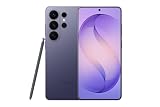
- PRIVACY DISPLAY: Automatically hide your screen from those beside you. The built-in privacy display can be preset¹ to turn on when receiving notifications, typing passwords, or using specific apps
- TYPE IT IN. TRANSFORM IT FAST: Enhance any shot in seconds on your smartphone by using Photo Assist² with Galaxy AI.³ Add objects, restore details, or apply new styles by simply typing or tapping
- NIGHTS, CAPTURED CLEARLY: From gigs to city lights, record and capture moments after dark with clarity using Nightography so your photos and videos stay crisp and clear on your Samsung Galaxy
- MAKE IT. EDIT IT. SHARE IT: Turn everyday moments into something personal with creative tools built right into your mobile phone, whether it’s a special contact photo, custom wallpaper, an invitation or more⁴
- HELP THAT KEEPS UP: Stay in the moment while Now Nudge with Galaxy AI helps you respond faster and stay organized with smart suggestions⁵ that appear exactly when you need them on your phone
Best for color accuracy and balanced image quality: Google Pixel 10 Pro XL
Choose the Pixel 10 Pro XL if you value accurate color, natural-looking images, and balanced HDR behavior more than the biggest brightness number on a specification sheet.
The Pixel 10 Pro XL uses a 6.8-inch Super Actua LTPO OLED with 1–120Hz Smooth Display, 1344 × 2992 resolution, and approximately 486ppi. Google quotes up to 2,200 nits in HDR and 3,300 nits peak brightness, with Gorilla Glass Victus 2 protection. The Google Store announcement and Google’s technical specifications provide the official figures.
Its strongest evidence is not the 3,300-nit claim. DxOMark gave the Pixel 10 Pro XL a display score of 161, praising color rendering, brightness adaptation, and HDR playback. DxOMark’s scoring is not a universal definition of display quality—its weighting is not always fully transparent—but it evaluates more than a single brightness window.
Notebookcheck’s measurements were lower than Google’s peak claim: about 1,947 nits during HDR playback and approximately 2,080 nits with the ambient-light sensor active. That is not necessarily a contradiction. Google’s figure may describe a smaller peak area under a particular mode, while the review measures a different window and operating condition.
The Pixel is a particularly good choice for photos, reading, and streaming because its color presentation is less aggressively saturated than Samsung’s default Vivid mode when configured for accuracy. It also has a Google accessibility option aimed at sensitive eyes that can raise the operating flicker frequency to approximately 480Hz in some conditions; Notebookcheck measured 240Hz PWM at low brightness. That setting may help some users, but it is not a guarantee of comfort.
Format reporting is not perfectly consistent. Notebookcheck did not report Dolby Vision support in its review, while Digit lists Dolby Vision alongside HDR10+ and Ultra HDR for the Pixel 10 Pro XL. If a specific streaming service or HDR format matters to you, verify support on the exact regional model and app combination.
Best iPhone display: iPhone 17 Pro Max
The iPhone 17 Pro Max is the best large iPhone display, while the smaller iPhone 17 Pro is the best compact iPhone display.
Apple lists both models with adaptive 120Hz ProMotion, an always-on display, P3 wide color, True Tone, 1,000 nits typical maximum brightness, 1,600 nits HDR peak brightness, and 3,000 nits outdoor peak brightness. Apple also specifies a 1-nit minimum brightness and an anti-reflective oleophobic coating. The Pro Max has a 6.9-inch panel; the Pro has a 6.3-inch panel. See Apple’s official specifications.
Why it is a strong display
- Outdoor use: the improved anti-reflective finish and high outdoor mode make text and photographs easier to see in bright conditions.
- Low-light use: a 1-nit minimum is useful at night or beside a bed, although minimum brightness alone does not determine flicker comfort.
- Color and touch: Apple’s P3 color management, consistent calibration, and responsive touch make the display feel polished for video, photos, and games.
- Size choices: the Pro Max is better for movies and reading; the 6.3-inch Pro is easier to handle without giving up ProMotion or the main display features.
Why brightness tests disagree
Apple claims 3,000 nits outdoors. Tom’s Guide measured 1,899 nits on the iPhone 17 Pro Max compared with 1,806 nits for the Galaxy S26 Ultra, while Notebookcheck measured up to 2,344 cd/m². Those numbers are not directly contradictory because the tests may differ in window size, ambient light, brightness controls, measurement duration, and whether automatic outdoor mode was triggered.
Notebookcheck measured a 240Hz base PWM frequency and approximately 480Hz behavior at higher brightness. Apple provides a Pulse Smoothing accessibility setting, which may improve comfort for some people but cannot guarantee that every PWM-sensitive user will tolerate the phone.
Also popular on Amazon

- PRIVACY DISPLAY: Automatically hide your screen from those beside you. The built-in privacy display can be preset¹ to turn on when receiving notifications, typing passwords, or using specific apps
- TYPE IT IN. TRANSFORM IT FAST: Enhance any shot in seconds on your smartphone by using Photo Assist² with Galaxy AI.³ Add objects, restore details, or apply new styles by simply typing or tapping
- NIGHTS, CAPTURED CLEARLY: From gigs to city lights, record and capture moments after dark with clarity using Nightography so your photos and videos stay crisp and clear on your Samsung Galaxy
- MAKE IT. EDIT IT. SHARE IT: Turn everyday moments into something personal with creative tools built right into your mobile phone, whether it’s a special contact photo, custom wallpaper, an invitation or more⁴
- HELP THAT KEEPS UP: Stay in the moment while Now Nudge with Galaxy AI helps you respond faster and stay organized with smart suggestions⁵ that appear exactly when you need them on your phone
The Pro Max has lower pixel density than the Galaxy S26 Ultra—460ppi according to the cited comparisons—so Samsung remains the better choice for maximum text sharpness. For most viewing distances, however, the iPhone remains very crisp.
What’s actually slowing this PC down?
Pick the symptom - the matching free tool is one click away.
Best for gaming smoothness: OnePlus 15
Choose the OnePlus 15 if gaming smoothness and touch responsiveness are more important than QHD+ resolution or the strongest anti-reflective treatment.
The OnePlus 15 has a 6.78-inch LTPO AMOLED panel with 2772 × 1272 resolution, 450ppi, 10-bit color, typical 100% DCI-P3 coverage, Gorilla Glass Victus 2, and 1–120Hz adaptive refresh for normal use. Its standout feature is a 165Hz gaming mode. OnePlus lists 1,800 nits HBM and a 1-nit minimum on its official US specification page.
The important qualification is that 165Hz is not a universal system setting. It is available in supported games. Most apps, videos, and many games still run at 60Hz or 120Hz. The higher rate can make compatible competitive games feel smoother and reduce perceived motion blur, but it also increases power and GPU demands.
There is a significant specification discrepancy online. PhoneArena lists the OnePlus 15 as a 1440p, 3,500-nit, 1–120Hz phone, while OnePlus’s US page lists 2772 × 1272, 1,800-nit HBM, and 165Hz gaming. The official US page is the appropriate source for the main product table. Third-party measurements should be labeled separately: Notebookcheck measured approximately 1,109 nits average maximum and about 1,434 nits in a smaller bright area, while Digit measured 3,120 nits using its own protocol.
The trade-off is a 1.5K-class panel rather than the Galaxy’s QHD+ panel, no equivalent anti-reflective treatment, and PWM flicker reported by Notebookcheck. It is a gaming specialist, not the automatic winner of the brightest-display contest.
For an even more specialized gaming option, the older ASUS ROG Phone 9 Pro supports up to 185Hz through Game Genie. It remains interesting for gaming-first buyers, but it is a 2024-generation phone and less compelling as an all-purpose 2026 flagship. Tom’s Guide’s review covers its gaming and battery strengths.
Best for display comfort features: HONOR Magic8 Pro
The HONOR Magic8 Pro is the most promising global alternative for readers who are sensitive to screen flicker or who want a large set of eye-comfort controls.
Regional HONOR specifications list a 6.71-inch display, 1–120Hz adaptive refresh, up to 6,000 nits HDR peak brightness, and up to 4,320Hz high-frequency PWM dimming at low brightness. They also list dynamic dimming, circadian display, and other eye-comfort modes. One regional specification gives the resolution as 1256 × 2808. See the regional specifications and HONOR’s launch information.
Free tools Windows power users keep installed
One-click scans. No signup required.
Android Central reported approximately 3,600 nits in testing and praised the mix of brightness, color accuracy, and comfort features. The headline 6,000-nit figure should still be treated as a local HDR peak, not ordinary full-screen brightness.
High-frequency PWM is not a medical guarantee. Comfort depends on frequency, modulation depth, waveform, brightness level, software mode, and individual sensitivity. IEEE 1789 offers guidance for flicker and modulation, but it does not certify a particular smartphone OLED as safe or comfortable for every person. If flicker gives you headaches or eye strain, buy from a retailer with a return policy and test the exact device at several brightness levels.
Also popular on Amazon

- PRIVACY DISPLAY: Automatically hide your screen from those beside you. The built-in privacy display can be preset¹ to turn on when receiving notifications, typing passwords, or using specific apps
- TYPE IT IN. TRANSFORM IT FAST: Enhance any shot in seconds on your smartphone by using Photo Assist² with Galaxy AI.³ Add objects, restore details, or apply new styles by simply typing or tapping
- NIGHTS, CAPTURED CLEARLY: From gigs to city lights, record and capture moments after dark with clarity using Nightography so your photos and videos stay crisp and clear on your Samsung Galaxy
- MAKE IT. EDIT IT. SHARE IT: Turn everyday moments into something personal with creative tools built right into your mobile phone, whether it’s a special contact photo, custom wallpaper, an invitation or more⁴
- HELP THAT KEEPS UP: Stay in the moment while Now Nudge with Galaxy AI helps you respond faster and stay organized with smart suggestions⁵ that appear exactly when you need them on your phone
HONOR’s US availability is limited or region-dependent, so check local bands, software support, warranty coverage, and repair options before importing one.
Best foldable displays
Samsung Galaxy Z Fold8 Ultra: best for screen area and productivity
The Galaxy Z Fold8 Ultra is the best choice when the physical size and usefulness of the inner panel matter more than having the best-proven outdoor brightness. Samsung lists an 8-inch main display and a 6.5-inch cover display on its official US product page.
The large inner screen is ideal for multitasking, document work, side-by-side apps, drawing, and reading. It is more tablet-like than a conventional phone and is the most compelling foldable here for productivity.
Do not assume that a large inner display with a high brightness claim is automatically better outdoors. TechRadar reported a 3,000-nit maximum for the inner display but noted that the cover screen could be overwhelmed in direct sunlight. The two screens can have different brightness limits, coatings, aspect ratios, and reflection behavior. The crease, flexible inner coating, and higher repair cost also remain part of the experience.
Google Pixel 10 Pro Fold: best measured foldable brightness
The Pixel 10 Pro Fold is the more defensible choice if you want a foldable based on an independent display measurement rather than the newest hardware. DxOMark testing reported 2,859 cd/m² on its foldable display, which Notebookcheck described as a foldable-display record at the time of testing.
That is a measured result for the foldable display under a specific protocol—not proof that it will be the brightest in every outdoor situation. Reflectivity, automatic brightness, cover-screen performance, crease visibility, and software scaling still affect daily use.
Do these 3 things before closing this tab:
1Scan for outdated or missing drivers - takes under a minute2Repair Windows errors before they cause bigger problems3Fix the driver behind crashes, sound loss and screen glitchesMotorola Razr Fold: a useful warning about foldable specifications
The Motorola Razr Fold illustrates why foldable comparisons need more than a peak-nit number. Its specifications advertise very high brightness and 165Hz operation, but T3 noted that 165Hz content is uncommon and that strong reflections can remain visible outdoors. T3’s review and Ars Technica’s review provide useful context.
When comparing foldables, inspect both screens separately. Ask whether you will use the cover display most of the time, how visible the crease is at your usual angle, whether the inner coating feels less like glass, and how much the manufacturer charges for screen repair.
Independent reader supportYour contribution helps us test, update, and keep practical guides available for everyone.Bright global alternatives
The following models are important if you live in a market where they are officially sold. They are not part of the main US ranking. Availability, warranty support, network compatibility, software, and regional display specifications can differ.
| Phone | Manufacturer claim | Digit measurement | Other display features |
|---|---|---|---|
| Vivo X300 | 4,500-nit local peak; 2,000-nit HBM | 3,340 nits | ZEISS calibration, 2,160Hz PWM, and global DC dimming. |
| Vivo T5 Pro | 5,000 nits | 3,320 nits | 144Hz refresh, 10-bit color, and 2,160Hz PWM. |
| Google Pixel 10 Pro XL | 3,300 nits | 3,300 nits | 1–120Hz LTPO; Digit lists HDR10+, Dolby Vision, and Ultra HDR. |
| Xiaomi 17T | 3,500 nits | 3,300 nits | 3,840Hz PWM and eye-care certification. |
| OPPO Find X9 Pro | 3,600 nits | 3,100 nits | 1–120Hz, Dolby Vision, HDR10+, HDR Vivid, and 2,160Hz PWM. |
| OnePlus 15 | Digit reports a 3,500-nit HDR claim | 3,120 nits | 165Hz gaming, HDR10+, Dolby Vision, and HDR Vivid in Digit’s account. |
Digit’s comparison is valuable because it measures a broad set of global phones, but it is brightness-centric. It does not establish a universal ranking for color accuracy, reflection control, touch latency, viewing angles, or foldable durability. Its numbers should not be combined directly with Notebookcheck, Tom’s Guide, PhoneArena, or DxOMark results.
The Tool Desk
Outbyte PC Repair FREERepair Windows errors before they cause bigger problemsFix Now →Outbyte Driver Updater FREEFix the driver behind crashes, sound loss and screen glitchesFind Drivers →Also popular on Amazon
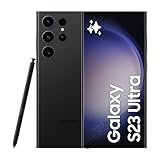
- 6.8" Dynamic AMOLED 2X QHD+ display with 1–120 Hz adaptive refresh rate, up to ~1750 nits brightness, HDR10+ support, and ultra-smooth responsiveness for gaming and scrolling.
Choose by what you do with your phone
| If your priority is… | Best starting point | Why |
|---|---|---|
| Outdoor use | Galaxy S26 Ultra | Anti-reflective Gorilla Armor 2, high brightness, strong contrast, and good automatic outdoor behavior. Also consider the iPhone 17 Pro Max and Pixel 10 Pro XL. |
| Movies and HDR video | Galaxy S26 Ultra or iPhone 17 Pro Max | The Galaxy offers QHD+ sharpness and deep contrast; the iPhone offers a large polished HDR experience. The Pixel is preferable when accurate rendering is the priority. |
| Color accuracy | Pixel 10 Pro XL | Its display testing provides especially strong evidence for accurate color and balanced HDR adaptation. |
| Competitive gaming | OnePlus 15 | Its 165Hz mode is available in supported games, with fast touch response and a responsive flat panel. |
| Low-light reading | Pixel 10 Pro XL, Galaxy S26 Ultra, or HONOR Magic8 Pro | Look for low minimum brightness, flicker controls, and a return policy. The Galaxy’s Extra Dim and Pixel’s sensitive-eyes option may help; HONOR offers the most aggressive high-frequency PWM claim. |
| Compact size | iPhone 17 Pro | Its 6.3-inch display keeps ProMotion and the iPhone 17 Pro display features in a smaller body. Android alternatives include the 6.3-inch Pixel 10 Pro and Galaxy S26. |
| Sharpest text | Galaxy S26 Ultra | Its QHD+-class panel and approximately 498–500ppi provide the highest pixel density among the main recommendations. |
| Privacy in public | Galaxy S26 Ultra | Privacy Display can protect the whole screen or selected sensitive content, although it changes viewing behavior by design. |
| Largest workspace | Galaxy Z Fold8 Ultra | The 8-inch inner panel is the strongest choice for documents, multitasking, and tablet-like apps. |
Important display trade-offs
Is QHD+ always visibly better than 1.5K?
No. The Galaxy S26 Ultra’s QHD+ resolution is valuable for close inspection, stylus work, photography, and very fine text. At normal phone viewing distances, however, a well-tuned 1.5K-class panel around or above 450ppi can already look extremely sharp. Lower resolution can reduce GPU and battery demands, which is one reason the OnePlus 15 can make a sensible gaming trade-off.
Are 120Hz and 165Hz equally useful?
No. A 165Hz panel is most useful when a compatible game renders above 120 frames per second and the phone can sustain that performance. Videos generally use much lower frame rates, many games cap themselves at 60Hz or 120Hz, and regular apps may not benefit visibly. Treat maximum refresh rate as a software-and-content feature, not just a panel specification.
Does a high PWM frequency guarantee comfort?
No. Frequency is only one part of the equation. Modulation depth, waveform, brightness level, dimming mode, and personal sensitivity all matter. Some people tolerate a 240Hz implementation; others react to much higher-frequency modulation. Use terms such as low-flicker features or may be more comfortable, not medically safe or eye-friendly as an absolute claim.
How to compare displays before buying
- Check the exact regional model. Display brightness, HDR formats, warranty, and network support can vary by market.
- Look at the glass under a strong light. Tilt a dark screen and a white screen. A phone that suppresses reflections may be easier to read than one with a higher advertised peak.
- Test a full-screen white page. This approximates documents, maps, and web pages better than a small bright HDR square.
- Play a genuine HDR clip. Look at highlight detail, shadow detail, skin tones, and whether the image becomes unnaturally saturated.
- Scroll small text. Check smoothness, ghosting, touch response, and whether the highest refresh mode is actually available in your preferred games.
- Dim the display slowly. If you are flicker-sensitive, test several brightness levels and any sensitive-eyes, pulse-smoothing, DC-dimming, or extra-dim setting available on the phone.
- Check viewing angles. This is especially important for the S26 Ultra’s Privacy Display and for foldables, where the crease and flexible coating can alter the image.
Why major display rankings disagree
Different reviews answer different questions. PhoneArena covers major flagships and discusses brightness, reflection, minimum brightness, and PWM, but its OnePlus 15 specifications conflict with OnePlus’s official US page and it does not cover the foldables in this guide. Digit is broader and more useful for global brightness comparisons, but it focuses less on accuracy, reflection, touch response, and durability. Tom’s Guide provides a valuable direct iPhone-versus-Samsung comparison, but it covers only two phones.
Windows Errors? Fix Them Before They Spread
Repair common Windows errors and clear accumulated junk for a smoother, more stable PC - no reinstall needed.Free scan · no reinstallCrashes, No Sound, or Screen Glitches?
Random freezes, missing sound and display glitches usually trace back to one bad driver. Find and replace yours safely.Free scan · under a minuteDxOMark evaluates a wider collection of display behaviors and gave the Pixel 10 Pro XL a leading score, but its scoring should be treated as one test source rather than the sole definition of best. Notebookcheck often exposes useful details about PWM, HDR windows, and sustained brightness, but its measurements also represent a particular device and protocol.
The responsible conclusion is not that one source is right and all others are wrong. It is that a display review needs to identify the test method. A local HDR peak, a 20% average-picture-level result, a full-screen result, and an outdoor HBM measurement describe different experiences.
Frequently Asked Questions
Which phone has the brightest display in 2026?
There is no single defensible answer without defining the measurement. HONOR claims up to 6,000 nits HDR peak for the Magic8 Pro, Vivo claims 4,500 nits for the X300, and Apple claims 3,000 nits outdoors for the iPhone 17 Pro models. Independent results vary because testers use different windows and modes. For a US buyer, the Galaxy S26 Ultra, iPhone 17 Pro Max, and Pixel 10 Pro XL are safer outdoor recommendations than choosing solely by the largest advertised number.
Is the Galaxy S26 Ultra display better than the iPhone 17 Pro Max display?
The Galaxy is the more versatile display because it combines QHD+ sharpness, anti-reflective glass, S Pen support, and Privacy Display. The iPhone 17 Pro Max has excellent color, touch response, low minimum brightness, and strong outdoor performance; Tom’s Guide measured it slightly brighter in its comparison. Choose Samsung for features and sharpness, or iPhone for the large iOS HDR experience.
Recommended Free Tools
Is OnePlus 15’s 165Hz refresh rate useful?
Yes, but mainly in compatible games that can render above 120 frames per second. Normal system use is adaptive up to 120Hz, and videos or many games run at lower rates. It is a meaningful gaming feature, not a reason by itself to expect every app to look 165Hz.
Which phone display is best for people sensitive to PWM flicker?
The HONOR Magic8 Pro is the strongest candidate on specifications because HONOR claims up to 4,320Hz PWM dimming and provides several comfort modes. The Pixel 10 Pro XL, iPhone 17 Pro Max, Galaxy S26 Ultra, and OnePlus 15 each have different measured PWM behavior and software controls. Individual reactions vary, so test the exact phone at low and medium brightness and buy from a retailer with a return policy.
Is the Galaxy Z Fold8 Ultra the brightest foldable?
It is the best large foldable display experience for screen area and productivity, but it is not proven to be the brightest in every condition. TechRadar reported a 3,000-nit inner-display maximum while noting that the cover screen could struggle in direct sunlight. The Pixel 10 Pro Fold has stronger evidence for independently measured foldable brightness, with 2,859 cd/m² reported by DxOMark.
The Bottom Line
Bottom line: buy the Samsung Galaxy S26 Ultra for the best all-around display package; the Pixel 10 Pro XL for accurate color and balanced HDR; the iPhone 17 Pro Max for the best large iPhone screen; and the OnePlus 15 for supported 165Hz gaming. Consider the HONOR Magic8 Pro if low-flicker features are your priority and it is officially supported in your market. For a foldable, choose the Galaxy Z Fold8 Ultra for workspace and the Pixel 10 Pro Fold when independently measured display brightness matters more than having the newest large-screen hardware.
Whatever you buy, compare full-screen brightness, reflections, low-light behavior, HDR rendering, and supported refresh rates—not just the peak-nit number.

