
The Tool Desk
Outbyte Driver Updater FREEFix the driver behind crashes, sound loss and screen glitchesFind Drivers →Outbyte PC Repair FREERepair Windows errors before they cause bigger problemsFix Now →iTechGuides is reader-supported. When you buy through links on our site, we may earn an affiliate commission. As an Amazon Associate I earn from qualifying purchases. Learn more
Short answer: ChatGPT with GPT-Image-1 was the best overall performer in the reported 2025 comparison, but the best tool depends on the job. Choose Midjourney for style, Ideogram for typography and layouts, Gemini for Google integration, Adobe Firefly for generative editing, and Meta AI for free social experimentation.
This updated guide preserves those test results while correcting the most important freshness problem: several model families, versions, prices, and product descriptions have changed since the original comparison.
How to read this comparison: The rankings and output observations come from a comparison published on August 28, 2025. It used the same four prompts, default settings, and the first output when a service generated multiple images. This is a dated, reported test—not a new 2026 benchmark. Official product capabilities, pricing, and model-version updates are identified separately because these services change frequently.
Recommended Free Tools
The six AI image generators at a glance
| Platform | Result in the 2025 comparison | Best reason to choose it | Important update |
|---|---|---|---|
| ChatGPT / GPT-Image-1 | Best overall | Conversational creation, readable text, photorealism, and iterative editing | The result is specifically about GPT-Image-1; OpenAI has since introduced newer image models. |
| Midjourney | Best reported prompt and style adherence | Art direction, visual exploration, and strongly specified styles | The test used V7. Midjourney documentation identifies V8.1 as the default as of June 10, 2026. |
| Ideogram | Slight edge in reported photorealism | Posters, logos, advertising concepts, typography, and layout | The comparison used Ideogram 1.0; the current product family is Ideogram 4.0. |
| Gemini with Imagen 4 | Easiest access through a general-purpose assistant | People already working in Google’s ecosystem | Availability and model naming inside Gemini can change independently of the 2025 test. |
| Adobe Firefly | Best fit for creative-production workflows | Generative fill, image extension, compositing, and Adobe integration | Firefly Image Model 4 and Image Model 4 Ultra were announced in April 2025. |
| Meta AI | Best reported free and social-sharing option | Casual experimentation and sharing through Meta products | Meta introduced Muse Image in July 2026, so the original Llama 4 result is no longer a complete description of Meta’s image tools. |
What the 2025 test actually measured
The comparison was more useful than a list based solely on feature sheets because all six services received the same four creative prompts:
Popular on Amazon
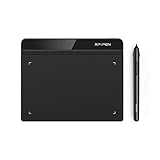
- Battery-Free Pen: StarG640 drawing tablet is the perfect replacement for a traditional mouse! The XPPen advanced Battery-free PN01 stylus does not require charging, allowing for constant uninterrupted Draw and Play, making lines flow quicker and smoother, enhancing overall performance
- Ideal for Online Education: XPPen G640 graphics tablet is designed for digital drawing, painting, sketching, E-signatures, online teaching, remote work, photo editing, it's compatible with Microsoft Office apps like Word, PowerPoint, OneNote, Zoom, Xsplit etc. Works perfect than a mouse, visually present your handwritten notes, signatures precisely
- Compact and Portable: The G640 art tablet is only 2 mm thick, it's as slim as all primary level graphic tablets, allowing you to carry it with you on the go
- Chromebook Supported: XPPen G640 digital drawing tablet is ready to work seamlessly with Chromebook devices now, so you can create information-rich content and collaborate with teachers and classmates on Google Jamboard’s whiteboard; Take notes quickly and conveniently with Google Keep, and effortlessly sketch diagrams with the Google Canvas
- Multipurpose Use: Designed for playing OSU! Game, digital drawing, painting, sketch, sign documents digitally, this writing tablet also compatible with Microsoft Office programs like Word, PowerPoint, OneNote and more. Create mind-maps, draw diagrams or take notes as replacement for mouse
- A futuristic sketch of Tokyo.
- A photorealistic café scene in Paris.
- A medieval blacksmith workshop.
- An impressionist painting of a robot in a Van Gogh-inspired style.
The evaluator left each service at its default settings and judged the first image when a platform produced several options. The comparison also used additional prompts to examine deepfake-safety behavior. That setup reveals how the tools behave with ordinary, reasonably detailed instructions, but it does not establish a permanent quality leaderboard. A different model version, aspect ratio, seed, plan, prompt revision, or selection from a grid could change the outcome.
1. ChatGPT with GPT-Image-1: best overall in the 2025 comparison
ChatGPT was the overall winner in the reported test. Its advantage was not just image quality: it followed precise instructions well, rendered readable text more reliably than most of the tested alternatives, produced convincing photorealistic scenes, and allowed the user to continue refining an image in natural language.
That last point is the practical differentiator. Instead of starting over with a rewritten prompt, you can describe a change conversationally—for example, asking for a wider composition, a different time of day, a removed object, or a revised sign. The workflow is particularly approachable for people who think in ordinary descriptions rather than model-specific prompt syntax.
Choose ChatGPT if you need
- Several rounds of conversational edits.
- Text inside an image, such as labels, signs, headlines, or interface mockups.
- A general-purpose assistant and image generator in one interface.
- A low-friction starting point rather than a specialist art workflow.
Limitations and currentness
The source comparison described a free tier with daily limits and listed ChatGPT Plus at $20 per month and Pro at $200 per month at the time of publication. Those figures should be treated as a dated 2025 snapshot, not a promise of current pricing or limits. OpenAI’s April 23, 2025 announcement also described GPT-image-1 through the Images API and gave approximate square-image generation costs of $0.02, $0.07, and $0.19 for low, medium, and high quality. API image costs are separate from ChatGPT subscriptions.
Do not interpret the 2025 result as proof that GPT-Image-1 is still the best OpenAI image model in 2026. It is the model identified in the original test, while OpenAI has since introduced newer image models. The honest recommendation is therefore: choose ChatGPT for the conversational workflow and text handling demonstrated by the test, but check which image model your account currently uses.
2. Midjourney: the choice for style-sensitive creators
Midjourney ranked highly because it followed stylistic and compositional instructions particularly well. In the reported test, it handled the requested sketch and Van Gogh-style painting more faithfully than many competitors. It is a strong fit when the visual direction matters as much as the literal subject.
Midjourney’s trade-off is that a beautiful, stylistically coherent image can still contain local defects. The comparison noted occasional problems with hands and fine details. Those flaws are manageable when the image is being explored for moodboards or concepts, but they matter more for an image intended for publication without manual cleanup.
Also popular on Amazon

- Wacom Intuos Small Graphics Drawing Tablet: Enjoy industry leading tablet performance in superior control and precision with Wacom's EMR, battery free technology that feels like pen on paper
- Works With All Software: Wacom Intuos tablet can be used in any software program to explore new facets of digital creativity; draw, paint, edit photos/videos, create designs, and mark up documents
- What the Professionals Use: Wacom's industry leading pen technology and pen to paper feeling makes it the preferred drawing tablet of professional graphic designers
- Software and Training Included: Only Wacom gives you software with every purchase. Register your Intuos tablet and gain access to some of the best creative software and Wacom's online training
- Wacom is the Global Leader in Drawing Tablet and Displays: For over 40 years in pen display and tablet market, you can trust that Wacom to help you bring your vision, ideas and creativity to life
Choose Midjourney if you need
- Strong adherence to an artistic direction.
- Fast exploration of composition, mood, color, and visual style.
- Concept art, campaign exploration, environments, or editorial inspiration.
- A specialist image-making tool rather than a general-purpose chatbot.
Version and pricing warning
The original comparison used Midjourney V7, which was released on April 3, 2025 and became the default on June 17, 2025. Midjourney’s documentation now identifies V8.1 as the default as of June 10, 2026. V8.1 is therefore a materially different experience from the one ranked in the 2025 article; the historical recommendation is useful for the use case, but not a current head-to-head score.
Current plan documentation lists Basic, Standard, Pro, and Mega at $10, $30, $60, and $120 per month respectively, with annual discounts. Commercial-use provisions depend on Midjourney’s current terms and your plan, so check those terms before using generated work for a client or business.
3. Ideogram: the strongest fit for typography and design concepts
Ideogram 1.0 received a slight edge for photorealism in the source test. The reported images showed strong shadow placement, lighting, and vibrant output. More importantly for many practical projects, Ideogram has historically emphasized text rendering and design-oriented compositions.
That makes Ideogram a natural candidate for poster concepts, logo explorations, advertising mockups, title treatments, social graphics, and other images in which words and layout are central. Its current materials describe Ideogram 4.0 as adding bounding-box layout control, which is directly relevant when placing or organizing text and visual elements.
What’s actually slowing this PC down?
Pick the symptom - the matching free tool is one click away.
Choose Ideogram if you need
- Posters, signs, logos, thumbnails, or advertising concepts with visible text.
- More control over text placement and layout.
- Realistic lighting and vivid, polished-looking scenes.
- A design-focused generator rather than a conversational editing assistant.
Trade-offs and current pricing examples
The source article found Ideogram less conversational than ChatGPT for iterative editing. It also raised safety concerns based on its informal deepfake tests. Those are observations from that test setup, not a complete assessment of Ideogram’s current safeguards.
Current subscription documentation lists Free, Plus, Pro, and Team options; one annual-billing display shows Plus at $15 per month, Pro at $42 per month, and Team at $20 per user per month. A separate plans page lists monthly options and notes that Basic is legacy, so confirm the plan structure and billing interval before subscribing. For API users, current Ideogram pricing lists 4.0 Turbo at $0.03 per image, Default at $0.06, and Quality at $0.10, with separate charges for editing, upscaling, and other operations.
4. Gemini with Imagen 4: easiest access for Google users
Gemini’s main advantage in the comparison was access. Image generation was available inside the Gemini app and Google’s wider ecosystem, making it an easy option for people who already use Google’s assistant and productivity tools.
Also popular on Amazon

- Word-first 16K Pressure Levels: The upgraded stylus features 16,384 levels of pressure sensitivity and supports up to 60 degrees of tilt, delivering smoother lines and shading for a natural drawing experience. With no battery or charging needed, it operates like a real pen, making it easy for beginners to create effortlessly. This functionality helps novice artists develop their skills and explore their creativity without the intimidation of complex tools
- Designed for Beginners: This drawing pad desinged with 8 customizable shortcuts for both right and left-hand users, express keys create a highly ergonomic and convenient work platform
- Perfectly Adapted for Android: The XPPen Deco 01 V3 art tablet supports connections with Android devices running version 10.0 and above. It is recommended to download the XPPen Tools Android application, which adapts to your smartphone's screen aspect ratio, ensuring accurate mapping. It also supports mapping on Android screens with different aspect ratios in portrait mode
- Large Drawing Space, Bigger Bold Inspiration: This expansive drawing pad has10 x 6.25-inch helps you break through the limit between shortcut keys and drawing area
- Easy Connectivity for Beginners: The Deco 01 V3 offers USB-C to USB-C connectivity, plus adapters for USB C. This ensures easy connection to various devices, allowing beginner artists to set up quickly and focus on their creativity without compatibility concerns. Whether using a laptop, tablet, or desktop, the Deco 01 V3 provides a seamless experience, making it an ideal choice for those just starting their digital art journey
The reported images were generally impressive, but the test found occasional failures to honor a request for a sketch or a specific artistic style. This is an important distinction: Gemini can produce a good-looking image while still missing the most important instruction in the prompt.
Windows Errors? Fix Them Before They Spread
Repair common Windows errors and clear accumulated junk for a smoother, more stable PC - no reinstall needed.Free scan · no reinstallCrashes, No Sound, or Screen Glitches?
Random freezes, missing sound and display glitches usually trace back to one bad driver. Find and replace yours safely.Free scan · under a minuteChoose Gemini with Imagen if you need
- Image generation integrated with a general-purpose AI assistant.
- A convenient option within Google’s ecosystem.
- Photorealistic scenes, detailed illustrations, and quick drafts.
- A simple interface instead of a dedicated art platform.
Google announced Imagen 4 in Gemini on May 20, 2025, highlighting improvements in image quality, speed, text rendering, and typography. Google DeepMind’s current Imagen information describes photorealism, fine detail, multiple art styles, improved spelling and typography, output up to 2K resolution, and a faster mode. It also identifies limitations involving complicated compositions, small faces, text, thin structures, and centered images.
Because image-generation access, regional availability, account requirements, and model labels can change, do not assume that a feature available at the 2025 launch is available to every Gemini user today. Check the controls shown in your own account.
5. Adobe Firefly: best for editing and production workflows
Firefly was not the clear winner for pure text-to-image quality in the reported comparison. Its real strength was integration with Adobe’s creative tools. For photographers, designers, and marketing teams, generating or filling part of an existing image can be more valuable than producing a complete image from a blank prompt.
Firefly is especially well suited to tasks such as extending a background, removing or replacing an object, filling an awkward crop, creating variations of an existing composition, and combining generated elements with manually edited artwork. Adobe announced Firefly Image Model 4 and Image Model 4 Ultra on April 24, 2025 as part of its broader Firefly content-creation application.
Do these 3 things before closing this tab:
1Repair Windows errors before they cause bigger problems2Scan for outdated or missing drivers - takes under a minute3Clear out junk files and repair common Windows errorsChoose Firefly if you need
- Generative fill, image extension, compositing, or retouching.
- A workflow centered on Photoshop and other Adobe tools.
- More control over how generated elements fit into an existing image.
- A production process in which a person reviews and edits the result before delivery.
The test reported inconsistent results for some standalone prompts, so Firefly may not be the first choice when all you want is the most expressive text-to-image output. It was also among the strongest performers in the article’s informal deepfake-safety test.
Adobe’s commercially safe positioning should not be read as a universal legal guarantee. You still need to review Adobe’s current terms, the rights in any images you upload, the intended use, and any third-party trademarks, people, or protected material in the result.
Also popular on Amazon
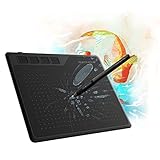
- 【FOR DIGITAL ART & CREATION】-- Perfect for beginner who starts digital drawing, sketching, graphics design, 3D art work, animation, etc. Also meet basic use of professionals who requires portable feature especially during travel.【FOR ANNOTATING AND SIGNATURE】--You can sign and write in excel, word, pdf, ppt, etc.【FOR ONLINE MEETING & ONLINE CLASS】It works with most online meeting programs, like Zoom, and so on. 【FOR Osu! & GAMING】--It's a large help for playing rythm games like Osu!
- 【PASSIVE PEN】--Battery-free pen cuts the inconveneince of charging the pen. 【8192 HIGH LEVEL PEN PRESSURE & 4 CUSTOMIZABLE EXPRESS KEYS】It will provide you precise control and accuracy at your fingertips, to bring more natural lines and enhance creative performance. 4 customizable express keys could be set to more functions as you like. Using them while working will largely improve your work flow.
- 【COMPATIBILITY OR APPLICATION】-- It compatible with Windows 7 or later and macOS 10.12 or later. Noted: It is not compatible with ipad or iphone. Work with most art programs like Adobe Photoshop, Illustrator, Clip Studio, Lightroom, Sketchbook Pro, Manga Studio, CorelPainter, FireAlpaca, OpenCanvas, Paint Tool Sai2, Krita and so on.
- 【266 PPS REPORT RATE + 5080LPI RESOLUTION + 10MM PEN READING HEIGHT + 6.5*4 INCHES ACTIVE AREA】-- This size is more portable and lightweight, easy to be carried around in the laptop bag to the workplace, school, and travel. But it’s also big enough for digital painting, handwriting, playing games and animation design, etc.
- 【HUMANIZED DESIGN】-- 4 rubber feet are created to ensure the stability of the tablet from slipper. 【LEFT & RIGHT HANDED SUPPORT】--Set 180 degree roate inside GAOMON Driver to set left hand mode.
Optional creator hardware: If you use Firefly alongside Photoshop-style masking, retouching, or compositing, a drawing tablet for image editing can make brush-based cleanup more comfortable and precise than a mouse. It will not improve the underlying model’s output quality; it is simply an optional input device for the human editing stage.
Disclosure: The tablet is an optional accessory recommendation. If this mention is connected to a retailer link, it may be an affiliate link and does not affect the ranking.
Free tools Windows power users keep installed
One-click scans. No signup required.
6. Meta AI: best for free, social experimentation
Meta AI was the most accessible social option in the comparison. The reported advantage was the ability to create and share many images for free through Meta’s products. That makes it useful for casual experiments, quick social posts, and people who do not want to learn a specialist interface.
The compromise was clear: the test found Meta AI’s image quality and prompt adherence weaker than the other five platforms. It also reported concerns about celebrity and deepfake behavior. Those findings describe the tested version and prompts, not every current Meta AI surface or a comprehensive safety audit.
Choose Meta AI if you need
- Free experimentation with minimal setup.
- Image creation and editing within Meta’s web, app, or other products.
- Quick images intended for casual sharing rather than demanding design work.
- A social workflow more than a professional production pipeline.
Meta’s current help material says Meta AI is available through the web, app, and Meta products and can generate and edit photos. Meta introduced Muse Image on July 7, 2026, describing it as its most advanced image-generation model at that time, with instruction following, precise editing, and composition from multiple references. That change means the original Llama 4 ranking should be treated as a historical social-access result, not a complete evaluation of Meta’s current model family.
Which one should you choose?
| If your priority is… | Start with… | Why |
|---|---|---|
| One easy tool for many tasks | ChatGPT | It had the best overall balance in the 2025 test and the strongest conversational editing experience. |
| Following an artistic style | Midjourney | It was the strongest reported option for stylistic and compositional adherence. |
| Words inside images | Ideogram | Its product direction and reported results emphasize typography and design layout. |
| Google integration | Gemini with Imagen | It is convenient for users already working in Google’s ecosystem. |
| Editing an existing image | Adobe Firefly | Generative fill, extension, and compositing are more important here than a standalone beauty contest. |
| Free social sharing | Meta AI | It was the easiest reported option for making and sharing many images at no charge. |
If you are undecided, start with ChatGPT for a general trial, then move to Ideogram for text-heavy design, Midjourney for style exploration, or Firefly if the work begins with an existing photograph or layout. There is no reason to pay for all six before identifying the part of the workflow that is actually slowing you down.
Pricing: why the numbers are not directly comparable
Subscriptions, credit systems, API charges, free limits, resolution limits, and regional availability differ substantially. The figures below are snapshots rather than a promise of current pricing:
- ChatGPT: The original article listed a free tier with daily limits, ChatGPT Plus at $20 per month, and Pro at $200 per month at publication in August 2025. OpenAI’s separate April 2025 API announcement listed approximately $0.02, $0.07, and $0.19 for low-, medium-, and high-quality square images through the API.
- Midjourney: Current documentation lists Basic at $10, Standard at $30, Pro at $60, and Mega at $120 per month, with annual discounts. Commercial-use rules depend on the applicable terms and plan.
- Ideogram: Current documentation shows Free, Plus, Pro, and Team. The displayed annual-billing prices are Plus at $15 per month, Pro at $42 per month, and Team at $20 per user per month. Its API lists separate per-image prices for 4.0 Turbo, Default, and Quality.
- Gemini, Firefly, and Meta AI: The supplied comparison and update material establish access and product capabilities but do not provide a single current price that can be fairly compared with the subscription and API figures above. Availability and plan terms should be checked before relying on a free tier.
Before paying, check four things: how many generations or credits are included, whether editing consumes credits, the maximum output resolution, and whether your intended commercial use is covered. A low monthly price can be poor value if your workflow needs repeated revisions or high-resolution exports.
Also popular on Amazon
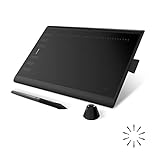
- Working Area Configuration - HUION art tablet equips with a 10 x 6.25 inches working area, providing the user with the most comfortable size to work; the 10mm slim structure and minimalist design of appearance make the drawing tablet more attractive.
- Tilt Function Battery-free Stylus: This computer graphics tablet come with a battery-free stylus PW100, no need to charge, allowing for constant uninterrupted drawing. ±60° tilt support enables imitation of lines input with diverse drawing gestures, with accuracy ensured.
- Press Keys:12 programmable press keys plus 16 programmable soft keys, you can set shortcut keys on drawing tablet's driver based on your preferences, such as erase, zoom in/out, scroll up and down, and so on.
- Compatibility: HUION graphics tablet supports Windows 7 or later/ macOS 10.12 or later/ Android 6.0 or later/ Linux (Ubuntu). A USB adapter is required to connect to a Mac computer. H1060P supports various mainstream design and drawing software, including PS, SAI, AI, CDR, etc. (Please note: The H1060P is compatible with Ubuntu, but it requires the use of the Xorg display server. Wayland is not supported.)
- NOTE: You can easily connect your phone to the art tablet via the OTG connector; while iPhone and iPad are NOT at the moment. The cursor will not show up in the SAMSUNG Galaxy S series at present. If you are not sure whether the product is compatible with your Phone or any help, please contact us.
Safety, copyright, and commercial use
The deepfake portion of the comparison was informal. It used three safety prompts in addition to the four creative prompts, and the article reported that every tested tool produced some output for at least one of those safety prompts. That does not establish that one service is universally unsafe or that another is universally safe. Safety behavior changes with model versions, interfaces, regions, account status, and policy updates.
Use these services responsibly:
- Do not create or distribute deceptive images of real people without consent.
- Be especially careful with celebrity, political, sexual, medical, and criminal-implication imagery.
- Label synthetic images when viewers could reasonably mistake them for documentary material.
- Review the service’s rules before uploading a person’s photograph, a client asset, or confidential material.
- Check current commercial-use terms rather than assuming that a paid plan automatically clears every right.
Copyright and training-data disputes, artist objections, deepfakes, and ownership of generated material remain legally unsettled in many places. A vendor’s safety policy or claim that an offering is commercially safe is not a blanket guarantee that every output is free of third-party rights concerns. The user remains responsible for prompts, uploaded references, trademarks, recognizable people, and the way an image is published.
Quick wins for a faster PC:
Scan for outdated or missing drivers - takes under a minuteDriver Scan →Clear out junk files and repair common Windows errorsFree Scan →Fix the driver behind crashes, sound loss and screen glitchesFind Drivers →A practical workflow for getting better results
- Choose for the job, not the leaderboard. Use ChatGPT for conversational revisions, Midjourney for visual direction, Ideogram for typography, Gemini for convenience, Firefly for compositing, and Meta AI for casual sharing.
- Start with a concrete brief. State the subject, setting, camera or viewpoint, lighting, composition, mood, aspect ratio if available, and any text that must appear.
- Inspect the first result critically. Check hands, faces, small text, thin structures, object counts, perspective, and whether the requested style was actually followed.
- Edit instead of endlessly regenerating. ChatGPT and Firefly are especially useful when the task is to change part of an image. For layout-heavy work, Ideogram’s current bounding-box controls may be more useful than a longer prompt.
- Finish the human-controlled steps. Correct text, crop the image, remove artifacts, confirm permissions, and retain a record of the source assets and edits if the work is for a client.
Final verdict
For the specific August 2025 comparison, ChatGPT with GPT-Image-1 was the best overall choice. Midjourney was the stronger stylistic specialist, Ideogram was the better design and typography candidate, Gemini was the easiest Google-integrated option, Firefly was the most useful for Adobe-centered editing, and Meta AI was the most approachable free social tool.
For a purchase or workflow decision in 2026, treat those as use-case recommendations rather than a current quality ranking. Model versions have already changed—most visibly with Midjourney V8.1 and Meta’s Muse Image—and pricing, limits, safety policies, and availability can change again. The best generator is the one whose editing controls, text handling, access model, and usage terms match the work you actually need to deliver.
Frequently Asked Questions
Which AI image generator was the best overall in 2025?
In the reported August 2025 comparison, ChatGPT with GPT-Image-1 was selected as the best overall because it combined accurate prompt following, readable text, photorealism, and natural-language image editing. That result is historical; OpenAI has since introduced newer image models.
Which AI image generator is best at putting text in images?
Ideogram is the strongest starting point for posters, logos, advertising concepts, signs, and other images where text and layout matter. ChatGPT was also reported to handle readable text well, while Ideogram’s product direction is more explicitly design- and typography-focused.
Which AI image generator is best for free image creation?
Meta AI was the best reported free and social-sharing option in the 2025 test. Its quality and prompt adherence were weaker than the other five tested services, and free access, limits, and available models can change by product and region.
Is Midjourney better than Firefly for AI art?
Midjourney was the strongest reported choice for stylistic and compositional adherence, while Adobe Firefly was the better fit for editing an existing image through generative fill, extension, and compositing. The original Midjourney result used V7; Midjourney later made V8.1 its default.
Are AI-generated images automatically safe to use commercially?
No. A paid subscription or a vendor’s commercial-safety positioning does not automatically remove every copyright, trademark, publicity-right, or uploaded-asset issue. Review the current service terms and obtain permission for reference images and recognizable people before commercial publication.
The Bottom Line
Bottom line: Choose ChatGPT for the best all-round conversational workflow documented in the 2025 test, Midjourney for style, Ideogram for text and layouts, Gemini for Google access, Firefly for professional editing, and Meta AI for free social experimentation. These are dated 2025 test conclusions, not a definitive 2026 benchmark.

