
The correct manual for the Tektronix TBS1052B-EDU is the TBS1000B and TBS1000B-EDU Series User Manual, part number 077088602, Revision A, dated July 1, 2019. It covers the TBS1052B and TBS1052B EDU, including installation, controls, measurements and applications. Tektronix identifies the TBS1052B-EDU as discontinued, but continues to host its manuals, firmware and software on the model support page.
Open the official user-manual page or open Tektronix downloads for TBS1052B-EDU.
Which TBS1052B-EDU document do you need?
The model name is used in several forms—TBS1052B, TBS1052B EDU and TBS1052B-EDU. For normal operation, all point to the TBS1000B/TBS1000B-EDU series documentation. Do not substitute the newer TBS1052C-EDU manual or documentation for unrelated TDS, TBS1000 or TBS2000 instruments.
| Need | Document |
|---|---|
| Operation, setup, controls and measurements | TBS1000B and TBS1000B-EDU Series User Manual, 077088602 |
| Accuracy checks | Specifications and Performance Verification, 077102501 |
| Repair, theory and parts | Service Manual, 077089702 |
| Remote commands | Digital Oscilloscope Series Programmer Manual, 077044403 |
| Safety and compliance | TBS1000B Compliance and Safety Instructions, 071322301 |
| Instructor lab content | PC Courseware Editor User Manual, 077099300 |
| Instrument firmware | TBS1000B/TBS1000B-EDU Firmware V4.06 |
The model-specific support page lists these document types and downloads: Tektronix TBS1052B-EDU support.
Do these 3 things before closing this tab:
1Scan for outdated or missing drivers - takes under a minute2Repair Windows errors before they cause bigger problems3Fix the driver behind crashes, sound loss and screen glitches#1 Best Overall

- 50 MHz bandwidth
- 2 analog channels
- 1 GS/s sample rate on all channels
- 20k point record length on all channels
TBS1052B-EDU specifications at a glance
| Specification | Tektronix-listed value |
|---|---|
| Analog channels | 2 |
| Bandwidth in Sample or Average mode | At least 50 MHz |
| Peak-detect bandwidth | At least 30 MHz typical |
| Maximum sample rate | 1 GS/s (a ceiling, not a guaranteed rate in every setup) |
| Record length | 2,500 samples |
| Typical rise time | 7.0 ns |
| Time-base range | 5 ns/div to 50 s/div |
| Time-base accuracy | ±50 ppm over intervals of at least 1 ms |
| Bandwidth limit | 20 MHz |
These figures are from Tektronix’s Specifications and Performance Verification document. A 50 MHz rating does not mean a 50 MHz waveform has perfectly flat amplitude or ideal edge fidelity, and the short 2,500-point record limits long, detailed captures.
First-time setup
- Inspect the oscilloscope, power cord, probes and probe accessories before switching on.
- Connect the rated power source and allow the instrument to boot.
- Connect a probe to Channel 1 and set the on-screen probe factor to match the physical probe, normally 1X or 10X.
- Connect the probe tip and ground clip to the front-panel probe-compensation output.
- Press Autoset, or set volts/division, seconds/division and trigger controls manually until the square wave is stable.
- Adjust the probe compensation trimmer if the square wave shows overshoot, rounding or undershoot.
- Before testing an external circuit, verify channel selection, coupling, probe factor, trigger source and scale settings.
Front-panel controls that matter most
Vertical controls
Channel 1 and Channel 2 buttons enable a channel and open its menu. Volts/division sets sensitivity; vertical position moves the trace. Input coupling offers AC, DC and GND: use DC when the signal’s offset matters, AC when you intentionally remove the DC component, and GND only to reference the channel position. Probe attenuation must match the physical probe. Bandwidth limit can reduce high-frequency noise, but it also removes signal content.
Horizontal and trigger controls
Seconds/division sets the time scale and horizontal position controls the record’s position relative to the trigger. Trigger level, source, slope and mode determine when acquisitions are displayed. Run/Stop continuously acquires or freezes the display; Single Sequence captures one triggered event.
Menus and analysis
Autoset provides a starting display. Measure adds automatic measurements, Cursor provides manual voltage or time readings, Acquire selects acquisition mode, Display changes presentation, Utility contains instrument functions, Save/Recall handles stored setups and waveforms, Math performs waveform calculations, Ref displays reference waveforms, and Help provides on-instrument guidance.
Recommended Free Tools
Acquisition modes
Sample
Sample is the general-purpose mode for ordinary waveform capture.
Rank #2

- 2 Analog channels
- 70 MHz bandwidth
- 2 GS/s Sampling rate
- 5 M record length on all channels
- 9-inch WVGA color display with 15 horizontal grids shows 50% more signal
Peak Detect
Peak Detect is useful for narrow transients that could fall between ordinary samples. On this model, Tektronix separately specifies peak-detect bandwidth as at least 30 MHz typical, so the headline 50 MHz figure should not be applied to every peak-detect measurement.
Average
Average reduces random noise when the waveform is repetitive and triggering is stable. It can hide one-time or non-repetitive events, so a cleaner display is not automatically a more truthful one.
Triggering and single-event capture
The technical reference lists Edge, Video and Pulse Width triggers. Sources include Channel 1, Channel 2, external trigger, External/5 and AC line; External/5 attenuates the external trigger signal by five.
- Select the channel carrying the timing reference.
- Place the trigger level near the waveform midpoint and choose the appropriate slope.
- Use Auto mode while setting up; it can sweep the display without a valid trigger.
- Use Normal mode when you need the screen to wait for a valid trigger.
- Use Single Sequence for a one-time event, then inspect the frozen acquisition.
- For drifting or noisy signals, try trigger coupling, slope, level and a faster or slower time base.
The external trigger path is not affected by the channel bandwidth-limit setting, according to Tektronix’s technical reference.
Measurements and cursors
Automatic measurements can report frequency, period, positive and negative pulse width, rise and fall time, peak-to-peak, RMS, mean, cycle mean, duty cycle and phase or timing difference between channels. The waveform must be adequately acquired and, for frequency, period and many timing measurements, repetitive and stably triggered. An invalid or unstable result indicates unsuitable data—not extra precision.
Rank #3

- 200 MHz bandwidth
- 2 analog channels
- 1 GS/s sample rate on all channels
- 1 GS/s sample rate on all channels
- 20k point record length on all channels
Check automatic results against the graticule and manual voltage or time cursors. Probe loading, bandwidth, sample interval, noise and trigger jitter limit the accuracy of both methods.
Probe safety and grounding
The standard probe ground clip is normally connected to protective earth through the oscilloscope. Do not attach it to a floating or mains-connected node unless the entire measurement method is specifically rated for that use. Use a properly rated differential probe or isolated instrumentation for floating circuits.
- Match the scope’s 1X/10X setting to the probe.
- Use 10X probing when appropriate to reduce circuit loading and increase usable voltage range.
- Check the actual probe’s voltage, category, frequency and derating limits; the oscilloscope input rating does not override them.
- Never assume a printed voltage such as 300 V applies at every frequency, waveform or probe setting.
Read Tektronix’s separate compliance and safety document before hazardous measurements.
Self-calibration, firmware and PC connection
The performance-verification document indexes the instrument’s “Do Self Cal” function. Self-calibration or signal-path compensation is not the same as traceable calibration, formal performance verification or repair adjustment. Follow the manual’s warm-up, temperature and probe-disconnection requirements, and do not treat self-calibration alone as proof that every specification is met.
Tektronix lists firmware V4.06 for the TBS1000B/TBS1000B-EDU family. Check the installed version in the Utility or system-information menu before updating. The support page also lists OpenChoice Desktop, TekVISA, the programmer manual and PC Courseware Editor. USB communication depends on the cable, driver, instrument firmware, VISA layer, software version and operating-system compatibility; older packages may not work reliably on current computers.
Rank #4
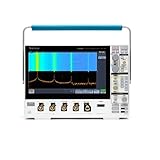
- 1 - 1 GHz, 4-Channel, 5 GS/s Mixed Domain Oscilloscope with 8-bit Vertical Resolution and 11.6 in. HD Touchscreen, 10 M Record Length
- 4 - TPP1000, 1 GHz, 3.9 pF Passive Voltage Probes
- 1 - Accessory Bag (016-2144-xx)
- 1 - Power Cord
- 1 - OpenChoice Desktop Software (Available for Download)
What the EDU designation adds
The EDU model supports instructor-created courseware. With the separate PC Courseware Editor, an instructor can create lab instructions on a computer and transfer them to a TBS1000B-EDU instrument, including the TBS1052B EDU. This is distinct from ordinary waveform-capture software. It does not add logic-analyzer channels or turn the oscilloscope into a mixed-signal instrument, and availability can depend on firmware and software versions.
The Tool Desk
Outbyte PC Repair FREERepair Windows errors before they cause bigger problemsFix Now →Outbyte Driver Updater FREEScan for outdated or missing drivers - takes under a minuteDriver Scan →Common problems and recovery
| Symptom | Likely causes | Recovery |
|---|---|---|
| Blank or unstable waveform | Wrong source, level or mode; disabled channel; poor ground; incorrect scale | Press Autoset, enable the active channel, select it as trigger source, use Auto trigger temporarily, check probe factor and ground, then reduce volts/division and seconds/division. |
| Wrong voltage | 1X/10X mismatch, AC coupling, poor compensation or grounding | Match probe factor, select DC when offset matters, compensate the probe and recheck the connection. |
| Distorted square wave | Probe compensation, long ground lead, circuit loading, bandwidth limit or signal near bandwidth | Compensate the probe, shorten the ground connection, try 10X and verify bandwidth settings. |
| Missed narrow pulse | Sample mode, slow time base, wrong trigger or limited record window | Try Peak Detect, shorten seconds/division, synchronize the trigger and adjust pre-trigger/post-trigger coverage. Tektronix documents a 13 ns minimum pulse-width condition for listed peak-detect testing. |
| USB connection fails | Driver, cable, hub, operating-system or software mismatch | Use a direct USB connection, check firmware and current model downloads, reinstall the appropriate VISA/OpenChoice components and consult the programmer manual. |
Is the discontinued TBS1052B-EDU still worth using?
Yes, when the job is introductory laboratory work, audio and low-speed analog signals, basic digital demonstrations, two-signal comparisons, or an existing classroom courseware workflow. Its two channels, 50 MHz-class sample/average bandwidth and familiar controls remain useful.
It is a weaker choice for long captures, protocol decoding, mixed-signal debugging, high waveform-update rates, deep memory or modern automation. Discontinued status can also make warranty service, accessories and replacement parts harder to obtain.
For replacement research, compare a tested used TBS1052B-EDU with the current TBS1000C/TBS1052C-EDU family and alternatives such as the Siglent SDS1000X-E. Do not treat a newer model as a drop-in replacement without checking connectors, software, courseware and specifications.
Frequently Asked Questions
Is TBS1052B-EDU the same as TBS1052B EDU?
Yes. Tektronix uses these naming variations for the EDU version covered by the TBS1000B/TBS1000B-EDU series manual.
Quick wins for a faster PC:
Clear out junk files and repair common Windows errorsFree Scan →Fix the driver behind crashes, sound loss and screen glitchesFind Drivers →Best Value

- 125V 10A 3 Prong C13 ac power cord cable replacement
- Three prong power cables to replace your overused, old, broken, damaged, or misplaced power cable or add extra distance / extension between devices for convenience
- 3 Prong NEMA 5-15P to IEC320 C13 Power Cords,125V 10A 18AWG(approx.0.824mm) power cable connects from equipment socket to standard 3 pronged AC outlet receptacle
- Power cord ac cable replacement for Tektronix 2235 MDO34 TBS1102C TBS1052B MSO2024 Oscilloscope
- Package content:1 x 3 prong AC power cord
Is the TBS1052B-EDU a 50 MHz oscilloscope?
Tektronix lists at least 50 MHz in Sample or Average mode, while Peak Detect is listed at least 30 MHz typical.
What is its maximum sample rate?
The listed maximum is 1 GS/s, but the available rate varies with time base, channels and acquisition conditions.
Can it measure mains voltage?
Only with a measurement method and probe specifically rated for the circuit category, voltage, frequency and grounding conditions. The standard ground clip must not be attached to an unsafe floating or mains node.
What is the difference from the TBS1052C-EDU?
The TBS1052C-EDU belongs to a newer generation with different documentation and specifications; verify its features separately rather than assuming interchangeability.
PC Slower Than It Used to Be?
A free scan shows the junk files, broken settings and background clutter dragging Windows down - then fixes them in one click.Free scan · Windows 10 & 11Outdated Drivers Are Slowing You Down
One free scan finds every outdated or missing driver and matches the right update for your exact hardware.Free scan · exact hardware matchThe Bottom Line
Download Tektronix manual 077088602 for normal TBS1052B-EDU operation, use the separate verification, service and safety documents for specialized work, and remember that the discontinued two-channel instrument is best suited to basic laboratory measurements rather than modern deep-memory or protocol-analysis tasks.
Quick Recap
Product prices and availability are accurate as of the date/time indicated and are subject to change. Any price and availability information displayed on Amazon at the time of purchase will apply.

