
Quick wins for a faster PC:
Scan for outdated or missing drivers - takes under a minuteDriver Scan →Repair Windows errors before they cause bigger problemsFix Now →Fix the driver behind crashes, sound loss and screen glitchesFind Drivers →iTechGuides is reader-supported. When you buy through links on our site, we may earn an affiliate commission. As an Amazon Associate I earn from qualifying purchases. Learn more
This TCL QM6K review finds a strong-value 2025 budget Mini-LED TV for front-facing viewers, gamers, sports fans, and large-screen shoppers. The QM6K delivers 4K/144Hz, VRR, Google TV, quantum-dot color, Dolby Vision IQ, and useful local dimming, but blooming, mediocre HDR brightness, reflections, and narrow viewing angles keep it below premium Mini-LED and OLED televisions.
The QM6K is best understood as an unusually well-equipped affordable LCD television rather than a low-cost flagship. TCL spends the budget on screen size, contrast, refresh rate, and gaming support. The compromises appear in HDR impact, off-angle viewing, motion processing, and control of bright objects against dark backgrounds.
Key takeaways
- The TCL QM6K is a 2025 entry-level or lower-midrange QD-Mini LED television with Google TV and sizes from 50 to 98 inches.
- TCL specifies a 144Hz panel, VRR, 4K support, HDMI 2.1 bandwidth, Dolby Vision gaming, and 1080p/288Hz Game Accelerator support.
- Independent testing found very good contrast and deep blacks for the class, but mediocre HDR brightness, visible blooming, reflections, and a limited viewing angle.
- TechRadar measured 559.8 nits HDR peak brightness in Filmmaker mode and 695.5 nits in Standard mode on a tested 65-inch QM6K.
- The QM6K makes the most sense when its live price is meaningfully below the TCL QM7K and a comparable OLED, or when the same budget buys a much larger screen.
What is the TCL QM6K?
The TCL QM6K is TCL’s 2025 affordable QD-Mini LED 4K television series. The QM6K sits below the QM7K in TCL’s current range and succeeds the conventional 2024 Q6/Q651G class with a more capable Mini-LED backlight and substantially stronger gaming hardware. TCL introduced the series as an affordable premium model in its 2025 launch announcement.
The Tool Desk
Outbyte PC Repair FREERepair Windows errors before they cause bigger problemsFix Now →Outbyte Driver Updater FREEScan for outdated or missing drivers - takes under a minuteDriver Scan →“QLED” refers to the quantum-dot color layer, which helps the LCD produce more saturated colors and better color volume than a basic LED television. “Mini-LED” refers to the smaller LEDs used in the backlight. Mini-LED allows the TV to divide the backlight into local-dimming areas, making dark portions of the image darker than they would be on an ordinary edge-lit or basic full-array LCD.
Popular on Amazon
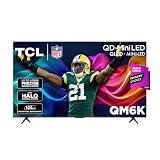
- TCL QM6K QD-MINI LED TV SERIES - AFFORDABLE PREMIUM PERFORMANCE FOR SPORTS, GAMING & STREAMING. Experience superior contrast, rich color, and ultra-smooth motion with TCL’s QD-Mini LED technology. Designed to outperform traditional QLED and OLED TVs, the QM6K is the best TV for every moment—whether you're streaming, gaming, or watching the big game.
- QD-MINI LED. IT’S MINI LED PLUS QLED COLOR - BREATHTAKING BRIGHTNESS AND COLOR IN ANY LIGHT. Combines ultra-precise Mini LEDs with Quantum Dot technology for incredible brightness, bold contrast, and over a billion vibrant colors.
- TCL HALO CONTROL SYSTEM - BETTER BLACKS. SHARPER DETAIL. NO BLOOMING. Advanced local dimming eliminates haloing, enhances shadow detail, and improves picture accuracy—so dark scenes look deeper, and bright scenes stay crisp.
- DOLBY VISION, HDR10+, HDR10 & HLG - STUNNING HDR IN EVERY FORMAT. Enjoy 4K content the way it was meant to be seen. Dynamic HDR support delivers exceptional color, contrast, and detail across all major formats.
- 144HZ NATIVE REFRESH RATE + MOTION RATE 480 - SMOOTH, FAST ACTION—PERFECT FOR LIVE SPORTS. Watch fast-paced action with incredible clarity and minimal motion blur—making this one of the best TVs for sports.
The QM6K is not an OLED. OLED pixels illuminate themselves individually, so an OLED can turn individual pixels completely off without the blooming associated with an LCD backlight. The QM6K’s local dimming improves contrast considerably, but halos around subtitles, stars, lamps, and other small bright objects can still appear.
TechRadar’s review described the model as U.S.-only at the time of testing. Availability can change, so buyers outside the United States should verify that a matching model is officially sold and supported in their market rather than assuming the U.S. QM6K designation applies globally.
What sizes does the QM6K come in?
TCL lists 50-, 55-, 65-, 75-, 85-, and 98-inch QM6K models. Availability, retailer inventory, pricing, panel treatment, and physical dimensions vary by size, so a review of one size should not be treated as a guarantee that every QM6K behaves identically.
Crashes, No Sound, or Screen Glitches?
Random freezes, missing sound and display glitches usually trace back to one bad driver. Find and replace yours safely.Free scan · under a minutePC Slower Than It Used to Be?
A free scan shows the junk files, broken settings and background clutter dragging Windows down - then fixes them in one click.Free scan · Windows 10 & 11| QM6K size | Panel information in the published specification sheet | Best fit | Important buying check |
|---|---|---|---|
| 50 inches | HVA panel | Bedroom, office, or small living room | Confirm the exact model number and stand dimensions |
| 55 inches | HVA panel | Small-to-medium living room or gaming setup | Check the price against 65-inch sale pricing |
| 65 inches | HVA panel | General-purpose living room viewing | TechRadar’s brightness and input-lag measurements used a tested 65-inch unit |
| 75 inches | HVA panel | Large living room or sports viewing | Measure furniture, wall space, and viewing distance |
| 85 inches | Matte HVA panel | Large-room, high-impact viewing | Matte treatment can change reflections and perceived contrast |
| 98 inches | Matte HVA panel | Dedicated large-screen space | Plan delivery, mounting, wall structure, and return logistics before purchase |
The published QM6K specification sheet identifies HVA panels on the 50-, 55-, 65-, and 75-inch models and matte HVA panels on the 85- and 98-inch models. The same sheet lists 4K resolution, a 144Hz panel refresh rate, Wi-Fi 5, four HDMI inputs, one eARC connection, and USB 2.0 and USB 3.0 ports.
Check the exact screen’s stand width, weight, VESA mounting pattern, and wall clearance before ordering a mount or cabinet. Large televisions create practical delivery and damage-inspection issues that specifications alone do not solve. Keep the box until the panel has been tested and the retailer’s return window has been confirmed.
How good is the QM6K’s picture quality?
The QM6K produces very good contrast and deep blacks for an affordable LCD television. RTINGS found good black uniformity and effective local dimming, making the QM6K a major upgrade over a basic LED or non-local-dimming QLED. SDR and HDR images can look accurate after suitable picture adjustments, and dark scenes retain useful shadow detail.
The main qualification is that good contrast does not equal premium HDR. The QM6K can make dark scenes look convincing, but the brightest highlights lack the intensity of more expensive Mini-LED televisions. RTINGS characterizes the QM6K’s HDR brightness as mediocre, while also finding its SDR brightness adequate for dealing with some indirect glare. Those findings are compatible: ordinary SDR viewing can be comfortable even when HDR movies lack dramatic highlight impact.
TechRadar measured the following results on its tested 65-inch QM6K:
Also popular on Amazon
- TCL QM6K QD-MINI LED TV SERIES - AFFORDABLE PREMIUM PERFORMANCE FOR SPORTS, GAMING & STREAMING. Experience superior contrast, rich color, and ultra-smooth motion with TCL’s QD-Mini LED technology. Designed to outperform traditional QLED and OLED TVs, the QM6K is the best TV for every moment—whether you're streaming, gaming, or watching the big game.
- QD-MINI LED. IT’S MINI LED PLUS QLED COLOR - BREATHTAKING BRIGHTNESS AND COLOR IN ANY LIGHT. Combines ultra-precise Mini LEDs with Quantum Dot technology for incredible brightness, bold contrast, and over a billion vibrant colors.
- TCL HALO CONTROL SYSTEM - BETTER BLACKS. SHARPER DETAIL. NO BLOOMING. Advanced local dimming eliminates haloing, enhances shadow detail, and improves picture accuracy—so dark scenes look deeper, and bright scenes stay crisp.
- DOLBY VISION, HDR10+, HDR10 & HLG - STUNNING HDR IN EVERY FORMAT. Enjoy 4K content the way it was meant to be seen. Dynamic HDR support delivers exceptional color, contrast, and detail across all major formats.
- 144HZ NATIVE REFRESH RATE + MOTION RATE 480 - SMOOTH, FAST ACTION—PERFECT FOR LIVE SPORTS. Watch fast-paced action with incredible clarity and minimal motion blur—making this one of the best TVs for sports.
| Measurement | Filmmaker mode | Standard mode |
|---|---|---|
| HDR peak brightness | 559.8 nits | 695.5 nits |
| HDR full-screen brightness | 476.8 nits | 594.4 nits |
| UHDA-P3 color coverage | 94.7% | |
| BT.2020 color coverage | 71.2% | |
Those measurements come from TechRadar’s tested 65-inch unit, not a guarantee for every QM6K size. Standard mode measured brighter, but higher brightness in Standard mode should not be confused with more accurate or more cinematic performance. Filmmaker, Movie, or another calibrated mode is generally the more relevant reference for film accuracy.
Does the QM6K have blooming?
Yes. The QM6K’s local dimming reduces blooming but does not eliminate it. Bright subtitles, stars, streetlights, and white interface elements can produce visible halos against black backgrounds, especially when viewed in a dark room or from an angle.
TCL markets Halo Control and precise dimming as ways to reduce these artifacts. In practice, the backlight is a major reason the QM6K beats ordinary budget LCD televisions, but it is not equivalent to OLED-level pixel control. The best local-contrast setting depends on the individual panel and the viewer’s tolerance for raised blacks, dimmed highlights, or halos.
RTINGS’ QM6K settings guidance uses Local Contrast: Low for its tested television. That is a useful starting point, not a universal prescription. Watch familiar dark scenes with subtitles and small highlights, then compare Local Contrast settings before deciding which compromise looks best in your room.
How bright is the QM6K in a bright room?
The QM6K is suitable for ordinary SDR viewing with indirect light, but the QM6K is not the best choice for a room with direct sunlight or a window reflected in the screen. Direct reflections can remain distracting, particularly during dark movie scenes where a reflected room becomes more visible than the program.
The 85- and 98-inch versions use matte HVA panels according to TCL’s published specification sheet. Matte treatment may alter how reflections appear and may also affect perceived contrast compared with the smaller glossy or differently treated versions. Do not assume that a 65-inch review gives a complete picture of the 98-inch model.
Choose the QM6K for a bright room when the room lighting is manageable and the priority is a large, affordable screen. Choose a brighter premium Mini-LED model when HDR impact and reflection control matter more than size per dollar.
Do these 3 things before closing this tab:
1Repair Windows errors before they cause bigger problems2Fix the driver behind crashes, sound loss and screen glitches3Clear out junk files and repair common Windows errorsIs the QM6K good for gaming?
Gaming is one of the QM6K’s clearest advantages. TCL specifies a 144Hz panel, VRR support up to 144Hz, HDMI 2.1 bandwidth, automatic low-latency mode, Game Master features, Dolby Vision gaming support, and Game Accelerator support for up to 1080p/288Hz on compatible equipment.
Also popular on Amazon
- TCL QM6K QD-MINI LED TV SERIES - AFFORDABLE PREMIUM PERFORMANCE FOR SPORTS, GAMING & STREAMING. Experience superior contrast, rich color, and ultra-smooth motion with TCL’s QD-Mini LED technology. Designed to outperform traditional QLED and OLED TVs, the QM6K is the best TV for every moment—whether you're streaming, gaming, or watching the big game.
- QD-MINI LED. IT’S MINI LED PLUS QLED COLOR - BREATHTAKING BRIGHTNESS AND COLOR IN ANY LIGHT. Combines ultra-precise Mini LEDs with Quantum Dot technology for incredible brightness, bold contrast, and over a billion vibrant colors.
- TCL HALO CONTROL SYSTEM - BETTER BLACKS. SHARPER DETAIL. NO BLOOMING. Advanced local dimming eliminates haloing, enhances shadow detail, and improves picture accuracy—so dark scenes look deeper, and bright scenes stay crisp.
- DOLBY VISION, HDR10+, HDR10 & HLG - STUNNING HDR IN EVERY FORMAT. Enjoy 4K content the way it was meant to be seen. Dynamic HDR support delivers exceptional color, contrast, and detail across all major formats.
- 144HZ NATIVE REFRESH RATE + MOTION RATE 480 - SMOOTH, FAST ACTION—PERFECT FOR LIVE SPORTS. Watch fast-paced action with incredible clarity and minimal motion blur—making this one of the best TVs for sports.
The 4K/144Hz specification is most useful for a gaming PC with a compatible graphics card, HDMI connection, cable, game, and settings. PlayStation 5 and Xbox Series X consoles generally make 4K/120Hz the relevant target rather than 4K/144Hz. The 1080p/288Hz mode prioritizes competitive responsiveness over resolution; it is not 4K/288Hz.
TechRadar measured 13.1ms input lag in Game mode on its test setup. A separate TechRadar comparison entry lists approximately 13.6ms for the 55-inch QM6K. These figures are test results for specific setups and sizes, not a universal input-lag guarantee. The TechRadar QM6K review provides the test context.
For a console or PC setup, enable the correct HDMI input, Game Master or game mode, VRR, and the source device’s high-refresh setting. Use an appropriately rated Ultra High Speed HDMI cable for 4K/120Hz, 4K/144Hz, VRR, or eARC connections. Cable certification and bandwidth matter more than a premium brand name. Firmware, source device, resolution, chroma settings, and input-specific limitations can affect which combinations work.
| Gaming target | What the QM6K supports or enables | Who benefits |
|---|---|---|
| 4K/120Hz | Relevant high-refresh console target with compatible HDMI setup | PS5 and Xbox Series X owners |
| 4K/144Hz | 144Hz panel and VRR support with a compatible PC, cable, input, and settings | PC gamers with suitable hardware |
| 1080p/288Hz | Game Accelerator mode; lower resolution in exchange for very high refresh | Competitive PC players prioritizing responsiveness |
| Dolby Vision gaming | Supported according to TCL, subject to source and input compatibility | Players using compatible Dolby Vision games and devices |
Is the QM6K good for sports and motion?
The QM6K can be a good-value sports television for viewers sitting near the center of the screen. The high-refresh panel, strong contrast, and availability of large sizes help fast-moving games look more engaging than they would on a basic 60Hz television.
The QM6K is less convincing for wide groups or viewers sensitive to motion imperfections. RTINGS reports motion limitations including stutter during slow camera pans and artifacts in some fast sports content, depending on the material and processing settings. Viewing angles are also mediocre, so color and contrast can change for seats far to the side.
Sports viewers should prioritize seating position before paying for the largest size. A 75-inch QM6K viewed straight-on may be more satisfying than a 98-inch screen viewed from extreme side seats, even though the 98-inch model creates greater impact from the main chair.
How does Google TV and the built-in audio perform?
The QM6K uses Google TV, which combines installed apps and recommendations in an aggregated interface. Google TV is a sensible choice for buyers who already use Google services and want voice search, but interface preference is personal. Buyers who already own an Apple TV, Roku, Fire TV, or other streaming box may care more about the TV’s display quality than its built-in platform.
TCL lists hands-free voice control and far-field microphone support in its specification material. A built-in microphone has privacy implications: review the TV’s microphone controls, voice-assistant settings, and account permissions during setup if always-listening functionality is not wanted.
Also popular on Amazon

- TCL QM6K QD-MINI LED TV SERIES - AFFORDABLE PREMIUM PERFORMANCE FOR SPORTS, GAMING & STREAMING. Experience superior contrast, rich color, and ultra-smooth motion with TCL’s QD-Mini LED technology. Designed to outperform traditional QLED and OLED TVs, the QM6K is the best TV for every moment—whether you're streaming, gaming, or watching the big game.
- QD-MINI LED. IT’S MINI LED PLUS QLED COLOR - BREATHTAKING BRIGHTNESS AND COLOR IN ANY LIGHT. Combines ultra-precise Mini LEDs with Quantum Dot technology for incredible brightness, bold contrast, and over a billion vibrant colors.
- TCL HALO CONTROL SYSTEM - BETTER BLACKS. SHARPER DETAIL. NO BLOOMING. Advanced local dimming eliminates haloing, enhances shadow detail, and improves picture accuracy—so dark scenes look deeper, and bright scenes stay crisp.
- DOLBY VISION, HDR10+, HDR10 & HLG - STUNNING HDR IN EVERY FORMAT. Enjoy 4K content the way it was meant to be seen. Dynamic HDR support delivers exceptional color, contrast, and detail across all major formats.
- 144HZ NATIVE REFRESH RATE + MOTION RATE 480 - SMOOTH, FAST ACTION—PERFECT FOR LIVE SPORTS. Watch fast-paced action with incredible clarity and minimal motion blur—making this one of the best TVs for sports.
The specification sheet lists a 40-watt audio system for the 55-inch model and Dolby Atmos passthrough. Internal speakers are convenient for everyday viewing, but Dolby Atmos passthrough does not mean the built-in speakers reproduce a cinema-grade Atmos system. A soundbar or AV receiver is the more appropriate upgrade for buyers building a home theater, particularly when the purchase includes a large 75-, 85-, or 98-inch screen.
How much did the QM6K cost, and what should you pay now?
The dossier does not include a verified live August 2026 retailer price, so this review does not present a current deal claim. Check the exact size, retailer, delivery terms, return policy, and date before purchasing. A QM6K’s value depends heavily on whether a sale places it below the QM7K or a similarly sized OLED.
For historical context, TechRadar reported a $999.99 launch retail price for the 65-inch QM6K and approximately $800 for the tested model by March 2025. TechRadar also reported a series range of approximately $749.99 to $2,999.99 depending on size. Those figures are launch- and review-era prices, not August 2026 prices.
Recommended Free Tools
| Price reference | Amount | Date or qualification |
|---|---|---|
| 65-inch launch retail price | $999.99 | Reported by TechRadar; launch-era context |
| Tested model price | Approximately $800 | Reported by TechRadar by March 2025 |
| QM6K series range | Approximately $749.99–$2,999.99 | Reported by TechRadar; varied by size |
| August 2026 live price | Not verified in the supplied research | Check the exact retailer and screen size before publication or purchase |
Use a simple buy-price rule: buy the QM6K when the live price is meaningfully below the QM7K and a comparable OLED, or when the same money buys a materially larger screen. Consider the QM7K when the price gap is small and the room is bright or HDR performance matters. Consider OLED when a comparable size is only modestly more expensive and perfect blacks, no blooming, and wide viewing angles are more important than maximum screen size.
Do not compare a 55-inch sale price with an 85-inch clearance price as though they represent the same product value. TV prices can change sharply around major sales events and model-year transitions. For 85- and 98-inch models, also compare delivery damage procedures, inspection requirements, return shipping, and whether the retailer accepts returns for uniformity concerns.
Independent reader supportYour contribution helps us test, update, and keep practical guides available for everyone.How does the TCL QM6K compare with alternatives?
The right alternative depends on whether the buyer values HDR brightness, OLED-level black control, viewing angle, gaming features, interface, or screen size. The comparisons below use the supplied independent testing and do not assign unsupported current prices.
| Alternative | Why choose it instead | Where the QM6K remains stronger | Best decision rule |
|---|---|---|---|
| TCL QM7K | Higher brightness and better overall picture performance according to the RTINGS comparison | Potentially lower cost or a larger screen at the same budget | Move up when the price difference is modest and HDR matters |
| Comparable OLED TV | Pixel-level blacks, no blooming, and wide viewing angles | Large-size value, bright SDR-room practicality, and no need to prioritize OLED characteristics | Choose OLED for dark-room movies if the size premium is acceptable |
| Amazon Fire TV Omni Mini-LED | Higher brightness, somewhat better local dimming, and Fire TV integration according to RTINGS | 1080p/288Hz support and slightly lower input lag in the cited comparison | Choose Amazon for HDR punch and Fire TV; choose TCL for competitive gaming features |
| Sony BRAVIA 3 | Different Sony processing, support, and smart-TV preferences may matter | QM6K contrast and gaming capability are substantially stronger in the RTINGS comparison | Choose Sony only when its processing or ecosystem advantage outweighs the display gap |
| Samsung Q7F or similar conventional QLED | Samsung interface, processing, or service preferences | QM6K Mini-LED contrast, local dimming, refresh rate, and gaming support | Prefer the QM6K when comparable pricing makes picture and gaming features the priority |
The RTINGS QM7K comparison identifies the QM7K’s brightness and picture-quality advantage. RTINGS’ Amazon Fire TV Omni Mini-LED comparison favors the Amazon model for a more impactful, brighter image while retaining advantages for the TCL in 1080p/288Hz support and slightly lower input lag in that comparison.
Free tools Windows power users keep installed
One-click scans. No signup required.
Against cheaper conventional LED or QLED models, the QM6K’s most meaningful advantages are local-dimming contrast, 144Hz-class gaming, VRR, and large-screen availability. A cheaper TV may still be the better purchase for basic cable viewing, a secondary room, or a buyer who does not use HDR or high-refresh gaming.
Also popular on Amazon

- 4K UltraHD Resolution: Experience incredible detail with 4X the resolution of 1080p Full HDTVs
- QLED (Quantum Dot Technology): Rich, vibrant colors covering nearly the entire DCI-P3 color space to bring images to lifeQLED – Quantum Dot Technology: Rich, vibrant colors covering nearly the entire DCI-P3 color space to bring images to life
- 144Hz Panel Refresh Rate: Watch action-packed movies, fast-paced video games, and live sports with an ultra-smooth viewing experience, free of motion blur
- TCL AIPQ Pro Processor: Powerful, advanced processor that intelligently optimizes the color, contrast, and clarity for an unrivaled 4K HDR experience
- Dolby Atmos Audio: Advanced spatial audio processing can be found in movies, TV shows, and video games.
Who should buy the TCL QM6K?
| Buyer profile | Verdict | Reason |
|---|---|---|
| Budget movie viewer | Buy with qualifications | Contrast and black levels are strong for the price, but blooming and moderate HDR brightness remain visible |
| PS5 or Xbox Series X owner | Buy | 4K/120Hz-class console gaming, VRR, ALLM, and low input lag are well matched to current consoles |
| PC gamer | Buy if compatible | 4K/144Hz and 1080p/288Hz are useful with the right GPU, cable, input, and settings |
| Sports viewer | Buy for central seating | Large sizes and high refresh are appealing, but side seats and motion artifacts weaken the case |
| Bright-room viewer | Consider QM7K or another brighter model | Indirect glare is manageable, but direct reflections and moderate HDR brightness are limitations |
| Wide seating area | Skip or compare carefully | Mediocre viewing angle can reduce picture quality away from the center |
| Large-screen buyer | Buy when size is the priority | The QM6K directs much of its value toward screen size and features |
| OLED shopper | Choose based on size and room | OLED wins for black control and viewing angle; QM6K wins when a much larger screen or lower price matters |
Do not choose the QM6K if premium HDR intensity, very wide seating, direct reflections, exceptionally polished upscaling, or freedom from visible blooming is non-negotiable. Low-resolution and low-bitrate content can look soft or show macroblocking, and gradient handling can reveal banding in some scenes.
Do not infer long-term reliability, lifespan, firmware quality, or warranty value from the supplied picture and gaming tests. Those questions require separate evidence and should be judged using the actual manufacturer warranty, retailer return policy, dead-pixel terms, and protection-plan exclusions.
Frequently Asked Questions
Is the TCL QM6K worth buying?
The TCL QM6K is worth buying when its live price is meaningfully below the QM7K and comparable OLED televisions, or when the same budget buys a much larger screen. The QM6K offers strong contrast and gaming features, but buyers must accept blooming, moderate HDR brightness, reflections, and limited viewing angles.
Does the TCL QM6K support 4K 120Hz gaming?
Yes. The TCL QM6K supports the 4K/120Hz-class gaming capabilities relevant to PS5 and Xbox Series X, along with VRR and automatic low-latency features, when the correct HDMI input, cable, source settings, and firmware are used. The TV’s 144Hz maximum is more relevant to compatible gaming PCs.
Is the TCL QM6K better than OLED?
The TCL QM6K is not better than OLED for pixel-level blacks, blooming control, or wide viewing angles. The QM6K can be the better value when a buyer wants a much larger screen, watches in a bright SDR room, or wants to spend substantially less.
How many dimming zones does the TCL QM6K have?
TCL describes the QM6K as offering up to LD500 precise dimming, but the number of dimming zones can vary by screen size. The phrase “up to LD500” should not be applied to every QM6K model.
Can the TCL QM6K replace a soundbar?
The TCL QM6K’s built-in speakers are adequate for convenient everyday viewing, and TCL lists Dolby Atmos passthrough, but the internal speakers do not replace a cinema-grade soundbar or AV receiver. A separate audio system is more appropriate for a large-screen home-theater setup.
What’s actually slowing this PC down?
Pick the symptom - the matching free tool is one click away.
The Bottom Line
Bottom line: The TCL QM6K is a strong budget Mini-LED buy when size, contrast, and gaming features matter more than flagship HDR brightness, perfect black control, or wide-angle viewing. Buy it at a compelling live price—especially if it lets you step up to a larger size. Pay more for the QM7K when the price gap is small and HDR brightness matters; choose OLED when dark-room movie quality and viewing angles outrank screen size and price.

