
PC Slower Than It Used to Be?
A free scan shows the junk files, broken settings and background clutter dragging Windows down - then fixes them in one click.Free scan · Windows 10 & 11Crashes, No Sound, or Screen Glitches?
Random freezes, missing sound and display glitches usually trace back to one bad driver. Find and replace yours safely.Free scan · under a minuteiTechGuides is reader-supported. When you buy through links on our site, we may earn an affiliate commission. As an Amazon Associate I earn from qualifying purchases. Learn more
Laptop keyboards are usually not interchangeable: a compatible swap requires the exact laptop generation, verified keyboard or FRU part number, physical mounting pattern, cable and pinout, keyboard layout, and backlight support to match. Same-brand, same-size, or same-family appearance is not enough; manufacturer documentation is the safest compatibility test.
“Swapping a keyboard” can mean several different repairs: installing the same replacement part, changing from US ANSI to UK ISO, adding backlighting, replacing only a keycap, or fitting a complete palm-rest assembly. Each option has a different compatibility standard and risk level.
Key takeaways
- Buy a laptop keyboard by exact model, generation, machine type, and verified FRU or OEM part number—not by brand, screen size, or key count.
- A connector that fits does not prove electrical compatibility because keyboard pinouts, matrix wiring, cable orientation, and backlight circuits can differ.
- ANSI, ISO, and JIS are physical keyboard variants, so changing the operating-system layout cannot change the Enter key, Shift key, legends, or key positions.
- A backlight upgrade works only when the laptop supports the required keyboard, cable, motherboard circuitry, firmware, and top-cover design.
- Some laptops use a keyboard-only part, while others require a keyboard-and-palm-rest or upper-case assembly because the keyboard is riveted, heat-staked, or integrated into the cover.
- Framework laptops are an engineered exception: Framework lists replaceable Laptop 13 keyboards and modular Laptop 16 input components, but those parts are not universal laptop replacements.
Can you swap a laptop keyboard between models?
Sometimes, but most laptop keyboards are model-specific. A direct replacement is normally safe only when the replacement has the same part number or is explicitly listed by the manufacturer as a compatible substitute.
Free tools Windows power users keep installed
One-click scans. No signup required.
Closely related business laptops can share a keyboard. For example, iFixit lists Lenovo part 01YT100 for selected ThinkPad T460, T460s, and T470s variants, while Lenovo part 01EN928 is listed for particular ThinkPad P51s and T570 machine types. Those examples demonstrate limited family compatibility, not a universal ThinkPad standard. Check the exact machine type, layout, backlight option, and assembly style before ordering.
Popular on Amazon

- KEYBOARD: The keyboard works for Windows with hot keys that enable easy access to Media, My Computer, Mute, Volume up/down, and Calculator
- EASY SETUP: Experience simple installation with the USB wired connection
- VERSATILE COMPATIBILITY: This keyboard is designed to work with multiple Windows versions, including Vista, 7, 8, 10 offering broad compatibility across devices.
- SLEEK DESIGN: The elegant black color of the wired keyboard complements your tech and decor, adding a stylish and cohesive look to any setup without sacrificing function.
- FULL-SIZED CONVENIENCE: The standard QWERTY layout of this keyboard set offers a familiar typing experience, ideal for both professional tasks and personal use.
The safest rule is simple: buy by exact laptop identity and verified part number, not by visual similarity. Lenovo’s keyboard parts guidance specifically distinguishes model, language, and backlight configurations, and Lenovo’s parts lookup is designed to verify product compatibility and specifications.
What does “interchangeable” mean?
Keyboard interchangeability has several levels. Knowing which level a proposed swap belongs to prevents a physically similar but electrically incompatible part from being treated as a guaranteed replacement.
| Interchangeability level | What it means | Confidence | What still needs checking |
|---|---|---|---|
| Direct replacement | The replacement has the same part number or is an officially listed substitute. | Highest | Layout, language, backlight, condition, and whether it is keyboard-only or an assembly. |
| Same-family replacement | A manufacturer or reputable parts catalog lists the keyboard for several related models. | High when the exact machine type is listed | Generation, cable, mounting points, layout, backlight, and top-cover design. |
| Physical conversion | A related keyboard may fit after changing a palm rest, keycaps, bracket, or cable. | Medium to low | Mechanical modifications, electrical pinout, firmware behavior, and repairability. |
| Cross-brand or unrelated-model swap | A custom mechanical and electronics project rather than a normal repair. | Very low | Chassis, matrix, controller, firmware, cable, mounting, and safety risks. |
Which details must match before buying?
A compatible laptop keyboard must match more than its dimensions. Use the following checklist in order.
Do these 3 things before closing this tab:
1Scan for outdated or missing drivers - takes under a minute2Repair Windows errors before they cause bigger problems3Fix the driver behind crashes, sound loss and screen glitches1. Exact laptop identity
Record the brand, product family, model name, generation, machine type or model number, regional variant, and—where supported—the serial number. “ThinkPad T14” or “HP EliteBook” is usually too vague because different generations and submodels can use different connectors, top covers, or mounting systems.
Find the identity on the bottom label, in BIOS or UEFI information, in the operating system’s system-information panel, in the manufacturer’s support application, or on the original purchase documentation. For Lenovo systems, the machine type printed on the base or shown in system information is often more useful than the marketing name.
2. Keyboard FRU, OEM, or spare number
The keyboard’s own identifier is usually the strongest evidence. Look for a field labelled FRU number, OEM part number, spare number, assembly number, or keyboard vendor/model code.
For example, iFixit’s genuine Lenovo 01EN928 listing names particular compatible ThinkPad models rather than claiming compatibility with every Lenovo laptop. The 01YP010 listing similarly limits compatibility to selected ThinkPad A285, L13, X280, X390, and related machines.
The Tool Desk
Outbyte Driver Updater FREEScan for outdated or missing drivers - takes under a minuteDriver Scan →Outbyte PC Repair FREEClear out junk files and repair common Windows errorsFree Scan →If possible, photograph the original keyboard label before removing it. Capture the rear label, cable, connector, cable length, contact orientation, mounting pattern, backlight connector, and palm-rest or upper-case part number.
3. Physical fit and mounting
The keyboard must fit the laptop’s width, depth, key spacing, screw holes, retaining tabs, keyboard plate, palm-rest opening, and cable-exit position. The keyboard must also clear the battery, speakers, motherboard, touchpad, fingerprint reader, and pointing-stick hardware.
Two keyboards can have the same key count and approximate dimensions while using different screw holes or different upper-case openings. Do not drill, bend, or force a replacement into place. Incorrect mounting can distort the cover, damage the membrane, press against the motherboard, or create key interference.
Some laptops do not have a separately replaceable keyboard plate. The keyboard can be riveted, heat-staked, glued, or integrated into the upper case. In that situation, the practical replacement is often a complete keyboard-and-palm-rest or keyboard-and-upper-case assembly.
4. Connector and cable
Compare connector width, contact count, contact orientation, cable length, cable routing, ZIF-lock position, and whether the keyboard and backlight use separate cables. The replacement cable must also use the correct electrical pinout.
A connector that physically fits is not proof of compatibility. Similar flexible-cable connectors can assign pins differently. An incorrect connection can produce no input, partial input, incorrect key output, backlight failure, or—if forced or misaligned—connector or board damage.
The ThinkPad T560 keyboard replacement guide illustrates the model-specific nature of this work by showing the keyboard cable being released from its connector. The procedure is not a universal instruction for every ThinkPad generation.
Also popular on Amazon

- Full-size layout for office work: a 104-key standard keyboard with numeric keypad, navigation and function keys speeds up spreadsheets and data entry, in a black desktop keyboard design for home or office
- Easy plug in keyboard setup: USB-A plug and play needs no batteries or extra software, and the cable powers it, so this corded keyboard is ready on any desk in seconds
- Keyboard with cord for flexible placement: the 4.5 ft USB cable reaches across the desk and foldable stands adjust the typing angle, in a low-profile 17.56 x 5.35 x 0.98 in body
- Status lights at a glance: Num Lock, Caps Lock and Scroll Lock indicators help during typing and number entry, and the qwerty, ambidextrous layout makes a familiar basic keyboard for everyday tasks
- Durable keys for daily use: each key switch is rated for up to 3,000,000 keystrokes, and rubber feet keep this wired keyboard steady while protecting your desk from scratches
5. Keyboard matrix and firmware
Laptop keyboards generally use a device-specific row-and-column matrix managed through the laptop’s embedded-controller arrangement. The operating system interprets the resulting scan codes, but an operating system setting cannot repair an incompatible matrix or pinout.
A wrong electrical match can cause no keys to register, only certain rows or columns to work, wrong keys to appear, a permanently active key, or problems with a shared touchpad or pointing-device cable. A BIOS update should not be treated as a way to make an unrelated keyboard compatible. Firmware may support an intended keyboard option, but it normally cannot convert an arbitrary keyboard into one with the correct wiring.
Are ANSI, ISO, and JIS keyboards interchangeable?
ANSI, ISO, and JIS are physical keyboard layouts, so they are not automatically interchangeable even when the operating system can support all three.
| Layout | Typical physical differences | Swap considerations |
|---|---|---|
| ANSI | Common US arrangement, including a wide horizontal Enter key and a particular left-Shift arrangement. | Requires an ANSI-compatible keyboard, keycaps, stabilizers, and chassis opening. |
| ISO | Different Enter-key shape, left-Shift size, and often an additional key near the Enter or left-Shift area. | May require a different keyboard, keycap set, membrane, and palm-rest opening. |
| JIS | Japanese arrangement with different key count, key sizes, and physical positioning. | Must be treated as a separate hardware variant, not merely a US keyboard with extra legends. |
Changing Windows, macOS, or Linux’s input layout changes how keystrokes are interpreted. Software does not change the physical Enter key, left Shift key, key positions, legends, or stabilizer geometry.
Framework’s Laptop 13 keyboard listing provides a useful example: Framework sells ANSI and ISO versions and identifies JIS as a separate availability category. That separation reflects a hardware difference, not just a software preference.
Can you convert a laptop from ANSI to ISO or ISO to ANSI?
An ANSI-to-ISO or ISO-to-ANSI conversion is possible only when the laptop’s keyboard, keycaps, stabilizers, controller, cable, and chassis support the target arrangement.
Potential obstacles include the Enter-key opening, left-Shift length, number and placement of keys, keycap stabilizers, keyboard membrane, controller, and palm-rest assembly. A keyboard can work electronically but fail to sit correctly in the top cover.
For a US-English-to-another-language change, first check whether the manufacturer offers an alternate keyboard FRU for the same chassis. Some laptops support multiple factory layouts; others require a different palm rest or upper case. If the physical keys already work, adding a software layout, using an overlay, or connecting an external keyboard is safer than opening the laptop.
Can you upgrade a non-backlit keyboard to a backlit one?
A non-backlit-to-backlit upgrade is model-specific and is not automatically plug-and-play. The laptop must support the backlit keyboard variant, the required backlight cable and contacts, the motherboard circuitry, firmware controls, and a light-compatible top cover.
What’s actually slowing this PC down?
Pick the symptom - the matching free tool is one click away.
Check the manufacturer’s official parts list and service documentation for the exact model. Lenovo advises checking the Space or Esc key for a backlight symbol and consulting the User Guide or Hardware Maintenance Manual for model-specific confirmation in its keyboard guidance.
A backlit keyboard can fit mechanically but remain dark when the laptop lacks the connector, power circuitry, firmware support, or suitable top-cover design. A non-backlit keyboard can fit a backlit laptop while simply lacking the backlight circuit. Treat backlighting as a separate compatibility check rather than an assumed upgrade.
Should you replace the keyboard or the entire upper case?
The right replacement unit depends on how the keyboard is mounted and which other components are included in the assembly.
| Replacement option | Best use | Advantages | Drawbacks |
|---|---|---|---|
| Keyboard-only part | The keyboard is separately removable and the exact part is verified. | Lower cost; preserves the existing touchpad and fingerprint reader. | May involve many screws, rivets, heat stakes, fragile cables, or difficult separation work. |
| Upper-case, palm-rest, or input-cover assembly | The keyboard is integrated into the cover or the cover is also damaged. | Factory-aligned mounting; often easier and less likely to damage the keyboard frame. | Costs more and may include a touchpad, fingerprint reader, cables, or brackets that are not defective. |
| Professional repair | The chassis is fragile, the keyboard is riveted, or the part is expensive. | Reduces personal repair risk and may be appropriate for a work computer. | Labor cost and turnaround time. |
For a concrete example, iFixit sells an HP EliteBook 840 G7 keyboard and upper-case assembly, rather than presenting the part as a loose universal keyboard. The listed configuration includes a specific HP part number, language, and backlight details.
Framework’s Laptop 13 keyboard replacement guide says the keyboard is screwed into the Input Cover and describes the complete Input Cover as a quicker but more expensive alternative. The same guide classifies that specific repair as difficult and estimates approximately 15–30 minutes; that time should not be generalized to other laptops.
Also popular on Amazon
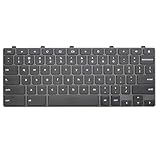
- Compatible With:Dell Chromebook 3100 2-in-1 Series keyboards;For Dell Chromebook 3110 2 in 1 keyboard is designed for those who demand a dynamic typing experience, offering enhanced responsiveness and comfort;For Chromebook 3100, our keyboard replacement ensures compatibility and durability, providing seamless integration with your device;Experience the convenience of the Chromebook 3100 keyboard lock key, ensuring your privacy and security with just one touch
- Keyboard P/N: 0RFXCF 0H06WJ TPN-136US001909, AE09U018, NSK-EJ1SW
- Compatible With:Dell Chromebook 11 3100 3110 3120 5190 keyboard keys replacement surface was UV-processed, make it still clear after being repeated 10 million times
- Upgrade your study routine:with our compatible replacement keyboard designed for Dell Chromebook 11 series—models 3100 2-in-1, 3110 2-in-1, and 5190; Engineered to seamlessly fit, this keyboard ensures uninterrupted productivity whether you're typing essays or coding projects; With its precise key alignment and sturdy construction, it's the solution for students seeking efficiency without compromising on the original typing experience; Don't let a worn keyboard slow you down
- Warranty: provide a 120-day warranty against any manufacturer defective such as dead-on arrival (DOA), lines, video failure, and outage
A current Framework Laptop 13 Input Cover Kit includes the keyboard, bracket, touchpad, touchpad bracket, cables, fingerprint reader, and associated fasteners. The complete assembly can therefore cost more than a keyboard-only part while reducing the work of separating and mounting individual components.
How do you identify the correct replacement keyboard?
Use this buying procedure before placing an order.
- Identify the laptop precisely. Record the complete model, generation, machine type, regional variant, and serial number if the manufacturer’s parts system supports serial lookup.
- Search the manufacturer’s parts database. Use the official support site with the model, serial number, or machine type. Lenovo’s parts lookup is the preferred starting point for Lenovo machines.
- Match the proposed part number. Compare the original keyboard label with the manufacturer’s listing, service manual, and a reputable vendor’s compatibility list.
- Match the physical variant. Confirm ANSI, ISO, or JIS; language; backlight; color; TrackPoint or pointing-stick buttons; fingerprint-reader opening; touchpad arrangement; and palm-rest style.
- Read the service manual. Confirm whether the keyboard is a replaceable component, whether the entire top cover is required, which cables must be disconnected, and which tools and precautions apply.
- Compare underside photographs. Check cable position, connector type, contact orientation, screw holes, backing plate, controller board, backlight cable, and mounting tabs. Photographs catch obvious mismatches but do not replace a verified part number.
- Check the return policy and part condition. Determine whether the part is new OEM, refurbished OEM, used, third-party compatible, or rebuilt from another assembly.
iFixit’s genuine Lenovo parts listing illustrates why condition matters: OEM parts can be described as new or refurbished, and model compatibility remains limited to the listed machines.
What is the safest way to replace a laptop keyboard?
The exact service manual controls the repair; the following workflow is only a general framework because screw locations, battery procedures, cable arrangements, and assembly designs vary by model.
Recommended Free Tools
- Back up important data.
- Shut down the laptop completely, disconnect the charger, and remove peripherals.
- Follow the manufacturer’s instructions for disabling or disconnecting the internal battery after opening the cover.
- Use the model-specific service manual or a repair guide for the exact generation.
- Remove the bottom cover and disconnect the battery before manipulating keyboard cables unless the official procedure explicitly says otherwise.
- Release ZIF latches before sliding out flexible cables. Never pull a cable by its ribbon.
- Remove the keyboard or upper-case assembly and transfer only the brackets, shielding, cables, touchpad, or fingerprint reader that the replacement requires.
- Install the replacement without forcing screws, tabs, cables, or connectors.
- Reconnect each cable in the correct orientation and close every ZIF latch fully.
- Reassemble only enough of the laptop to perform a complete functional test before closing it permanently.
- Test every key, modifier, function combination, backlight, touchpad, pointing device, fingerprint reader, and special key.
- Complete final reassembly only after the test passes.
As a model-specific example, Framework’s guide instructs users to remove bottom-cover fasteners, lift the Input Cover while leaving the touchpad cable attached where possible, remove keyboard screws, and install the replacement in marked mounting locations. The guide’s stated 15–30 minute estimate applies to that Framework Laptop 13 procedure, not to laptop keyboard repairs generally.
What should you test after installing a replacement?
Use a keyboard tester or plain text editor, then test firmware or the boot environment when possible. A complete test should cover:
- Every letter, number, punctuation key, and regional key.
- Enter, Backspace, Tab, Caps Lock, and Escape.
- Left and right Shift, Ctrl, Alt, and Windows or Command keys.
- Function-row keys, Fn combinations, media controls, sleep or wake behavior, and brightness controls.
- Arrow, Home, End, Page Up, and Page Down keys.
- Backlight activation and brightness levels where supported.
- Touchpad, pointing stick, fingerprint reader, and any other device sharing the input-cover assembly.
If only certain keys fail, suspect a partially inserted cable, damaged cable, contaminated connector, liquid damage, broken membrane trace, wrong matrix, or incorrect regional variant. An operating-system layout is more likely to explain wrong symbols than completely dead rows or columns.
Why does a replacement keyboard fit but not work?
A replacement keyboard can fit the opening and still fail because physical fit, electrical wiring, firmware support, and layout are separate compatibility requirements.
Quick wins for a faster PC:
Clear out junk files and repair common Windows errorsFree Scan →Fix the driver behind crashes, sound loss and screen glitchesFind Drivers →Repair Windows errors before they cause bigger problemsFix Now →| Symptom | Likely causes | Recovery steps |
|---|---|---|
| No keys work | ZIF latch open, cable reversed or unevenly inserted, bent contacts, wrong part number, defective keyboard, or battery connection issue. | Power down, inspect cable orientation and contacts, reseat the cable evenly, verify the exact part, and compare with the original keyboard if available. |
| Only some keys work | Wrong matrix, partially inserted cable, damaged cable, contaminated connector, liquid damage, or membrane fault. | Reseat and inspect the cable; if the original works and the replacement does not, suspect the replacement’s compatibility or condition. |
| Typing works but backlight does not | Non-backlit variant, separate cable disconnected, missing motherboard connector, unsupported firmware, or disabled control. | Verify the backlight FRU, cable, motherboard connector, BIOS setting, and function-key control. |
| Touchpad or fingerprint reader stops working | Shared or auxiliary cable disconnected, wrong input-cover variant, damaged connector, or initialization issue. | Inspect every assembly cable and verify the touchpad or fingerprint-reader configuration. |
| Wrong symbols appear | Operating-system layout mismatch, different physical legends, or incompatible matrix/controller. | Check the OS input language, compare legends, test with a keyboard tester, and test in BIOS or UEFI if possible. |
| Screw holes do not align | Wrong generation, top-cover variant, or keyboard assembly. | Stop. Do not drill, bend, or force the part; return it and verify the part number. |
Can you replace only one laptop keycap?
Replacing one keycap is practical when the switch or scissor mechanism still works, only the cap is damaged or missing, and the replacement has the same hinge design, dimensions, and stabilizer arrangement.
Keycap replacement is risky for Space, Enter, Shift, Backspace, and other large keys because those keys use nonstandard sizes or stabilizer bars. A cap from a similar-looking keyboard can have the wrong hinge, height, printed legend, or stabilizer geometry. A broken scissor mechanism, switch, membrane, or mounting point requires more than a cap.
Lenovo’s official keyboard support guidance says that a failed key on its laptops is generally addressed by replacing the entire keyboard or often the entire C-cover rather than replacing an individual key. That is a manufacturer-specific service position, but it is an important warning against assuming that individual laptop keycaps are universally available.
Independent reader supportYour contribution helps us test, update, and keep practical guides available for everyone.Why is Framework different?
Framework is a strong exception because replacement and layout choice are designed into the product architecture rather than improvised across unrelated laptops.
The current Framework Laptop 13 keyboard listing identifies compatibility across listed Laptop 13 generations, including 11th-, 12th-, and 13th-generation Intel models, AMD Ryzen 7040, Chromebook, Intel Core Ultra Series 1, and AMD Ryzen AI 300 variants. The listing also provides ANSI and ISO choices and a 1.5 mm key-travel specification. Verify the selected generation and regional variant on the product page before ordering.
The research dossier recorded displayed Framework Laptop 13 keyboard prices of approximately $29 for one configuration and $39 for another. Framework prices vary by selected generation and layout, so those figures are dated price signals from the research check rather than permanent prices.
Framework also sells complete Laptop 13 Input Cover Kits. The research check recorded displayed prices of approximately $94–$109 depending on generation and configuration. A keyboard-only part is cheaper, while a complete input cover includes components such as the keyboard, touchpad, fingerprint reader, brackets, and cables.
Also popular on Amazon

- All-day Comfort: The design of this standard keyboard creates a comfortable typing experience thanks to the deep-profile keys and full-size standard layout with F-keys and number pad
- Easy to Set-up and Use: Set-up couldn't be easier, you simply plug in this corded keyboard via USB on your desktop or laptop and start using right away without any software installation
- Compatibility: This full-size keyboard is compatible with Windows 7, 8, 10 or later, plus it's a reliable and durable partner for your desk at home, or at work
- Spill-proof: This durable keyboard features a spill-resistant design (1), anti-fade keys and sturdy tilt legs with adjustable height, meaning this keyboard is built to last
- Plastic parts in K120 include 51% certified post-consumer recycled plastic*
The Framework Laptop 16 keyboard module is another example of deliberate modularity. Framework lists 1.5 mm travel, toggleable white backlighting, full NKRO, QMK firmware, multiple language layouts, and placement on the left, centre, or right within supported input-module combinations. The research check recorded an approximately $59 displayed price.
PC Slower Than It Used to Be?
A free scan shows the junk files, broken settings and background clutter dragging Windows down - then fixes them in one click.Free scan · Windows 10 & 11Outdated Drivers Are Slowing You Down
One free scan finds every outdated or missing driver and matches the right update for your exact hardware.Free scan · exact hardware matchFramework’s Laptop 16 input-module guide describes keyboard, numpad, touchpad, LED matrix, and RGB macropad modules as hot-swappable and repositionable in supported combinations. Framework demonstrates that interchangeability is achievable when mechanical, electrical, and firmware compatibility are designed together; Framework parts do not become universal replacements for ordinary laptops.
Which replacement option is best?
The best choice depends on whether the goal is restoring a failed keyboard, changing the physical layout, reducing repair risk, or avoiding an uneconomical repair.
| Option | Best for | Main advantage | Main drawback |
|---|---|---|---|
| Exact OEM keyboard | A failed keyboard with a verified part number. | Highest chance of correct fit and original behavior. | May be expensive or unavailable. |
| Manufacturer repair service | Warranty-covered work, fragile chassis, or riveted keyboards. | Lower personal repair risk. | Labor cost and turnaround time. |
| Complete top-cover or input-cover assembly | A riveted keyboard, damaged palm rest, or difficult keyboard separation. | Factory-aligned assembly and simpler installation. | Higher price and unnecessary included components. |
| Reputable third-party keyboard | Older or low-cost laptops with verified compatibility. | Potentially lower cost and better availability. | Variable fit, feel, legends, backlight, and quality. |
| Used donor keyboard | Discontinued models or rare layouts. | May be the only source for an unusual part. | Wear, hidden damage, uncertain condition, and limited returns. |
| Model-specific keycap | One missing or damaged key with an intact mechanism. | Least invasive and cheapest repair. | Limited by hinge, size, stabilizer, and manufacturer availability. |
| External keyboard | A layout preference or difficult internal repair. | Immediate, reversible, and low risk. | Does not restore the built-in keyboard or improve portability. |
| Laptop replacement | Repair cost approaches the laptop’s value or no compatible part exists. | Avoids a difficult repair. | Highest purchase cost and additional electronic waste. |
How much can replacement parts cost?
Prices vary by country, currency, condition, layout, generation, stock, and whether the part is a keyboard or complete assembly. The following are price signals recorded in the research dossier, not universal or permanent prices.
| Example part | Observed price signal | What the example shows |
|---|---|---|
| Framework Laptop 13 keyboard | Approximately $29–$39, depending on selected configuration. | Keyboard-only replacement can be relatively inexpensive on a repairable platform. |
| Framework Laptop 13 Input Cover Kit | Approximately $94–$109, depending on generation and configuration. | A complete assembly costs more but includes multiple preassembled components. |
| Framework Laptop 16 keyboard module | Approximately $59. | Modular components can be sold separately on a platform designed for interchangeability. |
| Lenovo 01EN928 | $114.99. | Genuine, model-specific OEM parts can be expensive. |
| Lenovo 01YP010 | $76.99. | Part-number-led listings can cover a limited set of related models. |
| Lenovo 01AX612 | $79.99. | Price and availability are specific to the exact part. |
| Lenovo 01YT100 | $69.99, shown out of stock when observed. | Stock status can make a verified part unavailable even when compatibility is known. |
| HP EliteBook 840 G7 keyboard and upper case | $195.99 for the displayed US English QWERTY backlit configuration. | Some business laptops make the complete upper-case assembly the realistic—and costly—replacement unit. |
Verify current price, stock, geography, currency, language, backlight, and condition on the relevant Lenovo part listing, HP assembly listing, or official Framework product page before purchasing.
Do these 3 things before closing this tab:
1Clear out junk files and repair common Windows errors2Scan for outdated or missing drivers - takes under a minute3Repair Windows errors before they cause bigger problemsWhat do ordinary laptop examples teach us?
Lenovo replacement listings show why “all keyboards from the same family fit” is too broad. A part such as 01EN928 or 01YP010 is associated with a defined compatibility list, and each machine type still needs layout and backlight verification.
HP’s EliteBook 840 G7 example shows the opposite issue: the desired service unit may be a complete upper case rather than a loose keyboard. The assembly’s language, backlight, and other integrated components must match the laptop.
Framework shows the deliberate-design exception. Framework Laptop 13 offers separately sold keyboard variants across listed generations, and Framework Laptop 16 offers supported hot-swappable input modules. Neither example supports the idea of a universal laptop keyboard standard.
When should you avoid the swap?
Choose an external keyboard, professional repair, or a different laptop when no manufacturer-verified part exists, the keyboard is riveted and the repair requires unfamiliar drilling or heat-staking work, the replacement cost approaches the laptop’s value, or the only available listing makes vague claims such as “fits all 14-inch laptops.”
Recommended Free Tools
An external keyboard is especially sensible when the goal is a different language or physical layout rather than restoring a failed built-in keyboard. Software layout changes, key stickers, overlays, and external keyboards are lower-risk alternatives when the existing keyboard still functions.
Final decision tree
- Need to restore the same keyboard? Find the exact model and buy the same verified part number or an officially listed substitute.
- Want a different language or layout? Check official alternate FRUs and confirm ANSI, ISO, or JIS, language, keycap geometry, and palm-rest compatibility.
- Want to add backlighting? Confirm the motherboard connector, cable contacts, firmware, keyboard FRU, and top-cover support before buying.
- Is the keyboard riveted or integrated into the cover? Compare the cost and difficulty of a complete upper-case or input-cover assembly with professional repair.
- Is only one key damaged? Try a model-specific keycap only when the hinge, scissor, stabilizer, size, and mechanism match.
- No verified compatible part exists? Use an external keyboard, request a repair quote, or compare the repair cost with replacing the laptop.
Frequently Asked Questions
Can a keyboard from the same brand fit my laptop?
A keyboard from the same brand is not automatically compatible. Compatibility depends on the exact model generation, machine type, part number, mounting points, cable pinout, matrix, layout, and backlight hardware.
Can I install an ANSI keyboard in an ISO laptop?
An ANSI keyboard can replace an ISO keyboard only when the laptop’s keyboard assembly, chassis opening, cable, controller, keycaps, and mounting design support the conversion. Changing the operating-system layout alone will not change the physical Enter key or key positions.
Does a matching keyboard connector prove compatibility?
No. Matching connector shape does not prove matching pinout, cable orientation, matrix wiring, or backlight circuitry. A connector can fit while the keyboard produces no input, partial input, wrong key output, or a failed backlight.
Can I upgrade any non-backlit laptop to a backlit keyboard?
No. A backlight upgrade works only when the specific laptop supports the backlit keyboard variant, required cable and contacts, motherboard circuitry, firmware controls, and compatible top cover.
Is a complete upper-case assembly better than a keyboard-only replacement?
A complete upper-case or input-cover assembly is often better when the keyboard is riveted, heat-staked, glued, or integrated into the palm rest. A keyboard-only part costs less when the laptop is designed for separate keyboard replacement, but installation can be substantially more difficult.
The Bottom Line
Bottom line: Laptop keyboard interchangeability is possible, but it is not a universal plug-and-play feature. Verify the exact laptop identity and keyboard part number first, then match layout, backlight, cable, mounting, and assembly type. If no verified part exists, an external keyboard or professional repair is safer than forcing a visually similar replacement.

