
Do these 3 things before closing this tab:
1Clear out junk files and repair common Windows errors2Fix the driver behind crashes, sound loss and screen glitches3Repair Windows errors before they cause bigger problemsiTechGuides is reader-supported. When you buy through links on our site, we may earn an affiliate commission. As an Amazon Associate I earn from qualifying purchases. Learn more
Still using an M1 MacBook in 2026 does not mean you are running an obsolete computer: the M1 MacBook Air and 13-inch M1 MacBook Pro remain compatible with macOS Tahoe 26 and Apple Intelligence as of August 12, 2026. What you are missing is mainly newer-machine headroom and convenience—two external displays, a better camera, MagSafe charging, brighter screen, newer wireless standards, and faster demanding workloads.
The M1 remains a good fit for everyday browsing, office work, education, communication, media, and moderate photo or video work. The upgrade case becomes strong when your M1 has 8GB memory, struggles with sustained creative or AI workloads, cannot support your two-monitor setup, or has hardware limitations that accessories cannot solve.
Key takeaways
- An M1 MacBook Air or 13-inch M1 MacBook Pro still supports macOS Tahoe 26 and Apple Intelligence as of August 12, 2026.
- The M5 MacBook Air starts with 16GB memory and 512GB storage, while the M1 Air could be configured with 8GB or 16GB memory and 256GB to 2TB storage.
- The most noticeable M5 upgrades are two external-display support, a 12MP Center Stage camera, MagSafe 3, a brighter display, newer wireless standards, and more workload headroom.
- Apple’s M5 comparison claims range from 2 times faster for spreadsheets and gaming to 9.5 times faster for time-to-first-token performance, but those are Apple’s workload-specific tests rather than independent benchmarks.
- Keep the M1 if everyday work is comfortable and the battery is healthy; upgrade when 8GB memory, demanding creative or AI work, two-monitor use, camera quality, or battery condition has become a real limitation.
What are you missing by still using an M1 MacBook in 2026?
Still using an M1 MacBook in 2026 does not mean you are running an obsolete computer: the M1 MacBook Air and 13-inch M1 MacBook Pro remain compatible with macOS Tahoe 26 and Apple Intelligence as of August 12, 2026. What you are missing is mainly newer-machine headroom and convenience—two external displays, a better camera, MagSafe charging, brighter screen, newer wireless standards, and faster demanding workloads.
The answer depends on which M1 MacBook you own and how you use it. The 2020 M1 MacBook Air is the clearest comparison with Apple’s current M5 MacBook Air. The 13-inch M1 MacBook Pro shares the M1-generation performance platform but differs in features such as its active cooling, Touch Bar, display brightness, battery rating, and port configuration. Do not assume every M1 MacBook has identical hardware.
Popular on Amazon

- Retina display; 13.3-inch (diagonal) LED-backlit display with IPS technology (2560x1600 native resolution)
- Apple M1 chip with 8 cores (4 performance cores and 4 efficiency cores), a 7-core GPU and a 16-core Neural Engine
- 8GB memory | 128GB SSD
- Backlit Magic Keyboard | Touch ID sensor | 720p FaceTime HD camera
- 802.11ax Wi-Fi 6 wireless networking, IEEE 802.11a/b/g/n/ac compatible | Bluetooth 5.0 wireless technology
Is an M1 MacBook still supported in 2026?
Yes. Apple’s macOS Tahoe 26 compatibility list, published June 8, 2026, includes the MacBook Air (M1, 2020) and MacBook Pro (13-inch, M1, 2020). Apple also says that Apple Intelligence works on Mac models with M1 or later, subject to operating-system, language, region, storage, and individual-feature requirements. Claims that an M1 MacBook can no longer run the current macOS or Apple Intelligence are therefore inaccurate as of August 12, 2026.
Compatibility does not guarantee that every Apple Intelligence feature is available in every country or language, and Apple can change feature requirements over time. The practical conclusion is narrower: M1 hardware remains inside Apple’s current support boundary, but newer chips can complete some supported AI and creative workloads substantially faster.
How does the M1 MacBook Air compare with the M5 MacBook Air?
The M1 MacBook Air remains a capable general-purpose laptop, while the M5 MacBook Air adds capacity and convenience in several areas that matter during sustained or multi-device work.
| Feature | MacBook Air (M1, 2020) | MacBook Air (M5, 2026) |
|---|---|---|
| Operating-system support | Compatible with macOS Tahoe 26 as of June 8, 2026 | Current model compatible with macOS Tahoe 26 |
| Apple Intelligence | M1 or later is supported, subject to feature, language, region, and storage requirements | M1 or later is supported, subject to feature, language, region, and storage requirements |
| CPU | 8-core CPU | 10-core CPU |
| GPU | 7-core or 8-core GPU | 8-core or 10-core GPU |
| Neural Engine | 16-core Neural Engine | 16-core Neural Engine plus Neural Accelerators |
| Memory | 8GB or 16GB unified memory | 16GB standard; configurable to 24GB or 32GB |
| Storage | 256GB through 2TB SSD | 512GB standard; configurable to 4TB |
| Built-in display | 13.3-inch Retina, 2560×1600, 400 nits | 13.6-inch Liquid Retina, up to 500 nits |
| Camera | 720p FaceTime HD | 12MP Center Stage camera |
| Charging | USB-C charging | MagSafe 3 plus USB-C charging |
| USB ports | Two Thunderbolt/USB 4 ports | Two Thunderbolt 4 ports |
| External displays | One display up to 6K at 60Hz | Two external displays simultaneously in addition to the built-in display; up to two 6K displays at 60Hz or two 4K displays at 144Hz in listed configurations |
| Wireless | Wi-Fi 6 and Bluetooth 5.0 | Wi-Fi 7 and Bluetooth 6 |
| Apple-rated battery maximum | Up to 15 hours wireless web or 18 hours Apple TV app movie playback | Up to 15 hours wireless web or 18 hours video streaming |
For the M1 Air’s original specifications, including display, ports, memory, storage, and battery claims, see Apple’s M1 MacBook Air technical specifications. The current M5 specifications are listed in Apple’s M5 MacBook Air technical specifications.
Which M5 improvements will you actually notice?
1. More memory headroom
The M5 MacBook Air starts with 16GB of unified memory, whereas the M1 Air was available with 8GB or 16GB. An 8GB M1 can still handle ordinary browsing, office work, communications, education, and media, but modern browsers, video calls, large documents, creative applications, and local AI tools can compete for memory during simultaneous use.
Moving from an 8GB M1 to a 16GB or 24GB M5 does not make every task automatically twice as fast. The benefit is more room before macOS has to manage memory aggressively when many demanding applications are open. A 16GB M1 owner with modest workloads has less reason to upgrade for memory alone.
Also popular on Amazon

- 8GB 3733MHz LPDDR4X memory, 256GB SSD storage
- Backlit Magic Keyboard - US English
- Touch ID, Force Touch trackpad
- Two Thunderbolt 3 ports
2. Faster AI and creative processing
Apple’s current comparison page claims that the 13-inch M5 MacBook Air is 9.5 times faster than the M1 baseline for time-to-first-token performance, 6.9 times faster for AI video enhancement, 2.7 times faster for image processing, 2 times faster for spreadsheet calculations, and 2 times faster for gaming. These figures come from Apple’s workload-specific MacBook Air comparisons; they are manufacturer claims, not independent test results or universal speedups.
The difference is most relevant to people who regularly process video, apply AI-powered effects, work with large image libraries, run local language-model workflows, calculate complex spreadsheets, or play supported games. Someone who uses Apple Intelligence mainly for writing assistance or occasional photo cleanup may notice less practical benefit because the M1 remains compatible.
3. A much better camera
The M1 MacBook Air has a 720p FaceTime HD camera. The M5 MacBook Air has a 12MP Center Stage camera, making the camera upgrade concrete for frequent Zoom, Teams, FaceTime, and other video calls. If the M1’s camera is the main complaint, a newer MacBook Air addresses the problem more directly than a processor upgrade alone.
4. MagSafe frees both USB-C ports
The M1 Air has two Thunderbolt/USB 4 ports, and USB-C charging can occupy one of them. The M5 Air adds a dedicated MagSafe 3 charging port while retaining two Thunderbolt 4 ports, so charging does not have to compete with USB-C accessories.
A USB-C hub for MacBook Air M1 can add HDMI, USB-A, SD-card, Ethernet, and pass-through charging for an M1 Air owner who mainly needs more connectivity. Check the hub’s power-delivery rating and supported display resolution before buying. A hub cannot bypass the M1 Air’s one-external-display limit.
5. A brighter, slightly larger display
The M1 Air has a 13.3-inch, 2560×1600 Retina display rated at 400 nits. The M5 Air has a 13.6-inch Liquid Retina display rated at up to 500 nits. The M5 screen is brighter and slightly larger, but the M1 still offers a high-resolution P3 display, so the change is noticeable rather than a complete transformation for every user.
Also popular on Amazon
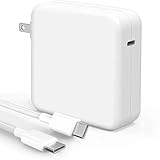
- High-efficiency Fast Charger: Sunveza 118W USB C macbook pro charger has a high charging efficiency of up to 96%, our charger can provide fast and stable energy inflow, the charger can fully charge the macbook pro 16inch in about 1H 25mins. It can charges most of the mobile phones from 0% to 80% in 20 minutes
- Wide Compatibility: Our charger Compatible with USB-C port MacBook: Pro 16(M4'24,M3'23,M2'22,M1'21,2019), 15(2019-16), 14(M4'24,M3'23,M2'22,M1'21), 13(M2'22,M1'20,2020-16); Air 15(M4'25,M3'24,M2'23), 13(M4'25,M3'24,M2'22,M1'20); also M5; iPad Pro & Air 12.9/11/10.9", all USB-C devices, laptops, smartphones, Surface (USB-C), Dell, Lenovo, HP, M4/M2/M1 iPad Pro 13/12.9/11", iPad 10, M4/M2/M1 iPad Air 5/4, iPad Mini 6 A17 Pro, iPhone 17/16/15, etc. Works with USB-C 29W, 30W, 61W, 67W, 70W, 87W, 96W PD models. Automatic identification and conversion of charging power
- Multiple Security Protection: Our 118W macbook laptop charger adopts the most advanced technology and is made of the highest quality materials. Smart chip is installed inside, include multiple smart features safeguarding against over-current, over-voltage, overload, temperature protection, short-circuit protection, and auto recovery, fast charging speed and long service life
- Advanced Charging Technology: PD 3.0 charging technology, the performance is higher than other replacement macbook charger like 96W, 87W, 70W, 61W, 67W, 30W, 29W USB C macbook charger. Input: AC 100-240V, 1.5A, 50-60Hz. Output: 20.5V/4.7A, 15V/3A, 12V/3A, 9V/3A, 5.2V/3A( Identify your devices automatically and provide the fastest and most efficient output current )
- After Sell Service: We have always been committed to provide products of superior quality at unbeatable prices, if you have any questions about the items, please contact our customer service team, we will reply you within 24 hours
6. Two external displays instead of one
The M1 MacBook Air supports one external display up to 6K at 60Hz. M5 MacBook Air models support two external displays simultaneously in addition to the built-in screen, with listed configurations reaching two 6K displays at 60Hz or two 4K displays at 144Hz. Apple documents the different resolution and refresh-rate combinations in its Mac display support documentation.
Two-monitor support is one of the clearest practical reasons to upgrade. An M1 owner who wants two independent external monitors cannot solve the limitation with a normal USB-C hub. An external monitor for MacBook Air M1 is still a useful upgrade for a single-screen desk setup, but the M1 remains limited to one external display.
7. Newer Wi-Fi and Bluetooth
The M1 Air supports Wi-Fi 6 and Bluetooth 5.0. The M5 Air adds Wi-Fi 7 and Bluetooth 6. The benefit depends on the router, network connection, and peripherals in use, so newer wireless standards are future-facing improvements rather than an automatic speed increase in every home or office.
Recommended Free Tools
Does the M5 MacBook Air have better battery life?
Not according to Apple’s headline maximums. Apple rates both the M1 Air and M5 Air for up to 15 hours of wireless web use and up to 18 hours of video playback or streaming under Apple’s respective test conditions. The M5 is not a clear battery-life upgrade on those published figures.
Battery condition can matter more than the original specification on an individual M1 that has been used since 2020. If an M1 still lasts through the owner’s normal workday, replacing it solely for Apple’s maximum battery claim is difficult to justify. If the M1 shuts down early, requires frequent charging, or reports significantly reduced capacity, battery service may solve the real problem.
Should you keep, repair, accessorize, or replace an M1 MacBook?
Keep the M1 when these statements are true
- Your M1 MacBook handles your browser, office, school, communication, media, and ordinary photo tasks without frustrating pauses.
- Your M1 has 16GB memory, or your workloads are modest enough that 8GB remains comfortable.
- You only need one external monitor.
- The 720p camera is acceptable, or you already use a separate webcam.
- USB-C charging and two total USB-C ports do not disrupt your accessories.
- The battery remains healthy enough for your normal routine.
- You value avoiding a large purchase while the M1 remains compatible with macOS Tahoe 26 and Apple Intelligence.
Upgrade to an M5 MacBook Air when these problems are real
- You need two external displays in addition to the laptop’s built-in screen.
- Your 8GB M1 regularly handles many browser tabs, video calls, large documents, creative applications, or local AI workloads at once.
- You regularly process video, enhance images with AI, calculate large spreadsheets, or perform other workloads where waiting is costly.
- You frequently make video calls and the M1’s 720p camera is inadequate.
- You want MagSafe charging so both USB-C ports remain available.
- You need the M5 Air’s brighter display, larger storage options, or newer Wi-Fi 7 and Bluetooth 6 connectivity.
- Your M1 needs expensive hardware work and the computer is also too slow or restrictive for your current tasks.
Can an accessory solve the M1 MacBook’s limitations?
Accessories can improve the M1 experience, but accessories cannot change the M1 Air’s processor, memory, camera, or one-external-display system limit.
Also popular on Amazon

- Super Fast Charging: fast charge for M2 MacBook Air to 50% in only 30 mins, full charge for MacBook Pro 13 inch in only 1h 48mins, strong power support the high-speed processing capacity of M1, M2, M3 M4 chip
- Original Quality Helps to Keep MacBook Battery Health: built-in original dynamic software and hardware systems to keep Maximum Battery Capacity to 98%, intelligently learning your daily charging routine to reduce battery aging, friendly to computer battery and provide 2 times longer battery lifespan
- Universal Compatibility: optimized charging and intelligently output support 70W, 67W, 65W, 61W, 45W, 30W, 20W and provide higher charging performance at the mean time, widely compatible with MacBook Pro 16 15 14 13 inch 2024, 2023, 2022, 2021 2020 2019 2018 2017 2016, M1 M2 M3 M4 MacBook Air 2025, 2024, 2023, 2022, 2021, Surface(Use USB C charging port), Dell, Lenovo, HP, M4 M2 M1 iPad Pro 13 12.9 11 inch, iPad 10, M4 M2 M1 iPad Air 5 4, iPad Mini 6 A17 Pro, iphone 16, iPhone 15, etc
- USB-IF Certified 6.6 feet / 2m USB C to USB C Cord: USB-IF Certified ID of our cable: 800-1471, protect the charging port of your expensive device from damage, made of top-rated thicker copper wire and coated with premium soft-touch TPE, tested with over 20000+ times bend to provide 4 times longer lifespan; twice length cable than default cable which is only 1m, let you can charge and have fun anywhere, support 480Mbps data syncing between your phone and laptop
- Soft LED Indicator and Foldable Plug: cool-green LED emits a soft, gentle glow so you can see your device has power; with a foldable plug protect screen from scratches, make it more portable for travel
| Problem | Practical fix | What the fix cannot do |
|---|---|---|
| Not enough USB-A, HDMI, SD-card, or Ethernet ports | Use a USB-C hub with the required ports and pass-through charging | It cannot provide two independent external displays from an M1 Air |
| Too little internal storage | Use an external SSD for large media files, archives, and project storage | An external SSD does not add RAM or upgrade CPU performance |
| Need a larger workspace | Connect one compatible external monitor | The M1 Air still supports only one external display |
| Short battery runtime | Check battery health and consider Apple service or qualified repair | A battery replacement does not solve insufficient memory or workload performance |
| Weak video-call image | Use an external webcam or upgrade to an M5 Air with its 12MP Center Stage camera | A hub or SSD does not improve the built-in camera |
For storage, an external SSD for MacBook Air M1 can be sensible for a 256GB or 512GB machine that is running short of space. Keep active applications and frequently used files arranged for convenience, and do not mistake additional storage for a memory or CPU upgrade.
Free tools Windows power users keep installed
One-click scans. No signup required.
Is M1 battery service better than replacing the MacBook?
Battery service is the more proportionate option when battery health is the only serious problem. Apple provides Mac laptop repair and battery-service information, with availability, parts, and options varying by location. Apple also publishes a repair manual for the M1 MacBook Air.
Experienced repairers can consult the iFixit M1 MacBook Air battery-replacement guide, but DIY battery replacement is not risk-free. A lithium-ion battery can be damaged during removal, so professional service is the safer choice for anyone without suitable tools and repair experience.
Apple Trade In can apply credit toward a new Mac or recycle an ineligible device. The amount depends on the model, condition, and Apple’s assessment; check the current Apple Trade In valuation flow rather than relying on an assumed M1 resale value.
Independent reader supportYour contribution helps us test, update, and keep practical guides available for everyone.How much does upgrading to an M5 MacBook Air cost?
As of August 12, 2026, Apple’s U.S. store lists the 13-inch M5 MacBook Air from $1,099 and the 15-inch M5 MacBook Air from $1,299. Prices, configurations, promotions, and regional availability can change, so treat those figures as a dated U.S. reference rather than a universal current price.
The meaningful comparison is not simply the entry price. A 16GB M1 owner who needs one monitor and a good external webcam may spend far less by keeping the existing Mac and adding an accessory. A user who needs two monitors, more than 16GB memory, substantially faster AI or creative processing, or a new camera may receive more practical value from replacing the computer.
Also popular on Amazon

- ⚡ [100W Full-Speed & Downward Compatible] Perfectly designed to replace your original 96W, 87W, 67W, and 61W power adapters. UNAWUDOH Specifically engineered for MacBook Pro 16/15/14/13 Inch (M1/M2/M3 Series), Air 15/13, and iPad Pro 13/12.9/11 Inch. The built-in smart chip automatically identifies your device and allocates the exact optimal wattage, ensuring safe charging without damaging low-power Device
- 🚀 [Ultra-Fast Charging Performance] Stop waiting and start creating. This UNAWUDOH 100W Type C laptop power adapter delivers maximum PD fast-charging efficiency. It can charge your 16-inch or 14-inch laptop from 0% to 50% in just 30 minutes. An essential power supply upgrade for developers, designers, and office professionals who require uninterrupted workflow
- 🛡️ [Certified Safety & Ultimate Protection] Product safety is our top priority. Built with premium thermal materials and compliant with strict safety standards . The advanced Multi-Protect security system provides 24/7 continuous monitoring against over-voltage, over-current, short-circuiting, and overheating. Highly reliable for heavy-duty corporate, hospital, or educational fleet deployment
- 🔌 [Premium 6.6FT E-Mark Cable Included] Comes ready-to-use with a durable 6.6ft (2m) USB-C to USB-C charging cable. Integrated with an advanced E-Mark chip to safely transmit up to 5A/100W of high power. The extra-long cord offers maximum flexibility to work comfortably from your office desk, conference room, sofa, or bed without being restricted by wall outlets
- 💼 [Travel-Ready & Business Friendly] Features a compact profile with a foldable US plug, making it perfectly portable for business trips or daily commutes. This universal Type-C charger is the only power brick you need to fuel your entire USB-C Device ecosystem—from laptops to tablets and phones. Enjoy a worry-free purchase with our professional after-sales support
What is the honest 2026 verdict?
Keep an M1 MacBook that remains fast enough, has acceptable battery health, and fits your display and camera needs. The M1 MacBook Air and 13-inch M1 MacBook Pro are still supported by macOS Tahoe 26 and Apple Intelligence, so there is no evidence-based need for every M1 owner to upgrade immediately.
Upgrade to an M5 MacBook Air when a specific limitation affects your work: 8GB memory headroom, two-monitor support, AI or creative processing time, camera quality, charging convenience, display brightness, storage capacity, or battery deterioration. That is what newer Macs add in 2026—not basic permission to keep using the M1, but more room and fewer compromises.
Frequently Asked Questions
Can an M1 MacBook still run macOS in 2026?
Yes. Apple’s macOS Tahoe 26 compatibility list includes the MacBook Air (M1, 2020) and 13-inch MacBook Pro (M1, 2020) as of June 8, 2026. Apple Intelligence also supports Mac models with M1 or later, subject to feature, language, region, storage, and operating-system requirements.
The Tool Desk
Outbyte PC Repair FREEClear out junk files and repair common Windows errorsFree Scan →Outbyte Driver Updater FREEFix the driver behind crashes, sound loss and screen glitchesFind Drivers →What does the M5 MacBook Air do better than the M1 MacBook Air?
The M5 MacBook Air adds two external-display support, a 12MP Center Stage camera, MagSafe 3, a brighter 500-nit display, Wi-Fi 7, Bluetooth 6, higher starting memory and storage, and faster performance in demanding AI, image, spreadsheet, gaming, and creative workloads. The M1 Air remains adequate for ordinary web, office, education, communication, and media tasks.
Can a USB-C hub let an M1 MacBook Air run two external monitors?
No. A normal USB-C hub can add HDMI, USB-A, SD-card, Ethernet, and pass-through charging, but the M1 MacBook Air remains limited to one external display. Two external displays in addition to the built-in screen are an M5 MacBook Air capability.
Is it worth upgrading from an M1 MacBook in 2026?
An M1 MacBook is worth upgrading when its limitations affect your work, especially if it has 8GB memory, you need two monitors, you perform demanding AI or creative tasks, you need a better camera or MagSafe, or the battery has deteriorated. An M1 with healthy battery life and comfortable everyday performance does not need an upgrade solely because it is an M1.
The Bottom Line
Bottom line: An M1 MacBook is still a supported and capable computer in 2026. Keep it if your everyday work is comfortable; upgrade to an M5 MacBook Air when you need two external displays, a better camera, more memory, MagSafe, or materially faster demanding workloads.
Quick wins for a faster PC:
Repair Windows errors before they cause bigger problemsFix Now →Scan for outdated or missing drivers - takes under a minuteDriver Scan →
