
The Tool Desk
Outbyte Driver Updater FREEScan for outdated or missing drivers - takes under a minuteDriver Scan →Outbyte PC Repair FREERepair Windows errors before they cause bigger problemsFix Now →iTechGuides is reader-supported. When you buy through links on our site, we may earn an affiliate commission. As an Amazon Associate I earn from qualifying purchases. Learn more
To spot fake AirPods, do not rely on one test. Compare the seller and price, model numbers, serial numbers, iPhone settings, firmware, physical design, and model-specific features. A valid Apple serial number, pairing animation, battery display, or Find My entry is useful evidence, but none independently proves that the physical AirPods are genuine.
The safest verdict comes from agreement between several independent checks. Before paying, inspect and pair the actual product, confirm the exact generation, verify the seller’s return protection, and walk away when important details conflict.
Key takeaways
- Apple’s coverage lookup recognizes the serial number entered, but a copied legitimate serial number can still appear on counterfeit AirPods.
- Apple’s current identification page lists model numbers for AirPods generations, AirPods Pro 3, and AirPods Max 2; the model number must match both the claimed generation and the hardware.
- A genuine-looking pairing animation, Find My entry, battery percentage, or Apple-style settings page is supporting evidence rather than an authenticity certificate.
- Firmware is a useful technical check, but a failed update can also result from charging, Bluetooth, Wi-Fi, operating-system, or pairing problems.
- The strongest buyer protection is provenance and recourse: purchase from Apple or a reputable retailer, use buyer-protected payment, inspect the physical product, and confirm a meaningful return policy.
How can you spot fake AirPods in five minutes?
The fastest practical check is to pair the physical AirPods with an iPhone, record the device information, and compare that information with Apple’s official model list. Do not buy—or return the pair—if several important details disagree.
What’s actually slowing this PC down?
Pick the symptom - the matching free tool is one click away.
- Pair the AirPods with an iPhone. Open Settings > Bluetooth, find the AirPods, and tap the More Info button beside them. On some iOS versions, you can also tap the AirPods name near the top of Settings while they are connected.
- Record the model number, serial number, and firmware version. Apple’s AirPods instructions explain that these details appear in the connected-device information. See Apple’s AirPods identification instructions.
- Match the model number to the claimed generation. Check the earbuds and case against Apple’s model list, not against a marketplace photograph or a seller’s description.
- Check the primary serial number. Enter the case serial number in Apple’s coverage checker, but treat the result as screening evidence only.
- Check model-specific controls. Test only features that the claimed model should support, such as Active Noise Cancellation, Transparency, ear detection, Spatial Audio, case charging, or Precision Finding.
- Inspect the hardware. Compare the charging port, status light, case shape, hinge, speaker openings, engraving, earbud vents, and accessories with Apple’s identification page.
- Stop the transaction if contradictions remain. A seller who refuses pairing or inspection, offers no useful return protection, or pressures you to pay outside the marketplace is a major risk.
Should you check the seller before checking the AirPods?
Yes. Seller provenance and the ability to obtain a refund often provide more practical protection than any individual hardware check.
Popular on Amazon

- REBUILT FOR COMFORT — AirPods 4 have been redesigned for exceptional all-day comfort and greater stability. With a refined contour, shorter stem, and quick-press controls for music or calls.
- ACTIVE NOISE CANCELLATION — AirPods 4 with Active Noise Cancellation help reduce outside noise before it reaches your ears, so you can immerse yourself in what you’re listening to.*
- HEAR THE WORLD AROUND YOU — The powerful H2 chip comes to AirPods 4. Adaptive Audio seamlessly blends ANC and Transparency mode — which lets you comfortably hear and interact with the world around you exactly as it sounds — to provide the best listening experience in any environment.* And when you’re speaking with someone nearby, Conversation Awareness automatically lowers the volume of what’s playing.*
- IMPROVED SOUND AND CALL QUALITY — Voice Isolation improves the quality of calls in loud conditions. Using advanced computational audio, it reduces background noise while isolating and clarifying the sound of your voice for whomever you’re speaking to.*
- MAGICAL EXPERIENCE — Just say “Siri” or “Hey Siri” to play a song, make a call, or check your schedule.* And with Siri Interactions, now you can respond to Siri by simply nodding your head yes or shaking your head no.* Pair AirPods 4 by simply placing them near your device and tapping Connect on your screen.* Easily share a song or show between two sets of AirPods.* An optical in-ear sensor knows to play audio only when you’re wearing AirPods and pauses when you take them off. And you can track down your AirPods and Charging Case with the Find My app.*
- Check the seller’s history, feedback, account age, and previous complaints.
- Ask for the exact generation and case version rather than accepting “new AirPods” as a description.
- Request a receipt or other purchase evidence, while remembering that receipts and warranty cards can also be copied or associated with a different item.
- Compare the asking price with legitimate new, open-box, refurbished, and used products in the same market. A low price is a warning signal, not proof of a counterfeit; clearance, used, open-box, refurbished, or regional stock may be cheaper.
- Confirm the return window and whether the payment method offers buyer protection.
- Ask to inspect and pair the actual AirPods. A photograph of a sealed box does not verify the contents.
- Keep screenshots of the listing, photographs, messages, receipt, and payment confirmation.
Do not send payment outside a marketplace, accept pressure to decide immediately, or buy from a seller who refuses a basic inspection when the product is supposed to be available for collection.
Which AirPods model numbers should you compare?
The model number is one of the strongest checks because it can expose a product that is being sold as the wrong generation. Apple’s identification page was published March 31, 2026, and should remain the live reference because future models and case revisions can change the list.
| Claimed product | Apple-listed earbud or headphone model numbers |
|---|---|
| AirPods 1 | A1523, A1722 |
| AirPods 2 | A2032, A2031 |
| AirPods 3 | A2565, A2564 |
| AirPods Pro 1 | A2084, A2083 |
| AirPods Pro 2 with USB-C case | A3047, A3048, A3049 |
| AirPods Pro 2 with Lightning case | A2931, A2699, A2698 |
| AirPods 4 | A3053, A3050, A3054 |
| AirPods 4 with ANC | A3056, A3055, A3057 |
| AirPods Pro 3 | A3063, A3064, A3065 |
| AirPods Max 1 with Lightning | A2096 |
| AirPods Max 1 with USB-C | A3184 |
| AirPods Max 2 | A3454 |
These are Apple-listed model numbers, not a substitute for checking the current Apple page. Compare the number shown in device settings with the number printed on the relevant hardware. A number that belongs to another generation is a strong warning sign.
Do these 3 things before closing this tab:
1Repair Windows errors before they cause bigger problems2Fix the driver behind crashes, sound loss and screen glitches3Clear out junk files and repair common Windows errorsCheck the case model separately. A genuine earbud in the wrong case, a replacement component, or a mixed pair can create inconsistencies without meaning every component is counterfeit. The case port, status-light position, external speaker, lanyard loop, and charging method must also correspond to the claimed model.
Can a serial number prove AirPods are real?
No. A serial number is evidence, not proof. Counterfeit products can copy a legitimate serial number, and genuine products can have confusing coverage or registration states after replacement, repair, or resale.
The primary serial number is usually found in several places:
- Under the charging-case lid.
- In Settings > Bluetooth > More Info on an iPhone or iPad.
- In Apple menu > System Settings > Bluetooth > More Info on a Mac.
- Beside the barcode on the original packaging.
- On a receipt or invoice, when the seller included it.
- Under the left magnetic ear cushion on AirPods Max and in the connected-device settings.
Apple explains the serial-number locations and the difference between the primary case serial number and individual earbud serial numbers in its serial-number instructions. AirPods and their charging case generally share a primary serial number. AirPods 2, AirPods 3, AirPods 4, and AirPods Pro generations may also have individual serial numbers printed on the earbuds.
For an ordinary case-and-earbuds purchase, use the case serial number for Apple support or coverage checks. Compare the case, iPhone settings, packaging, receipt, and—where applicable—the individual earbuds. A mismatch may indicate counterfeit hardware, a replaced component, a mixed set, or a documentation problem; it requires investigation rather than an automatic verdict.
What does Apple’s coverage result actually mean?
Apple’s coverage page lets you enter a serial number to view associated coverage and benefits. A successful lookup shows that Apple recognizes the entered serial number in its system; it does not certify every physical component carrying that number.
A rejected serial number is a strong warning sign, but first check for transcription mistakes, confusing characters, the wrong component’s number, a regional coverage page issue, or a replacement part. A message such as “unable to verify purchase date” is not automatically a fake verdict. It may reflect an unregistered product, incorrect information, a replacement item, regional or account issues, or an invalid serial number.
What should the AirPods settings page show?
A genuine-looking AirPods-specific settings page is useful evidence because it exposes more information than a generic Bluetooth connection, but counterfeit products can imitate some Apple-style behavior.
Quick wins for a faster PC:
Scan for outdated or missing drivers - takes under a minuteDriver Scan →Repair Windows errors before they cause bigger problemsFix Now →Also popular on Amazon

- WORLD’S BEST IN-EAR ACTIVE NOISE CANCELLATION — Removes up to 2x more unwanted noise than AirPods Pro 2* so you can stay fully immersed in the moment.*
- BREAKTHROUGH AUDIO PERFORMANCE — Experience breathtaking, three-dimensional audio with AirPods Pro 3. A new acoustic architecture delivers transformed bass, detailed clarity so you can hear every instrument, and stunningly vivid vocals.
- HEART RATE SENSING — Built-in heart rate sensing lets you track your heart rate and calories burned for up to 50 different workout types.* With iPhone, you will have access to the Move ring, step count, and the new Workout Buddy,* powered by Apple Intelligence.*
- LIVE TRANSLATION — Communicate across language barriers using Live Translation,* enabled by Apple Intelligence.*
- EXTENDED BATTERY LIFE — Get up to 8 hours of listening time with Active Noise Cancellation on a single charge. Or up to 10 hours in Transparency using the Hearing Aid feature.*
After connecting the AirPods, check for the following information and controls where the claimed model, Apple device, operating-system version, configuration, and region support them:
- Correct product name and generation.
- Model number and serial number.
- Firmware version.
- Separate battery levels for the left earbud, right earbud, and case.
- Noise-control options such as Noise Cancellation, Transparency, and Off on supported AirPods Pro and AirPods 4 with ANC.
- Automatic ear-detection controls where supported.
- Microphone controls.
- Spatial Audio options where supported.
- Find My integration.
- Accessibility or hearing-related features where applicable.
Apple documents how to view the model name, serial number, and firmware version in AirPods device information. Missing controls do not automatically prove that the product is fake. The same control may depend on the exact generation, the host device, operating-system version, configuration, or regional support.
Does the AirPods pairing animation prove authenticity?
No. The familiar popup or pairing animation is a positive sign, but it is not conclusive proof. Some replicas imitate the animation and other Apple-like screens. A stronger result is a coherent combination of the correct model number, serial information, firmware, battery reporting, controls, and physical hardware.
How should you test AirPods-specific features?
Test the features advertised for the exact model. Do not reject genuine AirPods because they lack a feature that Apple introduced in a later generation.
Free tools Windows power users keep installed
One-click scans. No signup required.
AirPods Pro
- Switch between Noise Cancellation, Transparency, and Off.
- Run the ear-tip or fit test when the model and software provide it.
- Test automatic ear detection.
- Check Spatial Audio.
- Test Conversation Awareness where supported.
- Check case-speaker behavior and wireless charging where supported by the case.
- Confirm that the earbuds and case identify as the same Pro generation.
AirPods 4
- Confirm whether the product is standard AirPods 4 or AirPods 4 with ANC.
- Test ANC and Transparency only on the ANC model.
- Check model-specific settings, controls, and charging behavior.
Older AirPods
- Check automatic ear detection where supported.
- Match the case type—standard, wireless, MagSafe, Lightning, or USB-C—to Apple’s model information.
- Do not expect later-generation controls or locating features.
AirPods Max
AirPods Max require a separate workflow. Check the model number behind the left ear cushion, the serial number under the left ear cushion or in settings, the charging connector, ear cushions, headband, case, and control layout. Earbud-and-charging-case checks do not apply to AirPods Max.
A feature that works shows that the hardware may be using Apple-compatible behavior, but it is not absolute proof of Apple manufacture. A feature that fails may indicate counterfeit hardware, a mismatched component, incompatible software, or a faulty genuine product. Poor sound alone is also weak evidence because dirt, ear-tip fit, equalizer settings, damage, battery degradation, Bluetooth problems, or a genuine defect can produce poor audio.
Does Find My prove that AirPods are genuine?
No. Find My is a useful ownership and locating check, not an independent authenticity certificate.
For a compatible genuine pair, AirPods can be associated with one Apple Account for features such as automatic switching and Find My. A previous owner may need to remove the AirPods from that account before a new owner can use them normally. Find My behavior differs by model, and Precision Finding is not available for every AirPods generation or case.
An “AirPods Mismatch” alert can mean the earbuds come from different generations, belong to another person, or were improperly paired after a replacement. Apple explains these mismatch conditions in its AirPods mismatch guidance. Apple also documents the one-Apple-Account association used for features including Find My in its AirPods pairing information.
A counterfeit pair that appears in Find My should not automatically be considered authentic. Treat Find My as one check alongside model numbers, serials, firmware, features, physical construction, and provenance.
How do you check AirPods firmware?
Firmware is one of the better technical checks because genuine AirPods receive firmware updates automatically while charging and near a paired Apple device connected to Wi-Fi. Firmware that does not correspond to the claimed model, or hardware that never updates after Apple’s procedure, is suspicious—but a failed update can also have ordinary technical causes.
Also popular on Amazon
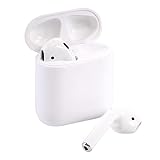
- Automatically on, automatically connected
- Easy setup for all your Apple devices
- Quick access to Siri by saying “Hey Siri”
- Double-tap to play or skip forward
- New Apple H1 headphone chip delivers faster wireless connection to your devices
Apple firmware versions checked August 18, 2026:
| Model | Firmware listed by Apple |
|---|---|
| AirPods Max 2 | 8E258 |
| AirPods Max 1, USB-C | 7E108 |
| AirPods Max 1, Lightning | 6F25 |
| AirPods Pro 3 | 8B41 |
| AirPods Pro 2, USB-C | 8B41 |
| AirPods Pro 2, Lightning | 8B41 |
| AirPods Pro 1 | 6F21 |
| AirPods 4 | 8B39 |
| AirPods 4 with ANC | 8B39 |
| AirPods 3 | 6F21 |
| AirPods 2 | 6F21 |
| AirPods 1 | 6.8.8 |
Firmware is volatile, so verify the number against Apple’s current AirPods firmware page immediately before publishing or making a buying decision. The table above records Apple’s listed versions on August 18, 2026, rather than claiming that those versions will remain current.
Recommended Free Tools
What is Apple’s AirPods firmware update procedure?
- Update the paired iPhone, iPad, or Mac.
- Turn on Bluetooth.
- Connect the AirPods.
- Connect the Apple device to Wi-Fi.
- Put both AirPods in the case.
- Connect the case to power.
- Close the lid.
- Keep the case within Bluetooth range for at least 30 minutes.
- Reopen the case and check the firmware version again.
If the firmware does not update, check that both earbuds are seated and charging, the case is powered, Bluetooth and Wi-Fi are working, and the host device is current. Reset the AirPods and retry if necessary. Apple’s instructions are the authoritative firmware update procedure. A persistent failure after these checks is suspicious, but it is not by itself proof of counterfeit hardware.
What physical details should you inspect?
Physical inspection is good at finding obvious counterfeits, but high-quality replicas can copy exterior details. Use Apple’s official identification page as the reference instead of relying on generic claims about fonts or hinges.
| Inspect | What to compare | What a conflict means |
|---|---|---|
| Box and printing | Print quality, alignment, wording, Apple logo, regulatory text, barcode information, and seal condition | A warning sign; packaging can be copied, swapped, or resealed |
| Model and serial engraving | Legibility, placement, and agreement with settings and packaging | A strong inconsistency; investigate replacement or mixed components before deciding |
| Case | Hinge alignment, lid movement, seams, status-light position, charging port, speaker openings, and lanyard loop where applicable | Potentially wrong generation or counterfeit construction |
| Earbuds | Shape, vents, microphone grilles, charging contacts, and fit | Supporting evidence only; replicas can look convincing |
| Accessories | Ear tips, cable, inserts, and advertised charging accessories | Missing or incorrect items may indicate a swapped or incomplete package |
| Charging method | Lightning, USB-C, wireless, or MagSafe capability claimed for that case | A strong model mismatch when the port or charging method is impossible for the claimed version |
Apple’s AirPods model-identification page explains differences such as Lightning and USB-C ports, status-light positions, case speakers, lanyard loops, and model-specific construction. Packaging that looks correct should never outweigh contradictory device-level information.
What does a reset and re-pair test reveal?
A reset and re-pair test is primarily a troubleshooting step, not an authentication test. The test can expose mismatched or malfunctioning components and show whether the device information remains coherent after pairing again.
Windows Errors? Fix Them Before They Spread
Repair common Windows errors and clear accumulated junk for a smoother, more stable PC - no reinstall needed.Free scan · no reinstallCrashes, No Sound, or Screen Glitches?
Random freezes, missing sound and display glitches usually trace back to one bad driver. Find and replace yours safely.Free scan · under a minute- Remove the AirPods from the iPhone’s Bluetooth settings.
- Put both earbuds in the case and close the lid briefly.
- Reopen the case.
- Enter pairing mode using the control appropriate to the model. Current models may use a double-tap on the front, while older models use the setup button on the back.
- Re-pair the AirPods.
- Check whether the model number, serial number, battery information, firmware, and feature controls still agree.
Apple’s connection and reset instructions distinguish between newer cases and older setup-button designs. If the physical pairing behavior does not match the claimed model, flag the product as suspicious rather than treating the result as conclusive proof of a counterfeit.
What do common test results actually prove?
Different checks have different evidentiary value. The following table prevents a single reassuring result from being mistaken for authentication.
| Test result | What it supports | What it does not prove |
|---|---|---|
| Serial number passes Apple’s coverage lookup | Apple recognizes the entered serial number and may show associated coverage or benefits | That the physical AirPods carrying the number were manufactured by Apple |
| Pairing animation appears | The product imitates or supports Apple-like pairing behavior | That every component is genuine |
| AirPods appear in Find My | Account association or supported locating behavior | Independent authenticity or clean ownership history |
| Battery percentages appear | The device reports Apple-compatible battery information | That the internal hardware is genuine |
| ANC or Transparency works | Some advertised electronics and controls may be functioning | That the product is an Apple-made pair |
| Firmware is listed | The device exposes firmware information consistent with a supported model | That no component has been replaced or copied |
| Packaging looks genuine | No obvious packaging error was found | That the box contains the pictured or advertised product |
| Sound quality is poor | There may be a defect, fit problem, dirt, damage, or connectivity issue | That the AirPods are counterfeit |
What are the strongest warning signs of fake AirPods?
A single low price or missing feature is not enough for a verdict, but several contradictions should make you stop.
- The model number does not match the claimed generation.
- The case and earbuds belong to incompatible generations.
- The case has the wrong port, status-light position, speaker, lanyard loop, or physical layout for the claimed model.
- The serial number is missing, malformed, inconsistent, or copied across components where separate numbers should exist.
- Apple rejects the case serial number after you recheck the transcription and component.
- The product appears only as a generic Bluetooth headset.
- Expected Apple-specific settings are absent for the confirmed model, compatible operating system, and host device.
- Firmware is missing, implausible, or permanently fails to update after Apple’s procedure and a reset.
- Advertised ANC, Transparency, ear detection, Spatial Audio, or Find My behavior does not work after model and software compatibility are confirmed.
- The seller refuses an in-person pairing or inspection.
- The listing uses only stock photographs, contains contradictory model details, or offers no meaningful return protection.
How should you interpret mismatched genuine components?
A mismatch alert does not automatically mean the entire product is counterfeit. A genuine replacement earbud or case may have been paired with another genuine component from a different generation or Apple Account.
Check each component’s model number, serial number, ownership state, and physical design. A previous owner may need to remove the AirPods from their Apple Account. A replaced case can also make the case serial number differ from the packaging or original purchase record. These circumstances create a provenance or compatibility issue, not necessarily a counterfeit issue.
Genuine used AirPods can also have expired warranty or AppleCare coverage. Expired coverage is not evidence that the AirPods are fake.
Also popular on Amazon

- Active Noise Cancellation blocks outside noise, so you can immerse yourself in music
- Transparency mode for hearing and interacting with the world around you
- Spatial audio with dynamic head tracking places sound all around you
- Adaptive EQ automatically tunes music to your ears
- Three sizes of soft, tapered silicone tips for a customizable fit
What if you do not have an iPhone?
A Mac can show model, serial, and firmware information through Apple menu > System Settings > Bluetooth > More Info. Apple also says that someone without an Apple device can arrange an appointment at an Apple Store or Apple Authorized Service Provider for firmware-related help; see Apple’s firmware support information.
Android phones can pair with AirPods and test basic audio, but Android does not provide the same depth of Apple-specific verification. Use an iPhone, iPad, or Mac when possible, or ask Apple or an Apple Authorized Service Provider to inspect the product.
What should you do if the AirPods are fake or remain suspicious?
- Do not resell them as genuine. Keep the product, box, and accessories together.
- Document everything. Photograph the AirPods, case, markings, packaging, listing, seller messages, serial information, and receipt.
- Request a refund. Use the seller’s return process and the marketplace’s counterfeit or “not as described” procedure.
- Use payment protection. If the seller refuses a refund, follow the payment provider’s dispute process within its deadline.
- Report the listing. Include the contradictory model numbers, serial result, photographs, and other evidence.
- Ask Apple for professional help. Apple or an Apple Authorized Service Provider may inspect, service, replace, or provide an estimate. Apple states that certified service uses genuine Apple parts, while Authorized Service Providers may set their own service fees.
- Use caution with suspicious charging hardware. If the case, cable, or charger appears damaged or poorly made, stop using it until it has been assessed. This advice is a precaution, not a claim that every counterfeit AirPods product is inherently dangerous.
Apple’s AirPods repair and service page explains the Apple Store and Authorized Service Provider path. An inspection may help with service or troubleshooting, but do not assume that every appointment is a formal counterfeit-authentication service or that out-of-warranty work is free.
What is the safest way to buy genuine AirPods?
The lowest-risk option is to buy directly from Apple’s AirPods store or a reputable retailer with a strong return policy. Marketplace purchases can still be legitimate, but require model verification, physical inspection, buyer-protected payment, and clear recourse.
AppleCare+ is relevant only after the product has been established as genuine and eligible. Availability, eligibility, terms, and pricing vary by country, product, purchase date, and condition. Apple’s official headphone protection information is the appropriate source for current terms. Do not treat AppleCare eligibility as a way to make counterfeit AirPods genuine.
Final AirPods authenticity checklist
| Verdict | When it applies | What to do |
|---|---|---|
| Likely genuine | Model, serial information, settings, firmware, supported features, physical details, and provenance all agree | Keep the receipt and listing evidence; continue using the product normally |
| Suspicious | One major contradiction or several minor warning signs remain | Do not complete the purchase; if already bought, pause and seek a return or professional inspection |
| Do not buy or return | Apple rejects the serial after rechecking, model numbers conflict, hardware is incompatible, or the seller refuses inspection and return protection | Document the evidence and use the marketplace or payment dispute process |
| Unresolved | Replacement parts, account association, regional coverage, or technical problems prevent a clear conclusion | Ask Apple or an Apple Authorized Service Provider to inspect or service the AirPods |
Frequently Asked Questions
Can fake AirPods have a real serial number?
Yes. Fake AirPods can use a serial number copied from a genuine Apple product. A serial number that passes Apple’s coverage lookup is useful screening evidence, but it does not independently authenticate the physical AirPods.
Does the AirPods popup prove they are genuine?
No. A pairing animation is a positive sign but not conclusive proof. Check the model number, serial information, firmware, supported features, physical construction, and seller provenance as well.
Can genuine AirPods show an AirPods Mismatch alert?
Yes. A mismatch alert can result from genuine earbuds and a case from different generations, a replacement component, or a component still associated with another Apple Account. Check each component before concluding that the entire set is counterfeit.
Can I check AirPods authenticity with an Android phone?
Android can pair with AirPods and test basic audio, but it cannot provide the same depth of Apple-specific verification. Use an iPhone, iPad, or Mac when possible, or ask Apple or an Apple Authorized Service Provider to inspect the product.
Does expired AirPods coverage mean the AirPods are fake?
No. Genuine used AirPods can have expired warranty or AppleCare coverage. Coverage status should be considered alongside the model number, serial information, features, firmware, hardware, and purchase history.
Recommended Free Tools
The Bottom Line
Bottom line: The best way to tell if AirPods are fake is to combine independent checks. Match the model number and case design to Apple’s current list, compare serial numbers, inspect the AirPods settings and firmware, test only model-supported features, and assess the seller’s provenance and return protection. A valid serial number, Apple-style popup, Find My entry, or working ANC alone is not proof. When the evidence conflicts, return the product or ask Apple or an Apple Authorized Service Provider to inspect it.

