
Free tools Windows power users keep installed
One-click scans. No signup required.
iTechGuides is reader-supported. When you buy through links on our site, we may earn an affiliate commission. As an Amazon Associate I earn from qualifying purchases. Learn more
The Samsung Odyssey G70D S32DG70 is a 32-inch flat IPS 4K monitor with 144Hz, HDMI 2.1, VRR, and Samsung’s Tizen smart platform. It is a strong choice for console gamers and hybrid gaming-and-streaming setups, but its 1,000:1 contrast and DisplayHDR 400 performance make it a poor full-price choice for serious HDR or dark-room viewing.
The G70D is easier to recommend as a versatile smart gaming display than as a pure PC gaming monitor. Samsung combines a sharp 3,840 × 2,160 panel, fast refresh rate, console-friendly inputs, speakers, Wi-Fi, streaming apps, and a remote. The trade-off is that the IPS panel cannot deliver OLED-like blacks or convincing HDR highlights.
Key takeaways
- The Samsung Odyssey G70D S32DG70 combines 4K resolution, a 144Hz maximum refresh rate, HDMI 2.1, AMD FreeSync Premium, and Tizen smart features in one 32-inch display.
- RTINGS found very good motion handling through the variable-refresh-rate range and low input lag, but motion is less impressive at 60Hz than at higher refresh rates.
- Samsung specifies a 1,000:1 static contrast ratio, and independent testing identifies gray blacks, weak local dimming, and insufficient HDR highlight brightness as major weaknesses.
- The monitor supports 4K/120Hz console gaming when the console, game, cable, and selected output mode support it, including the major PS5, PS5 Pro, and Xbox Series X|S features reported by RTINGS.
- Samsung’s US listing showed $799.99 on August 18, 2026, while delivery and pickup were unavailable when checked, so the G70D is best treated as a buy-on-sale product unless its smart features are especially valuable.
What is the Samsung Odyssey G70D S32DG70?
The Samsung Odyssey G70D S32DG70 is a 32-inch-class, flat IPS LCD gaming monitor with 4K resolution, a 144Hz maximum refresh rate, HDMI 2.1, and an integrated Tizen-based smart platform. The US model code is LS32DG702ENXZA. Samsung identifies the product as part of the Odyssey G7/G70D family, not the OLED Odyssey G8/G80SD range; the panel technology matters because the G70D cannot match OLED contrast.
Samsung’s official product page positions the G70D as more than a conventional monitor. The display is intended to run games from a PC or console, stream content without a connected computer, and provide a TV-style interface through a remote control.
Popular on Amazon
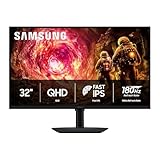
- Samsung’s 32” Odyssey G5 QHD Gaming Monitor delivers brilliant visuals for exhilarating gameplay that’s more immersive than ever before.
- QHD resolution (2560 x 1440) boasts incredibly detailed, pin-sharp images.
- With a wide 178° viewing angle, the IPS panel consistently delivers crisp, clear hues from various viewpoints.
- 180Hz Refresh Rate and 1ms response time (GtG) allow fast reactions for ultra-smooth gaming, plus G-Sync compatibility syncs the GPU and panel to reduce choppiness, screen lag, and image tearing.
- HDR10 provides brighter highlights and nuanced shadows for added depth.
| Specification | Samsung Odyssey G70D S32DG70 |
|---|---|
| Panel and shape | Flat IPS LCD, 16:9 |
| Screen size and resolution | 32-inch class, 3,840 × 2,160 |
| Maximum refresh rate | 144Hz |
| Advertised response time | 1ms GTG |
| Typical brightness | 350 cd/m2 |
| Static contrast | 1,000:1 |
| HDR formats and certification | VESA DisplayHDR 400 and HDR10+ Gaming |
| Color specification | Up to 1 billion colors; 99% sRGB claimed by Samsung |
| Variable refresh rate | AMD FreeSync Premium; marketed as G-Sync compatible |
| Video inputs | One DisplayPort 1.4 and two HDMI 2.1 |
| USB and networking | Two USB 3.0 ports, USB-B upstream, Ethernet, and Wi-Fi 5 |
| Wireless and audio | Bluetooth 5.2 and speakers rated at 10W output |
| Mounting and stand | 100 × 100mm VESA; height, tilt, swivel, and pivot adjustment |
| Maximum power consumption | 78W |
| Weight with stand | 8.0kg / 17.6lb |
These specifications come from Samsung’s published specification sheet. The specifications describe what the display supports; they do not guarantee that every game, console, application, or picture mode will produce the same result.
Is the Samsung Odyssey G70D S32DG70 good for PC gaming?
Yes, the Samsung Odyssey G70D S32DG70 is good for PC gaming when the computer can drive 4K at an appropriate frame rate, but the 4K/144Hz combination is demanding. Modern, graphically intensive games may need DLSS, FSR, another upscaling mode, reduced settings, or a combination of those adjustments to approach 144 frames per second.
A 144Hz ceiling is useful for competitive games and fast camera movement because it can show more frequent frame updates than a 60Hz display. Native 4K at 144 frames per second is not an automatic outcome of owning a 144Hz monitor; the GPU, game engine, graphics settings, and chosen upscaling mode determine the actual frame rate.
What’s actually slowing this PC down?
Pick the symptom - the matching free tool is one click away.
RTINGS found very good motion handling across the monitor’s VRR range and low input lag. RTINGS also notes that motion performance is less impressive at 60Hz than at higher refresh rates. That makes the G70D a stronger fit for a gaming PC that regularly exceeds 60fps than for a system that spends most of its time locked at 60fps. See the RTINGS Samsung Odyssey G70D review for the independent testing and use-case assessment.
What does “1ms GTG” mean in practice?
“1ms GTG” is Samsung’s advertised gray-to-gray response-time specification, not a promise that every pixel transition will take exactly 1ms in every overdrive mode. Real motion performance depends on the transition being measured, the selected response-time setting, refresh rate, and whether overdrive creates visible overshoot or inverse ghosting.
The useful conclusion is not that the G70D delivers universal 1ms performance. The useful conclusion is that independent testing found good high-refresh-rate motion handling and low input lag, while 60Hz motion is a relative weakness. Competitive players who want refresh rates well above 144Hz should also look elsewhere.
Does it work well with PS5, PS5 Pro, and Xbox Series X|S?
The Samsung Odyssey G70D S32DG70 is a strong console monitor because its 4K panel, HDMI 2.1 inputs, VRR support, and 120Hz capability align with current-generation console features. RTINGS reports support for the major PS5, PS5 Pro, and Xbox Series X|S features, with low input lag at both 60Hz and 120Hz.
HDMI 2.1 is valuable, but HDMI 2.1 alone does not guarantee 4K/120Hz in every setup. The console, game, HDMI cable, monitor input mode, and console video-output settings all matter. After connecting the display, check the console’s video-output information screen to confirm which resolution, refresh rate, HDR mode, and VRR options are actually available.
For PS5, PS5 Pro, and Xbox Series X|S, the G70D’s 32-inch size is also a practical middle ground: larger and more immersive than a typical desk monitor, but smaller than a living-room television. The IPS panel’s weak dark-room contrast remains relevant for console games with dark scenes.
How sharp and colorful is the picture?
The 32-inch 4K panel produces a sharp desktop image and detailed game presentation. The 3,840 × 2,160 resolution is useful for text-heavy work, detailed game worlds, photos, and video, particularly when the viewer sits relatively close to the screen. Windows scaling may still be useful if small interface elements are difficult to read at native scaling.
Samsung specifies up to 1 billion colors, 99% sRGB coverage, 178-degree horizontal and vertical viewing angles, factory tuning, and a factory calibration report. RTINGS found that the monitor displays a wide range of colors. Wide color coverage is not the same as professional color accuracy, however: color accuracy also depends on the selected picture mode, calibration, operating-system settings, application color management, and whether the display is operating in SDR or HDR.
IPS viewing angles are a practical advantage for a 32-inch screen used by more than one person or viewed from different positions. The advantage does not eliminate IPS glow or backlight-uniformity variation. IPS glow, backlight bleed, and uniformity can differ between individual units, so one review sample should not be treated as a guarantee about every panel.
Why are contrast and black levels the G70D’s biggest weaknesses?
The Samsung Odyssey G70D S32DG70 has a specified 1,000:1 static contrast ratio, and the IPS panel cannot produce OLED-like black levels. Dark areas can look gray instead of black, especially when the room is dark enough for the difference to be obvious.
Also popular on Amazon

- QHD Resolution (2560 x 1440) has 1.7 times the pixel density of Full HD for incredibly detailed pinsharp images
- HDR10 provides brighter highlights and nuanced shadow for added depth - making every scene feel more vivid and realistic
- The 180Hz refresh rate minimizes lag for gameplay with ultra-smooth action. Plus, the 1ms response time helps capture your moves in real-time, allowing you to react fast for gaming precision
- AMD FreeSync reduces choppiness, screen lag and image tearing, ensuring that your fast-paced, complex in-game action is stable with minimal stutter
- Ergonomic stand allows for tilt, pivot and height adjustments to maximize gaming comfort
Bright-room gaming can make the contrast limitation less distracting because ambient light reduces the apparent difference between the screen’s blacks and the surrounding room. Dark-room gaming and movie viewing expose the limitation more clearly. IPS glow and panel uniformity can also make black screens look uneven, although the extent varies by unit and viewing position.
RTINGS specifically criticizes the G70D’s contrast and local-dimming performance. The result is a monitor that can look sharp and colorful while still failing to deliver the depth expected from OLED or a stronger Mini-LED display. Buyers who primarily play horror games, watch films at night, or want rich shadow detail should treat this limitation as decisive rather than minor.
The Tool Desk
Outbyte Driver Updater FREEScan for outdated or missing drivers - takes under a minuteDriver Scan →Outbyte PC Repair FREEClear out junk files and repair common Windows errorsFree Scan →Is HDR good on the Samsung Odyssey G70D?
No. The Samsung Odyssey G70D S32DG70 supports VESA DisplayHDR 400 and HDR10+ Gaming, but the display is not a strong HDR monitor for buyers seeking bright highlights and deep blacks. HDR content can still look colorful and more dynamic than SDR, yet the panel’s brightness, contrast, and local-dimming limitations prevent high-impact HDR.
Samsung lists 350 cd/m2 typical brightness and a 1,000:1 static contrast ratio in its specification material. DisplayHDR 400 is an entry-level HDR class, and HDR10+ Gaming describes support for a format and dynamic metadata rather than a guarantee of OLED-like image quality. HDR10+ Gaming cannot overcome limited peak brightness or weak black levels.
RTINGS found disappointing contrast, poor local-dimming performance, gray blacks, and insufficient brightness for HDR highlights to stand out. OLED and stronger Mini-LED displays are materially better directions for HDR, although OLED buyers should consider burn-in and image-retention concerns, as well as each model’s price, ports, refresh rate, and warranty.
What smart features does the G70D include?
The G70D’s integrated Tizen platform is the monitor’s main differentiator. The display includes a TV-style interface, streaming and TV-oriented services, Gaming Hub in supported countries, a remote control, SmartThings Hub features, Wi-Fi 5, Bluetooth 5.2, built-in Alexa support, Bixby and far-field voice features, and 10W-rated speakers.
Recommended Free Tools
The smart features are useful when the G70D is placed in a bedroom, den, or living-room-style setup. A user can stream without turning on a PC, switch between console and media use with a remote, and avoid buying a separate streaming device. Multi View can display up to two video sources, while Workspace and wireless-display functions can help with particular productivity setups.
The smart platform is less valuable for a desktop-only buyer who already owns a smart television or streaming box. Smart menus, account setup, network dependencies, and additional services may also be less appealing to someone who wants a simple, fast monitor interface. Samsung says network-based smart services require a Samsung account, and service availability varies by country or region; consult the regional Samsung product information before treating any app or feature as universal.
The G70D can serve as a small smart-TV substitute, but it is not an unconditional replacement for a television. The 32-inch screen may be too small for a living room, IPS contrast is weak for dark-room films, HDR is modest, and app availability and firmware support can change by region.
Which ports and connectivity does the G70D have?
The Samsung Odyssey G70D S32DG70 has one DisplayPort 1.4, two HDMI 2.1 ports, two USB 3.0 ports, one USB-B upstream connection, Ethernet, Wi-Fi 5, Bluetooth 5.2, speakers, and audio functionality listed in the product documentation. HDMI 2.1 makes the monitor more suitable for modern consoles and compatible PC hardware.
The USB-B upstream connection is important because the G70D is not a full USB-C docking monitor. The published specification does not indicate a USB-C video input or USB-C power delivery. Laptop-first buyers who expect one-cable video, charging, and peripherals should choose a USB-C monitor with power delivery or use a separate dock and appropriate adapters.
| Connection or feature | What it is useful for | Important limitation |
|---|---|---|
| DisplayPort 1.4 | PC connection for high-resolution, high-refresh-rate gaming | Actual 4K/144Hz operation depends on the graphics hardware, cable, settings, and signal mode |
| Two HDMI 2.1 ports | Modern PC and console connections, including potential 4K/120Hz console gaming | Console, game, cable, and output settings still determine available modes |
| USB-B upstream and two USB 3.0 ports | Connecting the monitor’s USB hub to a computer and attaching peripherals | USB-B is less convenient than USB-C and does not provide USB-C laptop docking |
| Ethernet, Wi-Fi 5, and Bluetooth 5.2 | Smart services, network features, and compatible wireless devices | Smart services require internet access and may require a Samsung account or vary by region |
How adjustable is the stand?
The included stand provides approximately 120mm of height adjustment, tilt from about −2 to 25 degrees, swivel of approximately −30 to 30 degrees, and pivot adjustment. The monitor also supports a 100 × 100mm VESA mount, according to Samsung’s specification sheet.
The stand is more flexible than a basic tilt-only stand, but the 32-inch 16:9 panel is physically large. A reasonably deep desk helps maintain a comfortable viewing distance, and pivot mode may be awkward because rotating a 32-inch widescreen display creates a tall, unwieldy portrait panel. A monitor arm may be preferable for a compact desk or a multi-monitor arrangement.
Also popular on Amazon

- Input Voltage: AC 100-240V, 50/60Hz;
- This AC Adapter Compatible with Samsung Odyssey G70D S32DG70 LS32DG702ENXZA LS32DG702EMXUE 32" Gaming Monitor 19VDC DC19V 19volt 19.0 Volts Switching Power Supply Cord Charger Cable PSU
- Features: Low interference and noise. Advanced technology and high quality. High efficiency and reliability.
- Safety& Reliability: PowerHOOD products has been tested many times for providing protection, featuring overcharging, overheating, overvoltage and short circuit protection, which will charge your devices efficiently and keep you and your devices safe.
- Warranty: We offer 14-Days money-back guarantee and 30-Days exchange service. If you have any questions, please feel free to contact us, we'll reply within 24 hours.
How does the Samsung G70D compare with the Gigabyte M32U and Dell G3223Q?
The Samsung G70D is the choice for buyers who value integrated streaming, a remote, speakers, and TV-style operation. The Gigabyte M32U and Dell G3223Q are more conventional 32-inch 4K/144Hz IPS monitor directions. RTINGS’ comparisons give the M32U an advantage for dark-room gaming through deeper and more uniform blacks, while the Samsung offers a wider range of vivid colors and TV-like features. RTINGS says the Dell is better for most people because of deeper blacks, a wider range of more vivid colors, and brighter HDR performance; the Samsung’s advantage is its smart OS and remote.
Quick wins for a faster PC:
Clear out junk files and repair common Windows errorsFree Scan →Fix the driver behind crashes, sound loss and screen glitchesFind Drivers →Repair Windows errors before they cause bigger problemsFix Now →| Buyer priority | Better direction | Reason |
|---|---|---|
| Built-in streaming, remote, and TV-style operation | Samsung Odyssey G70D | Tizen, streaming services, speakers, wireless networking, and remote are integrated |
| Conventional PC-monitor use | Gigabyte M32U or Dell G3223Q | Both are conventional 32-inch 4K/144Hz IPS monitor alternatives; current price and stock require checking |
| Dark-room black levels | OLED or stronger Mini-LED; otherwise Dell G3223Q or Gigabyte M32U direction | The G70D’s IPS contrast is weak, and RTINGS identifies deeper-black advantages in the comparisons |
| HDR impact | OLED or stronger Mini-LED | The G70D’s DisplayHDR 400 class, limited brightness, and weak local dimming constrain HDR impact |
| Laptop docking | A USB-C monitor with power delivery | The G70D lists USB-B and USB-A but not USB-C video input or USB-C power delivery |
| 4K console gaming plus streaming | Samsung Odyssey G70D | 4K, HDMI 2.1, 120Hz-capable console use, Tizen, and remote control fit this combination |
Prices and availability for the Gigabyte M32U, Dell G3223Q, OLED monitors, and Mini-LED monitors were not verified in this research pass. The M32U and G3223Q are older products with regional stock differences, so a buyer should compare current prices, return policies, warranty terms, and condition before choosing either alternative. The RTINGS Gigabyte M32U comparison and RTINGS Dell G3223Q comparison support the picture-quality positioning above.
How much does the Samsung Odyssey G70D cost, and is it worth $799.99?
Samsung’s US listing showed the Samsung Odyssey G70D S32DG70 at $799.99 when checked on August 18, 2026. The same Samsung US page showed delivery and in-store pickup as unavailable at that time. The price and stock status are market- and date-specific, so verify the live listing before purchase rather than treating $799.99 as a guaranteed transaction price or assuming the monitor is currently available.
At or near $799.99, the G70D is difficult to justify for a buyer who only needs a fast 32-inch 4K PC monitor. That price places the display in territory where stronger HDR, better contrast, OLED panels, or better pure-monitor value may be available, depending on current promotions and regional pricing.
A discounted price changes the calculation because the G70D’s smart features have real value in the right setup. A console gamer who also wants built-in streaming, speakers, Wi-Fi, a remote, and a single 4K/144Hz screen may reasonably pay more than a desktop-only PC gamer. The correct threshold is therefore use-case dependent, but the monitor should generally be bought on sale unless the integrated platform is a central requirement.
Outdated Drivers Are Slowing You Down
One free scan finds every outdated or missing driver and matches the right update for your exact hardware.Free scan · exact hardware matchPC Slower Than It Used to Be?
A free scan shows the junk files, broken settings and background clutter dragging Windows down - then fixes them in one click.Free scan · Windows 10 & 11Who should buy the Samsung Odyssey G70D?
Buy the G70D when the following combination matters: 32-inch 4K sharpness, 144Hz PC gaming, HDMI 2.1 console support, low input lag, IPS viewing angles, integrated streaming, a remote-controlled interface, and one display for gaming, media, and occasional productivity.
- Buy it: if a console gamer wants 4K/120Hz-capable connectivity and built-in streaming in the same display.
- Buy it: if a bedroom or den setup benefits from a remote, speakers, Wi-Fi, and TV-style software.
- Buy it on sale: if the feature mix is attractive but the official $799.99 US listing feels too high.
- Skip it: if deep blacks, bright HDR highlights, and dark-room movie performance are more important than smart features.
- Skip it: if USB-C video, laptop charging, and one-cable docking are required.
- Skip it: if the goal is maximum esports refresh rate or maximum pure PC gaming value.
Final verdict
The Samsung Odyssey G70D S32DG70 is a capable 4K/144Hz IPS gaming monitor with unusually complete smart-display features. Its strongest argument is not the isolated 1ms claim or the HDR10+ Gaming label; its strongest argument is the combination of sharp 4K gaming, HDMI 2.1 console support, VRR, Tizen streaming, speakers, wireless connectivity, and a remote.
The biggest weakness is equally clear: the G70D’s IPS contrast, gray blacks, ineffective local dimming, and limited HDR brightness undermine dark-room gaming and serious HDR use. The monitor is therefore a buy for hybrid gaming and streaming, a buy-on-sale recommendation for most buyers, and a skip for HDR enthusiasts, OLED seekers, laptop-first users, and shoppers focused solely on pure PC-monitor value.
Frequently Asked Questions
Is the Samsung Odyssey G70D S32DG70 a good 4K gaming monitor?
The Samsung Odyssey G70D S32DG70 is a good 4K gaming monitor for buyers who value 144Hz gaming, HDMI 2.1 console support, VRR, and integrated streaming. The G70D is not a strong choice for serious HDR or dark-room gaming because its IPS panel has weak contrast and gray-looking blacks.
Does the Samsung Odyssey G70D support PS5 Pro and Xbox Series X|S at 120Hz?
The Samsung Odyssey G70D supports the major PS5, PS5 Pro, and Xbox Series X|S features reported by RTINGS, including 120Hz-capable console gaming. Actual 4K/120Hz operation depends on the console, game, HDMI cable, monitor input mode, and selected console video-output settings.
Does HDR10+ Gaming make the Samsung G70D’s HDR performance good?
HDR10+ Gaming support does not make the Samsung G70D a high-impact HDR monitor. The G70D also has DisplayHDR 400-class performance, limited brightness, a 1,000:1 IPS contrast ratio, and weak local dimming, so OLED and stronger Mini-LED displays produce substantially better HDR contrast and highlights.
Does the Samsung Odyssey G70D have USB-C laptop docking?
No. The Samsung Odyssey G70D’s listed connections include DisplayPort 1.4, HDMI 2.1, USB-B upstream, and USB 3.0 ports, but the published specification does not indicate USB-C video input or USB-C power delivery. Laptop-first users should choose a USB-C monitor with power delivery or use a separate dock.
The Bottom Line
Bottom line: Buy the Samsung Odyssey G70D S32DG70 for its unusual combination of 4K/144Hz gaming, HDMI 2.1 console support, Tizen streaming, speakers, and remote control—but preferably at a substantial discount. Choose another display if deep blacks, impactful HDR, USB-C docking, or maximum pure-monitor value matters more than smart features.
Do these 3 things before closing this tab:
1Scan for outdated or missing drivers - takes under a minute2Clear out junk files and repair common Windows errors3Fix the driver behind crashes, sound loss and screen glitches
