
iTechGuides is reader-supported. When you buy through links on our site, we may earn an affiliate commission. As an Amazon Associate I earn from qualifying purchases. Learn more
Neither Ryzen 7 nor Intel Core i7 is automatically better. Those names cover several generations, chip designs, power limits and integrated GPUs. A well-cooled Ryzen 7 laptop can outperform a Core i7 in sustained workloads and integrated-graphics games, while a particular Core i7 model may respond faster in lightly threaded applications or provide better media-engine support. Compare the complete laptop—processor model and suffix, cooling, memory, display, battery, firmware and price—not the badge on the palm rest.
A controlled same-chassis comparison illustrates why. In a 2023 Tom’s Hardware test of Framework Laptop 13 mainboards, Core i7-1370P led Geekbench 5, but Ryzen 7 7840U completed the HandBrake encode sooner; battery runtime was effectively identical. The result changed with the workload even though the laptops used the same chassis.
What the Ryzen 7 and Core i7 names actually tell you
Ryzen 7 is AMD’s upper-mainstream laptop tier; Core i7 is Intel’s corresponding tier. Neither designation identifies a single processor. A Ryzen 7 7840U, Ryzen 7 7735HS and a newer Ryzen AI 7 part have different cores, graphics engines and power envelopes. Likewise, a Core i7-1360P, Core i7-1370P and a Core i7-HX chip target very different laptops.
The suffix is often more informative than the family name:
Popular on Amazon
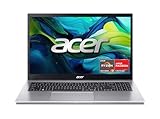
- Exceptional Performance and Productivity: Experience smooth and responsive performance powered by an AMD Ryzen 7 7730U processor and 16GB memory and 512GB SSD. Enjoy extended productivity thanks to exceptional battery life and the support of Copilot, your everyday AI companion.
- Copilot in Windows - your AI Assistant: Do more, quicker than ever across multiple applications with the centralized generative AI assistance of Copilot in Windows Accessible with a single touch of the Copilot Key
- Immersive Visuals: With its narrow bezel design the 15.6" 1080p Full HD IPS display is perfect for casual web browsing and watching movies or streaming, allowing for a sharp, detailed view of what's in front of you. And with Acer BluelightShield, lower the levels of blue light to lessen the negative effects of blue light exposure.
- User-Friendly by Design: Seamlessly connect or charge your devices through a full-function USB Type-C port, while Wi-Fi 6 and HDMI 2.1 connectivity enhance your digital experiences to be faster, smoother, and more enjoyable.
- Unlock More with AcerSense: Intuitive device control is available at the touch of a button with AcerSense, which manages battery life, storage, and apps for optimal performance. Acer TNR solution and Acer PurifiedVoice enhance your video calling experience to a new level of clarity and quality.
- U-series and similar low-power parts: designed for thin laptops and long unplugged use, with lower sustained power.
- H or HS parts: intended for performance notebooks; they can maintain higher clocks if the cooling system and power adapter permit it.
- HX parts: high-power processors used in large workstations and gaming laptops. They may be very fast, but battery life, weight and fan noise become larger trade-offs.
Generation matters just as much. A newer Ryzen 7 can have a more capable Radeon integrated GPU and better efficiency than an older Core i7, while a recent Core i7 can beat an early Ryzen 7 in responsiveness or video processing. Always record the full model number before comparing specifications or reviews.
What a controlled test shows in practice
Tom’s Hardware compared two Framework Laptop 13 mainboards in the same chassis in 2023. The Intel system used a Core i7-1370P and 32 GB of DDR4 memory; the AMD system used a Ryzen 7 7840U and 16 GB of DDR5. That memory difference means this is informative rather than a laboratory-isolated CPU test, but it removes many chassis and display variables.
| Test | Core i7-1370P | Ryzen 7 7840U | What it suggests |
|---|---|---|---|
| Geekbench 5 single-core | 1,958 | 1,874 | Intel led this lightly threaded benchmark. |
| Geekbench 5 multi-core | 11,317 | 10,356 | Intel also led this run in the same chassis. |
| HandBrake encode | 5:49 | 5:30 | AMD finished the real-world video transcode 19 seconds sooner. |
| Battery runtime | 11:39 | 11:38 | Effectively tied in this configuration. |
The lesson is not that every Core i7 wins benchmarks or every Ryzen 7 wins encoding. Software uses different instruction paths, media engines and thread schedules. Memory configuration, firmware and cooling can also move a result. It is evidence that the exact application and laptop implementation matter more than the family label.
Which processor is faster for your workload?
Office work, browsing and lightly threaded applications
Word processing, web applications, accounting software and many interface actions depend on short bursts of single-core performance and low latency. In the Framework test, the Core i7-1370P scored higher in Geekbench 5 single-core, so that particular Intel configuration had an advantage in the benchmark. In daily use, the difference may be difficult to notice when both systems have an SSD and sufficient memory; browser tabs, background synchronization and thermal limits often dominate perceived smoothness.
For this workload, prioritize a bright, comfortable display, a quiet fan profile, at least the memory capacity your applications require, and a responsive SSD. Treat a small benchmark lead as a tiebreaker rather than a reason to accept a worse keyboard, screen or warranty.
Also popular on Amazon

- [High Speed RAM And Enormous Space] 16GB high-bandwidth RAM to smoothly run multiple applications and browser tabs all at once; 512GB PCIe NVMe M.2 Solid State Drive allows to fast bootup and data transfer
- [Processor] AMD Ryzen 7 5825U Processor (8 Cores, 16 Threads, 16MB Cache, Base at 2.0 GHz, Up to 4.5 GHz Max Turbo Frequency), with AMD Radeon Graphics
- [Display] 15.6" FHD (1920 x 1080) Display
- [Tech Specs] 1 x USB 3.2 Type-C, 1 x USB 3.2 Type-A, 1 x USB 2.0 Type-A, 1 x HDMI, 1 x RJ45, 1 x headphone/microphone combo, Webcam, Numeric Keypad, Wi-Fi and Bluetooth
- [Operating System] Windows 11 Pro - Organize open apps with pre-configured layouts to optimize productivity, Navigate with more intuitive experience to get things done, Collaborate with teams with more features
Compiling, rendering and sustained multitasking
Long compiles, code analysis, 3D rendering, virtual machines and large batch exports keep many threads active for minutes or hours. Core counts are useful, but sustained power and cooling determine whether the laptop can hold its initial speed. A thin machine may reduce clocks after a few minutes regardless of whether it carries Ryzen 7 or Core i7.
Current platform guidance from XMG (2025) rates both AMD and Intel ultrabook platforms very good for everyday work. It identifies a typical AMD advantage in multi-core efficiency and integrated graphics, while rating battery life very good for both. The word “typical” matters: it does not override a model with a larger Intel cooling system or a more generous power limit.
Free tools Windows power users keep installed
One-click scans. No signup required.
Look for long-duration reviews or repeatable compile and render results for the exact SKU. A short burst benchmark measures the first minute; a sustained test tells you what you will receive during a real export.
Video encoding and media work
Video applications can use CPU instructions, a dedicated media engine, or both. In the Framework comparison, Ryzen 7 7840U completed the HandBrake job in 5:30 versus 5:49 for Core i7-1370P, despite Intel’s higher Geekbench scores. The 19-second difference is meaningful only if encoding is a frequent task; for occasional exports, storage speed and the source and destination codecs may matter more.
Check the application’s documented hardware-acceleration path and the laptop’s exact media-engine support. Do not infer encoding performance from the Core i7 or Ryzen 7 label alone.
Also popular on Amazon

- Web vision Including Word, Excel, OneNote, Outlook, PowerPoint, Publisher, Access
Integrated graphics: the crucial difference for gaming without a graphics card
If a laptop has no discrete GPU, the integrated GPU (iGPU) is the graphics card. Its architecture, execution resources, memory bandwidth and power allocation can matter more than a modest CPU benchmark lead. Current XMG guidance generally leans toward AMD when stronger Radeon integrated graphics are available, especially in games that scale well with the iGPU.
Do these 3 things before closing this tab:
1Clear out junk files and repair common Windows errors2Scan for outdated or missing drivers - takes under a minute3Repair Windows errors before they cause bigger problemsPerformance still varies by processor generation and memory layout. Integrated graphics share system memory, so dual-channel or faster memory can materially improve frame rates. A laptop with soldered single-channel memory can underperform a seemingly identical processor in another chassis. Check whether memory is dual-channel, its speed, and whether the manufacturer reserves enough power for the iGPU.
When an iGPU is enough
- Esports and older games at 1080p with reduced or medium settings can be realistic on a strong current Radeon iGPU.
- Indie games, strategy titles and emulation are often more forgiving than new, graphically intensive releases.
- Use the laptop’s native resolution only when performance remains stable; lowering resolution or using an upscaling mode can produce a smoother result.
When you should buy a discrete GPU
For modern AAA games, ray tracing, high-refresh 1440p play or serious GPU rendering, choose a laptop with a discrete GPU and adequate cooling. In that situation, compare the GPU model, its wattage and the cooling system first. The CPU badge is usually a secondary factor unless you are targeting very high frame rates or running CPU-heavy simulation and strategy workloads.
Battery life: why there is no universal Ryzen or Intel winner
Runtime is a system property. Battery capacity, OLED or LCD panel, brightness, wireless radios, firmware, background processes, memory configuration and the selected power mode can outweigh the processor family.
The same-chassis Framework test ran for 11:39 on Core i7-1370P and 11:38 on Ryzen 7 7840U, an effectively tied result. That is a useful reminder that two efficient platforms can deliver the same endurance when the rest of the design is similar.
Recommended Free Tools
Also popular on Amazon

- [Top Performance Processors] The KAIGERR light gaming Laptop is powered by the robust AMD Ryzen 7 5700U processor, built on the advanced Zen 3 architecture. With 8 cores and 16 threads, it achieves turbo speeds of up to 4.3GHz for exceptional responsiveness. Manufactured using TSMC’s precise 7nm process and paired with 16MB of L3 cache, this laptop enables fast data access and seamless multitasking. Whether you're handling demanding office work or diving into PC gaming, the KAIGERR delivers reliable processing power and rapid loading for a smooth, uninterrupted experience.
- [Huge Capacity Storage] The KAIGERR laptop comes equipped with 16GB of SODIMM DDR4 RAM, providing ample operating memory to significantly reduce data read latency and boost CPU efficiency for effortless multitasking. Paired with a high-speed M.2 2280 NVMe 512GB SSD, this configuration ensures fast system boot-ups and near-instant application loading, while also offering generous storage space to securely store all your essential files and documents.
- [Brilliant Display & Integrated Graphics] The KAIGERR light gaming laptop features an innovative thin-bezel display that maximizes screen real estate for a truly immersive Full HD viewing experience. Powered by integrated AMD Radeon Graphics, it delivers exceptional visual performance with sharp image detail and smooth rendering. Whether you're diving into your favorite games or editing high-resolution photos, this laptop ensures a vibrant and responsive visual experience.
- [Rich Interfaces & Connectivity] KAIGERR traditional laptop offers a variety of connectivity options, including HDMI, Type-C, 3.5mm TRRS Jack, Memory Card Slot and USB3.2 ports. You can easily connect to various devices and peripherals to expand your capabilities. Mini laptop computers equipped with WiFi6 & Bluetooth 5.2 which offer strong wireless signal, fast wireless connections, and reliable transmission speed.
- [Portable Design & Durable] KAIGERR laptop compact design makes it easy to carry with you wherever you go. Also, you can enjoy the benefits of a powerful computer without the bulk of a traditional desktop. KAIGERR laptop computers are built with high-quality components and designed to handle heavy workloads and deliver consistent performance and longevity. If you encounter any problems, please contact us and we will help you solve the problem within 12 hours
Results can also diverge sharply between implementations. In a 2026 Tom’s Hardware unplugged test, an Acer Swift Go 16 with Ryzen AI 7 445 averaged 50.06% lower scores on battery than on AC power and fell as much as 56.25% in one Cinebench single-core result. The tested Intel system was substantially more consistent. This comparison tested each laptop against itself rather than ranking unlike machines, so it demonstrates power-policy and firmware behavior—not a universal Ryzen penalty.
An older example reverses the impression again. PCWorld’s 2019 Surface Laptop 3 testing favored the Intel Core i7 Ice Lake model for CPU performance, graphics and video-playback battery life, recording average runtimes of 10:26 for Intel and 7:25 for the AMD configuration. Older generations should not be used to predict current models.
How to evaluate battery claims
- Find a review of the exact model and display option, not merely the processor family.
- Check the test’s brightness, wireless state, browser workload and power mode.
- Compare both light-use runtime and performance while unplugged. A laptop can last many hours yet slow dramatically on battery.
- Check battery capacity in watt-hours and the charger size. A larger battery can explain a runtime lead that has little to do with CPU efficiency.
Cooling, acoustics and chassis design can erase a specification advantage
Two laptops with the same processor can deliver different results because one has a larger heat pipe, more fan capacity or a higher sustained power limit. Thin designs may briefly boost to a high clock and then settle lower; thicker designs can maintain performance but weigh more and make more noise.
Read reviews that report surface temperature, fan behavior and performance after a prolonged load. A quiet balanced mode may reduce speed, while a performance mode may require the charger and produce audible fan noise. Consider the modes you will actually use rather than a maximum score obtained with an aggressive profile.
Memory, storage, display and ports: the parts people overlook
Processor comparisons are meaningful only when the surrounding configuration is comparable.
Also popular on Amazon
- POWERFUL RYZEN PERFORMANCE: AMD Ryzen 7 7730U processor with 8 cores and 16 threads delivers responsive multitasking for work, streaming, productivity, and everyday computing while maintaining excellent power efficiency.
- FAST MEMORY AND STORAGE: Equipped with 16GB LPDDR4X memory and a 512GB PCIe NVMe SSD for quick boot times, smooth application loading, responsive multitasking, and reliable storage for documents and media.
- CRISP FULL HD DISPLAY: Enjoy sharp visuals on the 15.6-inch Full HD IPS display with narrow bezels that deliver vibrant colors, wide viewing angles, and comfortable viewing for work, school, and entertainment.
- MODERN CONNECTIVITY: Stay connected with Wi-Fi 6, Bluetooth, USB-C, USB 3.2 ports, HDMI output, and an HD webcam, providing flexible connectivity for remote work, online classes, and daily productivity.
- LIGHTWEIGHT EVERYDAY DESIGN: Slim Pure Silver chassis combines portability with dependable performance, while Windows 11 offers modern security, productivity features, and an intuitive experience for home or office use.
| Component | Why it changes the experience | What to verify |
|---|---|---|
| Memory | Capacity prevents swapping; channel count and speed affect integrated graphics and some compute tasks. | Installed capacity, soldered or replaceable modules, channel configuration and memory type. |
| SSD | Controls application launches, project loads and large file transfers. | Capacity, interface, replaceability and sustained-write behavior. |
| Display | Consumes power and determines comfort for work and gaming. | Panel type, resolution, refresh rate, brightness and color coverage. |
| Ports | Can eliminate the need for hubs and affect external-monitor setups. | USB data rates, USB-C charging, video output, card reader, audio and networking. |
| Chassis and cooling | Sets sustained performance, temperature, weight and noise. | Long-load review results, fan profiles, weight and serviceability. |
| Warranty and support | A faster chip is poor value if repairs are difficult or coverage is weak. | Regional warranty term, service options and return policy for the exact SKU. |
How to compare two listings step by step
- Write down the complete CPU names. Include generation and suffix, such as a U, H, HS or HX designation. If a listing says only “Ryzen 7” or “Core i7,” treat it as incomplete.
- Identify the integrated GPU. Record the Radeon or Intel graphics model and the memory configuration. This is decisive when there is no discrete GPU.
- Separate CPU and GPU workloads. For compiling or rendering, seek sustained multi-core results. For gaming, compare the discrete GPU or iGPU first. For office work, look at responsiveness, noise and display quality.
- Check power behavior. Read AC and battery results for the exact model and note the performance mode used.
- Normalize memory and storage. A 32 GB configuration can be worth more than a small processor advantage if your workload uses many applications or virtual machines.
- Compare the complete ownership cost. Include the price of required memory or storage upgrades, the charger, warranty coverage and any accessories needed for your ports.
- Choose the better implementation, not the more familiar logo. If the two offers are close, use the review’s sustained results, battery behavior and support reputation as tie-breakers.
Who should choose Ryzen 7?
- Choose a specific Ryzen 7 model when it supplies a stronger Radeon iGPU for the games you play.
- Favor it when independent testing shows better sustained multi-core efficiency in the same class of laptop.
- It can be the better value when it includes more memory, a better display or a larger battery at the same price.
- Verify that the memory is configured to let the integrated GPU perform well and that the chassis can sustain the advertised power.
Who should choose Core i7?
- Choose a specific Core i7 model when testing shows better single-core responsiveness for your applications.
- Prefer it when its media engine matches your video workflow or when vendor firmware provides steadier unplugged performance.
- Ports, keyboard, display, warranty and price can make an Intel configuration the sensible choice even when CPU scores are close.
- Do not assume an i7 is faster than every Ryzen 7; compare the full model number and generation.
Common comparison mistakes
Comparing family names without generations
“Ryzen 7” and “Core i7” span multiple years. A newer mid-tier chip can beat an older high-tier part, and integrated graphics capabilities can change substantially between generations.
Using a desktop benchmark to predict battery life
Battery tests run under a particular screen, firmware and power policy. A benchmark score on AC power does not reveal how aggressively a laptop throttles when unplugged.
Ignoring memory on an integrated-GPU laptop
Shared graphics memory bandwidth and channel configuration can produce a larger gaming difference than a small CPU lead.
Assuming the thinnest laptop is the fastest
Thin machines can be excellent for mobility, but limited cooling may reduce sustained performance. Read long-load results, not only burst scores.
Choosing a processor before choosing the graphics card
In a gaming laptop with a discrete GPU, the GPU model and wattage normally determine frame rate. Spending extra for a higher CPU tier while accepting a weaker GPU is often the wrong allocation.
A practical decision framework
| Your priority | What to compare first | Likely decision rule |
|---|---|---|
| Office, study and travel | Display, keyboard, weight, noise, battery tests and support | Either family can be excellent; select the better-designed laptop. |
| Compiling or CPU rendering | Sustained multi-core results, cooling and power limit | Pick the implementation that holds performance over the full job. |
| Video encoding | Application acceleration and media-engine support | Use codec-specific tests; the benchmark leader may not encode faster. |
| Gaming without a discrete GPU | Exact iGPU, memory bandwidth and cooling | A current Radeon-based Ryzen configuration often deserves priority, but verify game results. |
| Gaming with a discrete GPU | GPU model, wattage, cooling and display | Buy the stronger GPU system unless your game is unusually CPU-bound. |
| Long unplugged work sessions | Exact-model runtime and performance-on-battery behavior | Trust measured results for the SKU; do not generalize from the CPU family. |
Bottom line for buyers
There is no universal Ryzen 7-versus-Core i7 winner. The 2023 same-chassis test produced an Intel lead in Geekbench, an AMD lead in HandBrake and a battery tie; the 2019 Surface Laptop 3 favored Intel; and 2026 testing showed that one Ryzen AI implementation could lose substantially more performance on battery than a tested Intel system. These are not contradictions—they show how strongly generation, firmware, cooling, memory and power policy shape the result.
Start with your workload and whether you need integrated or discrete graphics. Then compare the exact processor suffix, iGPU, memory, sustained performance, unplugged behavior, display, ports, battery capacity, warranty and total price. If two configurations remain close, choose the one with the better chassis and support; the family badge alone cannot make that decision.

