
The Tool Desk
Outbyte Driver Updater FREEScan for outdated or missing drivers - takes under a minuteDriver Scan →Outbyte PC Repair FREEClear out junk files and repair common Windows errorsFree Scan →iTechGuides is reader-supported. When you buy through links on our site, we may earn an affiliate commission. As an Amazon Associate I earn from qualifying purchases. Learn more
For an RX 6800 XT vs RTX 3080 comparison, choose the RX 6800 XT for lower-cost rasterized 1440p/4K gaming and 16GB of VRAM, or choose the RTX 3080 10GB for ray tracing, DLSS, CUDA, and Nvidia software. At the same price and condition, the RTX 3080 is more versatile; the RX 6800 XT is usually the better value.
That verdict applies to desktop cards, primarily on the used, refurbished, or remaining-stock market in 2026. Neither card should automatically be treated as a current high-end recommendation: a newer 16GB GPU with a warranty may be the smarter purchase if its price is close.
| # | Preview | Product | Price | |
|---|---|---|---|---|
| 1 |
|
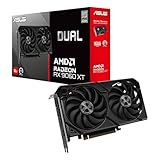
ASUS Dual Radeon RX 9060 XT 16GB GDDR6 Gaming Graphics Card | PCIe 5.0, HDMI 2.1b, DisplayPort 2.1a,... | $755.00 | Buy on Amazon |
Key takeaways
- The RX 6800 XT and RTX 3080 are effectively tied in native rasterized gaming overall, although individual games and resolutions can reverse the result.
- TechSpot’s 50-game comparison measured the RX 6800 XT approximately 3% faster at 1080p and 1% faster at 1440p, while the RTX 3080 was approximately 7% faster at 4K.
- The RTX 3080 is substantially better for ray tracing and DLSS-supported games, while the RX 6800 XT has 16GB of VRAM versus 10GB on the standard RTX 3080.
- The reference RX 6800 XT is rated at 300W and the reference RTX 3080 at 320W, but partner-card power, cooling, connector, and size requirements vary.
- The RX 6800 XT is the better choice for cheaper rasterized gaming; the RTX 3080 is worth a premium when ray tracing, DLSS, CUDA, or Nvidia creator software matters.
- Buy neither automatically in 2026 if either card costs close to a newer 16GB GPU with better efficiency, features, or warranty coverage.
What is the difference between the RX 6800 XT and RTX 3080?
The RX 6800 XT and RTX 3080 are older-generation desktop GPUs with similar native gaming performance but different priorities. AMD’s RX 6800 XT offers more VRAM and strong conventional rasterization, while Nvidia’s RTX 3080 offers much stronger ray tracing, DLSS, and broader CUDA-based software support.
Free tools Windows power users keep installed
One-click scans. No signup required.
The comparison must be precise. This article compares the desktop RTX 3080 10GB with the desktop RX 6800 XT. The RTX 3080 12GB is a different, somewhat faster variant, and the standard RX 6800 is slower than the RX 6800 XT. Laptop RTX 3080 products are also materially different from desktop RTX 3080 cards.
Popular on Amazon
- Axial-tech fans now feature a smaller fan hub that facilitates longer blades and a barrier ring that increases downward air pressure
- 2.5-slot design allows for greater build compatibility while maintaining cooling performance
- 0dB technology lets you enjoy light gaming in relative silence
- Dual BIOS switch lets you toggle between Quiet and Performance BIOS profiles
- Dual ball fan bearings last up to twice as long as sleeve bearing designs
Factory-overclocked and partner models can differ substantially in cooler quality, boost behavior, noise, dimensions, power limits, and connectors. A benchmark result for a quiet three-slot card should not be assumed to describe every card carrying the same GPU name.
| Specification | Radeon RX 6800 XT | GeForce RTX 3080 10GB |
|---|---|---|
| Architecture | AMD RDNA 2 / Navi 21 | Nvidia Ampere / GA102 |
| Launch date | November 18, 2020 | September 2020 |
| Compute resources | 72 compute units / 4,608 stream processors | 8,704 CUDA cores |
| Memory | 16GB GDDR6 | 10GB GDDR6X |
| Memory bus | 256-bit | 320-bit |
| Memory bandwidth | 512GB/s, supplemented by Infinity Cache | 760GB/s |
| Reference board power | 300W | 320W |
| Hardware ray tracing | 72 Ray Accelerators | Second-generation RT cores |
| Upscaling and related features | FSR, Radeon Super Resolution, and driver features that vary by title and driver | DLSS, Nvidia Reflex, and other Nvidia features that vary by title and driver |
| PCIe interface | PCIe 4.0 | PCIe 4.0 |
AMD’s official RX 6800 XT specifications list 72 compute units, 128MB of Infinity Cache, up to 16GB of GDDR6 memory, a November 18, 2020 launch date, and Windows and Linux support. Tom’s Hardware’s legacy GPU specification table lists the RX 6800 XT at 16GB and 300W and the RTX 3080 at 10GB and 320W.
Specifications do not translate directly into game performance. CUDA cores and stream processors are not comparable units, and the RTX 3080’s higher memory bandwidth does not automatically overcome the RX 6800 XT’s larger capacity and Infinity Cache. The meaningful questions are how a particular game renders, whether ray tracing is enabled, and which software features are supported.
Which GPU is faster for rasterized gaming?
Native rasterized performance is effectively tied overall, so neither card is a universal winner when ray tracing and upscaling are disabled. TechSpot’s 50-game comparison found the RX 6800 XT approximately 3% faster at 1080p, roughly 1% faster at 1440p, and the RTX 3080 approximately 7% faster at 4K.
Those averages are small enough that game selection, driver version, graphics settings, and the exact factory-overclocked model can matter more than the product name. TechSpot’s 50-game RX 6800 XT versus RTX 3080 comparison is useful because it separates resolutions instead of presenting one supposedly definitive average.
| Target | Likely result | Practical interpretation |
|---|---|---|
| 1080p | Small RX 6800 XT average lead in TechSpot’s comparison | High-end CPUs can make 1080p more CPU-limited, reducing the usefulness of a GPU-only comparison. |
| 1440p | Effectively tied | Choose based on price, VRAM, features, card condition, and the games you play. |
| 4K | Small RTX 3080 average lead | The RTX 3080 can be slightly faster, but 10GB VRAM and ray-tracing settings may become constraints. |
Tom’s Hardware’s June 2026 native-resolution hierarchy displayed nearly identical overall scores: 54.8% for the RTX 3080 and 54.9% for the RX 6800 XT. The same 2026 GPU hierarchy separates resolution results, showing why one overall index cannot answer every buyer’s question.
When comparing independent benchmarks, check the game version, graphics preset, texture setting, CPU, memory, driver version, Resizable BAR or Smart Access Memory status, and whether upscaling or frame generation is enabled. A benchmark that mixes native rendering with generated frames is not a clean comparison of ordinary GPU rendering performance.
Recommended Free Tools
Which GPU is better for 1440p gaming?
For 1440p rasterized gaming, the RX 6800 XT and RTX 3080 are essentially tied, making the RX 6800 XT the better value when it is meaningfully cheaper and the RTX 3080 the better buy when its price premium is small.
The RX 6800 XT suits high-refresh 1440p gaming particularly well when the buyer mostly plays conventional rasterized games and wants more texture headroom. The RTX 3080 becomes more attractive at 1440p when ray tracing is a regular part of the graphics preset or when a game’s DLSS implementation is good.
Competitive players should also consider settings rather than assuming that a higher-priced card is automatically better. At low or competitive presets, the CPU, game engine, monitor refresh rate, and latency settings can matter more than the small average difference between these GPUs.
Which GPU is better for 4K gaming?
The RTX 3080 has a modest native 4K performance advantage in several aggregate comparisons, but the RX 6800 XT’s 16GB memory can provide more texture and asset-streaming headroom. The better 4K card depends on whether the game is limited by shader performance, ray tracing, or available VRAM.
Do these 3 things before closing this tab:
1Fix the driver behind crashes, sound loss and screen glitches2Repair Windows errors before they cause bigger problems3Scan for outdated or missing drivers - takes under a minuteIn a conventional rasterized 4K game that fits comfortably within 10GB, the RTX 3080’s performance lead can matter. In a VRAM-heavy game with high-resolution textures, mods, or a large open world, the RX 6800 XT may avoid the texture reductions, stutter, or streaming limitations that can affect a 10GB card.
Extra VRAM does not make the RX 6800 XT a guaranteed 4K winner. The RX 6800 XT can still lack sufficient ray-tracing performance for demanding 4K RT settings, and both cards may need upscaling or reduced settings in especially heavy games.
Why is the RTX 3080 better for ray tracing?
The RTX 3080 is decisively better for ray tracing because its second-generation RT hardware is substantially faster than the RX 6800 XT’s first-generation RDNA 2 ray accelerators.
Tom’s Hardware’s historical comparison found the RTX 3080 at least 72% ahead in the smallest reported result among its tested DLSS-plus-DXR games and more than twice as fast in most of the tested games. Those figures belong to that test suite and should not be treated as a universal percentage for every modern game.
The RX 6800 XT can run ray tracing, especially at 1440p with sensible settings, but heavy RT often requires more compromises. “Ray-tracing capable” does not mean that a GPU can deliver maximum settings at native 4K. Tom’s Hardware’s ray-tracing comparison documents the large architectural gap more clearly than a raster-only average does.
Is DLSS better than FSR on the RTX 3080?
The RTX 3080 is generally the stronger choice for upscaling in games with a well-implemented DLSS mode, but DLSS is not automatically superior in every version, preset, or game. Image quality depends on the exact DLSS or FSR implementation, internal resolution, anti-aliasing, motion-vector data, sharpening, and the game’s treatment of foliage, particles, and user-interface elements.
DLSS can help the RTX 3080 recover performance in supported ray-traced games. FSR has the advantage of broad hardware compatibility, while AMD’s Radeon Super Resolution can provide driver-level upscaling in compatible scenarios. Support and quality vary by game and driver, so buyers should evaluate the titles they actually play rather than treating DLSS and FSR as permanently fixed technologies.
Upscaling is not the same as frame generation. Generated frames can increase the displayed frame rate without increasing input responsiveness in proportion to that number. Do not use frame-generated FPS as a substitute for native-rendering performance, and do not assume that an RTX 3080 has the same feature set as a current RTX 50-series GPU. Tom’s Hardware’s June 2026 hierarchy discussion of DLSS 4.5 notes that support can extend to older GeForce RTX cards but may carry heavier performance costs on older hardware; verify the specific game and feature before buying around it.
Is 10GB of VRAM enough on the RTX 3080 in 2026?
Ten gigabytes can still support excellent gaming performance, but 16GB on the RX 6800 XT provides materially more VRAM headroom for 4K textures, large open-world assets, mods, texture packs, and future games. The RX 6800 XT has 60% more VRAM capacity than the standard 10GB RTX 3080.
VRAM capacity is not a direct FPS rating. A game can fit within 10GB and run faster on the RTX 3080, while another game can expose the practical limitation through texture-streaming problems, stutter, or required setting reductions. DLSS can reduce internal rendering resolution and sometimes ease memory pressure, but DLSS cannot turn 10GB into 16GB, and the result is game-dependent.
Verify the listing before buying. An RTX 3080 12GB has a different memory configuration and can alter the balance, while an RX 6800 listing without the “XT” suffix is not the same product. Ask for a GPU-Z screenshot or another clear identification method when the seller’s title is vague.
What uses more power and which card is easier to cool?
Using reference specifications, the RTX 3080 is rated at 320W and the RX 6800 XT at 300W, so the RX 6800 XT has the lower nominal board-power figure. Actual temperatures, noise, and power use depend heavily on the partner design, voltage, power limit, case airflow, and workload.
| Consideration | RX 6800 XT | RTX 3080 |
|---|---|---|
| Reference board power | 300W | 320W |
| Power connectors | Varies by partner card; inspect the exact model | Founders Edition uses a compact 12-pin connector with an adapter; many partner cards use conventional 8-pin connectors |
| PSU decision | Use a quality PSU sized for the complete system and exact card | Use a quality PSU sized for the complete system, transient behavior, and exact card |
| Physical clearance | Partner cards can be large and thick | Partner cards can be large and thick; Founders Edition connector placement also matters |
A quality 750W PSU is a common target for systems using either GPU, but 750W is not a universal rule. CPU power draw, PSU quality and age, transient excursions, connector condition, and the exact factory-overclocked model all matter. Check the card manufacturer’s recommendation and avoid relying on a nominal wattage number alone.
Before buying, confirm case length, card thickness, neighboring-slot clearance, radiator placement, connector access, and the included adapter. A three-slot card can block expansion slots even when the GPU technically fits inside the case.
What should you check before buying a used RX 6800 XT or RTX 3080?
A used GPU should be judged by its verified condition, warranty, seller protection, and price—not by its original high-end reputation. Test the actual card whenever possible.
- Verify the exact model. Confirm RX 6800 XT rather than RX 6800, and RTX 3080 10GB rather than RTX 3080 12GB or a laptop product.
- Check physical condition. Look for damaged fans, bent fins, corrosion, cracked shrouds, missing screws, damaged connectors, and signs of an altered or modded BIOS.
- Run a repeatable load. Check for crashes, visual artifacts, driver resets, abnormal clock behavior, and memory errors rather than relying on the seller’s statement that the card “turns on.”
- Inspect temperatures and noise. Record GPU temperature, hotspot temperature, fan behavior, and bearing noise under a sustained load. A high temperature may indicate dust, poor mounting, a failing fan, or dried thermal material.
- Ask about warranty and returns. Verify whether the manufacturer’s warranty transfers, how long the seller allows returns, and who pays return shipping if the card fails.
- Do not use mining history as a verdict. Mining use alone does not prove a card is defective, and gaming history alone does not guarantee good condition. Testing the particular card is more useful than guessing from its history.
- Check power delivery. Confirm that the PSU, cables, adapters, and card connectors are appropriate and undamaged. Do not use unsafe splitters or loose connections.
Used-card failure modes include intermittent crashes, fan bearing noise, memory errors, artifacting, thermal throttling, damaged connectors, and BIOS problems. A card that passes a brief display test can still fail under sustained gaming load.
Quick wins for a faster PC:
Scan for outdated or missing drivers - takes under a minuteDriver Scan →Repair Windows errors before they cause bigger problemsFix Now →Which GPU is better for streaming, creators, and AI?
The RTX 3080 is generally the safer choice for CUDA-dependent applications, Nvidia-specific creator workflows, certain AI applications, and NVENC-based streaming workflows, provided the application supports the relevant Nvidia path.
The RX 6800 XT remains suitable for gaming, display output, and many general GPU workloads, but “productivity” is too broad to produce one universal winner. Check the exact application, plugin, renderer, encoder, and operating system before buying. CUDA compatibility can justify choosing the RTX 3080 even when gaming performance is similar.
Neither card should be purchased on the assumption that it has the same feature support as the newest GPU generations. Current software compatibility, encoder requirements, and the application’s documented hardware support are more reliable than a generic creator-workload label.
Does Smart Access Memory give the RX 6800 XT a major advantage?
Smart Access Memory is based on Resizable BAR support and is not a guaranteed AMD-only performance advantage. Compatible modern AMD and Intel platforms can support Resizable BAR when the motherboard firmware, CPU, GPU VBIOS, and drivers are configured appropriately.
What’s actually slowing this PC down?
Pick the symptom - the matching free tool is one click away.
Performance gains vary by game and can be negligible. Benchmark methodology should disclose whether Smart Access Memory or Resizable BAR is enabled, but this feature should not be the primary reason to choose the RX 6800 XT.
How much should you pay for an RX 6800 XT or RTX 3080 in 2026?
There is no responsible universal 2026 price threshold in the available research because live retail and used-market listings were not verified. The original launch prices—$649 for the RX 6800 XT and $699 for the RTX 3080—are historical MSRP figures, not current buying guidance.
Use a relative decision rule instead of anchoring to launch MSRP:
| Situation | Better decision | Reason |
|---|---|---|
| RX 6800 XT is meaningfully cheaper and both cards have similar condition and warranty | Buy the RX 6800 XT | Native raster performance is similar, and 16GB VRAM improves headroom. |
| RTX 3080 costs the same or only slightly more | Buy the RTX 3080 if you use RT, DLSS, CUDA, or Nvidia software | The RTX 3080 is the more versatile feature card. |
| One card has a much better return policy or verified condition | Prefer the healthier, better-protected card | A small benchmark advantage is not worth taking a large reliability risk. |
| Either used card is close in price to a newer 16GB GPU | Compare the newer GPU or buy neither older card | Newer models may offer better efficiency, features, support, and warranty. |
Tom’s Hardware’s historical launch-price comparison records $649 for the RX 6800 XT and $699 for the RTX 3080. Those figures explain the original market positioning but should not be reused as August 2026 listing prices.
Should you buy a newer 16GB GPU instead?
Compare the final used-card price against newer 16GB products before committing to either older GPU. The RX 7800 XT, RX 9070 or comparable current Radeon models, and newer RTX products may offer a better combination of efficiency, feature support, warranty, and driver runway even when raw raster performance is not dramatically higher.
Tom’s June 2026 GPU hierarchy places newer cards such as the RX 7800 XT and RX 9070 GRE in the same broad performance discussion as older high-end models. That context matters: the RTX 3080 and RX 6800 XT are best understood as used-market options, not automatically as current high-end GPUs.
Buy neither older card when you specifically need modern frame-generation features, long-term current-generation support, AV1 encoding, substantially better efficiency, or a new-card warranty. Verify the exact current model and price before making that comparison.
Which card should you buy?
Buy the RX 6800 XT when you mainly play rasterized games, want high-refresh 1440p or conventional 4K performance, need 16GB of VRAM, and can buy a healthy card substantially cheaper than an RTX 3080.
Outdated Drivers Are Slowing You Down
One free scan finds every outdated or missing driver and matches the right update for your exact hardware.Free scan · exact hardware matchPC Slower Than It Used to Be?
A free scan shows the junk files, broken settings and background clutter dragging Windows down - then fixes them in one click.Free scan · Windows 10 & 11Buy the RTX 3080 10GB when ray tracing is important, you regularly use DLSS-supported games, you need CUDA or Nvidia-specific creator and AI software, or the RTX 3080 is the same price as—or only slightly more expensive than—the RX 6800 XT. Accept that 10GB may require texture or settings compromises in newer games.
Buy neither when either card is close in price to a newer 16GB GPU, the seller cannot demonstrate that the card works, the card has abnormal temperatures or artifacts, the PSU is unsuitable, or you need current-generation features and warranty coverage.
The short version is conditional: the RX 6800 XT is the best rasterized-gaming value and the RTX 3080 is the best ray-tracing, DLSS, and Nvidia-software choice. The best overall purchase in 2026 is whichever card is cheaper, healthier, and better protected—unless a newer 16GB alternative is close in price.
Frequently Asked Questions
Is the RX 6800 XT faster than the RTX 3080?
The RX 6800 XT is slightly faster in some rasterized benchmarks, while the RTX 3080 is usually slightly faster at 4K and substantially faster with ray tracing. Overall native raster performance is effectively tied, so the answer depends on the game, resolution, settings, and features enabled.
The Tool Desk
Outbyte PC Repair FREERepair Windows errors before they cause bigger problemsFix Now →Outbyte Driver Updater FREEFix the driver behind crashes, sound loss and screen glitchesFind Drivers →Is the RTX 3080 10GB enough for 4K gaming in 2026?
The RTX 3080 10GB can still provide strong 4K performance, but 10GB may require lower texture or graphics settings in some newer, modded, or VRAM-heavy games. The RX 6800 XT’s 16GB provides more memory headroom, although it does not guarantee better 4K ray-tracing performance.
Which is better for ray tracing, the RX 6800 XT or RTX 3080?
The RTX 3080 is substantially better for ray tracing because its second-generation RT hardware is much faster than the RX 6800 XT’s first-generation ray accelerators. At 4K with heavy ray tracing, both cards may still need upscaling or reduced settings.
Should I buy an RX 6800 XT or RTX 3080 used?
Buy the RX 6800 XT when it is meaningfully cheaper and you mainly play rasterized games; buy the RTX 3080 when the price premium is small and you value ray tracing, DLSS, CUDA, or Nvidia software. Test the actual card and compare its price with newer 16GB GPUs before buying.
The Bottom Line
Bottom line: Choose the RX 6800 XT for rasterized 1440p/4K gaming, 16GB VRAM, and better value when the used price is lower. Choose the RTX 3080 10GB for ray tracing, DLSS, CUDA, and Nvidia’s software ecosystem. In 2026, condition and price matter more than launch MSRP, and a newer 16GB card may be the better purchase when the price gap is small.

