
Do these 3 things before closing this tab:
1Clear out junk files and repair common Windows errors2Scan for outdated or missing drivers - takes under a minute3Repair Windows errors before they cause bigger problemsiTechGuides is reader-supported. When you buy through links on our site, we may earn an affiliate commission. As an Amazon Associate I earn from qualifying purchases. Learn more
Buy the refurbished business laptop if the exact unit supports Windows 11, has acceptable battery health, includes a working charger, passes a port and screen check, and comes with a clear return period and meaningful warranty. Choose a new budget laptop when you need a fresh battery, the newest processor platform, full manufacturer coverage, or the longest predictable support runway. If the refurbished discount is small, the new machine is usually the safer purchase.
What you are really choosing
This is not simply old versus new. You are comparing a former business machine—usually designed for years of office service—with a current entry-level consumer machine. The refurbished laptop may have a better chassis, keyboard, hinge design and repairability. The new budget model may have a newer processor platform, a full battery, current connectivity and a longer period of predictable manufacturer support.
The right choice depends on the exact configuration and seller, not the product family name. A refurbished “Core i5” is not automatically faster or better than a new “Core i3”; processor generations differ substantially. Compare the complete specification, condition evidence, warranty and return rights before comparing prices.
Free tools Windows power users keep installed
One-click scans. No signup required.
Refurbished is different from second-hand
Professional refurbishment
A professionally refurbished laptop has been inspected, cleaned, tested and restored for resale. Reputable sellers normally provide a written grade, a warranty and a return process. The quality of that work varies, so “refurbished” is not a universal condition standard. Read what the seller actually promises about batteries, screens, keyboards, ports and cosmetic marks.
Popular on Amazon

- Fresh install and activated Windows 11 with zero bloatware. Windows 11 will be activated via your unit's unique digital license and ready to go right out of the box.
- Intel Quad Core i5 10th Generation 10310U (1.70 GHz)
- 16 GB DDR4 RAM | 512GB NVMe SSD
- 14" 1080p Full HD screen | USB-C Thunderbolt 3 Port
Private used sales
A private second-hand sale may be cheaper but can provide no meaningful warranty, limited return rights and no accountable service department. A seller’s claim that a laptop is “like new” does not establish battery capacity, Windows eligibility or the condition of its charging port. Treat private sales as a different risk category, not as an equivalent to certified refurbishment.
Where a business refurb can be better
Chassis, hinges and keyboard
Business laptops are built for daily travel, office docking and extended typing. Their cases, hinge assemblies and keyboards often feel more substantial than those in entry-level consumer models at the same price. That construction can matter more than a small difference in benchmark performance: a rigid screen hinge, comfortable keyboard and reliable touchpad affect every hour of use.
Serviceability and parts
Many business designs make it easier for a technician to replace a battery, storage drive, memory module, keyboard or display. Parts availability still depends on the exact model and age, so confirm that replacement batteries and chargers can be obtained in your region. A machine that is theoretically repairable is not a good long-term value if essential parts are unavailable or cost nearly as much as the laptop.
The age trade-off
Business models are commonly sold refurbished after one or more corporate deployment cycles. That age can mean an older processor, shorter remaining firmware support and a battery with substantial wear. Build quality does not cancel those limitations. Check the processor generation and operating-system eligibility before treating a sturdy chassis as a bargain.
Price: measure the discount against the remaining life
Refurbished pricing is attractive because you are exchanging some age and condition certainty for a lower entry price. Currys reported typical refurbished discounts of 20–40% versus new laptops in 2025. Which? reported that Grade B machines can be about 20% cheaper than a new model, while Grade C machines can be more than one-third cheaper than a comparable newer model. Those figures are market observations, not guaranteed savings for every listing.
| Published comparison | What it means | Qualification |
|---|---|---|
| 20–40% discount | Typical refurbished reduction versus new | Currys, 2025; actual price depends on model, specification and seller |
| About 20% cheaper | Example difference for Grade B versus a new model | Which?, 2026; grade definitions vary by seller |
| More than one-third cheaper | Example difference for Grade C versus a comparable newer model | Which?, 2026; cosmetic and wear compromises may be greater |
| 1-year warranty | Standard coverage on Lenovo Certified Refurbished devices | Lenovo program documentation; support can be extended to up to 3 years |
Calculate the effective price rather than relying on the headline discount. Add any required battery replacement, a missing charger, a dock or an operating-system upgrade. Then compare that total with a new laptop offering the same RAM, SSD capacity, screen, ports and warranty. A refurbished unit that is only slightly cheaper may not compensate for its older battery and shorter support runway.
Also popular on Amazon

- 【Processor】Intel Core i7-1185 delivers fast, reliable performance for everyday work, browsing, and streaming.
- 【Storage & Memory】32GB DDR4 RAM for smooth multitasking; 512GB NVMe SSD for quick boot times and plenty of room for files and applications.
- 【Display & Webcam】Crisp display for long work sessions. Built-in webcam and microphone for video calls.
- 【Ready to Use】Ships with Windows 11 Pro pre-installed and activated. Open the lid and get to work.
- 【BUY WITH CONFIDENCE】Professionally refurbished, tested, and certified to look and work like new; 90-day warranty and technical support.
Windows 11 eligibility is a non-negotiable check
Windows 10 support ended on 14 October 2025. For a Windows refurbished laptop bought now, Windows 11 compatibility is mandatory unless you have a specific, supported alternative operating-system plan. Do not assume that a laptop running Windows 10 can be upgraded simply because it has a familiar processor brand.
Record the complete processor model and generation, then verify that the exact laptop appears on a supported Windows 11 compatibility path. Also confirm firmware and security requirements, because eligibility is determined by the complete platform, not by the words “Core i5” or “Ryzen” alone. Avoid machines advertised as Windows 10-only, machines whose seller cannot identify the processor generation, and unofficial workarounds that could leave you without normal updates or support.
Compare the specifications that affect daily use
| Decision area | Refurbished business laptop | New budget laptop | What to verify |
|---|---|---|---|
| Processor | May be an older business-generation chip with strong everyday performance | Usually a newer entry-level platform | Full model name, generation and supported Windows 11 status |
| Memory | Capacity and upgradeability vary by model | Often current but may be soldered or limited | Installed RAM, maximum capacity and whether an upgrade is possible |
| Storage | SSD may be replaceable; health depends on prior use | New SSD, but capacity can be modest | SSD capacity, interface and warranty coverage |
| Screen | Inspect for pressure marks, dead pixels and uneven brightness | Unused panel with predictable condition | Size, resolution, brightness claim and return remedy for defects |
| Ports and wireless | Useful business ports may be present but physically worn | New ports, though some budget designs omit legacy connections | USB types, display output, audio jack, Ethernet or docking needs, Wi‑Fi and Bluetooth versions |
| Battery | Remaining capacity is the central uncertainty | Fresh battery covered by the manufacturer | Battery report, health percentage or explicit replacement policy |
| Charger | May be missing, non-original or damaged | Normally included and matched to the model | Correct wattage, connector, cable condition and inclusion in the box |
| Support | Depends on refurbisher, warranty and remaining platform support | Full manufacturer coverage from purchase | Warranty term, exclusions, service provider and return window |
Battery, charger and port checks
Battery health
Battery wear is the most common practical reason a low-cost refurb disappoints. Ask for a battery-health percentage, a generated battery report or a clear statement of expected runtime. A seller who provides only “battery tested” without a threshold has not given you enough information to compare listings.
If you need dependable mobility, confirm that a replacement battery is available and priced sensibly for the exact model. A laptop that is excellent on a desk can be poor value if its worn battery forces constant charging or an expensive repair.
Charger and charging port
Check that the listing includes the correct charger, not merely a physically compatible adapter. Confirm its wattage and connector, inspect the cable for fraying and make sure the laptop charges without having to hold the plug at an angle. A loose USB-C or barrel charging port can turn an otherwise good machine into a repair project.
Ports, keyboard and display
Verify every advertised port: USB, video output, audio, card reader, Ethernet and any docking connection you need. Test all keys, the touchpad, webcam, speakers and display. Look for dead pixels, pressure marks, bright spots, keyboard shine and cracks around hinges. Ask how the seller handles a fault discovered during the return period.
Also popular on Amazon

- Reliable Business Performance with AMD Ryzen 5 Power: The renewed Lenovo ThinkPad X13 laptop delivers efficient multitasking with its AMD Ryzen 5 Pro 4650U processor (up to 4.0GHz) and 32GB DDR4 RAM, making it ideal for office productivity, financial modeling, and business applications that demand consistent performance.
- Fast 256GB SSD for Quick Boot-Ups & Responsive Workflows: Experience enhanced productivity with the renewed Lenovo ThinkPad X13 notebook's 256GB solid-state drive, offering rapid system responsiveness, quick file access, and reliable storage for documents, spreadsheets, and essential business software.
- Advanced Connectivity with Thunderbolt 3 & Multiple Ports: The refurbished Lenovo ThinkPad laptop X13 R5 computer features USB-C port, USB-A ports, HDMI, ensuring seamless connections to monitors, docking stations, and peripherals for a complete workstation setup.
- Brilliant Display: Engage with your work intuitively on the refurbished Lenovo ThinkPad X13 Laptop's vibrant 13.3-inch Full HD (1920x1080), which offers sharp visuals and responsive controls that enhance productivity for presentations, creative reviews, and everyday navigation.
- Windows 11 Pro Multi-Language for Global Business Use: The refurbished X13 g1 Lenovo laptop comes pre-installed with Windows 11 Pro (English/Spanish/French), offering enterprise-grade security, BitLocker encryption, and remote management capabilities—perfect for multinational teams and security-conscious organizations.
Understand grades before you pay
Grades are seller-specific labels, not an industry-wide scale. One seller’s Grade B may mean light cosmetic wear; another may use it for a machine with visible scratches or a reduced battery. Read the written definition and identify what is excluded.
- Grade A: Usually the least visible cosmetic wear, but still verify battery capacity, accessories and warranty.
- Grade B: Often shows normal signs of previous use. Which? found examples around 20% below new pricing, but the seller’s definition controls.
- Grade C: May have heavier scratches, dents or wear. Which? found examples more than one-third below a comparable newer model; inspect photos and confirm that functional defects are not hidden under the grade.
Cosmetic grading should not be used to excuse functional problems. A scratch is a condition issue; a failing hinge, keyboard, port or battery is a performance and reliability issue that should be covered separately.
Warranty, returns and seller accountability
Read the warranty terms
Look for the duration, covered parts, labour arrangements, shipping responsibility and exclusions. Confirm whether the seller repairs the machine, replaces it with an equivalent unit or issues a refund when a fault cannot be fixed. “Warranty included” is not enough if batteries, screens or chargers are excluded without a stated threshold.
Recommended Free Tools
Check who performs service
Identify the legal seller and the organisation that will handle a claim. A marketplace listing may involve a third-party refurbisher rather than the marketplace itself. Save the listing, serial number, invoice and condition description. Those records make it easier to challenge a mismatch between the advertised and delivered specification.
Use return rights as an inspection period
Count the return days from delivery and note whether return postage is deducted from your refund. During that period, test charging, battery behaviour, ports, keyboard, display, webcam, speakers, wireless connections and sleep/wake reliability. Do not delay testing until the warranty period is nearly over.
Lenovo’s Certified Refurbished program states that devices carry a standard one-year Lenovo warranty, with an option to extend support to up to three years. That is a useful benchmark for what accountable manufacturer-backed refurbishment looks like, but it applies to the certified program rather than every refurbished Lenovo listing.
Also popular on Amazon
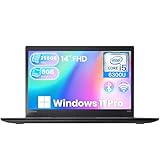
- High-Speed RAM and Enormous Space: This Lenovo ThinkPad T470s Business Laptop has 8GB of high-bandwidth RAM to smoothly run multiple applications and browser tabs at once; 256GB Solid State Drive allows fast boot-up and data transfer
- Display: This refurbished Lenovo Laptop i5 is a 14-inch FHD laptop. Anti-Glare Non-Touch 250nits WVA large Display with ComfortView Support
- Tech Specs: This Lenovo ThinkPad T470s Laptop will have 3 x USB 3.0 ports, 1 x USB Type-C, 1 x HDMI port, 1 x RJ-45 Ethernet port, 1 x 4-in-1 card reader (MMC, SD, SDHC, SDXC), 1 x headphone/microphone combo jack
- Operating System: Windows 11 Pro, this Lenovo ThinkPad T470s Business Laptop will get all the features of Windows 11 Pro operating system and enhanced productivity
- Processor: This Renewed Lenovo ThinkPad Notebook is an Intel Core i5-6300u processor with a base frequency of 2.4GHz up to 3.0GHz, so you can expect very fast, reliable and consistent performance for an exceptional PC experience
Step-by-step buying checklist
- Write down your workload. Specify office applications, browser tabs, video calls, creative software, local storage and whether you travel daily. This sets the minimum processor, memory, screen and battery requirements.
- Capture the exact model. Record the model number, screen size, processor model and generation, RAM, SSD capacity, display resolution and included operating system. Reject listings that provide only a family name such as “business laptop” or “Core i5.”
- Verify Windows 11 support. Check the exact configuration against a supported Windows 11 compatibility path. Do not buy a Windows 10-only machine now that Windows 10 support has ended.
- Request battery evidence. Ask for a battery report, health percentage or a defined minimum capacity. Confirm replacement availability if you need to work away from an outlet.
- Confirm the charger and accessories. Ensure the charger is included, correctly rated and suitable for the model. List every accessory promised in the advertisement.
- Inspect condition evidence. Read the grade definition and request photos or a written description of the screen, hinges, keyboard, ports and case. Functional defects should have a remedy separate from cosmetic grading.
- Check refurbisher credentials. For refurbished Windows devices, look for Microsoft Authorized Refurbisher indicators such as a Certificate of Authenticity, Genuine Microsoft Refurbisher label or Genuine Microsoft label.
- Compare the complete cost. Match RAM, SSD, screen, ports and warranty against a new laptop. Add likely battery, charger or accessory costs before deciding that the refurb is cheaper.
- Save the paperwork and test immediately. Keep the invoice and listing, then run every practical test inside the return window. Report discrepancies promptly and use the documented return process.
When a new budget laptop is the better choice
You need a fresh battery and predictable ownership
A new machine removes the largest unknown in a refurb: previous battery wear. It also gives you a clear start date for manufacturer support and less uncertainty about cosmetic or port damage. That predictability is valuable if the laptop is for school, remote work or a user who cannot troubleshoot hardware problems.
Quick wins for a faster PC:
Clear out junk files and repair common Windows errorsFree Scan →Scan for outdated or missing drivers - takes under a minuteDriver Scan →You want the newest platform features
New budget models are more likely to offer a current processor platform, modern wireless hardware, current video outputs and newly supported firmware. They may also include newer platform capabilities, including dedicated hardware for emerging AI workloads. Those features matter only if your software uses them; do not pay for a label that does not improve your actual workload.
The refurb discount is narrow
If a refurbished laptop costs close to a new model with equivalent memory, storage, screen, ports and warranty, the new model generally carries less condition risk. The business chassis is valuable, but not enough to justify a small saving when the battery, charger and support history remain uncertain.
Independent reader supportYour contribution helps us test, update, and keep practical guides available for everyone.When the refurbished business laptop is the better choice
You value typing, durability and repairability
For long writing sessions, frequent commuting or work that involves docking and unplugging peripherals, a well-preserved business design can be more comfortable and robust than a thin entry-level consumer machine. Confirm the individual unit’s condition rather than assuming every laptop in a business range is equally durable.
You can verify the configuration
A refurb is compelling when the seller identifies the processor generation, provides battery evidence, includes the right charger, documents the grade and offers a meaningful return period. Those details turn an uncertain used purchase into a manageable, testable transaction.
You need more hardware for the money
A discounted business laptop may provide a higher-quality keyboard, sturdier hinge, more useful ports or easier upgrades at the same budget. The saving is real only after accounting for any battery or accessory replacement and the shorter remaining support life.
Also popular on Amazon

- Professional Upgrade Notice: The original seal was carefully opened to perform certified RAM/SSD upgrades. The upgraded RAM/SSD components are covered by a 3-year warranty from MichaelElectronics2. All other hardware remains covered by the original 1-year manufacturer warranty through MichaelElectronics2.
- COPILOT PC EXPERIENCE: Powered by the Zen 4 Gen Ryzen 7 250 3.30GHz Processor (upto 5.10 GHz, 16MB Cache, 8-Cores, 16-Threads, and AMD Radeon 780M Integrated Graphics, this Copilot PC accelerates everyday tasks, boosts productivity, and delivers MIL-STD-810H chassis + smart assistance.
- IMMERSIVE 16" WUXGA DISPLAY: Enjoy vibrant visuals and a tall 16:10 aspect ratio on a large 16-inch WUXGA (1920×1200) IPS screen—perfect for productivity, streaming, video calls, and content creation.
- SEAMLESS MULTITASKING & RESPONSIVENESS: Equipped with high-speed 16GB DDR5 SODIM memory and 512GB 2242 PCIe NVMe SSD solid-state storage, this ThinkPad handles multitasking with ease and delivers fast boot times and app launches for smoother performance.
- BUILT-IN CONNECTIVITY & SMART FEATURES: Stay connected with Wi-Fi 6 and Bluetooth 5.4, enjoy clear video calls with a 1080p camera and privacy shutter. Also features Fingerprint reader, Backlit standard keyboard with 10-key numeric keypad, RJ-45 Ethernet, HDMI ports.
Is a refurbished Lenovo ThinkPad better than a new budget laptop?
Sometimes, but the model number and condition decide the answer. A refurbished ThinkPad with Windows 11 support, a healthy battery, a sound keyboard and a one-year or better warranty can offer a more satisfying work machine than a new low-end laptop. An older ThinkPad with a worn battery, damaged USB port, missing charger or unsupported processor is not a bargain merely because its chassis feels solid.
Use the same checklist for any business model: full processor generation, RAM and SSD, battery evidence, display and hinge condition, charger, return rights and warranty. Lenovo’s certified program is easier to evaluate because it states a standard one-year warranty and an option to extend support up to three years; third-party listings require you to verify who provides equivalent service.
Common buying mistakes and how to avoid them
- Comparing processor labels only: Record the complete model and generation; familiar branding can hide large performance and support differences.
- Assuming “refurbished” means certified: Ask who tested the unit, what was replaced and which defects the warranty covers.
- Ignoring battery evidence: Require a report or defined threshold, and price a replacement before purchase.
- Forgetting the charger: A missing or incorrect adapter can erase the apparent saving.
- Treating a grade as a specification: Grades describe condition according to each seller’s rules; they do not guarantee battery health or Windows eligibility.
- Buying a Windows 10-only machine: Windows 10 support ended on 14 October 2025, so verify Windows 11 compatibility first.
- Skipping the return deadline: Test every port, key, wireless connection and display function immediately after delivery.
- Comparing unlike configurations: Match RAM, SSD, screen, ports and warranty before comparing prices.
A practical decision rule
Choose the refurbished business laptop when all of these are true: the processor generation and Windows 11 status are documented; battery evidence meets your mobility needs; the charger and required ports work; the grade is clearly defined; the seller offers a usable return period; and the warranty is long and specific enough to cover meaningful failures. The larger the verified discount, the more worthwhile that trade becomes.
The Tool Desk
Outbyte Driver Updater FREEFix the driver behind crashes, sound loss and screen glitchesFind Drivers →Outbyte PC Repair FREEClear out junk files and repair common Windows errorsFree Scan →Choose the new budget laptop when any of those checks fail, when you need maximum battery certainty, when you require current platform features, or when the price difference after accessories and likely repairs is small. Paying more for a new machine is often rational when support continuity matters more than chassis quality.
Which? laptops expert and senior researcher Oliver Trebilcock summed up the opportunity this way: “Yes – provided you choose your model carefully, you can get more for your money with a refurbished versus a new laptop.” The condition is the important part: the value comes from verifying the particular unit, not from the refurbished label alone.

