
Do these 3 things before closing this tab:
1Clear out junk files and repair common Windows errors2Scan for outdated or missing drivers - takes under a minute3Repair Windows errors before they cause bigger problemsiTechGuides is reader-supported. When you buy through links on our site, we may earn an affiliate commission. As an Amazon Associate I earn from qualifying purchases. Learn more
Short answer: If you are sensitive to PWM, begin with a device that Notebookcheck measured at 0 Hz for large brightness fluctuations, preferably with an IPS or other LCD panel. The clearest starting points in the current measurement table include several MacBook Air models, iPad Air and iPad LCD models, OnePlus and Xiaomi LCD tablets, and selected Motorola, Samsung, and Nokia LCD phones.
A 0 Hz result is not a medical or universal comfort guarantee. It means that Notebookcheck did not detect large brightness fluctuations in its test. The exact panel, brightness level, refresh mode, firmware, region, and even individual sensitivity can change the experience. OLED and mini-LED devices can still be reasonable choices, but they require more careful checking because their measured modulation often appears at higher or lower frequencies depending on the design.
This guide explains how to read the PWM ranking, which notebooks, smartphones, and tablets are the strongest starting points, why display technology matters, and how to test a device before committing to it.
What the PWM ranking actually measures
PWM stands for pulse-width modulation. A display or its backlight changes brightness by switching or modulating the light source rapidly rather than maintaining a perfectly steady output. At some frequencies and modulation depths, that variation may be visible or may be associated with discomfort in sensitive users.
Popular on Amazon
- Dimension: 21.26 x 13.39 inch/L x W. Compatible with iMac 24 inch;compatible with Lenovo Ideacentre 23.8;compatible with HP Pavilion 24/Flagship 23.8;compatible with Inspiron 23.8,compatible with Dell P Series 24;compatible with Fast Elite 8300 FHD 23;compatible with Sceptre 24;compatible with Acer Aspire 23.8/XFA240 bmjdpr 24;compatible with ViewSonic 24 and diagonally measured 23,23.6,23.8,24 inch 16:9 widescreen desktop PC LED monitor. Please measure your modiagonal dimension before purchase
- Protects your eyes by filtering and curbing 99% harmful UV. Anti-blue light between 420nm - 460nm can be reduced by 45% for HEV protection. Effectively reduce eye strain and fatigue caused by the UV and blue light
- Made of Acrylic. It can effectively prevent screen from dust, fingerprint and scratches. Suitable for office / home OL, gamer and programmer
- Ultra thin to 0.05 inch of 95% clear transparency, which will not darken your laptop screen, keeping the original screen brightness
- Easy to install, just remove the surface film on each side and hang on the monitor screen
The broader technical term is temporal light modulation. It describes rapid variation in light output, while the resulting visual response is a separate question. Depending on the person and conditions, responses can include visible flicker, distraction, eyestrain, headache, or more serious effects in particular circumstances. Frequency is important, but waveform, modulation depth, duty cycle, brightness, viewing conditions, and the measurement method also matter.
Notebookcheck’s live PWM ranking places devices with no large measured brightness fluctuation first and then lists measured frequencies in descending order. A device shown as 0 Hz should therefore be read as no large fluctuation detected in that measurement, not as a promise that every retail unit behaves identically at every setting.
The table is a useful screening tool, not a universal comfort or health ranking. Notebookcheck notes that some sensitive users report problems below about 250 Hz, that frequencies above 500 Hz are generally less troublesome for many people, and that some users report sensitivity even above 10 kHz. A display without conventional PWM can also show measurable variation caused by another source, such as power-adapter interference.
Practical interpretation of the measured frequencies
| Measured result | How to interpret it | Buying priority |
|---|---|---|
| 0 Hz or no large measured fluctuation | The strongest starting point for someone who already knows that PWM bothers them. Verify the exact configuration and test brightness levels. | First choice |
| Above roughly 500 Hz | Generally more favorable than low-frequency PWM for many users, but not automatically comfortable for everyone. Waveform and modulation depth still matter. | Reasonable compromise |
| Approximately 250–500 Hz | An intermediate category. Some people tolerate it; others remain sensitive. | Try before buying |
| Below approximately 250 Hz | A higher-priority caution category because low-frequency modulation is more commonly reported as problematic by sensitive users. | Approach carefully |
| Several kilohertz | Usually preferable to 60–240 Hz as a first approximation, but a high number is not a safety threshold or a guarantee of comfort. | Evaluate individually |
These bands are editorial buying heuristics based on Notebookcheck’s guidance. They are not clinical thresholds, regulatory classifications, or guarantees derived from IEEE 1789 or CIE guidance. Standards and measurement recommendations emphasize that the waveform and test protocol matter as much as the headline frequency.
Best starting points: notebooks and laptops
For a PWM-sensitive laptop buyer, the most defensible first search is a verified IPS or LCD notebook with a 0 Hz result. The exact screen configuration matters more than the brand name.
Notebooks with a 0 Hz result in the measured table
Examples in the current Notebookcheck table include:
- Apple MacBook Air 13-inch M3, M4, and M5
- Apple MacBook Air 15-inch M3, M4, and M5
- LG Gram 17 2025
- HP OmniBook Ultra 14 and HP OmniBook X 14
- Lenovo ThinkBook 13x G4
- Several Lenovo IdeaPad Flex 5 configurations
- Selected Dell Latitude and Lenovo business notebooks
The MacBook Air entries are particularly useful because the database includes multiple generations and sizes with IPS panels and a 0 Hz measured result. That supports a more precise recommendation than simply saying that all Apple laptops are suitable.
The Tool Desk
Outbyte PC Repair FREERepair Windows errors before they cause bigger problemsFix Now →Outbyte Driver Updater FREEFix the driver behind crashes, sound loss and screen glitchesFind Drivers →Also popular on Amazon

- 【BEFORE ORDERING】1. Measure monitor diagonal size without edges. 2. Please check the size chart to confirm the correct variation you need.3. The width and height of ZYY computer blue light blocking screen protector 23-24 inch (23 inch, 23.5 inch, 23.6 inch, 23.8 inch, 24 inch) is width 540 mm * height 340 mm. (COMPATIBLE FOR IMAC 24 inch screen and Curved Monitors)
- 【ANTI BLUE LIGHT/UV/RADIATION】ZYY computer blue light blocking screen protector adopted Japanese Fujimori nano-optical stacking technology, effectively blocking blue light ≥90%, UV blocking ≥98%,blocks other harmful lights ≥99%
- 【PREMIUM QUALITY】ZYY Desktop computer screen protector for eyes protection with 8H reinforced acrylic materials, 5 layers of optical engineering protection with a high resolution view, real colors, scratch resistance, anti-fingerprint, Ultra-thin 2mm, explosion-proof
- 【APPLICATION】Easy to use with Hanging type, ZYY anti blue light screen protector fitting on working, learning, playing games, watching TV and so on. Reducing eye strain, preventing myopia & dryness, hyperemia and so on, focusing on what you do, effectively improving your work and kid's learning
- 【PROFESSIONAL SERVICE】Removing the screen adhesive films on both sides before installing the blue light filter for the computer monitor. Welcome to contact us if any problem troubles you, Answer and solution you got in first time
Do not automatically group the MacBook Pro with the MacBook Air. Several 2021–2025 MacBook Pro configurations use mini-LED displays and appear in the table at approximately 14,877–14,900 Hz. That is a high-frequency measurement profile, not the Air’s 0 Hz profile. It may be preferable to low-frequency PWM for some users, but it is not evidence that the Pro and Air behave identically.
OLED laptops need exact-model checking
Many OLED notebooks in the table measure at approximately 240 Hz. Examples include several Samsung Galaxy Book, Asus ProArt, Acer Predator Triton, MSI Prestige, and Lenovo OLED configurations. The product family, refresh-rate label, or an eye-care marketing feature is not enough to predict the result. A laptop can change panel suppliers or display options without changing its broad retail name.
If you want an OLED laptop for its contrast, black levels, HDR performance, or color, treat the measured frequency as only one part of the decision. Check the exact review, panel type, brightness range, and any available DC-dimming or low-flicker setting. Then test the actual unit at the brightness you use at night or in a dim room.
For shopping research, compare PWM-sensitive laptops, IPS tablets, LCD phones, and E Ink readers rather than relying on a broad brand reputation. Before purchasing, match the listing’s processor, screen size, resolution, refresh rate, and region to the measured configuration.
Crashes, No Sound, or Screen Glitches?
Random freezes, missing sound and display glitches usually trace back to one bad driver. Find and replace yours safely.Free scan · under a minutePC Slower Than It Used to Be?
A free scan shows the junk files, broken settings and background clutter dragging Windows down - then fixes them in one click.Free scan · Windows 10 & 11Best starting points: tablets
Tablets offer a large selection of IPS/LCD models with a 0 Hz result. That makes them one of the easier categories for a PWM-sensitive buyer, although a large screen can still cause discomfort through glare, excessive brightness, poor viewing distance, or an uncomfortable reading posture.
LCD and IPS tablets with a 0 Hz result
Examples listed in the current measurements include:
- Apple iPad 10
- iPad Air 11-inch 2024 and 2025, plus the iPad Air 11-inch M4 2026
- iPad Air 13-inch 2024 and 2025, plus the iPad Air 13-inch M4 2026
- iPad mini 7
- OnePlus Pad 2, Pad 2 Pro, Pad 3, and Pad 4
- Xiaomi Pad 6S Pro, Pad 7, Pad 7 Pro, Pad 7S Pro, Pad 8, and Pad 8 Pro
- Honor Pad 10
- Several Oppo Pad and Vivo Pad models
These are starting points, not an instruction to buy every model in a listed family. Storage, cellular connectivity, screen coatings, regional variants, and panel suppliers can differ. Confirm the exact model number and read the linked measurement for that configuration before treating a 0 Hz entry as relevant to your purchase.
Also popular on Amazon

- Thanks to VizoBlueX thousands of Americans protect their Eyes and enjoy their computers with Better Sleep and reduced Headaches
- 100% Multi-Layer protection - Eliminates Hazardous UV spectrum and Blocks Harmful HEV light. This is NOT Anti Glare or Privacy screen that distorts picture
- For 23 to 24 inch monitor - measure only your screen Diagonal without the plastic frame. Product dimensions: W21.5"/ H13"
- Fits Apple iMac 24 Retina & iMac All-in-one 24 and All 16:9 Monitors: Samsung LG Dell HP Lenovo Asus Acer BenQ ViewSonic Philips NEC etc...Prevents eye strain, CVS, headaches, chronic injuries to the eyes, eye fatigue, soreness and more serious eye related conditions. Improves sleeping patterns
- Quick Install: Maintains the full visible Colors of your LCD or LED Monitor. Just peel the protective film from BOTH SIDES and hang the protector on your monitor
E Ink as a separate tablet and reading category
The table also records several E Ink products at 0 Hz, including the Onyx Boox Note Air 3, Note Air 3 C, Boox Page, Boox Palma, and reMarkable Paper Pro.
Quick wins for a faster PC:
Clear out junk files and repair common Windows errorsFree Scan →Fix the driver behind crashes, sound loss and screen glitchesFind Drivers →E Ink can be attractive for long-form reading because the display is reflective rather than a conventional continuously illuminated LCD or OLED panel. However, it is not a universal eye-health solution. Front lights can have their own modulation behavior, and E Ink devices trade away some color capability, animation smoothness, refresh speed, and app compatibility. Image persistence and ghosting may also be more noticeable. Check the front-light behavior separately if you are particularly sensitive.
For a reading-first workflow, an E Ink reader may be worth considering as a specialist alternative. It should be evaluated for front-light behavior, writing latency, contrast, page-turn speed, file support, and ergonomics—not just its 0 Hz entry in a display table.
Best starting points: smartphones
The strongest no-large-fluctuation phone examples in the current ranking are mostly LCD/IPS models. This is significant because many modern midrange and flagship phones use OLED, while LCD phones remain more common among budget and entry-level models.
LCD phones with a 0 Hz result
Examples include:
- Motorola Moto G13, G14, G15, G22, G23, G24, G55, G56, G57 Power, G60s, and G73 5G
- Samsung Galaxy A13 4G and 5G
- Samsung Galaxy A14 5G, Galaxy A23 5G, and Galaxy A32 5G
- Nokia G42 and Nokia G60
- Selected LCD models from Xiaomi, Huawei, ZTE, Ulefone, and other manufacturers
These models are best treated as examples of where to begin, not as a permanent ranking of every phone sold under those names. Smartphone families often have 4G, 5G, regional, storage, and panel variants. Confirm the exact review and screen technology.
OLED phones: high frequency is not the same as no PWM
Many current OLED and AMOLED phones in the table measure around 90–120 Hz. Examples include the Nothing Phone 4a and 4a Pro, CMF Phone 2 Pro, OnePlus 13R, Xiaomi 15, OnePlus 15, Samsung Galaxy A17 5G, Samsung Galaxy A36 5G, and various Xiaomi, Oppo, Vivo, Motorola, and Fairphone models.
Other OLED phones, including the Apple iPhone 17, iPhone 17 Pro, iPhone 17 Pro Max, Google Pixel 10, Pixel 10 Pro, Pixel 10 Pro XL, and Pixel 10a, appear around 240–241 Hz in the table. A 240 Hz result is higher than 90 or 120 Hz and may be a better starting point for some people, but it remains measurable temporal modulation. It should not be described as flicker-free or safe for everyone.
Refresh rate and PWM frequency are different measurements. A phone advertised as 120 Hz refers primarily to how often the image can refresh; it does not prove that the brightness modulation is 120 Hz or absent.
Also popular on Amazon

- 【BEFORE ORDERING】1. Measure monitor diagonal size without edges. 2. Please check the size chart to confirm the correct variation you need.3. The width and height of computer blue light blocking screen protector 27 inch is width 612.6 mm * height 356 mm. (NOT FOR IMAC screen) Compatible for curved monitors
- 【ANTI BLUE RAY/UV/RADIATION】The computer blue light blocking screen protector adopted Japanese Fujimori nano-optical stacking technology, effectively blocking blue light ≥90%, anti UV ≥98%, blocks other harmful lights ≥99%. Recommended by ophthalmologists: computer screen filter for eye strain
- 【PREMIUM QUALITY】Desktop computer screen protector for eyes protection with 8H reinforced acrylic materials, 5 layers of optical engineering protection with a high resolution view, real colors, scratch resistance, anti-fingerprint, Ultra-thin 2mm, explosion-proof
- 【APPLICATION】Easy to use with hanging type, computer screen blue light blocker fitting on working, learning, playing games, watching TV and so on. Reducing eye strain, preventing myopia & dryness, hyperemia and so on, focusing on what you do, effectively improving your work and kid's learning
- 【PROFESSIONAL SERVICE】Removing computer protective films on both sides before installing the blue light filter for computer monitor. Welcome to contact us if any problem troubles you, Answer and solution you got in first time
Why display technology changes the result
LCD and IPS
LCD panels use a separate backlight. Depending on the design, brightness can be reduced by changing the backlight current continuously, by using PWM, or by combining both methods. This helps explain why many LCD devices measure at 0 Hz while others do not. LCD is a useful first filter, not a guarantee.
Recommended Free Tools
OLED and AMOLED
OLED pixels emit their own light. Conventional analog dimming can change color behavior or image quality, especially at low brightness, so manufacturers commonly use PWM or a hybrid dimming approach. Two OLED phones from the same manufacturer can therefore have materially different measurements.
DC dimming and hybrid dimming
DC dimming changes the current or drive level instead of relying solely on pulse-width switching. It can reduce or alter flicker, but it may cause color shifts, reduce uniformity, or leave residual modulation at particular brightness levels. A setting called DC dimming is not proof of a 0 Hz result across the entire brightness range.
The Xiaomi 14T illustrates the point: Xiaomi describes DC dimming at high brightness and high-frequency PWM at low brightness. That is a hybrid strategy. Someone who normally uses a phone at 10–30 percent brightness should judge the phone at that range rather than testing only with the screen near maximum brightness.
Mini-LED
Mini-LED is not synonymous with flicker-free. It is generally an LCD backlight system with many small dimming zones, and its modulation behavior depends on the implementation. Notebookcheck lists several MacBook Pro mini-LED configurations near 14.9 kHz and the 2022 12.9-inch iPad Pro around 6.4 kHz. Those readings are substantially higher than many 90–240 Hz OLED measurements, but the waveform, modulation depth, brightness setting, and individual response still matter.
How to choose and verify a PWM-sensitive device
- Identify the exact configuration. Record the model number, screen size, resolution, panel type, refresh rate, processor, region, and review date. A retail family name is not precise enough.
- Check the measured result. Prefer a reputable laboratory measurement over a manufacturer phrase such as eye-care, flicker reduction, or DC dimming.
- Look beyond one frequency. Read whether the measurement changes with brightness, refresh mode, adaptive brightness, HDR, color profile, or a manufacturer setting.
- Test the low-brightness range. PWM often appears or becomes more pronounced when the display is dimmed. Check several points, such as maximum, approximately 50 percent, and the brightness range you use in a dark room.
- Test with and without DC dimming when available. Compare comfort and image quality. DC dimming may reduce modulation but can introduce color shifts or other trade-offs.
- Use a longer real-world trial. A few seconds in a store is not enough. Read, scroll, type, and watch video for a sustained period at your normal distance and lighting.
- Control non-display variables. Reduce glare, avoid a display that is dramatically brighter than the room, take regular visual breaks, and check viewing distance, text size, posture, and ambient lighting.
- Keep a return option. Panel variation and individual sensitivity make a return window more useful than a promise based only on a specification sheet.
Can a phone slow-motion camera test PWM?
A slow-motion camera can be a quick screening aid, but it is not a definitive instrument. It may reveal periodic bands or brightness changes, yet it cannot reliably characterize modulation depth, waveform, phase behavior, or frequencies outside the camera’s effective sampling range. Camera exposure and rolling-shutter artifacts can also mislead you.
For a more meaningful measurement, use a photodiode or calibrated instrument and compare the waveform where possible. CIE measurement guidance emphasizes reproducible test conditions and uncertainty evaluation. A consumer photodiode-based PWM flicker meter can be useful for comparing devices you already own, but consumer tools vary considerably and should not be treated as equivalent to a calibrated laboratory review.
Health and comfort: what the ranking cannot tell you
Display flicker is only one possible contributor to discomfort. Glare, excessive brightness, dry eye, poor ergonomics, viewing distance, ambient lighting, migraine triggers, and unrelated health conditions can produce similar symptoms. A higher PWM frequency may be preferable to a lower one for some users, but no single number establishes that a device is safe or comfortable for everyone.
Also popular on Amazon
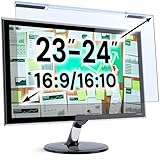
- Ideal Fit: Blue light screen for monitor fits screens sizes of 23"-24" (23", 23.6", 23.8", 24"). Actual filter size: Width: 21.2 inches (540mm), Height: 13.4 inches (340mm). Ideally compatible with HP, Samsung, Dell, ASUS, LG, Huawei, MSI, and other monitor and laptop brands
- Eye Comfort: Blue light screen protector reduces eye strain by filtering up to 61% of blue light and 99% of UV light. This blue light screen protector doesn’t have an Anti-Glare function
- Patent Pending: US and international patent rights reserved, Enjoy Improved Eye Protection function. Blue light blocking screen protector educing blue light from 420-460 nm and ensuring image clarity
- Lifetime Replacement Policy: Blue light filter extends screen longevity by shielding against scratches, dirt, and dust. Damaged screen - Free replacement
- Quick Setup: Computer screen protector mounts easily! Just peel the matte protective film from both sides and position it over the monitor top.
If a screen repeatedly causes headaches, visual symptoms, nausea, or other persistent problems, stop using that configuration and consider professional medical advice. People with suspected photosensitivity or significant migraine symptoms should not use this ranking as a diagnosis or substitute for clinical guidance.
A practical ranking by buyer type
| Buyer type | Best place to start | What to avoid assuming |
|---|---|---|
| PWM-sensitive laptop buyer | Verified IPS/LCD models with a 0 Hz result, including suitable MacBook Air generations and selected business laptops. | That every MacBook, OLED laptop, or laptop in one retail family has the same panel. |
| PWM-sensitive tablet buyer | Verified 0 Hz iPad LCD, OnePlus Pad, Xiaomi Pad, Honor Pad, or comparable IPS models. | That a 120 Hz refresh-rate label says anything conclusive about brightness modulation. |
| PWM-sensitive phone buyer | Measured LCD/IPS phones such as selected Motorola Moto G, Samsung Galaxy A, and Nokia G models. | That an OLED phone with DC dimming is modulation-free at low brightness. |
| OLED buyer willing to compromise | A model with documented high-frequency or hybrid dimming, tested at the intended brightness. | That 240 Hz is universally comfortable or that a manufacturer setting applies at every brightness level. |
| Long-form reader | An E Ink reader or tablet after checking front-light behavior and reading ergonomics. | That E Ink automatically solves every eye-comfort problem. |
Evidence scope and changing model lists
The central evidence is Notebookcheck’s live PWM ranking and its linked device reviews. Because the table changes as new products are reviewed and older models move in availability, model names and positions should be refreshed before publication or purchase. Official technical context comes from the U.S. Department of Energy’s explanation of temporal light modulation, CIE measurement guidance, IEEE 1789-related guidance, and manufacturer documentation such as Xiaomi’s description of the Xiaomi 14T dimming behavior.
Use the measurements as a disciplined shortlist. The safest wording is measured at 0 Hz in Notebookcheck’s test or reported at approximately 240 Hz under the review conditions. Avoid claiming flicker-free, safe for everyone, or guaranteed headache prevention.
Frequently Asked Questions
Is a 0 Hz display guaranteed to be flicker-free?
No. In Notebookcheck’s ranking, 0 Hz means that no large brightness fluctuation was detected in that test. It does not guarantee identical behavior for every unit, brightness level, refresh mode, software version, power source, or user.
Is higher PWM frequency always better?
Not necessarily. Frequencies above roughly 500 Hz are generally less problematic for many people than low-frequency PWM, but modulation depth, waveform, brightness, and individual sensitivity also matter. Some users report sensitivity even at very high frequencies.
What’s actually slowing this PC down?
Pick the symptom - the matching free tool is one click away.
Is OLED worse than LCD for PWM sensitivity?
OLED is not automatically worse, but it more often uses PWM or hybrid dimming, especially at low brightness. Many LCD devices measure at 0 Hz, so LCD is usually the easier starting point. The exact measured model matters more than the technology label alone.
Does enabling DC dimming eliminate PWM?
Not always. DC dimming may reduce or change modulation at some brightness levels, but it can introduce color shifts and may leave residual or high-frequency modulation. Test the setting at the brightness you actually use.
Can I rely on my phone’s slow-motion camera to test a screen?
Use it only as an informal screening tool. It may reveal periodic behavior but cannot reliably measure modulation depth, waveform, or every relevant frequency. A photodiode or calibrated laboratory measurement is more useful.
The Bottom Line
Bottom line: For the broadest odds of comfort, start with a precisely identified IPS/LCD notebook, tablet, or phone that Notebookcheck measured at 0 Hz, then verify the exact panel and test it at low brightness. If you prefer OLED or mini-LED, compare the measured behavior rather than the marketing label, test every relevant dimming mode, and treat any frequency as evidence—not a universal safety line.
Free tools Windows power users keep installed
One-click scans. No signup required.

