
ZSA Oryx
ZSA Oryx: A free visual layout and firmware configurator for compatible ZSA keyboards. Ranked #38 of 105 in Keyboard and Mouse Customization Software by our editors (5.3/10); pricing: Free plan; best for visual configuration of ZSA keyboards.
At a glance
- Editor score5.3 / 10
- PricingFree plan
- Best forVisual configuration of ZSA keyboards
- Free planYes
- Paid fromFree
- Supported operating systemsCross-platform
- Facts checked22 Sep 2026
Where it wins
- Visual remapping with up to 32 virtual layers
- Supports tap-hold keys, modified combinations, and multi-step macros
- Online firmware generation, flashing, lighting, and layout cloning
Where it doesn't
- Designed for compatible ZSA keyboards rather than general peripherals
- Smart Layers require the Keymapp companion app
- Linux is not supported for Smart Layers
Our verdict on ZSA Oryx
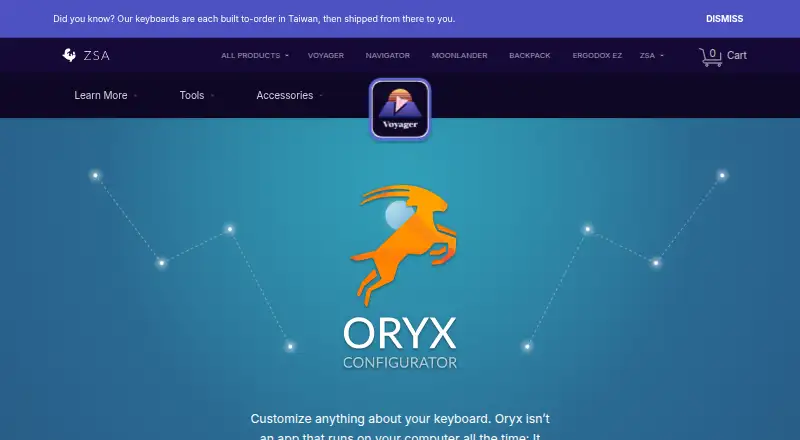
ZSA Oryx is a browser-based configurator for creating custom layouts and firmware for compatible ZSA keyboards. It suits individuals and teams that want visual control over key remapping, layers, macros, lighting, and firmware settings without relying on a desktop configuration application. Layouts are compiled online and flashed to the keyboard, where the configuration runs on the device. Oryx can also be used before purchasing a ZSA keyboard to explore layout configuration.
The published pricing model is free, with a free plan covering the configurator's core capabilities. Users can assign dual-function tap-and-hold keys, modified key combinations, dynamic and multi-step macros, and up to 32 virtual layers. Layer-specific lighting colors and animations add visual feedback, while advanced settings include debounce delay and AutoShift. Search and clone functionality can also help users build from existing layouts rather than starting from an empty configuration.
Oryx's main limitation is its hardware focus: it is intended for compatible ZSA keyboards, not as a general customization tool for a broad range of peripherals. Smart Layers can automatically switch layers by application, but that behavior belongs to the Keymapp companion app rather than Oryx alone, and Linux is not supported for Smart Layers. The platform is available on the web, with cloud and browser-extension deployment listed, while optional companion tools support firmware flashing and on-screen layout viewing. Choose Oryx for visual ZSA keyboard configuration and device-level layouts; choose another tool if broad peripheral coverage or built-in per-app profiles is the priority.
Your product? Our editors can test ZSA Oryx in depth and publish a review, labelled as paid · from $149/mo →
ZSA Oryx pricing
ZSA Oryx fact sheet
| Free plan | Yes |
|---|---|
| Paid from | Free |
| Supported operating systems | Cross-platform |
| Macro support | Yes |
| Per-app profiles | No |
| Onboard device memory | Yes |
| Polling rate control | Not verified |
| Sensitivity controls | Not verified |
| Profile slots | Not verified |
| Deployment | Cloud, Browser extension |
| Platforms | Web |
| Compliance & security | 2FA |
| Support | Email, Docs |
| Built for | Solo, Small business, Mid-market, Enterprise (editorial estimate) |
| Pricing | Free plan |
| Website | zsa.io |
| Facts checked | 22 Sep 2026 |
Alternatives to ZSA Oryx
- Razer SynapseA free Razer-focused hub for remapping, macros, profiles, and Chroma lighting.9.2
- Logi Options+A broad free toolkit for remapping, automation, profiles, and multi-computer control.9.1
- Logitech G HUBA free desktop suite for Logitech G lighting, profiles, and device settings.9.0



See all ZSA Oryx alternatives →
Used ZSA Oryx? Be the first to review it
The editor score above is our own research. What this page doesn't have yet is a reader's view — what you used ZSA Oryx for, what worked and what didn't. No stars are seeded and no review is paid for; an editor reads every one before it appears.
Write a reviewTwo minutes · verified accounts only · read by an editor before it appears
Featured on iTechGuides

ZSA Oryx is listed in our Keyboard and Mouse Customization Software directory. Add the badge to your site — it links back to this page.
<a href="https://www.itechguides.com/products/zsa-oryx/"><img src="https://www.itechguides.com/best/badge/zsa-oryx.svg" alt="Featured on iTechGuides" width="230" height="46"></a>
Reviewed by iTechGuides Editors · Editorial team · Updated Oct 2026
Advertiser disclosure: iTechGuides is reader-supported. Vendors can pay for top positions in our rankings and for a place on other products' pages, and we may earn a commission when you click some links. Bought places stand at the number bought; this page and our disclosure say so. Paying vendors may get a fuller, more detailed review from our editors, and that review can change their score. How we rank.
Last updated · How we research and update