
Logi Options+
Logi Options+: A broad free toolkit for remapping, automation, profiles, and multi-computer control. Ranked #2 of 105 in Keyboard and Mouse Customization Software by our editors (9.1/10); pricing: Free plan; best for broad keyboard and mouse customization.
At a glance
- Editor score9.1 / 10
- PricingFree plan
- Best forBroad keyboard and mouse customization
- Free planYes
- Paid fromFree
- Supported operating systemsCross-platform
- Founded1981 · Lausanne, Switzerland
- Facts checked20 Sep 2026
Where it wins
- Remaps buttons and keys with app-specific profiles
- Adds Smart Actions for multi-step automation
- Flow controls multiple computers and transfers files
Where it doesn't
- Customization depends on compatible Logitech devices
- Supports Windows and macOS only
- Feature availability varies by device
Our verdict on Logi Options+
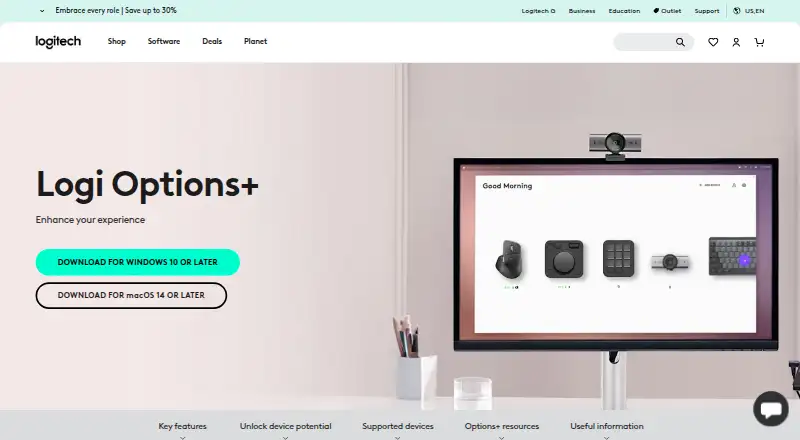
Logi Options+ is Logitech’s desktop customization software for compatible mice, keyboards, touchpads, lights, webcams, presentation remotes, and the MX Creative Console. It is intended for people who want to remap buttons and keys, create app-specific settings, adjust pointer and scrolling behavior, or manage several compatible devices from one desktop app. The software is free, with a free plan, and supports Windows and macOS.
Its breadth is the main reason to consider it. Users can assign gestures, select mouse polling rates on compatible devices, configure sensitivity and scrolling controls, and receive device status, battery, and Caps Lock notifications. App-specific customization extends across Google Chrome, Microsoft Edge, Safari, Zoom, Microsoft Word, Microsoft PowerPoint, Microsoft Excel, Adobe Photoshop, Adobe Premiere Pro, Final Cut Pro, and Microsoft Teams. Cloud backup and restoration can preserve compatible device settings, while Smart Actions adds multi-step automation for supported workflows.
Flow is the standout feature for people working across multiple computers. It can control multiple computers and transfer text, images, and files between them, giving Logi Options+ a wider role than basic key remapping software. The trade-off is its device-specific scope: feature availability varies by compatible Logitech device, so the available controls depend on the hardware in use. Choose Logi Options+ if you want one free Logitech app covering remapping, per-app profiles, automation, device controls, and Flow. Consider another option if you need support beyond compatible Logitech hardware or an operating system other than Windows or macOS.
Your product? Our editors can test Logi Options+ in depth and publish a review, labelled as paid · from $149/mo →
Logi Options+ pricing
Logi Options+ fact sheet
| Free plan | Yes |
|---|---|
| Paid from | Free |
| Supported operating systems | Cross-platform |
| Macro support | Yes |
| Per-app profiles | Yes |
| Onboard device memory | Not verified |
| Polling rate control | Yes |
| Sensitivity controls | Yes |
| Profile slots | Not verified |
| Deployment | Desktop |
| Platforms | Windows, macOS |
| Integrations | 11 integrations: Google Chrome, Microsoft Edge, Safari, Zoom, Microsoft Word, Microsoft PowerPoint … |
| Pricing | Free plan |
| Website | logitech.com |
| Facts checked | 20 Sep 2026 |
Logi Options+ integrations
Logi Options+ lists 11 integrations on its own site.
- Google Chrome
- Microsoft Edge
- Safari
- Zoom
- Microsoft Word
- Microsoft PowerPoint
- Microsoft Excel
- Adobe Photoshop
- Adobe Premiere Pro
- Final Cut Pro
- Microsoft Teams
Alternatives to Logi Options+
- Razer SynapseA free Razer-focused hub for remapping, macros, profiles, and Chroma lighting.9.2
- Logitech G HUBA free desktop suite for Logitech G lighting, profiles, and device settings.9.0
- ASUS Armoury CrateA free Windows control hub for ASUS hardware, lighting, profiles, and updates.8.8



See all Logi Options+ alternatives →
Logi Options+ vs the competition
- Logi Options+ vs Razer Synapse
- Logi Options+ vs Logitech G HUB
- Logi Options+ vs ASUS Armoury Crate
- Logi Options+ vs SteelSeries GG
- Logi Options+ vs HyperX NGENUITY
- Logi Options+ vs be quiet! IO Center

Compare Logi Options+ with any tool side by side →
Used Logi Options+? Be the first to review it
The editor score above is our own research. What this page doesn't have yet is a reader's view — what you used Logi Options+ for, what worked and what didn't. No stars are seeded and no review is paid for; an editor reads every one before it appears.
Write a reviewTwo minutes · verified accounts only · read by an editor before it appears
Featured on iTechGuides

Logi Options+ is listed in our Keyboard and Mouse Customization Software directory. Add the badge to your site — it links back to this page.
<a href="https://www.itechguides.com/products/logi-options/"><img src="https://www.itechguides.com/best/badge/logi-options.svg" alt="Featured on iTechGuides" width="230" height="46"></a>
Reviewed by iTechGuides Editors · Editorial team · Updated Oct 2026
Advertiser disclosure: iTechGuides is reader-supported. Vendors can pay for top positions in our rankings and for a place on other products' pages, and we may earn a commission when you click some links. Bought places stand at the number bought; this page and our disclosure say so. Paying vendors may get a fuller, more detailed review from our editors, and that review can change their score. How we rank.
Last updated · How we research and update