Zinc64
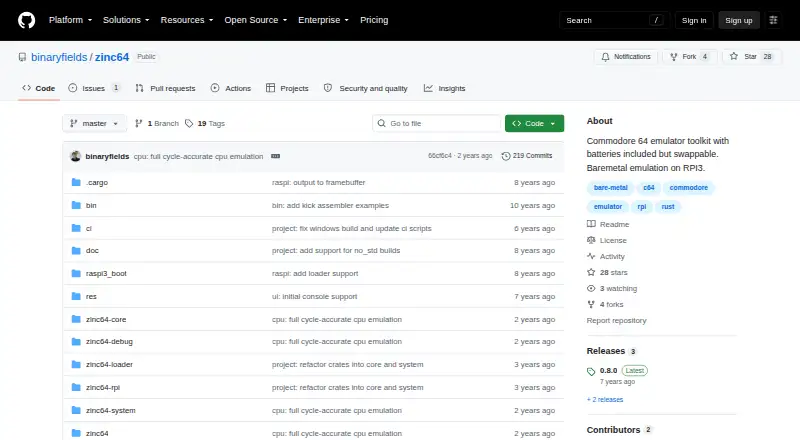
Zinc64: A free Rust-based C64 emulator for standalone use or custom development. Ranked #15 of 31 in Commodore 64 Emulators by our editors (7.1/10); pricing: Free plan; best for developers needing a reusable emulator.
At a glance
- Editor score7.1 / 10
- PricingFree plan
- Best forDevelopers needing a reusable emulator
- Free planYes
- Paid fromFree
- Supported platformsLinux, Windows
- Facts checked21 Sep 2026
Where it wins
- Reusable library with swappable emulator components
- Models the 6510, 6526, 6581 SID, and VIC chipsets
- Includes remote debugging and Radare2 RAP server support
Where it doesn't
- D64 and T64 format support remains incomplete
- OpenGL client is listed as in progress
- Raspberry Pi client is listed as in progress
Our verdict on Zinc64
Zinc64 is an open-source Commodore 64 emulator toolkit written in Rust. It serves two audiences: people seeking standalone C64 emulation on Windows or Linux, and developers building custom emulators from reusable components. The project models key hardware including the 6510 CPU, 6526 CIA, 6581 SID, and VIC chipsets, with PAL C64 and NTSC C64 support. Keyboard and joystick emulation, cartridge and datassette handling, program autostart, and support for BIN, CRT, P00, PRG, and TAP formats give the standalone application a practical scope.
Its strongest distinction is the development-oriented component model. Zinc64 can operate as a complete emulator or as a library with swappable parts, making it a better fit for experimentation, custom front ends, and emulator-related software than for users who only want a finished player. The remote debugger provides telnet access, while Radare2 RAP server support connects the project to Radare2 workflows. These features make debugging and program analysis central parts of the toolkit rather than secondary additions.
Zinc64 is free and open source, with Windows and Linux listed as supported platforms. The project also includes an OpenGL client and a Raspberry Pi 3 bare-metal port, but both are listed as in progress. D64 and T64 formats are also incomplete, which matters for users with software distributed in those formats. Choose Zinc64 if reusable architecture, low-level chipset emulation, and debugging support are priorities. Choose another emulator if you need broader format completeness or a more finished OpenGL or Raspberry Pi experience.
Your product? Our editors can test Zinc64 in depth and publish a review, labelled as paid · from $149/mo →
Zinc64 pricing
Zinc64 fact sheet
| Free plan | Yes |
|---|---|
| Paid from | Free |
| Supported platforms | Linux, Windows |
| Disk and tape formats | BIN, CRT, P00, PRG, TAP |
| Built-in debugger | Yes |
| Netplay support | Not verified |
| Emulated C64 variants | PAL C64, NTSC C64 |
| Bundled software library | Not verified |
| Deployment | Self-hosted, Desktop |
| Platforms | Windows, Linux |
| Support | Community, Docs |
| Built for | Solo, Small business (editorial estimate) |
| Integrations | 1 integrations: Radare2 |
| Pricing | Free plan |
| Website | github.com |
| Facts checked | 21 Sep 2026 |
Zinc64 integrations
Zinc64 lists 1 integrations on its own site.
- Radare2
Alternatives to Zinc64
- VICEFree, open-source C64 emulation with cycle accuracy, debugging, media support and network play.9.4
- Breadbin466A free, open-source C64 emulator built for accurate hardware behavior and debugging.9.0
- C64 ForeverA Windows-focused C64 package with bundled titles, broad emulation, and preservation tools.8.8


Used Zinc64? Be the first to review it
The editor score above is our own research. What this page doesn't have yet is a reader's view — what you used Zinc64 for, what worked and what didn't. No stars are seeded and no review is paid for; an editor reads every one before it appears.
Write a reviewTwo minutes · verified accounts only · read by an editor before it appears
Featured on iTechGuides

Zinc64 is listed in our Commodore 64 Emulators directory. Add the badge to your site — it links back to this page.
<a href="https://www.itechguides.com/products/zinc64/"><img src="https://www.itechguides.com/best/badge/zinc64.svg" alt="Featured on iTechGuides" width="230" height="46"></a>
Reviewed by iTechGuides Editors · Editorial team · Updated Oct 2026
Advertiser disclosure: iTechGuides is reader-supported. Vendors can pay for top positions in our rankings and for a place on other products' pages, and we may earn a commission when you click some links. Bought places stand at the number bought; this page and our disclosure say so. Paying vendors may get a fuller, more detailed review from our editors, and that review can change their score. How we rank.
Last updated · How we research and update