
Zimbra Converter
Zimbra Converter: A Windows desktop converter for batch-exporting Zimbra mailboxes and migrating them to email services. Ranked #42 of 69 in File Conversion Software by our editors (5.0/10); pricing: Paid; best for converting Zimbra mailboxes to common formats.
At a glance
- Editor score5.0 / 10
- PricingPaid
- Best forConverting Zimbra mailboxes to common formats
- Free planNo
- Paid from$199 one-time
- Batch conversionYes
- Facts checked23 Sep 2026
Where it wins
- Batch-converts multiple Zimbra files and mailboxes
- Exports to PST, MBOX, PDF, EML, MSG, HTML, ICS, and vCard
- Supports selective exports, date filters, and file splitting
Where it doesn't
- Windows desktop deployment only
- No free plan; licenses start at $199 one-time
- Demo converts only the first 30 items in each folder
Our verdict on Zimbra Converter
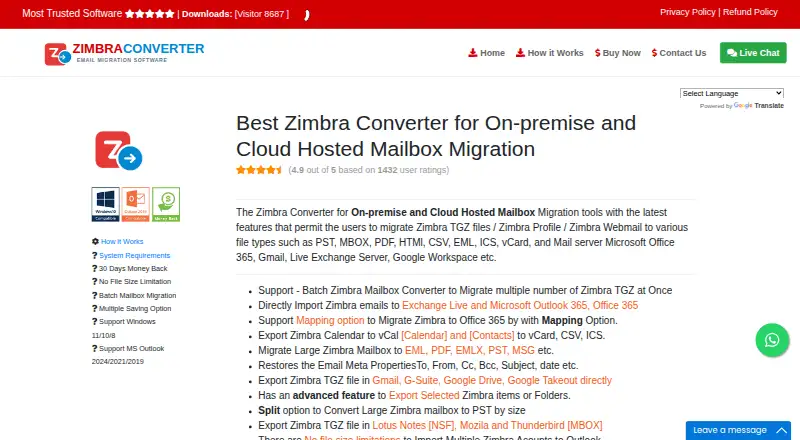
Zimbra Converter is a Windows desktop tool for exporting Zimbra TGZ files, profiles, and webmail to common file formats or moving mailboxes to other email services. It is aimed at individuals and organizations that need a focused path out of Zimbra, rather than a general-purpose file conversion tool. Batch conversion covers multiple files and mailboxes, and exports include PST, MBOX, PDF, EML, MSG, HTML, ICS, and vCard. Direct migration targets include Microsoft 365, Exchange, and Gmail.
Its export controls are useful when a full mailbox dump is not the goal: users can select individual items or folders, filter messages by date range, and split large files by size, date, or folder. Folder previews are available before conversion. The vendor also describes preserving email metadata and folder structure. These options make the product a more natural fit for a planned mailbox migration or targeted archive than for occasional conversion of unrelated file types. The desktop deployment and Windows-only platform keep its scope specific; buyers looking for cloud conversion or an API should consider another approach.
According to the vendor's pricing page, all four licenses are one-time purchases: Personal is $199 for 2 machines in personal use; Technician is $399 for multiple machines in one organization; Corporate is $599 for 5 machines in corporate use; and Enterprise is $999 for unlimited machines. There is no free plan, and the demo is limited to previewing and converting the first 30 items in each folder. Email, chat, and phone support are listed, along with a 30-day refund period. Choose Zimbra Converter when its export formats, mailbox selection controls, and direct migration destinations match a defined Zimbra transition; skip it if you need a free or cloud-based converter.
Your product? Our editors can test Zimbra Converter in depth and publish a review, labelled as paid · from $149/mo →
Zimbra Converter pricing
All 4 Zimbra Converter plans and prices →
Zimbra Converter fact sheet
| Free plan | No |
|---|---|
| Paid from | $199 one-time |
| Max file size | Not verified |
| Batch conversion | Yes |
| Cloud conversion | Yes |
| API access | No |
| OCR conversion | No |
| Deployment | Desktop |
| Money-back guarantee | 30 days |
| Deployment | Desktop |
| Platforms | Windows |
| Support | Email, Live chat, Phone |
| Built for | Solo, Small business, Mid-market, Enterprise (editorial estimate) |
| Integrations | 4 integrations: Microsoft 365, Microsoft Exchange, Gmail, Google Workspace |
| Pricing | Paid (source) |
| Website | zimbra-converter.com |
| Facts checked | 23 Sep 2026 |
Zimbra Converter integrations
Zimbra Converter lists 4 integrations on its own site.
- Microsoft 365
- Microsoft Exchange
- Gmail
- Google Workspace
Alternatives to Zimbra Converter
- PandocA broad, programmable converter for technical documents, markup, and publishing workflows.9.3
- ConvertioA broad converter for documents, media, batch jobs, OCR, and automated workflows.9.1
- Zamzar APIA broad, asynchronous conversion API with flexible imports, exports, and extraction workflows.9.0



See all Zimbra Converter alternatives →
Used Zimbra Converter? Be the first to review it
The editor score above is our own research. What this page doesn't have yet is a reader's view — what you used Zimbra Converter for, what worked and what didn't. No stars are seeded and no review is paid for; an editor reads every one before it appears.
Write a reviewTwo minutes · verified accounts only · read by an editor before it appears
Featured on iTechGuides

Zimbra Converter is listed in our File Conversion Software directory. Add the badge to your site — it links back to this page.
<a href="https://www.itechguides.com/products/zimbra-converter/"><img src="https://www.itechguides.com/best/badge/zimbra-converter.svg" alt="Featured on iTechGuides" width="230" height="46"></a>
Reviewed by iTechGuides Editors · Editorial team · Updated Oct 2026
Advertiser disclosure: iTechGuides is reader-supported. Vendors can pay for top positions in our rankings and for a place on other products' pages, and we may earn a commission when you click some links. Bought places stand at the number bought; this page and our disclosure say so. Paying vendors may get a fuller, more detailed review from our editors, and that review can change their score. How we rank.
Last updated · How we research and update