Zim
Zim: A capable offline desktop wiki for solo users, not a collaborative team workspace. Ranked #16 of 34 in Wiki Software by our editors (7.2/10); pricing: Free plan; best for individuals wanting an offline desktop wiki.
At a glance
- Editor score7.2 / 10
- PricingFree plan
- Best forIndividuals wanting an offline desktop wiki
- Free planYes
- Paid fromFree
- Facts checked20 Sep 2026
Where it wins
- Works offline across Windows, macOS, and Linux
- Links, backlinks, hierarchy, attachments, and HTML export
- Supports Git, Mercurial, Bazaar, and extensible plugins
Where it doesn't
- No real-time collaboration for simultaneous editing
- No note-sharing workflow for teams
- Desktop-focused rather than hosted or SaaS
Our verdict on Zim
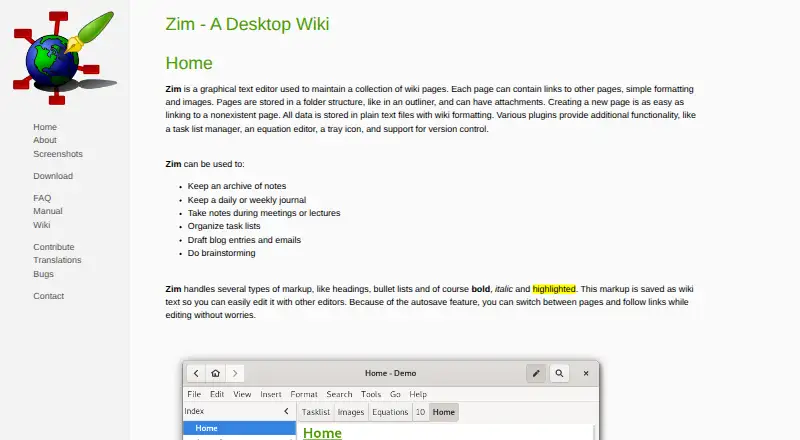
Zim is a graphical desktop text editor for maintaining wiki pages, notes, journals, task lists, and longer documents. It is aimed at individuals who want an offline wiki organized as plain-text files in a local folder structure. Pages can use wiki markup, connect through links and backlinks, and sit within a hierarchical page tree. Support for Windows, macOS, and Linux makes it suitable for users who want the same general workflow across desktop platforms.
The product’s open-source model keeps the core software free and avoids a hosted subscription structure. Its feature set covers automatic saving, file and image attachments, HTML export, and plugins for task lists and journals. Version-control plugin support adds a useful path for users who already manage text-based content with Git, Mercurial, or Bazaar. That combination makes Zim a practical fit for personal knowledge bases, project notes, documentation drafts, and local journals that need portable text files rather than a browser-first workspace.
Zim’s central limitation is its narrow collaboration model. It is designed primarily for single-user work and does not support real-time collaboration or note sharing, so it is not a strong choice for teams editing a shared wiki simultaneously. Users who value local ownership, hierarchical organization, and version-control-based workflows should find its focus well aligned with their needs. Teams looking for shared editing, hosted access, or collaborative knowledge management should choose a product built around those capabilities instead.
Questions about Zim
What does Zim run on? Windows, macOS and Linux. It runs as a desktop app.
What does Zim integrate with? 3 integrations: Git, Mercurial and Bazaar.
Who is Zim built for? Solo users and small businesses (our editorial estimate).
Your product? Our editors can test Zim in depth and publish a review, labelled as paid · from $149/mo →
Zim pricing
Zim fact sheet
| Free plan | Yes |
|---|---|
| Paid from | Free |
| Version history | Not verified |
| Page permissions | Not verified |
| SSO support | Not verified |
| API access | Not verified |
| Page limit | Not verified |
| Custom domain | Not verified |
| Self-hosting | Not verified |
| Deployment | Desktop |
| Platforms | Windows, macOS, Linux |
| Support | Docs |
| Built for | Solo, Small business (editorial estimate) |
| Integrations | 3 integrations: Git, Mercurial, Bazaar |
| Pricing | Free plan |
| Website | zim-wiki.org |
| Facts checked | 20 Sep 2026 |
Zim integrations
Zim lists 3 integrations on its own site.
- Git
- Mercurial
- Bazaar
Alternatives to Zim
- ConfluenceA broad workspace for teams that need structured knowledge, collaboration, and integrations.9.4
- XWikiA flexible enterprise wiki with structured data, permissions, APIs, and self-hosting.9.2
- BlueSpiceA governed wiki with collaborative editing, workflows, analytics, AI, and self-hosting.9.0



Also Ranked In
Zim is ranked in 4 of our directories.
Used Zim? Be the first to review it
The editor score above is our own research. What this page doesn't have yet is a reader's view — what you used Zim for, what worked and what didn't. No stars are seeded and no review is paid for; an editor reads every one before it appears.
Write a reviewTwo minutes · verified accounts only · read by an editor before it appears
Featured on iTechGuides

Zim is listed in our Wiki Software directory. Add the badge to your site — it links back to this page.
<a href="https://www.itechguides.com/products/zim/"><img src="https://www.itechguides.com/best/badge/zim.svg" alt="Featured on iTechGuides" width="230" height="46"></a>
Reviewed by iTechGuides Editors · Editorial team · Updated Nov 2026
Advertiser disclosure: iTechGuides is reader-supported. Vendors can pay for top positions in our rankings and for a place on other products' pages, and we may earn a commission when you click some links. Bought places stand at the number bought; this page and our disclosure say so. Paying vendors may get a fuller, more detailed review from our editors, and that review can change their score. How we rank.
Last updated · How we research and update