
ZEP
ZEP: A flexible virtual Space builder for small meetings, education, and community events. Ranked #8 of 22 in Virtual Meeting Room Software by our editors (8.3/10); pricing: Free plan; best for simple avatar meetings and educational Spaces.
At a glance
- Editor score8.3 / 10
- PricingFree plan
- Best forSimple avatar meetings and educational Spaces
- Free planYes
- Facts checked20 Sep 2026
Where it wins
- Custom maps with objects, links, videos, templates, and mini-games
- Proximity-based private areas support focused conversations
- Access controls include passwords, domain restrictions, and whitelists
Where it doesn't
- Free Spaces support up to 20 simultaneous users
- The product is available on the web, with no mobile apps
- Advanced analytics and history downloads require the Pro plan
Our verdict on ZEP
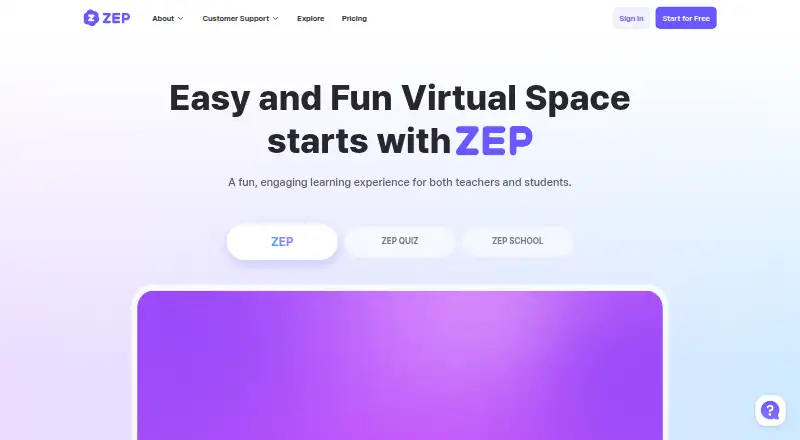
ZEP is a browser-based virtual meeting room platform built around avatar-led Spaces. It supports meetings, events, offices, bootcamps, webinars, education, and community gatherings through video, voice, chat, reactions, camera and microphone access, screen sharing, and proximity-based private areas. Hosts can start with templates or blank maps, then add objects, links, videos, interactive mini-games, quizzes, and private zones. It is a strong fit for teams and educators that want a more spatial, customizable setting than a conventional video call, especially when simple navigation and themed environments matter.
The freemium structure gives smaller groups a clear entry point. The Free plan includes up to 20 simultaneous users, simple map creation, and limited mini-games. Basic adds more simultaneous users, unlimited spotlights and screen shares per map, space passwords, domain restriction, and whitelisting. Pro adds unlimited apps, a custom URL and loading logo, Google Analytics integration, a data dashboard, and downloadable visit and chat history. Enterprise adds an exclusive server, a dedicated manager, adjustable channeling, and negotiated features. This progression makes Basic the practical step up for access control and presentation, while Pro is aimed at organizations that need branding and usage data.
ZEP’s main advantage is breadth within a browser-based environment: one Space can support social interaction, presentations, learning activities, and separated conversations. Google Analytics is the named integration, and Pro includes additional dashboard and history capabilities. The trade-off is platform scope and scale. The Free plan is capped at 20 simultaneous users, and the product has no mobile apps. Organizations seeking a highly standardized meeting client, broader native-device coverage, or larger default room capacity should consider an alternative. ZEP suits educators, event hosts, and small teams that value custom virtual environments over conventional meeting-room simplicity.
Your product? Our editors can test ZEP in depth and publish a review, labelled as paid · from $149/mo →
ZEP pricing
ZEP fact sheet
| Free plan | Yes |
|---|---|
| Paid from | Not verified |
| Persistent rooms | Not verified |
| Spatial audio | Yes |
| Room capacity | 20 participants |
| Guest access | Yes |
| Screen sharing | Yes |
| Mobile apps | None |
| Access controls | Domain_restricted |
| Deployment | Cloud, Browser extension |
| Platforms | Web |
| Compliance & security | GDPR |
| Support | Docs |
| Built for | Solo, Small business, Mid-market, Enterprise (editorial estimate) |
| Integrations | 1 integrations: Google Analytics |
| Pricing | Free plan (source) |
| Website | zep.us |
| Facts checked | 20 Sep 2026 |
ZEP integrations
ZEP lists 1 integrations on its own site.
- Google Analytics
Alternatives to ZEP
- TopiaA flexible virtual meeting space with spatial interaction, event tools, and broad integrations.9.3
- WorkAdventureA flexible virtual office and event space with strong collaboration integrations.9.2
- BAWES UniverseAn open-source virtual world for teams that need persistent, programmable meeting spaces.8.9



ZEP vs the competition

Compare ZEP with any tool side by side →
Used ZEP? Be the first to review it
The editor score above is our own research. What this page doesn't have yet is a reader's view — what you used ZEP for, what worked and what didn't. No stars are seeded and no review is paid for; an editor reads every one before it appears.
Write a reviewTwo minutes · verified accounts only · read by an editor before it appears
Featured on iTechGuides

ZEP is listed in our Virtual Meeting Room Software directory. Add the badge to your site — it links back to this page.
<a href="https://www.itechguides.com/products/zep/"><img src="https://www.itechguides.com/best/badge/zep.svg" alt="Featured on iTechGuides" width="230" height="46"></a>
Reviewed by iTechGuides Editors · Editorial team · Updated Oct 2026
Advertiser disclosure: iTechGuides is reader-supported. Vendors can pay for top positions in our rankings and for a place on other products' pages, and we may earn a commission when you click some links. Bought places stand at the number bought; this page and our disclosure say so. Paying vendors may get a fuller, more detailed review from our editors, and that review can change their score. How we rank.
Last updated · How we research and update