XPG PRIME
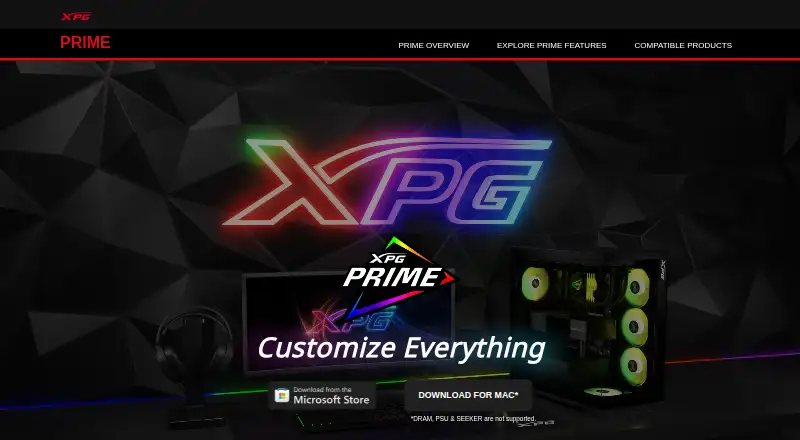
XPG PRIME: A free Windows control suite for XPG lighting, peripherals, and selected component settings. Ranked #11 of 33 in RGB Lighting Software by our editors (7.8/10); pricing: Free plan; best for owners of compatible XPG components and peripherals.
At a glance
- Editor score7.8 / 10
- PricingFree plan
- Best forOwners of compatible XPG components and peripherals
- Free planYes
- Paid fromFree
- Device scopeBoth
- Founded2001 · Taipei, Taiwan
- Facts checked19 Sep 2026
Where it wins
- Syncs lighting across compatible XPG peripherals, components, and memory
- Canvas mode supports per-LED ARGB customization
- Adds macros, mouse controls, and PRIME BOX thermal and fan settings
Where it doesn't
- Requires Windows 10 or later
- Most controls are limited to compatible XPG hardware
- Game-linked or game-reactive lighting is not verified
Our verdict on XPG PRIME
XPG PRIME is Windows software for configuring compatible XPG peripherals, memory modules, power supplies, and ARGB components. It suits owners who want lighting and selected device settings in one place rather than a general-purpose utility for hardware from multiple brands. The software is free and requires Windows 10 or later, according to its official support information.
Lighting is the core draw: users can choose presets or adjust color, brightness, speed, and direction, then synchronize effects across compatible XPG devices. Canvas mode enables per-LED ARGB customization, while PRIME BOX extends control to connected ARGB components. Saved device profiles and cloud profile synchronization are available to registered accounts. These options provide meaningful control for an XPG-focused setup, but the listed ecosystem integration is centered on PRIME BOX and compatible XPG hardware; game-linked or game-reactive lighting is not verified.
PRIME also reaches beyond RGB. It supports keyboard and mouse key remapping and macro assignment, along with mouse DPI, sensitivity, angle-snap, debounce-time, and polling-rate controls. With PRIME BOX, it offers thermal monitoring and customizable fan-curve profiles; for the FUSION 1600 Titanium power supply, it provides monitoring and customization. That breadth makes PRIME a practical choice for owners of supported XPG devices who want lighting plus hardware controls without a software fee. Those seeking broad third-party integrations or verified game-reactive effects should consider another option, as PRIME's documented scope is narrower.
Your product? Our editors can test XPG PRIME in depth and publish a review, labelled as paid · from $149/mo →
XPG PRIME pricing
XPG PRIME fact sheet
| Free plan | Yes |
|---|---|
| Paid from | Free |
| Device scope | Both |
| Addressable RGB control | Yes |
| Cross-device sync | Yes |
| Lighting profiles | Yes |
| Game lighting effects | Not verified |
| Maximum profiles | Not verified |
| Deployment | Desktop |
| Platforms | Windows |
| Integrations | 1 integrations: XPG PRIME BOX |
| Pricing | Free plan |
| Website | prime.xpg.com |
| Facts checked | 19 Sep 2026 |
XPG PRIME integrations
XPG PRIME lists 1 integrations on its own site.
- XPG PRIME BOX
Alternatives to XPG PRIME
- Razer Chroma AppFree lighting control for Chroma devices, with effects, game links and per-LED control.8.9
- ASUS Aura Sync UtilityA free Windows utility for synchronized lighting on compatible ASUS hardware.7.9
- MSI Mystic LightFree Windows software for configuring and synchronizing lighting on compatible MSI devices.7.9


See all XPG PRIME alternatives →
Also Ranked In
XPG PRIME is ranked in 2 of our directories.
Used XPG PRIME? Be the first to review it
The editor score above is our own research. What this page doesn't have yet is a reader's view — what you used XPG PRIME for, what worked and what didn't. No stars are seeded and no review is paid for; an editor reads every one before it appears.
Write a reviewTwo minutes · verified accounts only · read by an editor before it appears
Featured on iTechGuides

XPG PRIME is listed in our RGB Lighting Software directory. Add the badge to your site — it links back to this page.
<a href="https://www.itechguides.com/products/xpg-prime/"><img src="https://www.itechguides.com/best/badge/xpg-prime.svg" alt="Featured on iTechGuides" width="230" height="46"></a>
Reviewed by iTechGuides Editors · Editorial team · Updated Oct 2026
Advertiser disclosure: iTechGuides is reader-supported. Vendors can pay for top positions in our rankings and for a place on other products' pages, and we may earn a commission when you click some links. Bought places stand at the number bought; this page and our disclosure say so. Paying vendors may get a fuller, more detailed review from our editors, and that review can change their score. How we rank.
Last updated · How we research and update