
Razer Chroma App
Razer Chroma App: Free lighting control for Chroma devices, with effects, game links and per-LED control. Ranked #1 of 33 in RGB Lighting Software by our editors (8.9/10); pricing: Free plan; best for razer Chroma ecosystem users.
At a glance
- Editor score8.9 / 10
- PricingFree plan
- Best forRazer Chroma ecosystem users
- Free planYes
- Paid fromFree
- Device scopeBoth
- Founded2005 · Irvine, California, United States and Singapore
- Facts checked19 Sep 2026
Where it wins
- Chroma Studio supports custom effects and individual LED control.
- Visualizer, game effects and presets offer several lighting styles.
- Chroma Connect supports partner hardware across hundreds of devices.
Where it doesn't
- Its device support is centered on Razer Chroma and supported partners.
- The macOS version is a preview for Apple Silicon Macs.
- Compatibility depends on supported devices and games.
Our verdict on Razer Chroma App
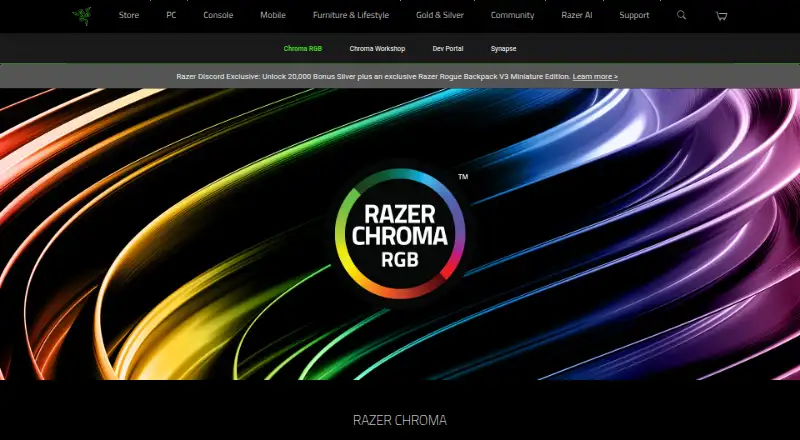
Razer Chroma App is a free RGB lighting application for gamers who want to coordinate Razer Chroma-enabled devices and supported third-party hardware. Chroma Studio lets users create custom lighting effects and control individual LEDs; Chroma Visualizer provides reactive lighting, while preset options include Breathing, Fire, Ripple, Spectrum Cycling, Starlight, Static, Wave and Wheel. The app can apply effects across supported devices and link lighting to games. It is available for Windows, with a macOS preview for Apple Silicon Macs.
Its strongest fit is the Chroma ecosystem rather than general-purpose RGB control across any hardware. Chroma Connect extends support to compatible third-party products, and the product supports hundreds of devices, but the experience still depends on a device being supported. Game-integrated effects also rely on Chroma-integrated games. Buyers already using Chroma-enabled equipment can draw on Studio, Visualizer, per-LED control and synchronized effects in one application; those with hardware outside the supported ecosystem should consider whether their devices are covered before choosing it.
The app is free, so there are no paid tiers to weigh when evaluating its lighting tools. Platform availability is more limited in practice on macOS: Razer lists a preview for Apple Silicon Macs running macOS 15 Sequoia or later, while Windows downloads are listed for Windows 10/11. Choose Chroma App if free control and effects for supported Chroma gear are the priority. It is a less suitable choice for someone who needs broad platform coverage or lighting control independent of compatible devices and games.
Your product? Our editors can test Razer Chroma App in depth and publish a review, labelled as paid · from $149/mo →
Razer Chroma App pricing
Razer Chroma App fact sheet
| Free plan | Yes |
|---|---|
| Paid from | Free |
| Device scope | Both |
| Addressable RGB control | Yes |
| Cross-device sync | Yes |
| Lighting profiles | Not verified |
| Game lighting effects | Yes |
| Maximum profiles | Not verified |
| Deployment | Desktop |
| Platforms | Windows, macOS |
| Integrations | 3 integrations: Chroma-integrated games, Razer Chroma-enabled devices, Supported third-party hardware from partners |
| Pricing | Free plan |
| Website | razer.com |
| Facts checked | 19 Sep 2026 |
Razer Chroma App integrations
Razer Chroma App lists 3 integrations on its own site.
- Chroma-integrated games
- Razer Chroma-enabled devices
- Supported third-party hardware from partners
Alternatives to Razer Chroma App
- ASUS Aura Sync UtilityA free Windows utility for synchronized lighting on compatible ASUS hardware.7.9
- MSI Mystic LightFree Windows software for configuring and synchronizing lighting on compatible MSI devices.7.9
- Cooler Master MasterPlus+A free Windows utility for RGB control and peripheral configuration within Cooler Master’s ecosystem.7.9

See all Razer Chroma App alternatives →
Razer Chroma App vs the competition
- Razer Chroma App vs ASUS Aura Sync Utility
- Razer Chroma App vs MSI Mystic Light
- Razer Chroma App vs Cooler Master MasterPlus+
- Razer Chroma App vs Thermaltake iTAKE Engine
- Razer Chroma App vs Cooler Master MasterCTRL
- Razer Chroma App vs GIGABYTE RGB Fusion 2.0

Compare Razer Chroma App with any tool side by side →
Used Razer Chroma App? Be the first to review it
The editor score above is our own research. What this page doesn't have yet is a reader's view — what you used Razer Chroma App for, what worked and what didn't. No stars are seeded and no review is paid for; an editor reads every one before it appears.
Write a reviewTwo minutes · verified accounts only · read by an editor before it appears
Featured on iTechGuides

Razer Chroma App is listed in our RGB Lighting Software directory. Add the badge to your site — it links back to this page.
<a href="https://www.itechguides.com/products/razer-chroma-app/"><img src="https://www.itechguides.com/best/badge/razer-chroma-app.svg" alt="Featured on iTechGuides" width="230" height="46"></a>
Reviewed by iTechGuides Editors · Editorial team · Updated Oct 2026
Advertiser disclosure: iTechGuides is reader-supported. Vendors can pay for top positions in our rankings and for a place on other products' pages, and we may earn a commission when you click some links. Bought places stand at the number bought; this page and our disclosure say so. Paying vendors may get a fuller, more detailed review from our editors, and that review can change their score. How we rank.
Last updated · How we research and update