
X-Mouse Button Control
X-Mouse Button Control: A focused Windows utility for detailed, profile-based mouse customization. Ranked #35 of 105 in Keyboard and Mouse Customization Software by our editors (5.3/10); pricing: Free plan; best for windows users needing detailed mouse profiles.
At a glance
- Editor score5.3 / 10
- PricingFree plan
- Best forWindows users needing detailed mouse profiles
- Free planYes
- Paid fromFree
- Supported operating systemsWindows
- Facts checked20 Sep 2026
Where it wins
- Application- and window-specific profiles activate automatically
- Up to 10 mapping layers support complex button configurations
- Includes chording, simulated actions, and pointer controls
Where it doesn't
- Supports Windows rather than multiple operating systems
- Focuses on mouse customization rather than keyboards
- Offers no AI features
Our verdict on X-Mouse Button Control
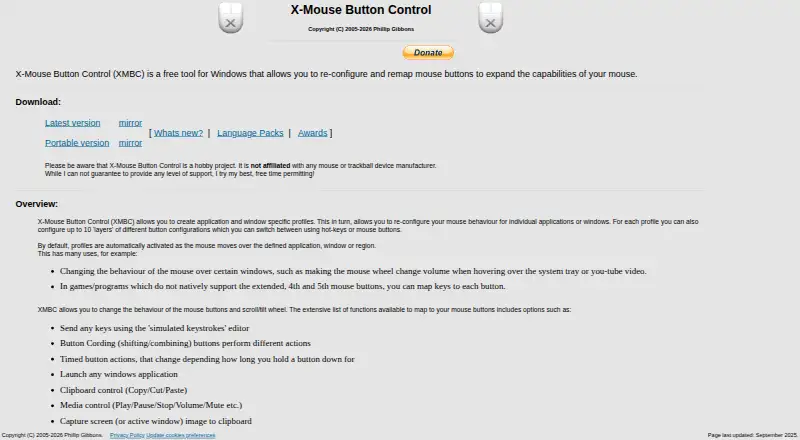
X-Mouse Button Control is free Windows software for remapping mouse buttons, scroll-wheel controls, and simulated keystrokes. It is designed for Windows users who need different mouse behavior across applications or individual windows. Profiles can activate automatically according to the application or window beneath the pointer, making the software suited to workflows that require context-specific controls. It supports Windows 10 and 11, selected Windows Server editions, and both installable and portable versions.
Its standout strength is the depth of its profile system. Each profile can include up to 10 mapping layers, while assignments can cover simulated keystrokes, key sequences, mouse actions, media controls, application launches, scrolling behavior, and timed button actions. Button chording adds another way to expand available commands. Per-profile pointer-speed and pointer-precision settings also allow mouse behavior to change with the active profile, rather than applying one configuration everywhere.
X-Mouse Button Control is a strong choice for users who want detailed mouse remapping without a paid plan. Profile import, export, copying, and backup support makes configurations easier to manage across changes. The trade-off is its narrow focus: it customizes mouse buttons, scrolling, pointer behavior, and related actions rather than providing a broader keyboard-and-mouse suite. Users working outside Windows, or those specifically seeking keyboard customization alongside mouse profiles, should choose a tool built for wider platform or device coverage instead.
Your product? Our editors can test X-Mouse Button Control in depth and publish a review, labelled as paid · from $149/mo →
X-Mouse Button Control pricing
All 1 X-Mouse Button Control plans and prices →
X-Mouse Button Control fact sheet
| Free plan | Yes |
|---|---|
| Paid from | Free |
| Supported operating systems | Windows |
| Macro support | Yes |
| Per-app profiles | Yes |
| Onboard device memory | Not verified |
| Polling rate control | Not verified |
| Sensitivity controls | Yes |
| Profile slots | Not verified |
| Deployment | Desktop |
| Platforms | Windows |
| Pricing | Free plan (source) |
| Website | highrez.co.uk |
| Facts checked | 20 Sep 2026 |
Alternatives to X-Mouse Button Control
- Razer SynapseA free Razer-focused hub for remapping, macros, profiles, and Chroma lighting.9.2
- Logi Options+A broad free toolkit for remapping, automation, profiles, and multi-computer control.9.1
- Logitech G HUBA free desktop suite for Logitech G lighting, profiles, and device settings.9.0



See all X-Mouse Button Control alternatives →
Used X-Mouse Button Control? Be the first to review it
The editor score above is our own research. What this page doesn't have yet is a reader's view — what you used X-Mouse Button Control for, what worked and what didn't. No stars are seeded and no review is paid for; an editor reads every one before it appears.
Write a reviewTwo minutes · verified accounts only · read by an editor before it appears
Featured on iTechGuides

X-Mouse Button Control is listed in our Keyboard and Mouse Customization Software directory. Add the badge to your site — it links back to this page.
<a href="https://www.itechguides.com/products/x-mouse-button-control/"><img src="https://www.itechguides.com/best/badge/x-mouse-button-control.svg" alt="Featured on iTechGuides" width="230" height="46"></a>
Reviewed by iTechGuides Editors · Editorial team · Updated Sep 2026
Advertiser disclosure: iTechGuides is reader-supported. Vendors can pay for top positions in our rankings and for a place on other products' pages, and we may earn a commission when you click some links. Bought places stand at the number bought; this page and our disclosure say so. Paying vendors may get a fuller, more detailed review from our editors, and that review can change their score. How we rank.
Last updated · How we research and update