
WPS Office
WPS Office: A broad office suite whose strongest fit is PowerPoint-compatible presentation work. Ranked #44 of 45 in Word Processing Software by our editors (3.5/10); pricing: Free plan · 3-day trial; best for users primarily editing presentations.
At a glance
- Editor score3.5 / 10
- PricingFree plan · 3-day trial
- Best forUsers primarily editing presentations
- Free planYes
- Founded1988 · Singapore
- Facts checked20 Sep 2026
Where it wins
- Edits and exports PowerPoint-compatible PPT, PPTX and PPSX files
- AI slide generation, content rewriting and speaker notes
- Works across web, desktop, mobile and offline desktop environments
Where it doesn't
- Its strongest feature set centers on presentations rather than word processing
- Google Drive is the only listed integration
- Full PDF editing and conversion requires a paid plan
Our verdict on WPS Office
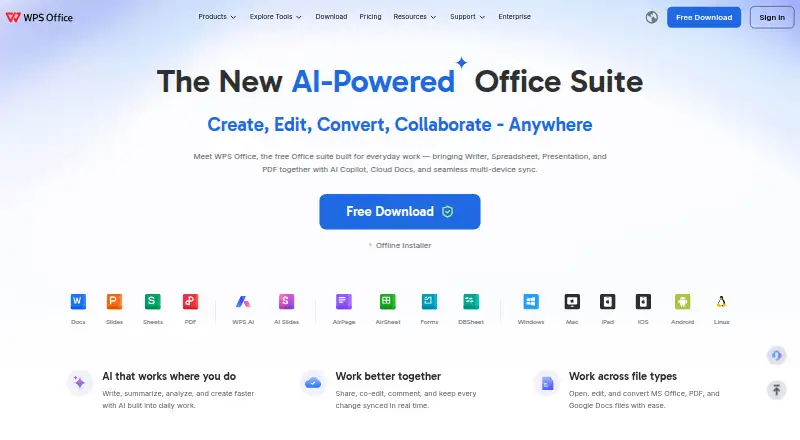
WPS Office is an office productivity suite combining Writer, Spreadsheet, Presentation and PDF tools for individuals, schools, teams and organizations. Its strongest fit is presentation-focused work: the Presentation component edits PowerPoint-compatible PPT, PPTX and PPSX files, saves presentations as PPTX, and includes templates, animations and transitions. AI features support slide generation, content rewriting and speaker notes. Users can work on the web, Windows, macOS, Linux, iOS and Android, with offline desktop presentation editing available.
Pricing follows a freemium model, with a free plan and a three-day free trial. Annual pricing starts at $41.99 per user, and WPS Pro+ costs $69.99 per year. WPS Standard includes basic PDF features, 1 GB of cloud space, 47 file formats and 46 languages. Pro+ adds full PDF editing and conversion, unlimited template downloads, 20 GB of cloud storage and essential AI tools. The Pro+ Sharing Plan costs $41.99 per user per year and adds multiple users, 20 GB of private cloud storage per member, plus PDF, Office, AI and template benefits.
Collaboration features include real-time presentation co-editing, comments, permissions and version history. PDF-to-PPT conversion helps move presentation content between formats, while Google Drive provides the listed integration. The product is a practical choice for people who need presentation editing alongside documents, spreadsheets and PDFs across several platforms. It is less suitable for buyers seeking a word-processing-first product or a broader integration ecosystem. Users who prioritize PowerPoint-compatible editing, AI-assisted slide work and flexible device access should consider WPS Office; those needing a narrower core word-processing experience should look elsewhere.
Your product? Our editors can test WPS Office in depth and publish a review, labelled as paid · from $149/mo →
WPS Office pricing
All 3 WPS Office plans and prices →
WPS Office fact sheet
| Free plan | Yes |
|---|---|
| Paid from | Not verified |
| Desktop apps | Not verified |
| Offline editing | Not verified |
| Real-time collaboration | Not verified |
| Track changes | Not verified |
| Desktop platforms | Not verified |
| Maximum document size | Not verified |
| Free trial | 3 days |
| Money-back guarantee | 30 days |
| Deployment | Cloud, Desktop, Mobile |
| Platforms | Web, Windows, macOS, Linux, iOS, Android |
| Support | Email, Community, Docs |
| Built for | Solo, Small business, Mid-market, Enterprise (editorial estimate) |
| Integrations | 1 integrations: Google Drive |
| Pricing | Free plan · 3-day trial (source) |
| Website | wps.com |
| Facts checked | 20 Sep 2026 |
WPS Office integrations
WPS Office lists 1 integrations on its own site.
- Google Drive
Alternatives to WPS Office
- Microsoft WordA complete word processor with strong collaboration, review, accessibility, and Microsoft ecosystem support.9.4
- Google DocsA strong browser-first word processor for teams that edit documents together.9.2
- Zoho WriterA broad free word processor for teams needing cross-platform editing and workflow features.9.0


See all WPS Office alternatives →
Also Ranked In
WPS Office is ranked in 3 of our directories.
Used WPS Office? Be the first to review it
The editor score above is our own research. What this page doesn't have yet is a reader's view — what you used WPS Office for, what worked and what didn't. No stars are seeded and no review is paid for; an editor reads every one before it appears.
Write a reviewTwo minutes · verified accounts only · read by an editor before it appears
Featured on iTechGuides

WPS Office is listed in our Word Processing Software directory. Add the badge to your site — it links back to this page.
<a href="https://www.itechguides.com/products/wps-office/"><img src="https://www.itechguides.com/best/badge/wps-office.svg" alt="Featured on iTechGuides" width="230" height="46"></a>
Reviewed by iTechGuides Editors · Editorial team · Updated Oct 2026
Advertiser disclosure: iTechGuides is reader-supported. Vendors can pay for top positions in our rankings and for a place on other products' pages, and we may earn a commission when you click some links. Bought places stand at the number bought; this page and our disclosure say so. Paying vendors may get a fuller, more detailed review from our editors, and that review can change their score. How we rank.
Last updated · How we research and update