WinSSHTerm
WinSSHTerm: A free Windows desktop tool centered on organized SSH sessions and file transfer. Ranked #23 of 29 in Remote Connection Manager Software by our editors (6.5/10); pricing: Free plan; best for windows users focused on SSH workflows.
At a glance
- Editor score6.5 / 10
- PricingFree plan
- Best forWindows users focused on SSH workflows
- Free planYes
- Paid fromFree
- Supported protocolsSSH, SCP, Telnet, RDP, VNC, HTTP
- Facts checked21 Sep 2026
Where it wins
- Tabbed SSH with connection groups and multiple windows
- WinSCP-based file transfer with shared connection files
- Jump servers, scripting, X11 support, and migration tools
Where it doesn't
- Windows-only desktop deployment
- RDP, VNC, and HTTP rely on external clients
- Documentation is the listed support channel
Our verdict on WinSSHTerm
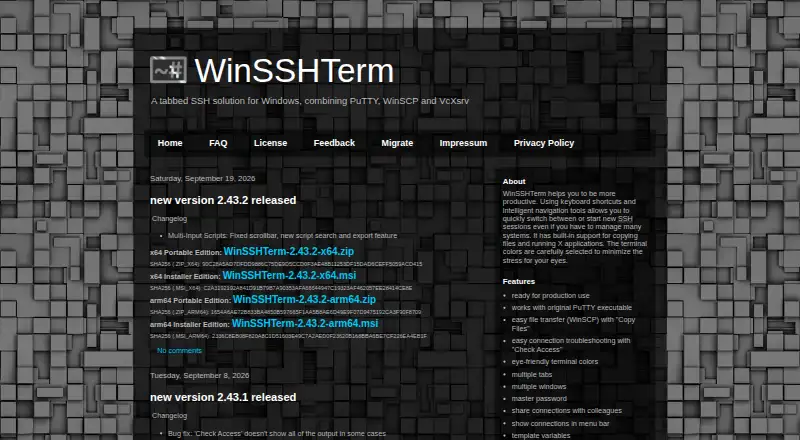
WinSSHTerm is a free Windows desktop application for organizing SSH sessions across multiple systems. It is aimed at solo users, small teams, and mid-market groups that want tabbed terminal access, connection groups, file transfer, and shared connection files in one workspace. PuTTY handles terminal connections, WinSCP provides file transfers, and VcXsrv supports X applications. The product also supports SSH, SCP, Telnet, RDP, VNC, and HTTP, with RDP, VNC, and HTTP launched through PowerShell-based Launch Tools and external clients.
Its strongest case is focused SSH workflow management. Users can arrange sessions in tabs, separate them into connection groups, and share connection files. Master-password protection covers stored passwords, while SSH jump-server and proxy support suits connections that need an intermediary host. PowerShell Launch Tools and scripting add automation options, and connection migration tools can help move existing configurations. Integration with PuTTY, WinSCP, VcXsrv, and PowerShell gives the application a practical Windows ecosystem fit without changing its central SSH focus.
The published offering is freeware with no stated paid tiers, so the pricing model is straightforward for individuals and teams that need the listed capabilities. Its main trade-off is breadth: although several protocols are supported, RDP, VNC, and HTTP are not handled through one built-in protocol engine. They depend on Launch Tools and external clients, which makes WinSSHTerm better suited to SSH-led work than to broad remote-management requirements. Choose it for Windows-based terminal workflows, file transfer, jump servers, and scripting; consider another option if unified multi-protocol management is the priority.
Your product? Our editors can test WinSSHTerm in depth and publish a review, labelled as paid · from $149/mo →
WinSSHTerm pricing
WinSSHTerm fact sheet
| Free plan | Yes |
|---|---|
| Paid from | Free |
| Supported protocols | SSH, SCP, Telnet, RDP, VNC, HTTP |
| Desktop platforms | Windows |
| Stored connections | Not verified |
| Team connection sharing | Yes |
| Credential vault | Yes |
| Session recording | Not verified |
| Mobile apps | Not verified |
| Deployment | Desktop |
| Platforms | Windows |
| Support | Docs |
| Built for | Solo, Small business, Mid-market (editorial estimate) |
| Integrations | 4 integrations: PuTTY, WinSCP, VcXsrv, PowerShell |
| Pricing | Free plan |
| Website | winsshterm.blogspot.com |
| Facts checked | 21 Sep 2026 |
WinSSHTerm integrations
WinSSHTerm lists 4 integrations on its own site.
- PuTTY
- WinSCP
- VcXsrv
- PowerShell
Alternatives to WinSSHTerm
- Devolutions Remote Desktop ManagerA broad connection manager for governed IT access across desktop and mobile platforms.9.4
- RustConnA broad, free desktop connection manager for technical teams that need protocol and credential flexibility.9.0
- BURSU Connection ManagerA capable free manager for mixed protocols, embedded sessions, and mobile access.8.8


See all WinSSHTerm alternatives →
Used WinSSHTerm? Be the first to review it
The editor score above is our own research. What this page doesn't have yet is a reader's view — what you used WinSSHTerm for, what worked and what didn't. No stars are seeded and no review is paid for; an editor reads every one before it appears.
Write a reviewTwo minutes · verified accounts only · read by an editor before it appears
Featured on iTechGuides

WinSSHTerm is listed in our Remote Connection Manager Software directory. Add the badge to your site — it links back to this page.
<a href="https://www.itechguides.com/products/winsshterm/"><img src="https://www.itechguides.com/best/badge/winsshterm.svg" alt="Featured on iTechGuides" width="230" height="46"></a>
Reviewed by iTechGuides Editors · Editorial team · Updated Oct 2026
Advertiser disclosure: iTechGuides is reader-supported. Vendors can pay for top positions in our rankings and for a place on other products' pages, and we may earn a commission when you click some links. Bought places stand at the number bought; this page and our disclosure say so. Paying vendors may get a fuller, more detailed review from our editors, and that review can change their score. How we rank.
Last updated · How we research and update