
WinMTR
WinMTR: A focused, portable route monitor for straightforward Windows connectivity troubleshooting. Ranked #16 of 37 in Network Diagnostic Software by our editors (7.4/10); pricing: Free plan; best for simple free Windows route monitoring.
At a glance
- Editor score7.4 / 10
- PricingFree plan
- Best forSimple free Windows route monitoring
- Free planYes
- Paid fromFree
- Path visualizationNo
- Founded2000
- Facts checked20 Sep 2026
Where it wins
- Continuous monitoring with hop-level packet-loss and latency statistics
- Portable operation, command-line support, and 32-bit/64-bit Windows builds
- Exports diagnostic results as text or HTML and copies them to the clipboard
Where it doesn't
- Windows-only desktop availability
- No path visualization for graphical route analysis
- No built-in DNS diagnostics
Our verdict on WinMTR
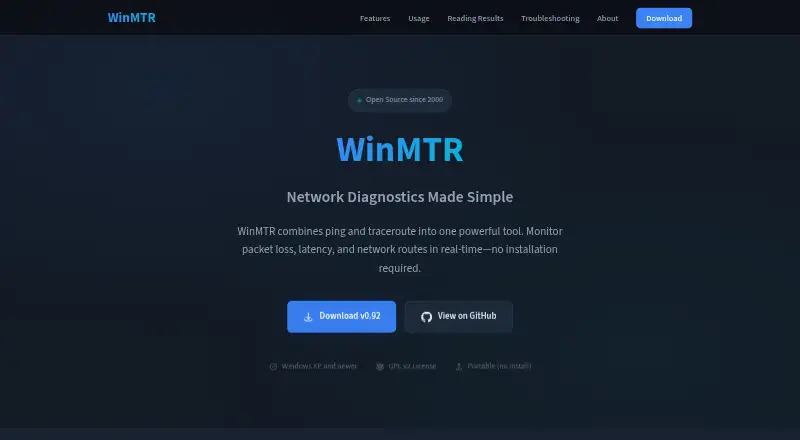
WinMTR is a free, open-source Windows desktop utility for network diagnostics. It combines continuous ping and traceroute measurements to monitor a target hostname or IP address, showing each network hop, packet loss, and latency. Network administrators, ISP support teams, and users troubleshooting connectivity problems can use it to identify where packet loss or delay appears along a route. Its focus is practical route measurement rather than broad diagnostic coverage.
The monitoring view tracks best, worst, and average latency while displaying hostnames and IP addresses for individual hops. Packet-loss detection is available at the hop level, which helps narrow connectivity investigations beyond a simple end-to-end ping. Results can be copied to the clipboard or exported as text and HTML reports for sharing and documentation. The application also supports command-line usage, making it suitable for scripting and automation alongside its graphical desktop workflow.
WinMTR’s free, open-source model and portable operation keep the tool straightforward to deploy: it can run without installation on Windows systems, with both 32-bit and 64-bit builds available. The trade-off is a narrow platform and feature scope. It does not provide path visualization or DNS diagnostics, and it is not positioned as a cross-platform monitoring service. Choose WinMTR when you need a focused Windows utility for continuous route monitoring and reportable packet-loss analysis. Consider an alternative when graphical path views, DNS investigation, or platforms beyond Windows are central requirements.
Your product? Our editors can test WinMTR in depth and publish a review, labelled as paid · from $99/mo →
WinMTR pricing
WinMTR fact sheet
| Free plan | Yes |
|---|---|
| Paid from | Free |
| Deployment | Desktop |
| Path visualization | No |
| DNS diagnostics | No |
| Packet-loss analysis | Yes |
| Command-line interface | Yes |
| Target limit | Not verified |
| Supported platforms | Windows |
| Deployment | Desktop |
| Platforms | Windows |
| Support | Email, Community |
| Built for | Solo, Small business, Mid-market, Enterprise (editorial estimate) |
| Pricing | Free plan |
| Website | winmtr.net |
| Facts checked | 20 Sep 2026 |
Alternatives to WinMTR
- GlobalpingA broad, open-source toolkit for diagnosing network behavior across global locations.9.4
- RIPE AtlasA free platform for distributed measurements, path analysis, and public Internet reachability data.9.2
- PingPlotterA focused tool for tracking latency, packet loss, jitter, and network paths.9.0



Used WinMTR? Be the first to review it
The editor score above is our own research. What this page doesn't have yet is a reader's view — what you used WinMTR for, what worked and what didn't. No stars are seeded and no review is paid for; an editor reads every one before it appears.
Write a reviewTwo minutes · verified accounts only · read by an editor before it appears
Featured on iTechGuides

WinMTR is listed in our Network Diagnostic Software directory. Add the badge to your site — it links back to this page.
<a href="https://www.itechguides.com/products/winmtr/"><img src="https://www.itechguides.com/best/badge/winmtr.svg" alt="Featured on iTechGuides" width="230" height="46"></a>
Guides on network diagnostic software
- How to Use Traceroute Linux: Essential Network Diagnostic ToolAug 2026
- Best Network Diagnostic Tools: What to Use for Packet Loss, DNS, Ports, Wi-Fi, and MonitoringAug 2026
- 11 Best Paid and Free Network Diagnostics Tools for Small and Large OrganizationsAug 2026
Reviewed by iTechGuides Editors · Editorial team · Updated Oct 2026
Advertiser disclosure: iTechGuides is reader-supported. Vendors can pay for top positions in our rankings and for a place on other products' pages, and we may earn a commission when you click some links. Bought places stand at the number bought; this page and our disclosure say so. Paying vendors may get a fuller, more detailed review from our editors, and that review can change their score. How we rank.
Last updated · How we research and update