WineBar
WineBar: A free, open-source option for managing Wine prefixes and running Windows software on Linux. Ranked #22 of 26 in Windows Compatibility Layers by our editors (6.6/10); pricing: Free plan; best for linux users wanting portable Wine packages.
At a glance
- Editor score6.6 / 10
- PricingFree plan
- Best forLinux users wanting portable Wine packages
- Free planYes
- Paid fromFree
- macOS supportNo
- Facts checked20 Sep 2026
Where it wins
- Creates and manages Wine prefixes for Windows applications
- Supports x86_64 Linux and Apple silicon Macs running Linux
- Offers x64 and arm64 AppImages plus Snap installation
Where it doesn't
- Linux-focused rather than native macOS software
- Multiple applications in one prefix have documented limitations
- Windows application compatibility can depend on Wine and each program
Our verdict on WineBar
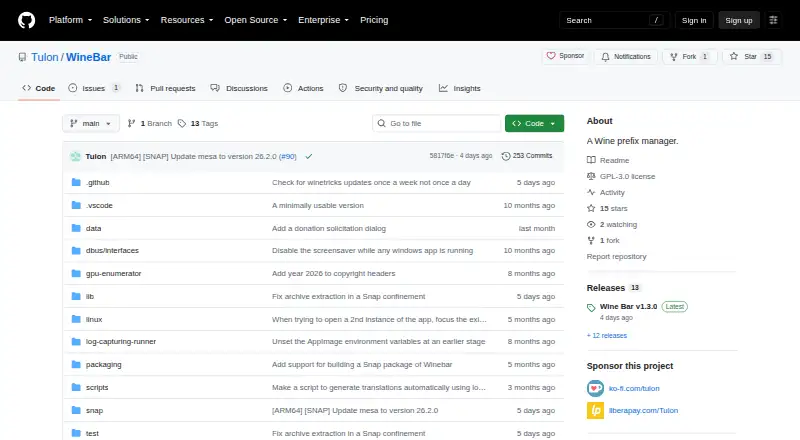
WineBar is an open-source desktop application for Linux users who need to run Windows executables through Wine. Its central purpose is managing Wine prefixes: separate environments where Windows applications can be installed and run. The project targets regular x86_64 Linux systems and also supports Apple silicon Macs running Linux, including Asahi Linux configurations. That makes it a focused choice for Linux users seeking a graphical way to organize Windows software rather than a general-purpose Windows compatibility service.
Platform packaging is a clear part of WineBar’s appeal. The project provides x64 and arm64 AppImage builds, covering both standard x86_64 systems and supported ARM64 environments, and it can also be installed from the Snap Store. These distribution options suit users who prefer portable application bundles or Snap-based installation. WineBar is primarily written in Dart and Flutter, with auxiliary C and C++ tools, and its open-source model keeps the application available without a paid tier.
The main boundary is platform scope: WineBar supports Linux, including Linux installations on Apple silicon Macs, rather than native macOS. Its documentation also notes limitations when multiple Windows applications run in the same Wine prefix, so users may need to separate applications into different prefixes depending on their requirements. Choose WineBar if prefix management, portable Linux packaging, and Windows executable support are the priorities. Consider another approach if native macOS support or unrestricted multi-application behavior within one prefix is essential.
Your product? Our editors can test WineBar in depth and publish a review, labelled as paid · from $149/mo →
WineBar pricing
WineBar fact sheet
| Free plan | Yes |
|---|---|
| Paid from | Free |
| macOS support | No |
| Linux support | Yes |
| Apple silicon support | Yes |
| Graphics acceleration | Not verified |
| Compatibility database | Not verified |
| Prefix management | Yes |
| Deployment | Desktop |
| Platforms | Linux |
| Support | Docs |
| Built for | Solo, Small business (editorial estimate) |
| Pricing | Free plan |
| Website | github.com |
| Facts checked | 20 Sep 2026 |
Alternatives to WineBar
- WineWine is a free, broad foundation for running Windows applications on Linux and macOS.9.4
- BottlesA free, open-source choice for organizing and running Windows apps across platforms.9.2
- CrossOverA paid compatibility layer with application recipes, bottles, ratings, and graphics options.9.0


See all WineBar alternatives →
Used WineBar? Be the first to review it
The editor score above is our own research. What this page doesn't have yet is a reader's view — what you used WineBar for, what worked and what didn't. No stars are seeded and no review is paid for; an editor reads every one before it appears.
Write a reviewTwo minutes · verified accounts only · read by an editor before it appears
Featured on iTechGuides

WineBar is listed in our Windows Compatibility Layers directory. Add the badge to your site — it links back to this page.
<a href="https://www.itechguides.com/products/winebar/"><img src="https://www.itechguides.com/best/badge/winebar.svg" alt="Featured on iTechGuides" width="230" height="46"></a>
Reviewed by iTechGuides Editors · Editorial team · Updated Oct 2026
Advertiser disclosure: iTechGuides is reader-supported. Vendors can pay for top positions in our rankings and for a place on other products' pages, and we may earn a commission when you click some links. Bought places stand at the number bought; this page and our disclosure say so. Paying vendors may get a fuller, more detailed review from our editors, and that review can change their score. How we rank.
Last updated · How we research and update