Windows Sandbox
Windows Sandbox: A configurable disposable desktop for Windows users who need isolated sessions. Ranked #21 of 25 in Sandbox Software by our editors (6.8/10); pricing: Paid; best for windows users needing disposable desktop sessions.
At a glance
- Editor score6.8 / 10
- PricingPaid
- Best forWindows users needing disposable desktop sessions
- Free planNo
- Isolation methodContainer
- Facts checked21 Sep 2026
Where it wins
- Clean environment recreated on every launch
- Configurable networking and host-folder access
- CLI and custom .wsb configuration support
Where it doesn't
- Supports only one running sandbox at a time
- Sandbox state and files are deleted when it closes
- Not supported on Windows Home
Our verdict on Windows Sandbox
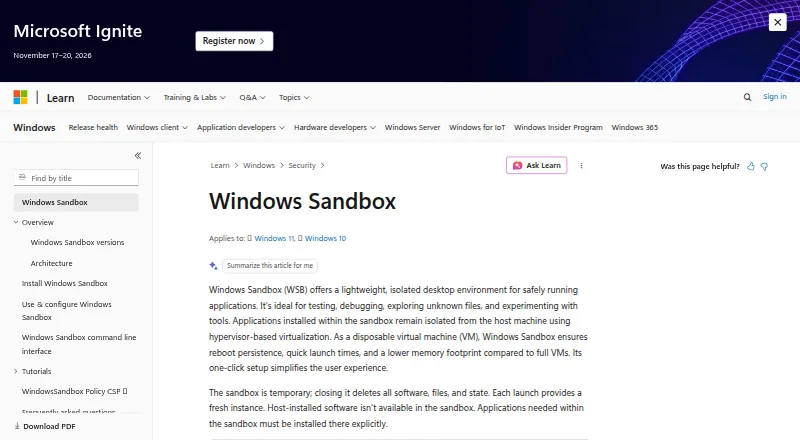
Windows Sandbox is a disposable, isolated Windows desktop for testing applications, debugging, browsing unfamiliar websites, and opening potentially harmful files. It uses hardware-based virtualization with the Microsoft hypervisor to separate the sandbox from the host. Each launch creates a clean environment, while closing the sandbox deletes its software, files, and state. It is intended for users on supported Windows Pro, Enterprise, Pro Education/SE, and Education editions who need temporary desktop sessions rather than persistent virtual machines.
As an included Windows feature, Windows Sandbox is available within supported editions rather than through a separately priced product plan. Its strongest fit is Windows-focused work that benefits from a clean, disposable environment without retaining changes between sessions. The platform is self-hosted and supports one concurrent sandbox instance, so it suits individual workflows and sequential investigations better than teams requiring multiple isolated environments at once. Windows Home users should choose an alternative because the feature is not supported on that edition.
Configuration goes beyond a basic isolated desktop. Custom XML .wsb files can define networking, host-folder mapping with read-only or writable access, automatic logon commands, virtual GPU support, and clipboard, audio, video, printer, and memory settings. The Windows Sandbox command-line interface also supports controlled launches and repeatable workflows. Data can persist across restarts initiated inside the sandbox, but it is removed when the sandbox closes. Choose Windows Sandbox when clean, temporary Windows sessions and configurable host integration matter most; choose another tool when persistent storage, multiple concurrent environments, or broader platform support is required.
Your product? Our editors can test Windows Sandbox in depth and publish a review, labelled as paid · from $149/mo →
Windows Sandbox pricing
Windows Sandbox fact sheet
| Free plan | No |
|---|---|
| Paid from | Not verified |
| Isolation method | Container |
| Concurrent environments | 1 environments |
| Persistent storage | No |
| Network controls | Yes |
| API or CLI access | Yes |
| Deployment | Self_hosted |
| Deployment | Self-hosted, Desktop |
| Platforms | Windows |
| Support | Docs |
| Built for | Solo, Small business, Mid-market, Enterprise (editorial estimate) |
| Pricing | Paid |
| Website | learn.microsoft.com |
| Facts checked | 21 Sep 2026 |
Alternatives to Windows Sandbox
- E2BProduction-grade isolation, flexible controls, and SDK access for AI code execution.9.4
- microsandboxFlexible sandbox infrastructure for teams running high-volume isolated workloads.9.2
- Docker SandboxesA focused sandbox for running coding agents with isolation, policies, and persistent state.9.1



See all Windows Sandbox alternatives →
Also Ranked In
Windows Sandbox is ranked in 2 of our directories.
Used Windows Sandbox? Be the first to review it
The editor score above is our own research. What this page doesn't have yet is a reader's view — what you used Windows Sandbox for, what worked and what didn't. No stars are seeded and no review is paid for; an editor reads every one before it appears.
Write a reviewTwo minutes · verified accounts only · read by an editor before it appears
Featured on iTechGuides

Windows Sandbox is listed in our Sandbox Software directory. Add the badge to your site — it links back to this page.
<a href="https://www.itechguides.com/products/windows-sandbox/"><img src="https://www.itechguides.com/best/badge/windows-sandbox.svg" alt="Featured on iTechGuides" width="230" height="46"></a>
Reviewed by iTechGuides Editors · Editorial team · Updated Oct 2026
Advertiser disclosure: iTechGuides is reader-supported. Vendors can pay for top positions in our rankings and for a place on other products' pages, and we may earn a commission when you click some links. Bought places stand at the number bought; this page and our disclosure say so. Paying vendors may get a fuller, more detailed review from our editors, and that review can change their score. How we rank.
Last updated · How we research and update