
VMware Workstation Pro
VMware Workstation Pro: A free desktop hypervisor with strong VM lifecycle, security, and developer tooling. Ranked #3 of 24 in Virtual Machine Software by our editors (8.8/10); pricing: Free plan; best for free Windows and Linux desktop virtualization.
At a glance
- Editor score8.8 / 10
- PricingFree plan
- Best forFree Windows and Linux desktop virtualization
- Free planYes
- Paid fromFree
- Host platformsWindows, Linux
- Facts checked20 Sep 2026
Where it wins
- Runs multiple VMs concurrently with snapshots and cloning
- Includes encrypted VMs, vTPM, UEFI, and Secure Boot
- Supports containers, Kubernetes, 3D graphics, and vSphere connectivity
Where it doesn't
- Host support is limited to Windows and Linux
- Nested hypervisors are not generally supported
- Management is provided through a desktop interface
Our verdict on VMware Workstation Pro
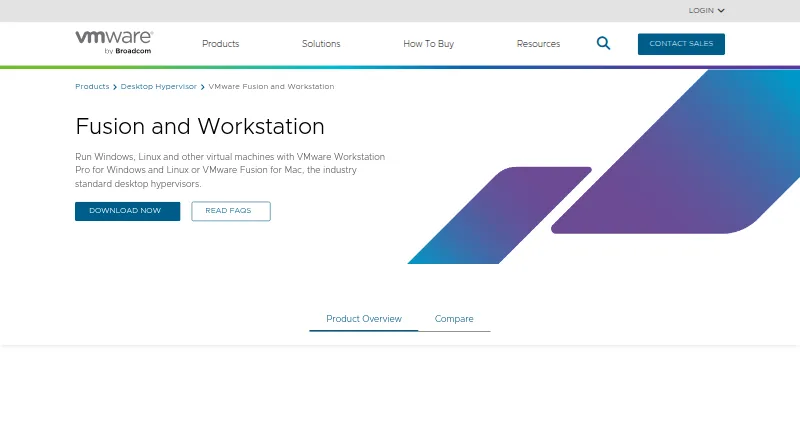
VMware Workstation Pro is a desktop hypervisor for IT professionals, developers, educators, and other users who need isolated virtual machines on Windows or Linux PCs. It supports multiple concurrent VMs, configurable virtual networking, cloning, snapshots, encrypted VMs, vTPM, Secure Boot, 3D graphics, containers, and local Kubernetes clusters. Its guest support includes Windows, Linux, BSD, and other operating systems, with an x86_64 guest architecture.
The published product details show a free plan for commercial, educational, and personal use. That makes Workstation Pro a practical fit for users who need desktop virtualization without a paid tier. The feature set covers core VM lifecycle work: users can create and restore snapshots, clone VMs, run multiple machines concurrently, and configure NAT, bridged, host-only, or disabled networking. Security-oriented VM options include encryption, vTPM, UEFI, and Secure Boot, while DirectX 11 and OpenGL acceleration support graphics-focused workloads.
Workstation Pro also fits environments connected to VMware's ecosystem through VMware vSphere integration. Developers can run containers and local Kubernetes clusters, while IT teams and educators can keep multiple operating systems isolated on a Windows or Linux computer. The main boundary is platform coverage: the verified host platforms are Windows and Linux, and management is desktop-based rather than presented as a centralized administration interface. Broadcom also documents limitations around nested virtualization and does not generally support nested hypervisors in Workstation. Choose it for free local VM work, development, education, and vSphere-connected workflows; choose another hypervisor when host coverage beyond Windows and Linux or nested hypervisor support is essential.
Questions about VMware Workstation Pro
What does VMware Workstation Pro run on? Windows and Linux. It runs as a desktop app.
What does VMware Workstation Pro integrate with? 1 integration: VMware vSphere.
Who is VMware Workstation Pro built for? Solo users, small businesses, mid-market companies and enterprises (our editorial estimate).
Your product? Our editors can test VMware Workstation Pro in depth and publish a review, labelled as paid · from $149/mo →
VMware Workstation Pro pricing
VMware Workstation Pro fact sheet
| Free plan | Yes |
|---|---|
| Paid from | Free |
| Host platforms | Windows, Linux |
| Guest architecture | X86_64 |
| VM snapshots | Yes |
| Nested virtualization | Yes |
| GPU acceleration | Yes |
| Management interface | Desktop |
| Deployment | Desktop |
| Platforms | Windows, Linux |
| Support | Docs |
| Built for | Solo, Small business, Mid-market, Enterprise (editorial estimate) |
| Integrations | 1 integrations: VMware vSphere |
| Pricing | Free plan |
| Website | vmware.com |
| Facts checked | 20 Sep 2026 |
VMware Workstation Pro integrations
VMware Workstation Pro lists 1 integrations on its own site.
- VMware vSphere
Alternatives to VMware Workstation Pro
- Proxmox VEA broad self-hosted virtualization stack with free core software and paid support options.9.3
- Oracle VirtualBoxA capable free desktop hypervisor with broad host support and advanced VM controls.8.9
- QEMUA flexible, cross-platform choice for advanced emulation and virtual machine control.8.7



See all VMware Workstation Pro alternatives →
VMware Workstation Pro vs the competition
- VMware Workstation Pro vs Proxmox VE
- VMware Workstation Pro vs Oracle VirtualBox
- VMware Workstation Pro vs QEMU
- VMware Workstation Pro vs KVM
- VMware Workstation Pro vs Xen Project Hypervisor
- VMware Workstation Pro vs Citrix XenServer


Compare VMware Workstation Pro with any tool side by side →
Also Ranked In
VMware Workstation Pro is ranked in 2 of our directories.
Used VMware Workstation Pro? Be the first to review it
The editor score above is our own research. What this page doesn't have yet is a reader's view — what you used VMware Workstation Pro for, what worked and what didn't. No stars are seeded and no review is paid for; an editor reads every one before it appears.
Write a reviewTwo minutes · verified accounts only · read by an editor before it appears
Featured on iTechGuides

VMware Workstation Pro is listed in our Virtual Machine Software directory. Add the badge to your site — it links back to this page.
<a href="https://www.itechguides.com/products/vmware-workstation-pro/"><img src="https://www.itechguides.com/best/badge/vmware-workstation-pro.svg" alt="Featured on iTechGuides" width="230" height="46"></a>
Reviewed by iTechGuides Editors · Editorial team · Updated Nov 2026
Advertiser disclosure: iTechGuides is reader-supported. Vendors can pay for top positions in our rankings and for a place on other products' pages, and we may earn a commission when you click some links. Bought places stand at the number bought; this page and our disclosure say so. Paying vendors may get a fuller, more detailed review from our editors, and that review can change their score. How we rank.
Last updated · How we research and update