
QEMU
QEMU: A flexible system emulator for engineers, but not a dedicated Android emulator. Ranked #16 of 19 in Android Emulators by our editors (6.9/10); pricing: Free plan; best for engineers needing general-purpose system emulation.
At a glance
- Editor score6.9 / 10
- PricingFree plan
- Best forEngineers needing general-purpose system emulation
- Free planYes
- Paid fromFree
- Facts checked19 Sep 2026
Where it wins
- Emulates complete machines and programs for other CPU architectures
- Supports Arm and hardware-assisted virtualization across several host platforms
- Includes snapshots, migration, networking, and VM management APIs
Where it doesn't
- General-purpose rather than designed specifically for Android
- Does not have verified Google Play support
- Distributed primarily as source and through operating-system package repositories
Our verdict on QEMU
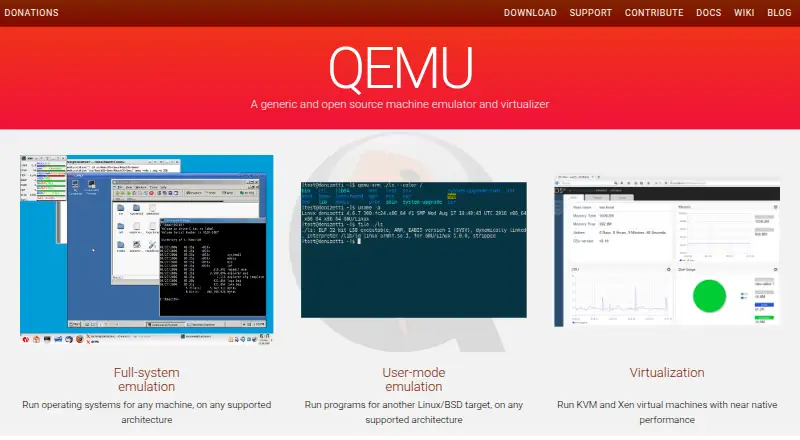
QEMU is a free, open-source machine emulator and virtualizer for developers, system administrators, and researchers who need to run guest operating systems or programs built for another CPU architecture. Its system mode models a complete machine, including CPUs, memory, and devices; user mode focuses on cross-architecture programs. It runs on Linux, macOS, and Windows, making it relevant to engineers seeking broad system emulation rather than a consumer Android environment.
For Android work, the key distinction is scope. QEMU can emulate Arm systems and virtual devices, including USB controllers and devices, but the project does not present it as a dedicated Android emulator. Google Play support is not verified. Buyers who specifically need an Android-focused environment should favor a product built and documented for that purpose; QEMU suits those who can configure and manage a more general virtual machine.
The technical toolkit extends beyond booting a guest: QEMU supports disk image creation, conversion, and modification, snapshots, migration, networking, and layered storage topologies. It can use KVM, Xen, Hypervisor Framework, or Windows Hypervisor Platform for hardware-assisted virtualization, and libvirt is part of its integration ecosystem. A machine-readable QEMU Machine Protocol API supports VM management, while templates can help create new VMs. The software is open source and free, distributed primarily as source and through operating-system package repositories. Choose it for architecture flexibility and system-level control; skip it if your priority is a ready-made Android emulator with documented consumer features.
Your product? Our editors can test QEMU in depth and publish a review, labelled as paid · from $149/mo →
QEMU pricing
QEMU fact sheet
| Free plan | Yes |
|---|---|
| Paid from | Free |
| Desktop platforms | Linux, macOS, Windows |
| Google Play support | Not verified |
| Multi-instance | Yes |
| Keyboard mapping | Yes |
| Gamepad support | Not verified |
| Root access | Not verified |
| Instance limit | Not verified |
| Deployment | Desktop |
| Platforms | Linux, macOS, Windows |
| Integrations | 5 integrations: KVM, Xen, Hypervisor Framework, Windows Hypervisor Platform, libvirt |
| Pricing | Free plan |
| Website | qemu.org |
| Facts checked | 19 Sep 2026 |
QEMU integrations
QEMU lists 5 integrations on its own site.
- KVM
- Xen
- Hypervisor Framework
- Windows Hypervisor Platform
- libvirt
Alternatives to QEMU
- Android EmulatorA free, configurable emulator for testing Android apps across device types and system images.9.4
- Genymotion DesktopCustomizable virtual devices and testing tools, with a free personal-use plan.8.9
- CuttlefishA Linux-based, AOSP-aligned emulator built for configurable devices and parallel testing.8.6



Also Ranked In
QEMU is ranked in 6 of our directories.
Used QEMU? Be the first to review it
The editor score above is our own research. What this page doesn't have yet is a reader's view — what you used QEMU for, what worked and what didn't. No stars are seeded and no review is paid for; an editor reads every one before it appears.
Write a reviewTwo minutes · verified accounts only · read by an editor before it appears
Featured on iTechGuides

QEMU is listed in our Android Emulators directory. Add the badge to your site — it links back to this page.
<a href="https://www.itechguides.com/products/qemu/"><img src="https://www.itechguides.com/best/badge/qemu.svg" alt="Featured on iTechGuides" width="230" height="46"></a>
Reviewed by iTechGuides Editors · Editorial team · Updated Oct 2026
Advertiser disclosure: iTechGuides is reader-supported. Vendors can pay for top positions in our rankings and for a place on other products' pages, and we may earn a commission when you click some links. Bought places stand at the number bought; this page and our disclosure say so. Paying vendors may get a fuller, more detailed review from our editors, and that review can change their score. How we rank.
Last updated · How we research and update