
Vivotics
Vivotics: A broad AI workspace with permission-scoped meeting capture and a high annual starting price. Ranked #68 of 81 in AI Meeting Assistants by our editors (6.0/10); pricing: 30-day trial; best for established workspaces needing permission-scoped AI.
At a glance
- Editor score6.0 / 10
- Pricing30-day trial
- Best forEstablished workspaces needing permission-scoped AI
- Free planNo
- Paid from$2,000/yr
- TranscriptionYes
- Founded2012
- Facts checked20 Sep 2026
Where it wins
- Transcribes Google Meet, Teams, Zoom, and Jitsi speaker by speaker
- Extracts owners, due dates, decisions, and open questions
- Converts accepted suggestions into linked Vivotics tasks
Where it doesn't
- Starts at $2,000 per workspace per year
- AI usage requires the $4,000 Launch + AI plan
- Five listed integrations may limit ecosystem fit
Our verdict on Vivotics
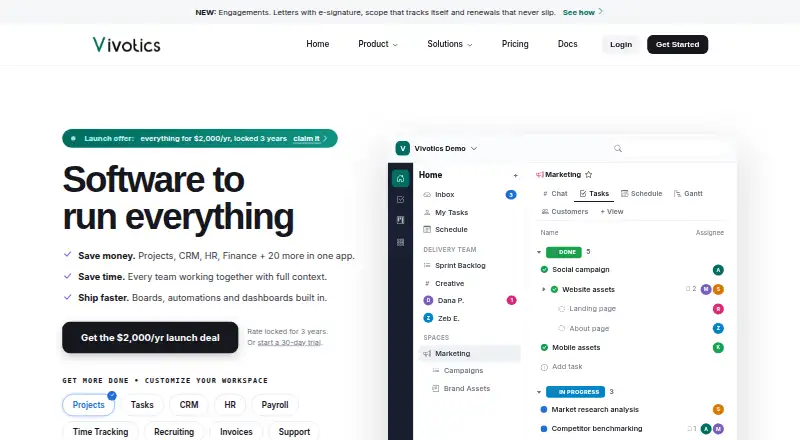
Vivotics combines an AI meeting notetaker with a broader work operating system for agencies, software teams, and professional service businesses. Its bot joins Google Meet, Microsoft Teams, Zoom, or Jitsi calls, transcribes speakers, produces summaries and decisions, and extracts action items with owners and due dates. Teams can also paste transcripts or upload recordings. Meeting outputs connect with Vivotics tasks and the wider workspace, which includes project, CRM, invoicing, HR, and support functions. Google Calendar scheduling and self-hosted deployment extend its platform coverage.
Pricing is workspace-based rather than per user, with annual billing. The Launch plan costs $2,000 per workspace per year and includes all modules, flat workspace pricing, up to 30 team members, and 20 client seats. Launch + AI costs $4,000 per workspace per year and adds unlimited AI usage while retaining the same workspace, team-member, and client-seat structure. A 30-day trial is available, but there is no free plan. This structure may suit established teams that want one workspace across multiple business functions, while smaller teams focused only on meeting notes may find the annual commitment difficult to justify.
The main distinction is how meeting intelligence feeds into operational work. Accepted suggestions can become linked Vivotics tasks, giving action items a direct place in the workspace rather than leaving them in a transcript. Permission-scoped AI processing also supports teams that need defined access boundaries. Platform coverage includes web, Windows, macOS, iOS, Android, and self-hosted deployment, with integrations for Google Meet, Microsoft Teams, Zoom, Jitsi, and Google Calendar. Choose Vivotics when connected workspace management and controlled processing matter; choose an alternative when you need a lower-cost, meeting-focused tool or a broader integration catalog.
Your product? Our editors can test Vivotics in depth and publish a review, labelled as paid · from $149/mo →
Vivotics pricing
All 2 Vivotics plans and prices →
Vivotics fact sheet
| Free plan | No |
|---|---|
| Paid from | $2,000/yr |
| Transcription | Yes |
| Summaries and action items | Yes |
| Meeting capture | Bot |
| Meeting platforms | Google Meet, Microsoft Teams, Zoom, Jitsi |
| Transcription languages | Not verified |
| Calendar integrations | Yes |
| Free trial | 30 days |
| Deployment | Cloud, Self-hosted, Mobile |
| Platforms | Web, Windows, macOS, iOS, Android |
| Compliance & security | GDPR, 2FA |
| Support | Email, Docs · 24/7 |
| Built for | Small business, Mid-market, Enterprise (editorial estimate) |
| Integrations | 5 integrations: Google Meet, Microsoft Teams, Zoom, Jitsi, Google Calendar |
| Pricing | 30-day trial (source) |
| Website | vivotics.com |
| Facts checked | 20 Sep 2026 |
Vivotics integrations
Vivotics lists 5 integrations on its own site.
- Google Meet
- Microsoft Teams
- Zoom
- Jitsi
- Google Calendar
Alternatives to Vivotics
- FellowA broad meeting assistant combining capture, search, action items, governance, and integrations.9.4
- Fireflies.aiA broad AI meeting assistant for multilingual teams and conversation analysis.9.3
- MeetGeekA broad meeting workspace with a useful free tier and flexible paid plans.9.1



See all Vivotics alternatives →
Used Vivotics? Be the first to review it
The editor score above is our own research. What this page doesn't have yet is a reader's view — what you used Vivotics for, what worked and what didn't. No stars are seeded and no review is paid for; an editor reads every one before it appears.
Write a reviewTwo minutes · verified accounts only · read by an editor before it appears
Featured on iTechGuides

Vivotics is listed in our AI Meeting Assistants directory. Add the badge to your site — it links back to this page.
<a href="https://www.itechguides.com/products/vivotics/"><img src="https://www.itechguides.com/best/badge/vivotics.svg" alt="Featured on iTechGuides" width="230" height="46"></a>
Reviewed by iTechGuides Editors · Editorial team · Updated Oct 2026
Advertiser disclosure: iTechGuides is reader-supported. Vendors can pay for top positions in our rankings and for a place on other products' pages, and we may earn a commission when you click some links. Bought places stand at the number bought; this page and our disclosure say so. Paying vendors may get a fuller, more detailed review from our editors, and that review can change their score. How we rank.
Last updated · How we research and update