
Virtual CD
Virtual CD: A focused Windows virtual-drive tool with broad image support, burning, encryption and an API. Ranked #22 of 24 in Virtual Drive Software by our editors (7.0/10); pricing: 30-day trial; best for businesses needing virtual optical media and an API.
At a glance
- Editor score7.0 / 10
- Pricing30-day trial
- Best forBusinesses needing virtual optical media and an API
- Free planNo
- Paid from$16.95/device one-time
- Founded1989 · Göttingen, Germany
- Facts checked20 Sep 2026
Where it wins
- Mounts Virtual CD, ISO and compatible third-party image formats
- Supports virtual burning for CD, DVD, Blu-ray and HD DVD media
- Includes conversion, compression, encryption, configurable drives and an API
Where it doesn't
- Windows-only, including Windows 11, 10, 8, 7, Vista and XP
- No free plan; the full version costs $34.95 one time
- Licensing varies across single-user, private-use and five-user options
Our verdict on Virtual CD
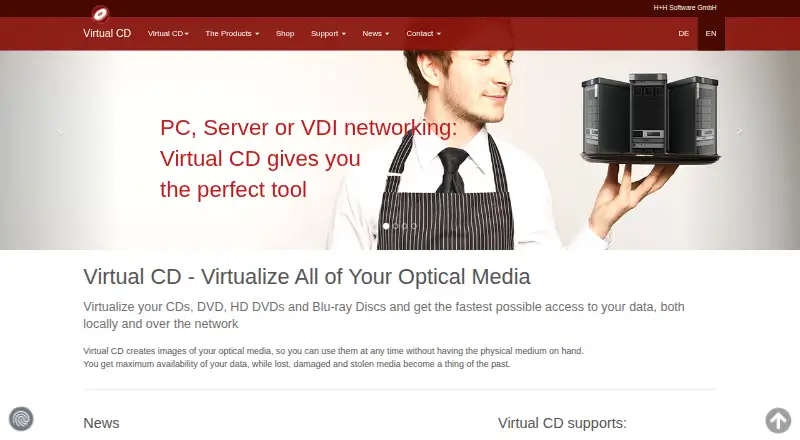
Virtual CD is Windows software for creating, mounting and managing images of CDs, DVDs, HD DVDs and Blu-ray discs. It is aimed at businesses and technical teams that need virtual optical media, image conversion or external program control without relying on physical discs. The software creates proprietary Virtual CD and ISO images, mounts supported files as virtual optical drives, and recognizes NRG, C2D, XMF, IMG, BIN, MDF, BWI, B5I and B6I formats. It also supports configurable virtual-drive counts during installation and is positioned for local, server and VDI networking scenarios.
Its strongest differentiator is the breadth of optical-media operations in one Windows application. Users can create blank images for optical-writing software, virtually burn CD, DVD, Blu-ray and HD DVD media, convert images to ISO format, and compress or encrypt Virtual CD images. The API adds external program control, making the product a closer fit for business workflows than a basic image-mounting utility. Organizations that need image handling plus automation should find this feature mix more relevant than a narrowly focused virtual-drive tool.
Pricing is one-time rather than subscription-based. The Full version is $34.95 for a single full license; a five-user license for private use costs $69.95; and the five-user license costs $119.90. An Update license is listed at $16.95, and a 30-day free trial is available. The product should suit Windows-based businesses that need optical-image creation, mounting, burning and API access. Teams requiring another desktop platform, a free plan or a simpler licensing choice should consider alternatives instead.
Your product? Our editors can test Virtual CD in depth and publish a review, labelled as paid · from $149/mo →
Virtual CD pricing
All 4 Virtual CD plans and prices →
Virtual CD fact sheet
| Free plan | No |
|---|---|
| Paid from | $16.95/device one-time |
| Image formats | Virtual CD images; ISO; NRG; C2D; XMF; IMG; BIN; MDF; BWI; B5I; B6I |
| Max virtual drives | Not verified |
| Virtual disk files | Not verified |
| Optical image mounting | Yes |
| Write images | Yes |
| Supported platforms | Windows 11, 10, 8, 7, Vista and XP, 32-bit and 64-bit |
| Persistent mounts | Not verified |
| Free trial | 30 days |
| Deployment | Desktop |
| Platforms | Windows |
| Support | Community, Docs |
| Built for | Small business, Mid-market, Enterprise (editorial estimate) |
| Pricing | 30-day trial (source) |
| Website | virtualcd-online.com |
| Facts checked | 20 Sep 2026 |
Alternatives to Virtual CD
- DAEMON Tools LiteA broad Windows virtual-drive toolkit with a capable free license and four-device limit.9.3
- WinCDEmuA flexible, free Windows utility for mounting and managing optical-image files.9.2
- ImDiskA free, flexible Windows driver for mounting images and creating virtual disks.9.1



See all Virtual CD alternatives →
Used Virtual CD? Be the first to review it
The editor score above is our own research. What this page doesn't have yet is a reader's view — what you used Virtual CD for, what worked and what didn't. No stars are seeded and no review is paid for; an editor reads every one before it appears.
Write a reviewTwo minutes · verified accounts only · read by an editor before it appears
Featured on iTechGuides

Virtual CD is listed in our Virtual Drive Software directory. Add the badge to your site — it links back to this page.
<a href="https://www.itechguides.com/products/virtual-cd/"><img src="https://www.itechguides.com/best/badge/virtual-cd.svg" alt="Featured on iTechGuides" width="230" height="46"></a>
Reviewed by iTechGuides Editors · Editorial team · Updated Oct 2026
Advertiser disclosure: iTechGuides is reader-supported. Vendors can pay for top positions in our rankings and for a place on other products' pages, and we may earn a commission when you click some links. Bought places stand at the number bought; this page and our disclosure say so. Paying vendors may get a fuller, more detailed review from our editors, and that review can change their score. How we rank.
Last updated · How we research and update