
DAEMON Tools Lite
DAEMON Tools Lite: A broad Windows virtual-drive toolkit with a capable free license and four-device limit. Ranked #1 of 24 in Virtual Drive Software by our editors (9.3/10); pricing: Free plan; best for windows users wanting broad free mounting features.
At a glance
- Editor score9.3 / 10
- PricingFree plan
- Best forWindows users wanting broad free mounting features
- Free planYes
- Max virtual drives4 drives
- Facts checked20 Sep 2026
Where it wins
- Mounts disc images, VHDs, and ZIP archives
- Free version supports up to four virtual devices
- Includes catalogs, burning, bootable USB creation, and automount
Where it doesn't
- Windows-only platform support
- Free License includes partner offers
- Free License has limited support
Our verdict on DAEMON Tools Lite
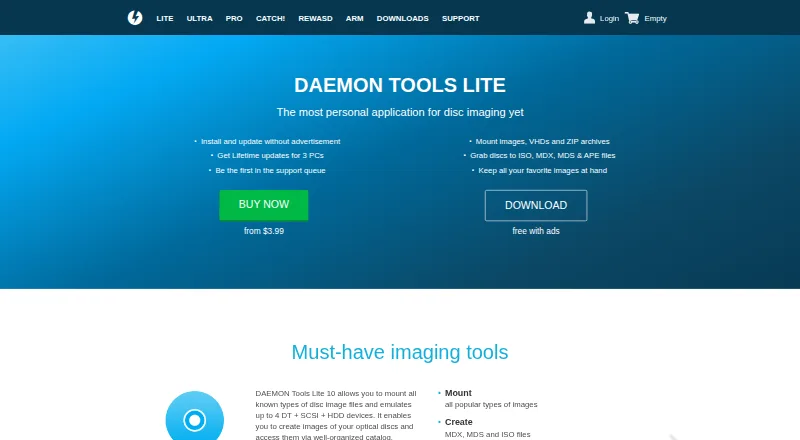
DAEMON Tools Lite is Windows desktop software for mounting disc images and virtual hard-disk files as virtual drives. It is aimed at personal users, developers, and businesses that work with optical-disc images or virtual storage files. The free functionality covers common image formats, image creation, image catalogs, and up to four virtual devices. It also supports persistent mounts and automount after a system restart, making it suitable for recurring virtual-drive tasks on supported Windows versions.
Its main strength is breadth within a desktop virtual-drive tool. DAEMON Tools Lite can mount disc images, VHDs, and ZIP archives; create ISO, MDX, and MDS/MDF images; and create and manage virtual hard disks. The image catalog can scan a PC for images, while Disc Burn handles image, data, and audio discs. The product also creates bootable USB drives. Paid licenses and feature packs add capabilities such as image editing, VHD tools, iSCSI connectivity, Windows Explorer integration, and expanded device limits. This range makes it more suitable for users who need more than basic optical-image mounting.
The plan structure separates personal use from business-oriented support. The Free License includes basic imaging tools, partner offers, and limited support. The Personal License adds lifetime updates for three PCs, removes third-party offers, and includes 24/7 support. The Commercial License is for business institutions and developers, with lifetime updates and dedicated technical support. The All-in Features Pack includes all Pro features, lifetime updates for three PCs, no ads, and full support. Choose DAEMON Tools Lite if you need broad image, virtual-disk, burning, and device features on Windows. Users needing another platform should choose an alternative.
DAEMON Tools Lite pricing
All 4 DAEMON Tools Lite plans and prices →
DAEMON Tools Lite fact sheet
| Free plan | Yes |
|---|---|
| Paid from | Not verified |
| Image formats | B5T, B6T, BWT, CCD, CDI, APE, FLAC, CUE, ISO, ISZ, MDS, MDX, NRG, VMDK, VHD, TC, RAR, 7Z, HC, DAA, WIM, BIN, WAV, ISO.WV, UIF |
| Max virtual drives | 4 drives |
| Virtual disk files | Yes |
| Optical image mounting | Yes |
| Write images | Yes |
| Supported platforms | Windows 11, Windows 10, Windows 8.1, Windows 8, Windows Server 2008 R2, Windows 7, Windows Server 2008, Windows Vista, Windows XP, Windows 2000, Windows 98 |
| Persistent mounts | Yes |
| Deployment | Desktop |
| Platforms | Windows |
| Support | Docs · 24/7 |
| Built for | Solo, Small business, Mid-market, Enterprise (editorial estimate) |
| Pricing | Free plan (source) |
| Website | daemon-tools.cc |
| Facts checked | 20 Sep 2026 |
Alternatives to DAEMON Tools Lite
- WinCDEmuA flexible, free Windows utility for mounting and managing optical-image files.9.2
- ImDiskA free, flexible Windows driver for mounting images and creating virtual disks.9.1
- Virtual CloneDriveA free Windows utility for mounting disc images with up to 15 virtual drives.8.9


See all DAEMON Tools Lite alternatives →
DAEMON Tools Lite vs the competition
- DAEMON Tools Lite vs WinCDEmu
- DAEMON Tools Lite vs ImDisk
- DAEMON Tools Lite vs Virtual CloneDrive
- DAEMON Tools Lite vs TotalMounter
- DAEMON Tools Lite vs gBurner Virtual Drive
- DAEMON Tools Lite vs ImgDrive
Compare DAEMON Tools Lite with any tool side by side →
Also listed in
Used DAEMON Tools Lite? Be the first to review it
The editor score above is our own research. What this page doesn't have yet is a reader's view — what you used DAEMON Tools Lite for, what worked and what didn't. No stars are seeded and no review is paid for; an editor reads every one before it appears.
Write a reviewTwo minutes · verified accounts only · read by an editor before it appears
Featured on iTechGuides

DAEMON Tools Lite is listed in our Virtual Drive Software directory. Add the badge to your site — it links back to this page.
<a href="https://www.itechguides.com/products/daemon-tools-lite/"><img src="https://www.itechguides.com/best/badge/daemon-tools-lite.svg" alt="Featured on iTechGuides" width="230" height="46"></a>
Reviewed by iTechGuides Editors · Editorial team · Updated Oct 2026
Advertiser disclosure: iTechGuides is reader-supported. We may earn a commission when you click some links. How we rank.
Last updated · How we research and update