VirtuaCam
VirtuaCam: A focused Windows virtual camera for compositing feeds, captures, and webcam output. Ranked #29 of 34 in Virtual Camera Software by our editors (5.8/10); pricing: Open source; best for windows developers needing a minimal virtual camera.
At a glance
- Editor score5.8 / 10
- PricingOpen source
- Best forWindows developers needing a minimal virtual camera
- Paid fromFree
- Scene compositionYes
- Facts checked20 Sep 2026
Where it wins
- GPU-based video transfer uses DirectX 11 shared resources
- Combines multiple producers with picture-in-picture and grid layouts
- Works with Zoom, Teams, OBS, Discord, and Windows Camera
Where it doesn't
- Windows-only support excludes macOS and Linux workflows
- The feature set centers on video rather than audio routing
- No camera-input or virtual-output limits are stated
Our verdict on VirtuaCam
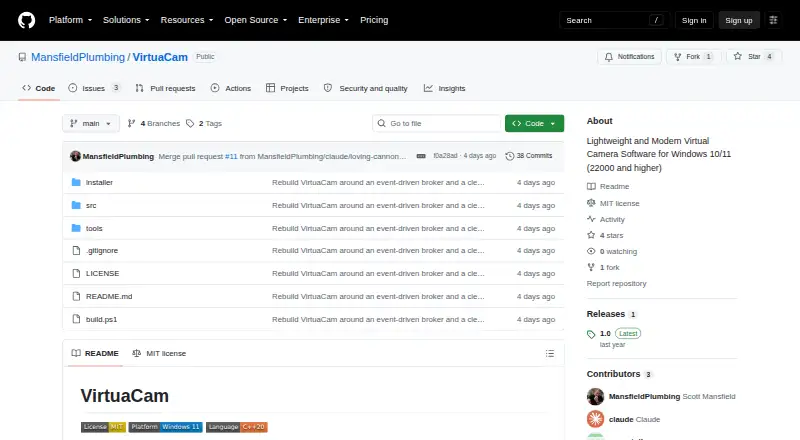
VirtuaCam is an open-source virtual camera for Windows 10 and Windows 11. It is designed for developers and technical users who need to combine video producers and expose the result as a standard webcam. The software can discover compatible video producers, pass through a physical webcam, capture a window or screen, and compose multiple feeds with picture-in-picture or automatic grid layouts. Its output is intended for applications including Zoom, Microsoft Teams, OBS, Discord, and the Windows Camera app.
The strongest technical angle is its video pipeline. VirtuaCam uses GPU-based zero-copy video transfer through DirectX 11 shared resources, alongside a background broker for low-latency transfer. A system-tray controller and hardware-accelerated preview support day-to-day control, while Windows Media Foundation exposes the composed result as a virtual camera. These capabilities give the product a focused architecture for routing and arranging video without turning the tool into a broad production suite.
VirtuaCam suits Windows developers who want an open-source, minimal virtual camera with screen capture, webcam passthrough, and multi-source layouts. Its narrower scope matters when evaluating alternatives: the described feature set is centered on video production and camera output, rather than audio routing or a wider effects toolkit. Choose VirtuaCam when Windows compatibility, GPU-assisted compositing, and integration with common meeting or streaming applications are the priorities. Choose another product when the workflow requires broader platform coverage or capabilities beyond its focused video-broker role.
Your product? Our editors can test VirtuaCam in depth and publish a review, labelled as paid · from $149/mo →
VirtuaCam pricing
VirtuaCam fact sheet
| Free plan | Not verified |
|---|---|
| Paid from | Free |
| Supported platforms | Windows 10/11 |
| Camera inputs | Not verified |
| Scene composition | Yes |
| Background effects | Not verified |
| Virtual camera outputs | Not verified |
| Audio routing | Not verified |
| Deployment | Desktop |
| Platforms | Windows |
| Built for | Solo, Small business (editorial estimate) |
| Integrations | 5 integrations: Zoom, Microsoft Teams, OBS, Discord, Windows Camera app |
| Pricing | Open source |
| Website | github.com |
| Facts checked | 20 Sep 2026 |
VirtuaCam integrations
VirtuaCam lists 5 integrations on its own site.
- Zoom
- Microsoft Teams
- OBS
- Discord
- Windows Camera app
Alternatives to VirtuaCam
- NVIDIA BroadcastA free RTX-powered virtual camera suite for cleaner calls, streams, and recordings.9.3
- ManyCamA broad virtual camera toolkit for teams mixing video, audio, scenes, and streaming.8.8
- OBS StudioA flexible free production tool for creators who want extensible desktop scenes.8.7



See all VirtuaCam alternatives →
Used VirtuaCam? Be the first to review it
The editor score above is our own research. What this page doesn't have yet is a reader's view — what you used VirtuaCam for, what worked and what didn't. No stars are seeded and no review is paid for; an editor reads every one before it appears.
Write a reviewTwo minutes · verified accounts only · read by an editor before it appears
Featured on iTechGuides

VirtuaCam is listed in our Virtual Camera Software directory. Add the badge to your site — it links back to this page.
<a href="https://www.itechguides.com/products/virtuacam/"><img src="https://www.itechguides.com/best/badge/virtuacam.svg" alt="Featured on iTechGuides" width="230" height="46"></a>
Reviewed by iTechGuides Editors · Editorial team · Updated Oct 2026
Advertiser disclosure: iTechGuides is reader-supported. Vendors can pay for top positions in our rankings and for a place on other products' pages, and we may earn a commission when you click some links. Bought places stand at the number bought; this page and our disclosure say so. Paying vendors may get a fuller, more detailed review from our editors, and that review can change their score. How we rank.
Last updated · How we research and update