
ManyCam
ManyCam: A broad virtual camera toolkit for teams mixing video, audio, scenes, and streaming. Ranked #2 of 34 in Virtual Camera Software by our editors (8.8/10); pricing: Free plan; best for teams needing broad camera and audio workflows.
At a glance
- Editor score8.8 / 10
- PricingFree plan
- Best forTeams needing broad camera and audio workflows
- Free planYes
- Paid from$59/device/yr
- Scene compositionYes
- Facts checked20 Sep 2026
Where it wins
- Combines multiple camera, screen, media, and document sources
- Provides virtual webcam and microphone outputs for video apps
- Supports backgrounds, recording, effects, overlays, and RTMP streaming
Where it doesn't
- Standard is limited to one device and four video sources
- Advanced features require annual paid plans
- Enterprise pricing is not displayed with the plan details
Our verdict on ManyCam
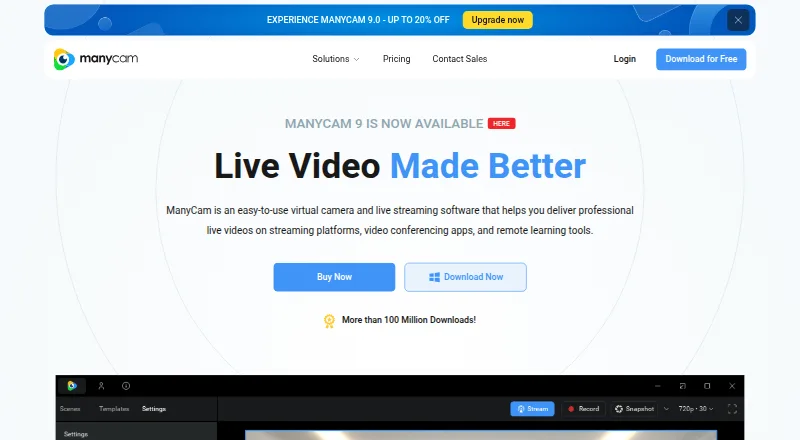
ManyCam is desktop webcam and live-video software for Windows and macOS, with a mobile app that can provide Android or iOS camera feeds to the Windows desktop application. It is designed for teams that need more than a single webcam feed: users can combine webcam, mobile, IP-camera, desktop, media, document, and NDI sources into scenes, then send the result to video applications and websites through virtual webcam and microphone outputs. Its audience includes video-conferencing teams, presenters, streamers, and organizations managing varied camera and audio workflows.
The published plans show a free option alongside annual paid tiers. Standard costs $59 per year for 1 device, 4 video sources, Full HD video quality, 1 RTMP stream, and 1 additional virtual webcam. Studio costs $99 per year and expands access to 2 devices, 50 video sources, 4K video quality, unlimited RTMP streams, and up to 4 additional virtual webcams. Premium costs $119 per year, supports 3 devices and 200 video sources, and retains 4K, unlimited RTMP streams, and up to 4 additional virtual webcams. Enterprise adds a user management platform and business customer support, alongside 200 video sources and 4K video quality.
ManyCam’s main strength is breadth. It supports picture-in-picture scenes, layers, presets, virtual backgrounds, background blur, chroma key, recording, titles, text overlays, drawing, effects, audio playlists, system sound, playback-device controls, and RTMP broadcasting. Its integrations include Zoom, Webex, Microsoft Teams, Google Meet, Skype, GoToMeeting, Amazon Chime, RingCentral, Facebook, YouTube, and Twitch. That range suits teams coordinating calls, presentations, and streams from one workflow. It is less suited to buyers seeking a narrowly focused webcam utility or a simple single-source setup, where its scene, source, and output options may be more than necessary.
Your product? Our editors can test ManyCam in depth and publish a review, labelled as paid · from $149/mo →
ManyCam pricing
All 4 ManyCam plans and prices →
ManyCam fact sheet
| Free plan | Yes |
|---|---|
| Paid from | $59/device/yr |
| Supported platforms | Windows, macOS |
| Camera inputs | 4 |
| Scene composition | Yes |
| Background effects | Yes |
| Virtual camera outputs | 2 |
| Audio routing | Yes |
| Deployment | Desktop, Mobile |
| Platforms | Windows, macOS, iOS, Android |
| Support | Tickets, Community, Docs |
| Built for | Small business, Mid-market, Enterprise (editorial estimate) |
| Integrations | 11 integrations: Zoom, Webex, Microsoft Teams, Google Meet, Skype, GoToMeeting … See all → |
| Pricing | Free plan (source) |
| Website | manycam.com |
| Facts checked | 20 Sep 2026 |
ManyCam integrations
ManyCam lists 11 integrations on its own site.
- Zoom
- Webex
- Microsoft Teams
- Google Meet
- Skype
- GoToMeeting
- Amazon Chime
- RingCentral
- YouTube
- Twitch
See all ManyCam integrations →
Alternatives to ManyCam
- NVIDIA BroadcastA free RTX-powered virtual camera suite for cleaner calls, streams, and recordings.9.3
- OBS StudioA flexible free production tool for creators who want extensible desktop scenes.8.7
- XSplit BroadcasterA capable Windows production hub with free access, multistreaming, and premium tiers.8.6



See all ManyCam alternatives →
ManyCam vs the competition
- ManyCam vs NVIDIA Broadcast
- ManyCam vs OBS Studio
- ManyCam vs XSplit Broadcaster
- ManyCam vs vMix
- ManyCam vs Streamlabs Desktop
- ManyCam vs SplitCam Multistream



Compare ManyCam with any tool side by side →
Also Ranked In
ManyCam is ranked in 4 of our directories.
Used ManyCam? Be the first to review it
The editor score above is our own research. What this page doesn't have yet is a reader's view — what you used ManyCam for, what worked and what didn't. No stars are seeded and no review is paid for; an editor reads every one before it appears.
Write a reviewTwo minutes · verified accounts only · read by an editor before it appears
Featured on iTechGuides

ManyCam is listed in our Virtual Camera Software directory. Add the badge to your site — it links back to this page.
<a href="https://www.itechguides.com/products/manycam/"><img src="https://www.itechguides.com/best/badge/manycam.svg" alt="Featured on iTechGuides" width="230" height="46"></a>
Reviewed by iTechGuides Editors · Editorial team · Updated Oct 2026
Advertiser disclosure: iTechGuides is reader-supported. Vendors can pay for top positions in our rankings and for a place on other products' pages, and we may earn a commission when you click some links. Bought places stand at the number bought; this page and our disclosure say so. Paying vendors may get a fuller, more detailed review from our editors, and that review can change their score. How we rank.
Last updated · How we research and update