ViceSharp
ViceSharp: A free, open-source C64 emulator with debugger, media capture, and gRPC control. Ranked #12 of 31 in Commodore 64 Emulators by our editors (7.4/10); pricing: Free plan; best for windows developers needing emulator control APIs.
At a glance
- Editor score7.4 / 10
- PricingFree plan
- Best forWindows developers needing emulator control APIs
- Free planYes
- Paid fromFree
- Supported platformsWindows
- Facts checked21 Sep 2026
Where it wins
- Cycle-exact C64 emulation validated against VICE x64sc
- Machine-language monitor with stepping, breakpoints, and memory inspection
- gRPC control and capture services for programmatic workflows
Where it doesn't
- Documented desktop packaging currently targets Windows
- Commodore ROM images must be sourced separately
- Several VICE-compatible targets remain planned or unsupported
Our verdict on ViceSharp
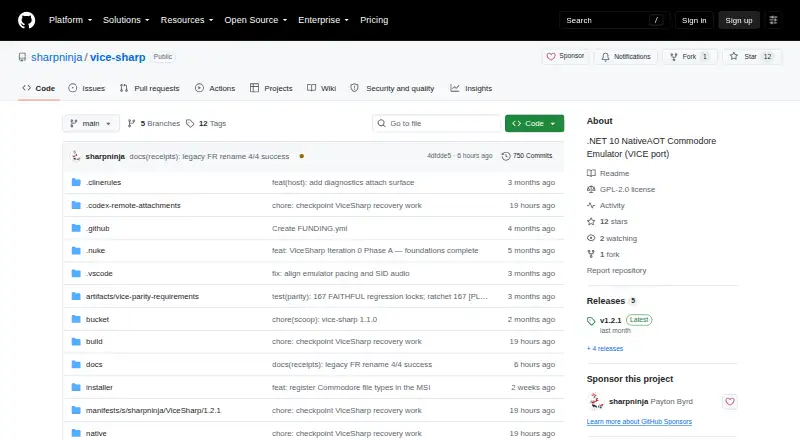
ViceSharp is an open-source Commodore emulator written in C# for .NET 10, centered on Commodore 64 emulation and also providing a VIC-20 core. It is aimed at Windows developers who need both emulator control and a desktop or console workflow. The project combines cycle-exact C64 emulation validated against VICE's x64sc with an Avalonia desktop interface, a console reference shell, disk and tape handling, cartridge mapping, debugging, snapshots, media capture, and gRPC services.
Its strongest differentiator is the combination of emulation depth and automation access. The machine-language monitor supports stepping, breakpoints, and memory inspection, while gRPC control and capture services provide a route for external tooling. C64 media workflows cover D64, G64, T64, and TAP formats, with 1541 drive emulation, TAP tape pulse reading, and standard 8K and 16K cartridge mapping. Snapshots, screenshots, WAV audio, and video capture add useful output options for development, debugging, and documentation.
The trade-off is scope and platform coverage. Windows is the documented supported platform for the desktop packaging, and Commodore ROM images must be supplied separately because they are not included. Several broader VICE machine targets and compatible binaries remain planned or unsupported, so ViceSharp is a focused choice rather than a general replacement for every VICE configuration. Choose it if you need open-source C#/.NET integration, cycle-exact C64 behavior, debugger access, or gRPC control on Windows. Choose another emulator if you need broader verified operating-system coverage or a wider set of supported machine targets.
Your product? Our editors can test ViceSharp in depth and publish a review, labelled as paid · from $149/mo →
ViceSharp pricing
ViceSharp fact sheet
| Free plan | Yes |
|---|---|
| Paid from | Free |
| Supported platforms | Windows |
| Disk and tape formats | D64, G64, T64, TAP |
| Built-in debugger | Yes |
| Netplay support | Not verified |
| Emulated C64 variants | C64, C64C, SX-64 |
| Bundled software library | Not verified |
| Deployment | Desktop |
| Platforms | Windows |
| Support | Docs, Community |
| Built for | Solo, Small business (editorial estimate) |
| Pricing | Free plan |
| Website | github.com |
| Facts checked | 21 Sep 2026 |
Alternatives to ViceSharp
- VICEFree, open-source C64 emulation with cycle accuracy, debugging, media support and network play.9.4
- Breadbin466A free, open-source C64 emulator built for accurate hardware behavior and debugging.9.0
- C64 ForeverA Windows-focused C64 package with bundled titles, broad emulation, and preservation tools.8.8


See all ViceSharp alternatives →
Used ViceSharp? Be the first to review it
The editor score above is our own research. What this page doesn't have yet is a reader's view — what you used ViceSharp for, what worked and what didn't. No stars are seeded and no review is paid for; an editor reads every one before it appears.
Write a reviewTwo minutes · verified accounts only · read by an editor before it appears
Featured on iTechGuides

ViceSharp is listed in our Commodore 64 Emulators directory. Add the badge to your site — it links back to this page.
<a href="https://www.itechguides.com/products/vicesharp/"><img src="https://www.itechguides.com/best/badge/vicesharp.svg" alt="Featured on iTechGuides" width="230" height="46"></a>
Reviewed by iTechGuides Editors · Editorial team · Updated Oct 2026
Advertiser disclosure: iTechGuides is reader-supported. Vendors can pay for top positions in our rankings and for a place on other products' pages, and we may earn a commission when you click some links. Bought places stand at the number bought; this page and our disclosure say so. Paying vendors may get a fuller, more detailed review from our editors, and that review can change their score. How we rank.
Last updated · How we research and update