UserTasks
UserTasks: A broad open-source workflow platform for complex operations involving people and systems. Ranked #49 of 131 in Workflow Automation Tools by our editors (4.5/10); pricing: Open source; best for human-centric open-source workflow operations.
At a glance
- Editor score4.5 / 10
- PricingOpen source
- Best forHuman-centric open-source workflow operations
- Paid fromFree
- Multi-step workflowsYes
- Facts checked22 Sep 2026
Where it wins
- Handles branching, loops, parallel paths, and reusable sub-workflows
- Combines human tasks, approvals, SLAs, escalations, and audit trails
- Connects enterprise systems, databases, webhooks, documents, and AI agents
Where it doesn't
- Its broad scope may exceed the needs of simple task automation
- Self-hosted and private deployment paths require deployment decisions
- AI agents add another layer to workflow design and governance
Our verdict on UserTasks
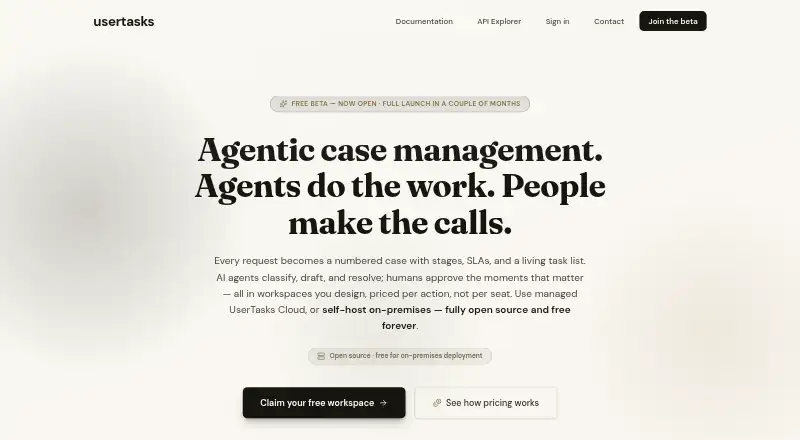
UserTasks is an open-source workflow automation platform for operational processes that combine systems, data, documents, AI agents, and human work. It is aimed at organizations managing onboarding, approvals, reconciliation, incident response, and document workflows. The visual event-driven designer supports multi-step workflows with branching, loops, parallel paths, schedules, webhooks, and reusable sub-workflows. Human tasks, approvals, queues, assignments, outcomes, forms, application pages, and custom data tables extend the platform beyond system-to-system automation.
Platform fit is a central strength. UserTasks supports web, API, and self-hosted deployment, with managed cloud and private or on-premises paths. Integrations include Salesforce, ServiceNow, Jira, Microsoft Dataverse, SAP, Workday, UKG Pro, Slack, Microsoft Teams, SharePoint, OneDrive, Google Drive, Gmail, PostgreSQL, and SQL Server. REST, OData, database, OAuth, and webhook integrations provide additional connection options, while incoming webhooks and scheduled triggers support event-driven and time-based processes.
The standout capability is its treatment of human work as part of the workflow. SLAs, reminders, escalations, overdue handling, queues, approvals, and assignments provide structure for processes that cannot be fully automated. Audit trails, run history, diagnostics, and operational reports support oversight, while AI agents can participate in workflows with tools, knowledge, and traces. UserTasks is a strong fit for teams seeking open-source control over complex, human-centric operations. Teams that only need lightweight, narrowly focused automation may prefer a simpler tool.
Your product? Our editors can test UserTasks in depth and publish a review, labelled as paid · from $149/mo →
UserTasks pricing
UserTasks fact sheet
| Free plan | Not verified |
|---|---|
| Paid from | Free |
| Native connectors | Not verified |
| Multi-step workflows | Yes |
| Conditional logic | Yes |
| Webhook triggers | Yes |
| Included task runs | Not verified |
| Minimum run interval | Not verified |
| Deployment | Cloud, Self-hosted |
| Platforms | Web |
| Support | Docs |
| Built for | Mid-market, Enterprise (editorial estimate) |
| Integrations | 40+ integrations: Salesforce, ServiceNow, Jira, Microsoft Dataverse, SAP, Workday … See all → |
| Pricing | Open source |
| Website | usertasks.com |
| Facts checked | 22 Sep 2026 |
UserTasks integrations
UserTasks lists 40+ integrations on its own site — the 20 named here are the ones its pages call out.
- Salesforce
- ServiceNow
- Jira
- Microsoft Dataverse
- SAP
- Workday
- UKG Pro
- Slack
- Microsoft Teams
- SharePoint
- OneDrive
- Google Drive
- Gmail
- PostgreSQL
- SQL Server
- MySQL
- Snowflake
- MongoDB
- AWS S3
- OpenAI
See all UserTasks integrations →
Alternatives to UserTasks
- ZapierA mature no-code automation platform with exceptional app coverage and flexible workflow logic.9.3
- MakeBroad no-code automation with a free plan, 3,000+ apps, and multi-step routing.9.2
- Microsoft Power AutomateA Microsoft-focused automation platform combining cloud flows, desktop RPA, governance, and Copilot.9.0


See all UserTasks alternatives →
Used UserTasks? Be the first to review it
The editor score above is our own research. What this page doesn't have yet is a reader's view — what you used UserTasks for, what worked and what didn't. No stars are seeded and no review is paid for; an editor reads every one before it appears.
Write a reviewTwo minutes · verified accounts only · read by an editor before it appears
Featured on iTechGuides

UserTasks is listed in our Workflow Automation Tools directory. Add the badge to your site — it links back to this page.
<a href="https://www.itechguides.com/products/usertasks/"><img src="https://www.itechguides.com/best/badge/usertasks.svg" alt="Featured on iTechGuides" width="230" height="46"></a>
Guides on workflow automation tools
- Top 5 n8n Alternatives in 2026: Choosing the Right Workflow Automation ToolAug 2026
- 5 Workflow Automation Tools for Professionals: How to ChooseOct 2026
- n8n Workflow Automation Software Review (2026): Powerful, Flexible, and Not for EveryoneAug 2026
Reviewed by iTechGuides Editors · Editorial team · Updated Sep 2026
Advertiser disclosure: iTechGuides is reader-supported. Vendors can pay for top positions in our rankings and for a place on other products' pages, and we may earn a commission when you click some links. Bought places stand at the number bought; this page and our disclosure say so. Paying vendors may get a fuller, more detailed review from our editors, and that review can change their score. How we rank.
Last updated · How we research and update