
USBImager
USBImager: A free, portable image writer for cross-platform USB creation and removable-drive backups. Ranked #25 of 38 in Bootable USB Software by our editors (6.3/10); pricing: Free plan; best for cross-platform image writing and backups.
At a glance
- Editor score6.3 / 10
- PricingFree plan
- Best forCross-platform image writing and backups
- Free planYes
- Paid fromFree
- Founded2020
- Facts checked21 Sep 2026
Where it wins
- Runs on Windows, macOS, and Linux with portable binaries
- Reads raw, compressed, and archived disk-image formats
- Verifies writes and creates raw or Zstandard-compressed backups
Where it doesn't
- Works with local image files rather than a download catalog
- Does not document multiboot or persistent-storage features
- Does not document partition-scheme selection
Our verdict on USBImager
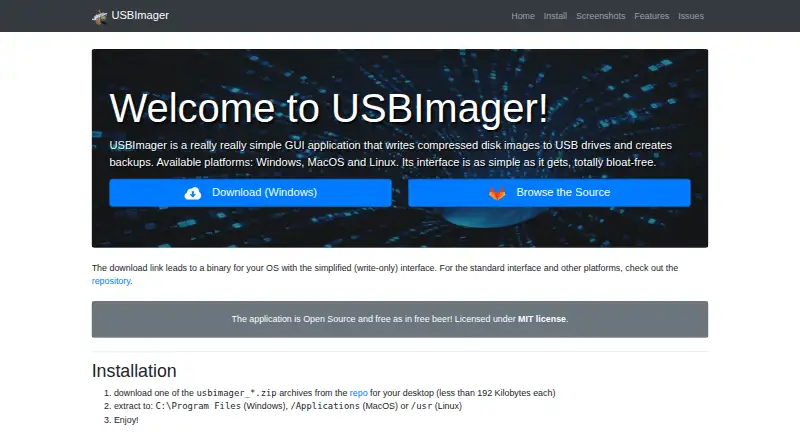
USBImager is a lightweight, open-source desktop application for writing operating-system and other disk images to USB drives. It is aimed at users who want a graphical alternative to command-line disk-writing tools across Windows, macOS, and Linux. Its portable executable requires no installation, making it suitable for occasional image writing, support work, and environments where a dedicated setup process is undesirable. The product is free and focuses on direct work with locally available image files.
Its strongest advantage is breadth in image handling. USBImager reads raw formats including IMG, BIN, RAW, ISO, and DD, while also reading compressed images on the fly and supporting ZIP, TAR, CPIO, PAX, and other supported archives. After writing, it can compare the disk with the image to verify the result. The backup workflow extends beyond writing: removable devices can be saved as raw images or Zstandard-compressed backups. It can also send images to microcontrollers over a serial line, giving the tool a wider technical scope than a basic USB writer.
USBImager is a good fit for users who already have image files and want a compact utility that combines writing, verification, and backup functions on three desktop operating systems. Its local-file focus is less suited to people who want an integrated image catalog or guided downloads. Users seeking multiboot media, persistent storage, or partition-scheme selection should choose a tool built around those workflows instead. For straightforward single-image writing and removable-drive backups, USBImager keeps the feature set focused while covering several useful formats and operating environments.
Your product? Our editors can test USBImager in depth and publish a review, labelled as paid · from $149/mo →
USBImager pricing
USBImager fact sheet
| Free plan | Yes |
|---|---|
| Paid from | Free |
| Windows app | Yes |
| macOS app | Yes |
| Linux app | Yes |
| Multiboot support | Not verified |
| Persistent storage | Not verified |
| Image downloads | Local_only |
| Partition schemes | Not verified |
| Deployment | Desktop |
| Platforms | Windows, macOS, Linux |
| Compliance & security | GDPR |
| Support | Community, Docs |
| Built for | Solo, Small business (editorial estimate) |
| Pricing | Free plan |
| Website | bztsrc.gitlab.io |
| Facts checked | 21 Sep 2026 |
Alternatives to USBImager
- VentoyA free, open-source multiboot USB utility with broad image and boot-mode support.9.4
- Universal USB InstallerA free, broad USB creation toolkit with multiboot, persistence, downloads, and QEMU testing.9.2
- Easy2BootA free, format-flexible choice for advanced multiboot USB and hard-disk setups.9.1


See all USBImager alternatives →
Used USBImager? Be the first to review it
The editor score above is our own research. What this page doesn't have yet is a reader's view — what you used USBImager for, what worked and what didn't. No stars are seeded and no review is paid for; an editor reads every one before it appears.
Write a reviewTwo minutes · verified accounts only · read by an editor before it appears
Featured on iTechGuides

USBImager is listed in our Bootable USB Software directory. Add the badge to your site — it links back to this page.
<a href="https://www.itechguides.com/products/usbimager/"><img src="https://www.itechguides.com/best/badge/usbimager.svg" alt="Featured on iTechGuides" width="230" height="46"></a>
Reviewed by iTechGuides Editors · Editorial team · Updated Oct 2026
Advertiser disclosure: iTechGuides is reader-supported. Vendors can pay for top positions in our rankings and for a place on other products' pages, and we may earn a commission when you click some links. Bought places stand at the number bought; this page and our disclosure say so. Paying vendors may get a fuller, more detailed review from our editors, and that review can change their score. How we rank.
Last updated · How we research and update