Easy2Boot
Easy2Boot: A free, format-flexible choice for advanced multiboot USB and hard-disk setups. Ranked #3 of 38 in Bootable USB Software by our editors (9.1/10); pricing: Free plan; best for advanced multiboot USB and hard-disk setups.
At a glance
- Editor score9.1 / 10
- PricingFree plan
- Best forAdvanced multiboot USB and hard-disk setups
- Free planYes
- Paid fromFree
- Multiboot supportYes
- Facts checked22 Sep 2026
Where it wins
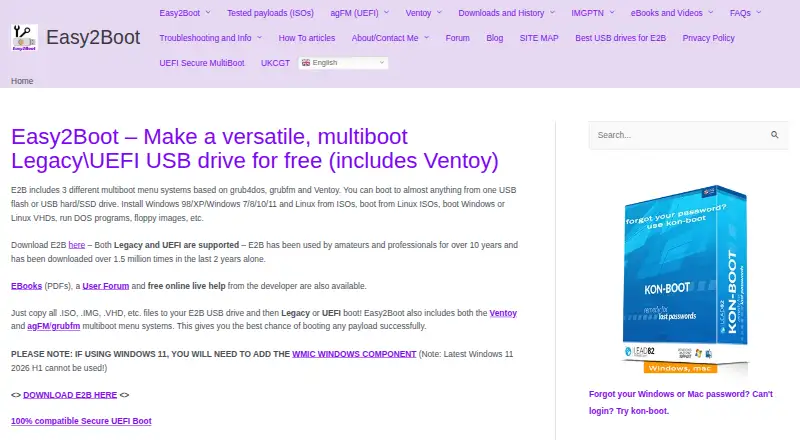
- Boots ISO, WIM, EFI, IMG, VHD, VHDx and HFS files
- Supports Legacy, UEFI, Secure Boot and Linux persistence
- Includes Easy2Boot, agFM and Ventoy menu systems
Where it doesn't
- Secure Boot support uses partition image files
- Payloads must be copied into predefined menu folders
- Image downloads are local-only rather than built into the software
Our verdict on Easy2Boot
Easy2Boot creates multiboot USB flash drives and USB hard disks for users managing operating-system installers, Linux distributions, Windows images, virtual hard disks, DOS utilities and other bootable payloads. It runs on Windows and Linux, with a Windows utility and a Linux-compatible ZIP package for creating the drive. Its focus is flexibility: one drive can organize multiple payloads and boot across Legacy and UEFI systems.
Format support is a central strength. Easy2Boot can boot ISO, WIM, EFI, IMA, IMG, VHD, VHDx and HFS files, while also supporting Linux persistence configurations and automated Windows installations. The software includes three menu systems—Easy2Boot, agFM and Ventoy for Easy2Boot—giving advanced users several ways to present and launch payloads. Secure Boot is supported through partition image files, and the category specifications identify support for both partition schemes.
The workflow is file-oriented: users create the drive, then copy payload files into predefined menu folders. That approach suits people who want to manage a varied local collection of images and control how they appear in boot menus. It is less suitable for anyone expecting the software to download operating-system images for them, since image downloads are local-only. Easy2Boot is a strong fit for advanced multiboot USB and hard-disk setups, particularly when persistence, automated Windows installation and broad image-format support matter. Users seeking a simpler single-image writing workflow may prefer a narrower tool.
Your product? Our editors can test Easy2Boot in depth and publish a review, labelled as paid · from $149/mo →
Easy2Boot pricing
Easy2Boot fact sheet
| Free plan | Yes |
|---|---|
| Paid from | Free |
| Windows app | Yes |
| macOS app | Not verified |
| Linux app | Yes |
| Multiboot support | Yes |
| Persistent storage | Yes |
| Image downloads | Local_only |
| Partition schemes | Both |
| Deployment | Desktop |
| Platforms | Windows, Linux |
| Support | Live chat, Community, Docs |
| Built for | Solo, Small business, Mid-market, Enterprise (editorial estimate) |
| Pricing | Free plan |
| Website | easy2boot.xyz |
| Facts checked | 22 Sep 2026 |
Alternatives to Easy2Boot
- VentoyA free, open-source multiboot USB utility with broad image and boot-mode support.9.4
- Universal USB InstallerA free, broad USB creation toolkit with multiboot, persistence, downloads, and QEMU testing.9.2
- YUMIA free, feature-rich choice for multiboot USBs with persistence and backups.9.0


See all Easy2Boot alternatives →
Easy2Boot vs the competition
- Easy2Boot vs Ventoy
- Easy2Boot vs Universal USB Installer
- Easy2Boot vs YUMI
- Easy2Boot vs Rufus
- Easy2Boot vs WinSetupFromUSB
- Easy2Boot vs SARDU MultiBoot Creator


Compare Easy2Boot with any tool side by side →
Also Ranked In
Easy2Boot is ranked in 2 of our directories.
Used Easy2Boot? Be the first to review it
The editor score above is our own research. What this page doesn't have yet is a reader's view — what you used Easy2Boot for, what worked and what didn't. No stars are seeded and no review is paid for; an editor reads every one before it appears.
Write a reviewTwo minutes · verified accounts only · read by an editor before it appears
Featured on iTechGuides

Easy2Boot is listed in our Bootable USB Software directory. Add the badge to your site — it links back to this page.
<a href="https://www.itechguides.com/products/easy2boot/"><img src="https://www.itechguides.com/best/badge/easy2boot.svg" alt="Featured on iTechGuides" width="230" height="46"></a>
Reviewed by iTechGuides Editors · Editorial team · Updated Oct 2026
Advertiser disclosure: iTechGuides is reader-supported. Vendors can pay for top positions in our rankings and for a place on other products' pages, and we may earn a commission when you click some links. Bought places stand at the number bought; this page and our disclosure say so. Paying vendors may get a fuller, more detailed review from our editors, and that review can change their score. How we rank.
Last updated · How we research and update