USB Image Tool
USB Image Tool: A focused free tool for byte-for-byte USB imaging on Windows. Ranked #31 of 32 in Disk Imaging Software by our editors (6.2/10); pricing: Free plan; best for exact USB device image copying.
At a glance
- Editor score6.2 / 10
- PricingFree plan
- Best forExact USB device image copying
- Free planYes
- Paid fromFree
- Bare-metal restoreNo
- Facts checked21 Sep 2026
Where it wins
- Creates and restores byte-for-byte USB device images
- Supports raw, GZ, and ZIP image formats
- Includes checksum verification and a command-line utility
Where it doesn't
- Runs on Windows 7 or higher only
- Focuses on USB storage rather than full-system imaging
- Offers no image encryption, cloud destination, or incremental imaging
Our verdict on USB Image Tool
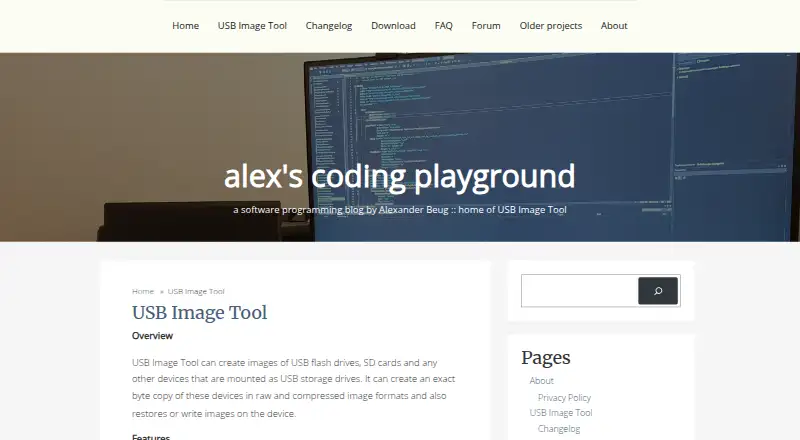
USB Image Tool is a free Windows desktop utility for creating and restoring exact byte-for-byte images of USB flash drives, SD cards, and other USB Mass Storage devices. It is intended for users who need portable removable-media imaging, rather than a general backup platform for complete computers. The tool can save images in raw, GZ, or ZIP formats and restore them to USB storage devices.
Its strongest capability is control over the imaging target. Device mode captures boot sectors and complete USB devices, while volume mode processes the first USB volume. The tool also adjusts GPT tables to maintain partition numbering, displays USB device information, manages favorite images, and supports checksum verification. A command-line utility adds an option for scripted or repeatable workflows. These features suit technical users preserving, duplicating, or restoring removable media, including cases where the exact device structure matters.
The product’s narrow scope is also its main boundary. It does not provide bare-metal restore, incremental or differential imaging, image encryption, or cloud destinations, so it is not a substitute for full-system backup software or a broader disk-imaging suite. Its platform support is limited to Windows 7 or higher. Users who need straightforward USB device and volume imaging without a license cost should consider it; users seeking cross-platform operation, protected image storage, cloud workflows, or comprehensive computer recovery should choose a different category of tool.
Your product? Our editors can test USB Image Tool in depth and publish a review, labelled as paid · from $149/mo →
USB Image Tool pricing
USB Image Tool fact sheet
| Free plan | Yes |
|---|---|
| Paid from | Free |
| Bare-metal restore | No |
| Bootable recovery media | Yes |
| Incremental images | No |
| Differential images | No |
| Supported platforms | Windows 7 or higher |
| Image encryption | No |
| Cloud image destination | No |
| Deployment | Desktop |
| Platforms | Windows |
| Support | Community, Docs |
| Built for | Solo, Small business (editorial estimate) |
| Pricing | Free plan |
| Website | alexpage.de |
| Facts checked | 21 Sep 2026 |
Alternatives to USB Image Tool
- ClonezillaA capable free imaging toolkit for technical users and multi-computer deployment.9.3
- Macrium ReflectA Windows-focused imaging suite for detailed backup and resilient recovery.9.1
- Acronis True ImageA broad personal backup suite with cloning, recovery, mobile coverage and ransomware monitoring.9.0



See all USB Image Tool alternatives →
Used USB Image Tool? Be the first to review it
The editor score above is our own research. What this page doesn't have yet is a reader's view — what you used USB Image Tool for, what worked and what didn't. No stars are seeded and no review is paid for; an editor reads every one before it appears.
Write a reviewTwo minutes · verified accounts only · read by an editor before it appears
Featured on iTechGuides

USB Image Tool is listed in our Disk Imaging Software directory. Add the badge to your site — it links back to this page.
<a href="https://www.itechguides.com/products/usb-image-tool/"><img src="https://www.itechguides.com/best/badge/usb-image-tool.svg" alt="Featured on iTechGuides" width="230" height="46"></a>
Reviewed by iTechGuides Editors · Editorial team · Updated Oct 2026
Advertiser disclosure: iTechGuides is reader-supported. Vendors can pay for top positions in our rankings and for a place on other products' pages, and we may earn a commission when you click some links. Bought places stand at the number bought; this page and our disclosure say so. Paying vendors may get a fuller, more detailed review from our editors, and that review can change their score. How we rank.
Last updated · How we research and update