
Clonezilla
Clonezilla: A capable free choice for technicians managing disk images, cloning, and bare-metal recovery. Ranked #43 of 150 in Backup Software by our editors (4.9/10); pricing: Free plan; best for technicians performing free disk imaging.
At a glance
- Editor score4.9 / 10
- PricingFree plan
- Best forTechnicians performing free disk imaging
- Free planYes
- Paid fromFree
- Server backupYes
- Facts checked23 Sep 2026
Where it wins
- Supports Windows, macOS, Linux, BSD, VMware, and Chrome OS file systems
- Provides disk imaging, cloning, bare-metal recovery, and multicast deployment
- Connects to SSH, Samba, NFS, and WebDAV network repositories
Where it doesn't
- Requires bootable media or deployment workflows for individual computers
- Focuses on disk and partition operations rather than continuously managed backup
- Network-based deployment requires technical configuration and administration
Our verdict on Clonezilla
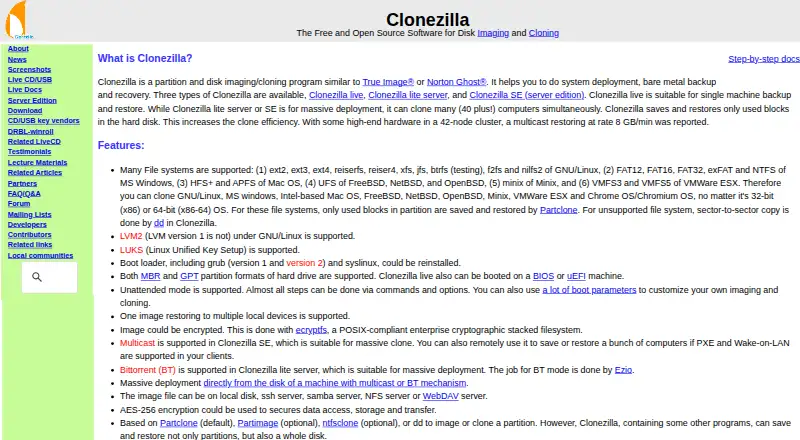
Clonezilla is free, open-source software for partition and whole-disk imaging, cloning, system deployment, and bare-metal backup and recovery. It suits technicians who need to capture, restore, or replicate computer disks across Windows, macOS, and Linux environments. Clonezilla Live runs as a bootable GNU/Linux distribution from CD/DVD or USB media for individual computers, while Clonezilla Lite Server and Clonezilla Server Edition support network-based deployment and cloning to multiple computers. Its broad file-system support also includes BSD, VMware, and Chrome OS environments.
The product’s strongest area is operational imaging depth. It supports disk-to-disk cloning, restoring one image to multiple disks, MBR and GPT partition formats, AES-256 image encryption, and unattended operation through commands, options, and boot parameters. For centralized workflows, images can be stored through SSH, Samba, NFS, or WebDAV repositories, while PXE, Wake-on-LAN, and multicast deployment through Clonezilla Server Edition extend its usefulness across multiple computers. These capabilities make it a practical fit for technical teams handling repeatable imaging and recovery tasks.
Clonezilla is better suited to deliberate imaging and deployment workflows than to a continuously managed backup service. Its design favors technicians comfortable with bootable media, network repositories, command options, and server-edition deployment. Choose it when free, open-source disk imaging, cloning, encryption, and bare-metal recovery are the priorities. Choose another type of backup product when the main requirement is an automated, continuously managed service rather than technician-directed computer imaging.
Your product? Our editors can test Clonezilla in depth and publish a review, labelled as paid · from $149/mo →
Clonezilla pricing
Clonezilla fact sheet
| Free plan | Yes |
|---|---|
| Paid from | Free |
| Computer backup | Yes |
| Mobile backup | No |
| Server backup | Yes |
| Backup scope | Mixed |
| Restore modes | Mixed |
| Ransomware protection | No |
| Supported platforms | Linux-based bootable environment; can image supported file systems used by Linux, Windows, Mac, BSD, Minix, VMware ESX, and Chrome OS/Chromium OS |
| Deployment | Self-hosted |
| Platforms | Linux |
| Support | Docs, Community |
| Built for | Small business, Mid-market, Enterprise (editorial estimate) |
| Integrations | 4 integrations: SSH, Samba, NFS, WebDAV |
| Pricing | Free plan |
| Website | clonezilla.org |
| Facts checked | 23 Sep 2026 |
Clonezilla integrations
Clonezilla lists 4 integrations on its own site.
- SSH
- Samba
- NFS
- WebDAV
Alternatives to Clonezilla
- Veeam Backup & ReplicationA wide-ranging backup platform for enterprise virtual and hybrid environments.9.4
- Rubrik Security CloudA cyber-recovery platform built around immutable backup, threat investigation, and clean-state recovery.9.2
- NAKIVO Backup & ReplicationA broad VM backup platform with recovery, replication, and disaster-recovery workflows.8.8

See all Clonezilla alternatives →
Also Ranked In
Clonezilla is ranked in 6 of our directories.
Used Clonezilla? Be the first to review it
The editor score above is our own research. What this page doesn't have yet is a reader's view — what you used Clonezilla for, what worked and what didn't. No stars are seeded and no review is paid for; an editor reads every one before it appears.
Write a reviewTwo minutes · verified accounts only · read by an editor before it appears
Featured on iTechGuides

Clonezilla is listed in our Backup Software directory. Add the badge to your site — it links back to this page.
<a href="https://www.itechguides.com/products/clonezilla/"><img src="https://www.itechguides.com/best/badge/clonezilla.svg" alt="Featured on iTechGuides" width="230" height="46"></a>
Reviewed by iTechGuides Editors · Editorial team · Updated Oct 2026
Advertiser disclosure: iTechGuides is reader-supported. Vendors can pay for top positions in our rankings and for a place on other products' pages, and we may earn a commission when you click some links. Bought places stand at the number bought; this page and our disclosure say so. Paying vendors may get a fuller, more detailed review from our editors, and that review can change their score. How we rank.
Last updated · How we research and update