Universal Extractor 2
Universal Extractor 2: A free, open-source Windows extractor for archives and less common package types. Ranked #27 of 36 in File Compression Software by our editors (7.2/10); pricing: Free plan; best for windows users extracting unusual packages.
At a glance
- Editor score7.2 / 10
- PricingFree plan
- Best forWindows users extracting unusual packages
- Free planYes
- Paid fromFree
- Facts checked23 Sep 2026
Where it wins
- Handles archives, installers, disk images, and game packages.
- Offers batch extraction, file-type scanning, and command-line options.
- Free and open source, with a portable version.
Where it doesn't
- Windows only, with support listed for Windows XP or newer.
- Extracts files but does not create or recompress archives.
- The project is still in beta, and updates are rare.
Our verdict on Universal Extractor 2
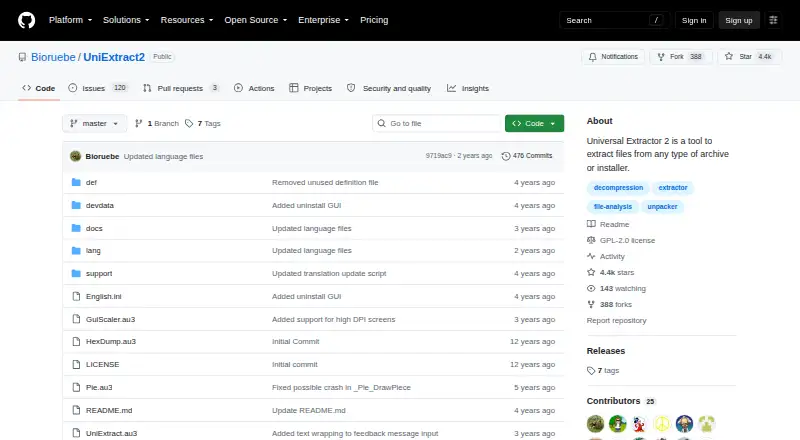
Universal Extractor 2 is a Windows desktop utility for unpacking files from compressed archives, application installers, disk images, game packages, and multimedia files. It is aimed at people who need to extract unusual or varied formats, rather than manage archives end to end. The project is an unofficial, community-maintained extension of the original Universal Extractor, distributed as open-source software under GPLv2. It is free and offers a portable version, making it a practical fit for individual Windows users with extraction-focused needs.
Its breadth is the main distinction: supported archive formats include ZIP, 7z, RAR, TAR, ACE, ARJ, XZ, ZPAQ, and others. It can also extract files from many application installers, disk images, and game archives. Batch mode can process multiple extractions, while scan-only mode identifies file types before extraction. Password lists are supported for common archives. Silent operation and command-line options provide a route for scripted or less interactive workflows, and a built-in updater is included.
The narrow role matters when choosing it. Universal Extractor 2 extracts; it does not create or recompress archives, so users who need those capabilities should choose a broader archive manager. It is also limited to Windows, with support specified for Windows XP or newer. The project describes itself as still in beta and says updates are rare, so users seeking a frequently updated product may prefer an alternative. Community and email are the listed support channels. Choose it when wide-format extraction on Windows is the priority; skip it if archive creation, recompression, or another operating system is essential.
Your product? Our editors can test Universal Extractor 2 in depth and publish a review, labelled as paid · from $149/mo →
Universal Extractor 2 pricing
Universal Extractor 2 fact sheet
| Free plan | Yes |
|---|---|
| Paid from | Free |
| Archive formats | 7z, ACE, ALZ, ARC, ARJ, bzip2, CPIO, gzip, LZH, LZMA, RAR, StuffIt, TAR, XZ, ZIP, ZOO, ZPAQ, and other formats |
| Archive encryption | Not verified |
| Split archives | Not verified |
| Command-line tools | Yes |
| Portable version | Yes |
| Archive repair | Not verified |
| Supported platforms | Windows XP or newer |
| Deployment | Desktop |
| Platforms | Windows |
| Support | Community, Email |
| Built for | Solo, Small business (editorial estimate) |
| Pricing | Free plan |
| Website | github.com |
| Facts checked | 23 Sep 2026 |
Alternatives to Universal Extractor 2
- 7-ZipA free, open-source archiver with broad formats, encryption, recovery tools, and cross-platform support.9.4
- PeaZipA capable free archive manager for desktop users who need broad format coverage and file utilities.9.2
- PowerArchiverA format-rich archive tool for business workflows, automation, and secure file handling.9.0

See all Universal Extractor 2 alternatives →
Used Universal Extractor 2? Be the first to review it
The editor score above is our own research. What this page doesn't have yet is a reader's view — what you used Universal Extractor 2 for, what worked and what didn't. No stars are seeded and no review is paid for; an editor reads every one before it appears.
Write a reviewTwo minutes · verified accounts only · read by an editor before it appears
Featured on iTechGuides

Universal Extractor 2 is listed in our File Compression Software directory. Add the badge to your site — it links back to this page.
<a href="https://www.itechguides.com/products/universal-extractor-2/"><img src="https://www.itechguides.com/best/badge/universal-extractor-2.svg" alt="Featured on iTechGuides" width="230" height="46"></a>
Reviewed by iTechGuides Editors · Editorial team · Updated Oct 2026
Advertiser disclosure: iTechGuides is reader-supported. Vendors can pay for top positions in our rankings and for a place on other products' pages, and we may earn a commission when you click some links. Bought places stand at the number bought; this page and our disclosure say so. Paying vendors may get a fuller, more detailed review from our editors, and that review can change their score. How we rank.
Last updated · How we research and update