
UltraFTP
UltraFTP: A capable Windows SFTP client for UltraEdit users, with strong transfer and sync tools. Ranked #23 of 31 in SFTP Client Software by our editors (7.0/10); pricing: 30-day trial; best for windows users already using UltraEdit tools.
At a glance
- Editor score7.0 / 10
- Pricing30-day trial
- Best forWindows users already using UltraEdit tools
- Free planNo
- Paid from$119.95/yr
- Supported platformsWindows
- Founded1994 · Austin, Texas, USA
- Facts checked20 Sep 2026
Where it wins
- Supports FTP, SFTP, and FTPS with parallel transfers
- Syncs local and remote folders in multiple directions
- Integrates with UltraEdit, UEStudio, and cloud storage services
Where it doesn't
- Windows-only platform support
- No free plan; paid access starts at $119.95 per year
- UltraFTP is sold with UltraEdit Enterprise rather than standalone
Our verdict on UltraFTP
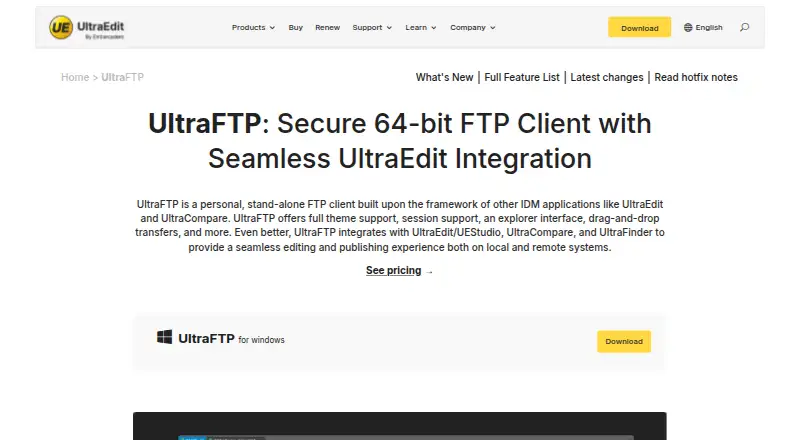
UltraFTP is a Windows desktop client for managing files on FTP, SFTP, and FTPS servers. It suits users who need more than basic file transfers, particularly those already working with UltraEdit tools. Tabbed sessions, saved accounts, drag-and-drop transfers, remote previews, and an integrated SSH/Telnet console support recurring file-management work across multiple connections.
The published plans bundle UltraFTP with UltraEdit Enterprise. The UltraEdit Enterprise Subscription costs $119.95 per year and includes every tool under UltraEdit, automatic software updates, technical support, and five unique installs for a personal license. The UltraEdit Enterprise Perpetual plan costs $249.95 as a one-time purchase and includes every tool under UltraEdit, one year of updates with maintenance, automatic software updates, technical support, and three unique installs for a personal license. A 30-day trial is available. This structure makes the subscription the lower-cost entry point, while the perpetual option suits buyers who prefer a one-time license fee.
UltraFTP’s strongest area is its combination of transfers, synchronization, and UltraEdit ecosystem connections. It supports parallel and threaded transfers, local-to-remote and bidirectional folder synchronization, and remote editing through UltraEdit and UEStudio. UltraCompare and UltraFinder add comparison and search connections, while Google Drive, OneDrive, Amazon S3, and Dropbox extend access beyond traditional servers. The trade-off is its narrow platform coverage and bundled licensing model. Choose UltraFTP for Windows-based workflows that benefit from synchronization, remote editing, and the UltraEdit family; choose another client if cross-platform support or a standalone product is essential.
Your product? Our editors can test UltraFTP in depth and publish a review, labelled as paid · from $149/mo →
UltraFTP pricing
All 2 UltraFTP plans and prices →
UltraFTP fact sheet
| Free plan | No |
|---|---|
| Paid from | $119.95/yr |
| Supported protocols | FTP, SFTP, FTPS |
| Supported platforms | Windows |
| Folder synchronization | Yes |
| SSH key authentication | Yes |
| Remote file editing | Yes |
| Automation support | Scripting |
| Free trial | 30 days |
| Deployment | Desktop |
| Platforms | Windows |
| Support | Email, Tickets, Community, Docs |
| Built for | Solo, Small business, Mid-market, Enterprise (editorial estimate) |
| Integrations | 8 integrations: UltraEdit, UEStudio, UltraCompare, UltraFinder, Google Drive, Microsoft OneDrive … |
| Pricing | 30-day trial (source) |
| Website | ultraedit.com |
| Facts checked | 20 Sep 2026 |
UltraFTP integrations
UltraFTP lists 8 integrations on its own site.
- UltraEdit
- UEStudio
- UltraCompare
- UltraFinder
- Google Drive
- Microsoft OneDrive
- Amazon S3
- Dropbox
Alternatives to UltraFTP
- WinSCPA capable free SFTP client for Windows users who need scripting and synchronization.9.4
- CyberduckA versatile, open-source SFTP client for cross-platform file transfers and cloud connections.9.2
- FileZilla ClientA capable free SFTP client for cross-platform file transfers and remote file management.9.0



See all UltraFTP alternatives →
Used UltraFTP? Be the first to review it
The editor score above is our own research. What this page doesn't have yet is a reader's view — what you used UltraFTP for, what worked and what didn't. No stars are seeded and no review is paid for; an editor reads every one before it appears.
Write a reviewTwo minutes · verified accounts only · read by an editor before it appears
Featured on iTechGuides

UltraFTP is listed in our SFTP Client Software directory. Add the badge to your site — it links back to this page.
<a href="https://www.itechguides.com/products/ultraftp/"><img src="https://www.itechguides.com/best/badge/ultraftp.svg" alt="Featured on iTechGuides" width="230" height="46"></a>
Reviewed by iTechGuides Editors · Editorial team · Updated Oct 2026
Advertiser disclosure: iTechGuides is reader-supported. Vendors can pay for top positions in our rankings and for a place on other products' pages, and we may earn a commission when you click some links. Bought places stand at the number bought; this page and our disclosure say so. Paying vendors may get a fuller, more detailed review from our editors, and that review can change their score. How we rank.
Last updated · How we research and update