
FileZilla Client
FileZilla Client: A capable free FTP client for straightforward desktop file transfers. Ranked #2 of 36 in FTP Clients by our editors (9.2/10); pricing: Free plan; best for simple free FTP across desktop platforms.
At a glance
- Editor score9.2 / 10
- PricingFree plan
- Best forSimple free FTP across desktop platforms
- Free planYes
- Paid fromFree
- Protocol coverageFtp-ftps-sftp
- Facts checked20 Sep 2026
Where it wins
- Supports FTP, FTPS, and SFTP across Windows, macOS, and Linux
- Includes queues, resume support, search, editing, and directory tools
- Open-source desktop client with multiple server connections
Where it doesn't
- Integrations and automation features are limited
- Focused on desktop file-transfer workflows
- Advanced ecosystem features are outside its core scope
Our verdict on FileZilla Client
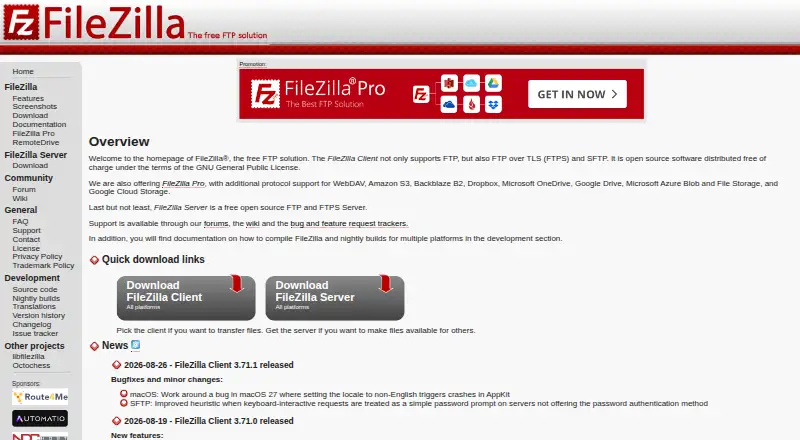
FileZilla Client is a free, open-source desktop file-transfer client for individuals and organizations managing files between local computers and remote servers. It runs on Windows, macOS, and Linux, and supports FTP, FTPS, and SFTP. The feature set covers common upload, download, and server-management tasks without adding a paid requirement to the core client. Site Manager, bookmarks, drag-and-drop transfers, and tabbed connections help organize work across multiple servers.
For day-to-day transfer work, FileZilla Client offers more than basic upload and download controls. A transfer queue helps manage multiple operations, while resume support handles large-file transfers that need to continue after interruption. Directory comparison and synchronized directory browsing support local-versus-remote file management, and remote file search and editing reduce the need to switch between separate tools. These features make it suitable for website files, server content, and other routine remote file tasks.
Its main trade-off is focus. FileZilla Client is built around desktop FTP, FTPS, and SFTP workflows, while verified integrations and automation features are limited. That makes it a practical choice for users who want a free cross-platform client with core file-management tools, multiple connections, and open-source availability. Teams looking for broader platform integrations or deeper automation should consider a product centered on those capabilities instead.
Your product? Our editors can test FileZilla Client in depth and publish a review, labelled as paid · from $149/mo →
FileZilla Client pricing
FileZilla Client fact sheet
| Free plan | Yes |
|---|---|
| Paid from | Free |
| Protocol coverage | Ftp-ftps-sftp |
| Supported platforms | Cross-platform |
| File synchronization | Not verified |
| Scheduled transfers | Not verified |
| Transfer automation | Not verified |
| Concurrent transfers | Not verified |
| Portable version | Not verified |
| Deployment | Desktop |
| Platforms | Windows, macOS, Linux |
| Support | Community, Docs |
| Pricing | Free plan |
| Website | filezilla-project.org |
| Facts checked | 20 Sep 2026 |
Alternatives to FileZilla Client
- WinSCPA capable free Windows client for multi-protocol transfers, scripting, and SSH workflows.9.3
- CyberduckA broad, free FTP client for desktop transfers, synchronization, and automation.9.1
- WS_FTP ProfessionalA Windows FTP client for encrypted, scheduled, and automated file transfers.8.8



See all FileZilla Client alternatives →
FileZilla Client vs the competition
- FileZilla Client vs WinSCP
- FileZilla Client vs Cyberduck
- FileZilla Client vs WS_FTP Professional
- FileZilla Client vs Transmit
- FileZilla Client vs SmartFTP
- FileZilla Client vs FlashFXP


Compare FileZilla Client with any tool side by side →
Also Ranked In
FileZilla Client is ranked in 4 of our directories.
Used FileZilla Client? Be the first to review it
The editor score above is our own research. What this page doesn't have yet is a reader's view — what you used FileZilla Client for, what worked and what didn't. No stars are seeded and no review is paid for; an editor reads every one before it appears.
Write a reviewTwo minutes · verified accounts only · read by an editor before it appears
Featured on iTechGuides

FileZilla Client is listed in our FTP Clients directory. Add the badge to your site — it links back to this page.
<a href="https://www.itechguides.com/products/filezilla-client/"><img src="https://www.itechguides.com/best/badge/filezilla-client.svg" alt="Featured on iTechGuides" width="230" height="46"></a>
Reviewed by iTechGuides Editors · Editorial team · Updated Oct 2026
Advertiser disclosure: iTechGuides is reader-supported. Vendors can pay for top positions in our rankings and for a place on other products' pages, and we may earn a commission when you click some links. Bought places stand at the number bought; this page and our disclosure say so. Paying vendors may get a fuller, more detailed review from our editors, and that review can change their score. How we rank.
Last updated · How we research and update