Ultra File Opener
Ultra File Opener: A Windows file viewer with broad format support and useful conversion tools. Ranked #31 of 31 in File Viewer Software by our editors (6.0/10); pricing: Free plan; best for windows users needing 500+ format support.
At a glance
- Editor score6.0 / 10
- PricingFree plan
- Best forWindows users needing 500+ format support
- Free planYes
- Facts checked22 Sep 2026
Where it wins
- Views over 500 file types, including archives, code, CAD, and RAW files
- Converts, prints, and batch-converts supported files
- Includes archive extraction and partially downloaded file resume tools
Where it doesn't
- Windows desktop access only
- The free version provides limited viewing
- Advanced capabilities require the paid version
Our verdict on Ultra File Opener
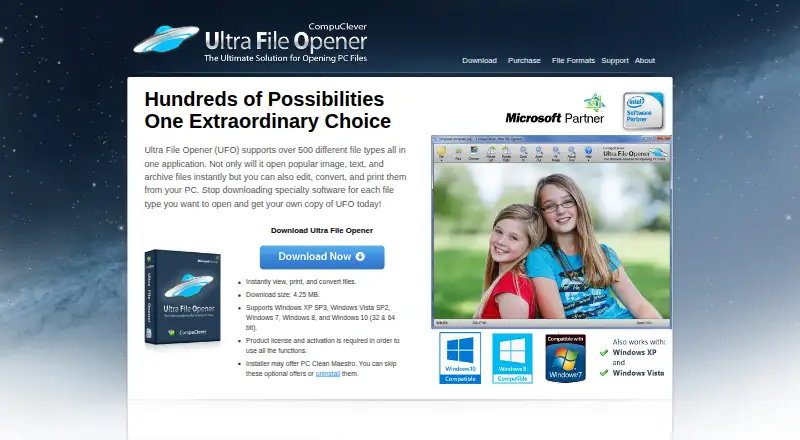
Ultra File Opener is a Windows desktop application for opening and viewing a broad range of files. It supports images, text documents, source code, configuration files, HTML, XML, archives, audio, video, ebooks, CAD files, camera RAW files, and partially downloaded files. It is suited to Windows users who want one desktop tool for viewing diverse formats, with added conversion, printing, archive extraction, batch image conversion, and basic text editing.
Its main strength is breadth. The application can view over 500 file types and work with compressed archives, office-style documents, code, configuration files, and RAW camera files. It can also convert files to other supported formats, print with multiple templates, batch-convert images, and inspect or resume partially downloaded files. That combination makes it more useful than a viewer limited to previews, particularly for users who regularly encounter varied file formats.
Ultra File Opener follows a freemium model. The vendor offers a free Windows Store version with limited viewing, while the paid version adds capabilities such as opening, converting, and printing file types. The Single PC License includes free product updates and technical support for one year, and the Family Pack Upgrade extends the license for up to three PCs. Choose it if you want broad file coverage and desktop conversion tools on Windows. Users seeking a macOS or mobile application, or only a basic free viewer, should consider a narrower alternative.
Your product? Our editors can test Ultra File Opener in depth and publish a review, labelled as paid · from $149/mo →
Ultra File Opener pricing
All 2 Ultra File Opener plans and prices →
Ultra File Opener fact sheet
| Free plan | Yes |
|---|---|
| Paid from | Not verified |
| Listed formats | Not verified |
| Primary access | Desktop |
| Maximum file size | Not verified |
| Archive preview | Yes |
| Office file preview | Yes |
| Code file preview | Yes |
| In-file search | Not verified |
| Money-back guarantee | 60 days |
| Deployment | Desktop |
| Platforms | Windows |
| Support | |
| Built for | Solo, Small business (editorial estimate) |
| Pricing | Free plan (source) |
| Website | ultrafileopener.com |
| Facts checked | 22 Sep 2026 |
Alternatives to Ultra File Opener
- OpenText Brava!A cross-platform viewer for controlled document review, redaction, comparison, and publishing.9.3
- XnView MPA free image viewer with broad format support and paid commercial licensing.9.1
- OkularA capable open-source viewer for PDFs, forms, annotations, signatures, and more.8.9


See all Ultra File Opener alternatives →
Used Ultra File Opener? Be the first to review it
The editor score above is our own research. What this page doesn't have yet is a reader's view — what you used Ultra File Opener for, what worked and what didn't. No stars are seeded and no review is paid for; an editor reads every one before it appears.
Write a reviewTwo minutes · verified accounts only · read by an editor before it appears
Featured on iTechGuides

Ultra File Opener is listed in our File Viewer Software directory. Add the badge to your site — it links back to this page.
<a href="https://www.itechguides.com/products/ultra-file-opener/"><img src="https://www.itechguides.com/best/badge/ultra-file-opener.svg" alt="Featured on iTechGuides" width="230" height="46"></a>
Reviewed by iTechGuides Editors · Editorial team · Updated Oct 2026
Advertiser disclosure: iTechGuides is reader-supported. Vendors can pay for top positions in our rankings and for a place on other products' pages, and we may earn a commission when you click some links. Bought places stand at the number bought; this page and our disclosure say so. Paying vendors may get a fuller, more detailed review from our editors, and that review can change their score. How we rank.
Last updated · How we research and update