
TurboFTP
TurboFTP: A Windows-focused client for encrypted transfers, synchronization, and scheduled automation. Ranked #20 of 36 in FTP Clients by our editors (7.1/10); pricing: 30-day trial; best for windows users needing encrypted automation.
At a glance
- Editor score7.1 / 10
- Pricing30-day trial
- Best forWindows users needing encrypted automation
- Free planNo
- Paid from$49.95/yr
- Protocol coverageFtp-ftps-sftp
- Facts checked20 Sep 2026
Where it wins
- Supports FTP, FTPS, and SFTP over SSH2
- Adds scheduling, synchronization, monitoring, and transfer resume
- Includes command-line support and OpenPGP automation on Corporate
Where it doesn't
- Windows-only platform coverage
- Lite excludes the Sync Service module
- Higher tiers cost up to $1,699 per year
Our verdict on TurboFTP
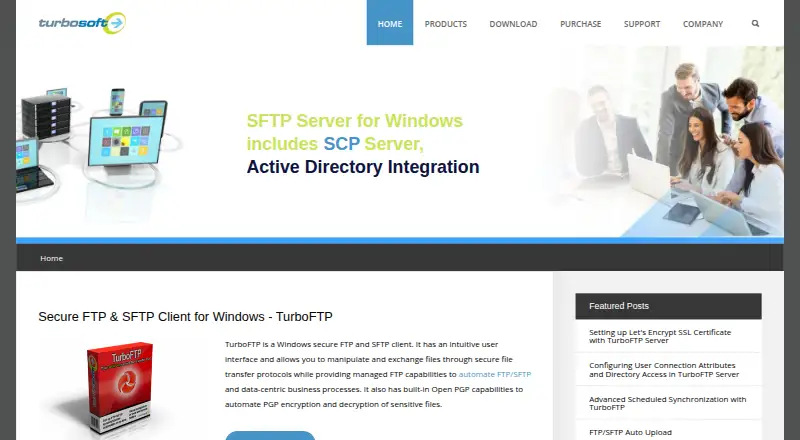
TurboFTP is a Windows desktop FTP client for uploading and downloading files through FTP, FTPS, and SFTP over SSH2. It suits businesses and corporate teams that need more than interactive file transfers, including folder synchronization, scheduled transfers, local-folder monitoring, automatic upload, transfer queues, and broken-transfer resume. Windows Explorer shell integration supports access from the Windows file-management environment, while command-line support extends the product to scripted workflows.
The plans separate basic client work from broader automation. TurboFTP Lite costs $49.95 per year and includes FTP, FTPS, SFTP, and folder synchronization, but excludes the Sync Service module. TurboFTP Professional costs $149 per year and adds Sync Service, command-line support, and up to 5 tasks. Elite costs $278 per year, supports up to 30 tasks, and includes FIPS 140-2 mode. Business costs $699 per year with unlimited tasks and FIPS 140-2 mode. Corporate costs $1,699 per year and adds OpenPGP automation in Sync Service. A 30-day free trial is available, but there is no free plan.
Its strongest fit is scheduled, repeatable transfer work across multiple sites and directories. FTP over SSL/TLS supports implicit and explicit SSL, while SFTP uses SSH2; OpenPGP encryption and decryption add another security option, with OpenPGP automation reserved for Corporate. Automatic reconnect, resume, monitoring, and synchronization support ongoing workflows rather than occasional downloads. The main boundary is platform and plan structure: TurboFTP is for Windows, and Lite's GUI can run only one scheduled job at a time without Sync Service. Choose it when Windows-based encrypted automation is the priority; choose an alternative when broader platform coverage or a free plan is required.
Your product? Our editors can test TurboFTP in depth and publish a review, labelled as paid · from $149/mo →
TurboFTP pricing
All 5 TurboFTP plans and prices →
TurboFTP fact sheet
| Free plan | No |
|---|---|
| Paid from | $49.95/yr |
| Protocol coverage | Ftp-ftps-sftp |
| Supported platforms | Windows |
| File synchronization | Yes |
| Scheduled transfers | Yes |
| Transfer automation | Yes |
| Concurrent transfers | 1 transfers |
| Portable version | Not verified |
| Free trial | 30 days |
| Deployment | Desktop |
| Platforms | Windows |
| Support | Docs |
| Built for | Small business, Mid-market, Enterprise (editorial estimate) |
| Pricing | 30-day trial (source) |
| Website | turboftp.com |
| Facts checked | 20 Sep 2026 |
Alternatives to TurboFTP
- WinSCPA capable free Windows client for multi-protocol transfers, scripting, and SSH workflows.9.3
- FileZilla ClientA capable free FTP client for straightforward desktop file transfers.9.2
- CyberduckA broad, free FTP client for desktop transfers, synchronization, and automation.9.1



See all TurboFTP alternatives →
Used TurboFTP? Be the first to review it
The editor score above is our own research. What this page doesn't have yet is a reader's view — what you used TurboFTP for, what worked and what didn't. No stars are seeded and no review is paid for; an editor reads every one before it appears.
Write a reviewTwo minutes · verified accounts only · read by an editor before it appears
Featured on iTechGuides

TurboFTP is listed in our FTP Clients directory. Add the badge to your site — it links back to this page.
<a href="https://www.itechguides.com/products/turboftp/"><img src="https://www.itechguides.com/best/badge/turboftp.svg" alt="Featured on iTechGuides" width="230" height="46"></a>
Reviewed by iTechGuides Editors · Editorial team · Updated Oct 2026
Advertiser disclosure: iTechGuides is reader-supported. Vendors can pay for top positions in our rankings and for a place on other products' pages, and we may earn a commission when you click some links. Bought places stand at the number bought; this page and our disclosure say so. Paying vendors may get a fuller, more detailed review from our editors, and that review can change their score. How we rank.
Last updated · How we research and update