
TrackingTime
TrackingTime: Affordable time tracking with project billing, approvals, attendance, and broad integrations. Ranked #15 of 77 in Time Tracking Software by our editors (7.7/10); pricing: Free plan · 14-day trial; best for teams needing low-cost broad integrations.
At a glance
- Editor score7.7 / 10
- PricingFree plan · 14-day trial
- Best forTeams needing low-cost broad integrations
- Free planYes
- Paid from$3.75/user/mo
- Desktop appYes
- Facts checked20 Sep 2026
Where it wins
- Free plan supports unlimited users, tasks, and projects
- Integrates with tools including Asana, Jira, Slack, and Trello
- Supports billing, invoicing, approvals, attendance, and exports
Where it doesn't
- Offline tracking is not supported
- Starter requires a minimum of two users
- Advanced controls begin on higher-priced plans
Our verdict on TrackingTime
TrackingTime combines time tracking with project and task management for teams and freelancers. Users can record time in real time or add entries manually, connect work to projects and tasks, manage billable rates, and export reports. Attendance time cards, work schedules, timesheets, leave management, and invoicing extend it beyond basic timers. Its web, Windows, macOS, Linux, iOS, Android, Chrome extension, and API coverage suits distributed teams that need access across devices and work environments.
The pricing structure covers individual and team use. The Free plan costs $0 per user per month with annual billing and includes unlimited users, tasks, and projects, time tracking, desktop, mobile, and browser apps, and PDF export. Freelancer costs $8 per month with annual billing for one user and includes time tracking and task management. Starter costs $3.75 per user per month with annual billing, requires a minimum of two users, and adds client and shared reports, CSV, Excel, and PDF export, billable hours, and AutoTrack. Pro costs $5.75 per user per month annually and adds billing rates, invoicing, timesheet approvals, time cards, time off, calendar, and project-tool integrations. Business costs $10 per user per month annually and adds time-off accrual policies, SSO, audit logs, and a 99.9% uptime SLA.
Integration coverage is a central strength. TrackingTime connects with Asana, Azure DevOps, Basecamp, ClickUp, Google Calendar, Google Sheets, Jira, Linear, Microsoft Outlook, Microsoft Planner, Microsoft Teams, Monday, Notion, Slack, and Trello. Browser-extension tracking can capture work in third-party apps, while the API supports further connections. The main constraint is that offline tracking is not supported, so teams working without connectivity should consider another option. TrackingTime fits organizations seeking affordable tracking with billing, approvals, attendance, and multiple integrations; it is less suitable when offline capture is essential.
Your product? Our editors can test TrackingTime in depth and publish a review, labelled as paid · from $149/mo →
From the maker
Written by TrackingTime · approved by our editors 6 Nov 2026. It does not change our score or ranking.
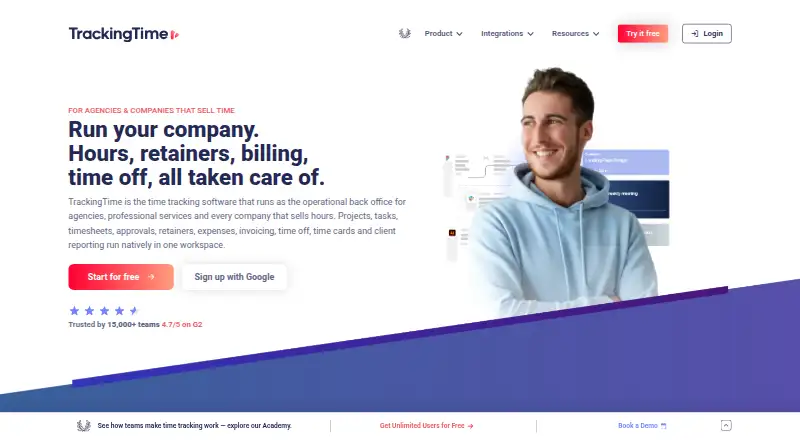
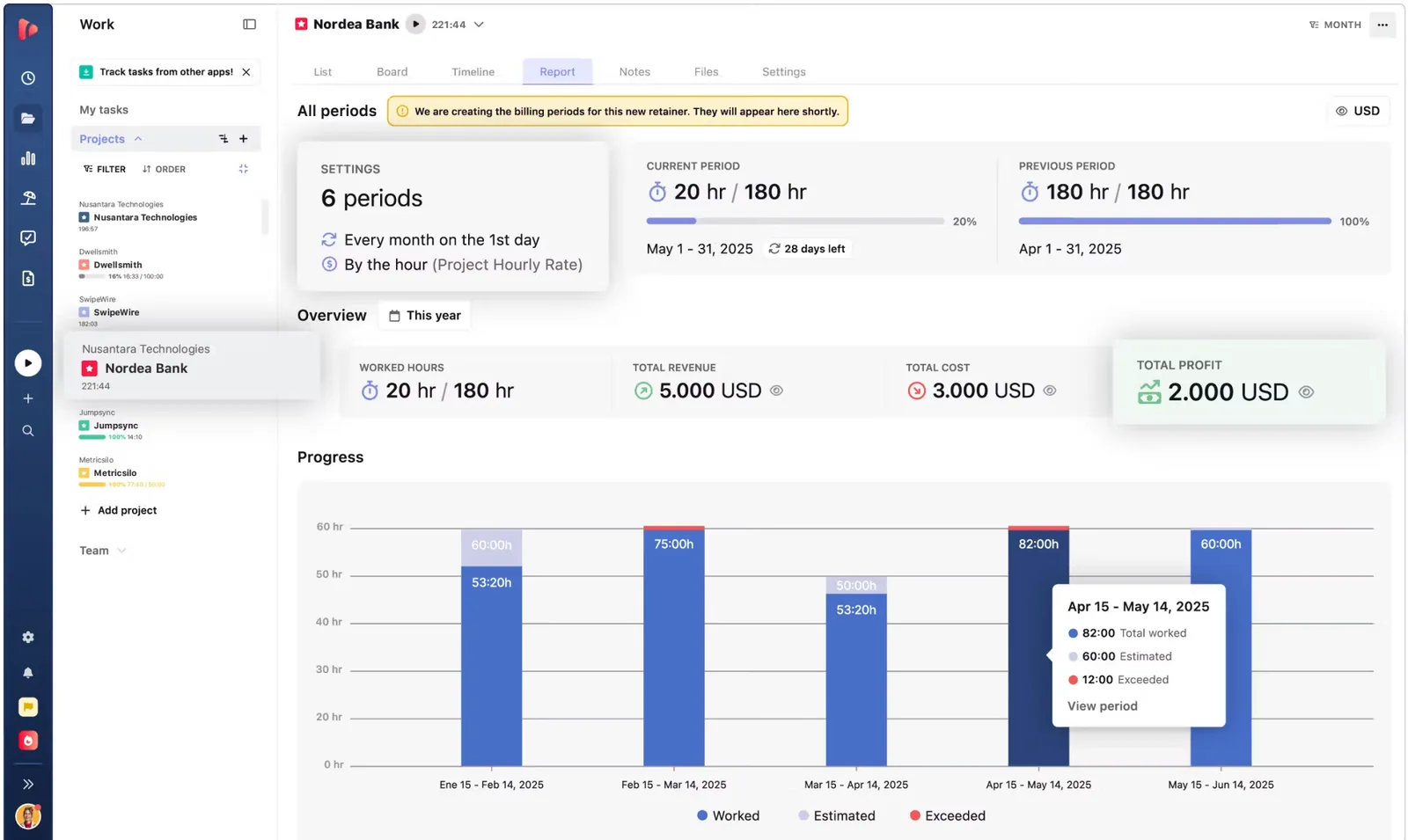
TrackingTime is time tracking software that works as the operational back office for agencies, consultancies and professional services teams that sell hours. Projects, tasks, timesheets, approvals, retainers, expenses, invoicing, time off, Time Cards and client reporting run in one workspace, so every tracked hour becomes reliable data for billing, budget control, profitability and payroll.
Track live, manually, on a schedule or automatically with AutoTrack, from the web app, desktop apps for Mac and Windows, iOS and Android apps, and browser extensions. 60+ integrations, including Jira, Asana, ClickUp, Slack and Microsoft Teams, put the timer inside the tools your team already uses.
Start free with unlimited users, projects and clients. Paid plans add client reporting (Starter), billing, approvals and retainers (Pro), and advanced time off, SSO and governance (Business).
What it does, in their words
- Live, manual, repeating and scheduled time tracking
- AutoTrack automatic time suggestions
- Projects, tasks and Kanban boards
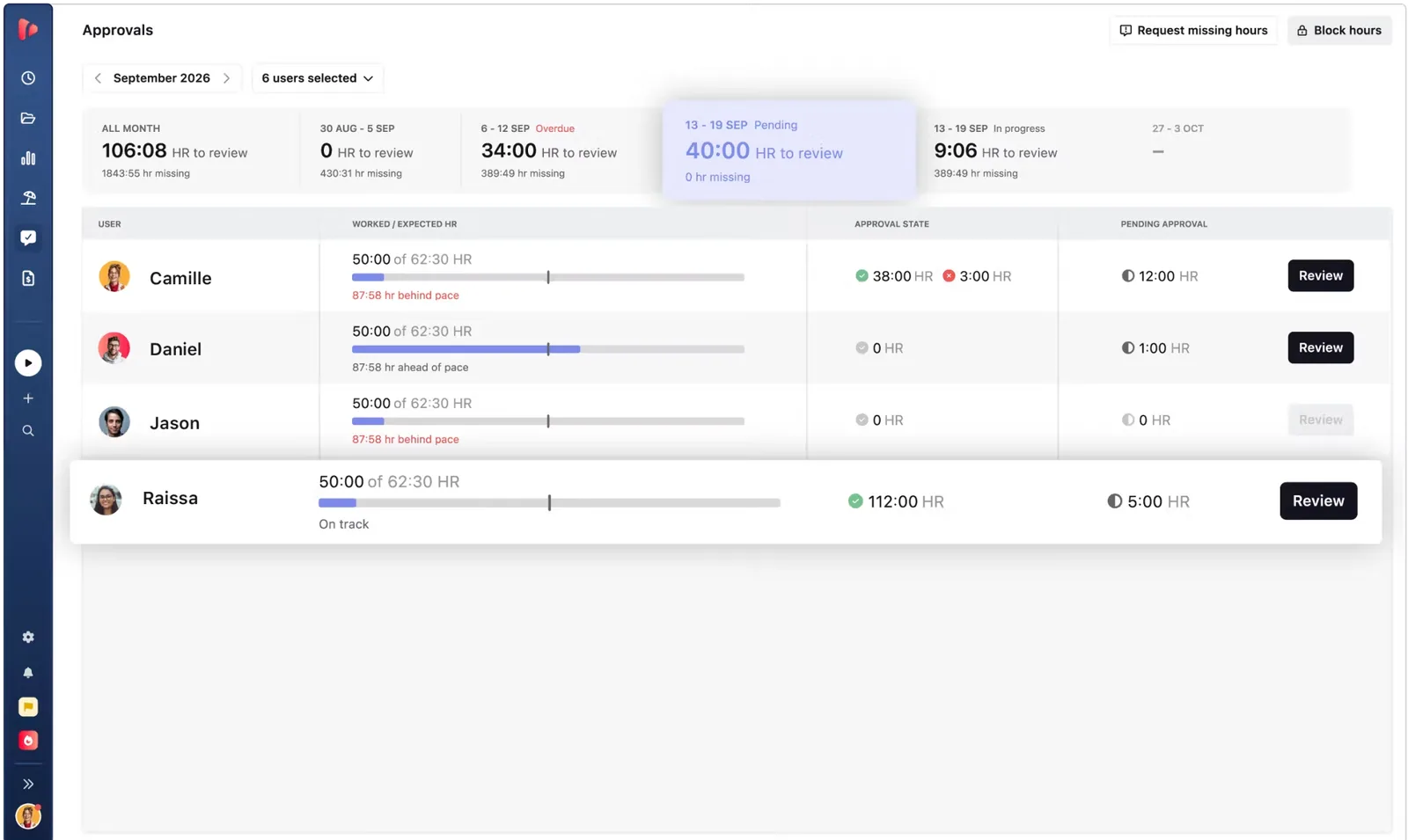
- Timesheets with approvals and lock rules
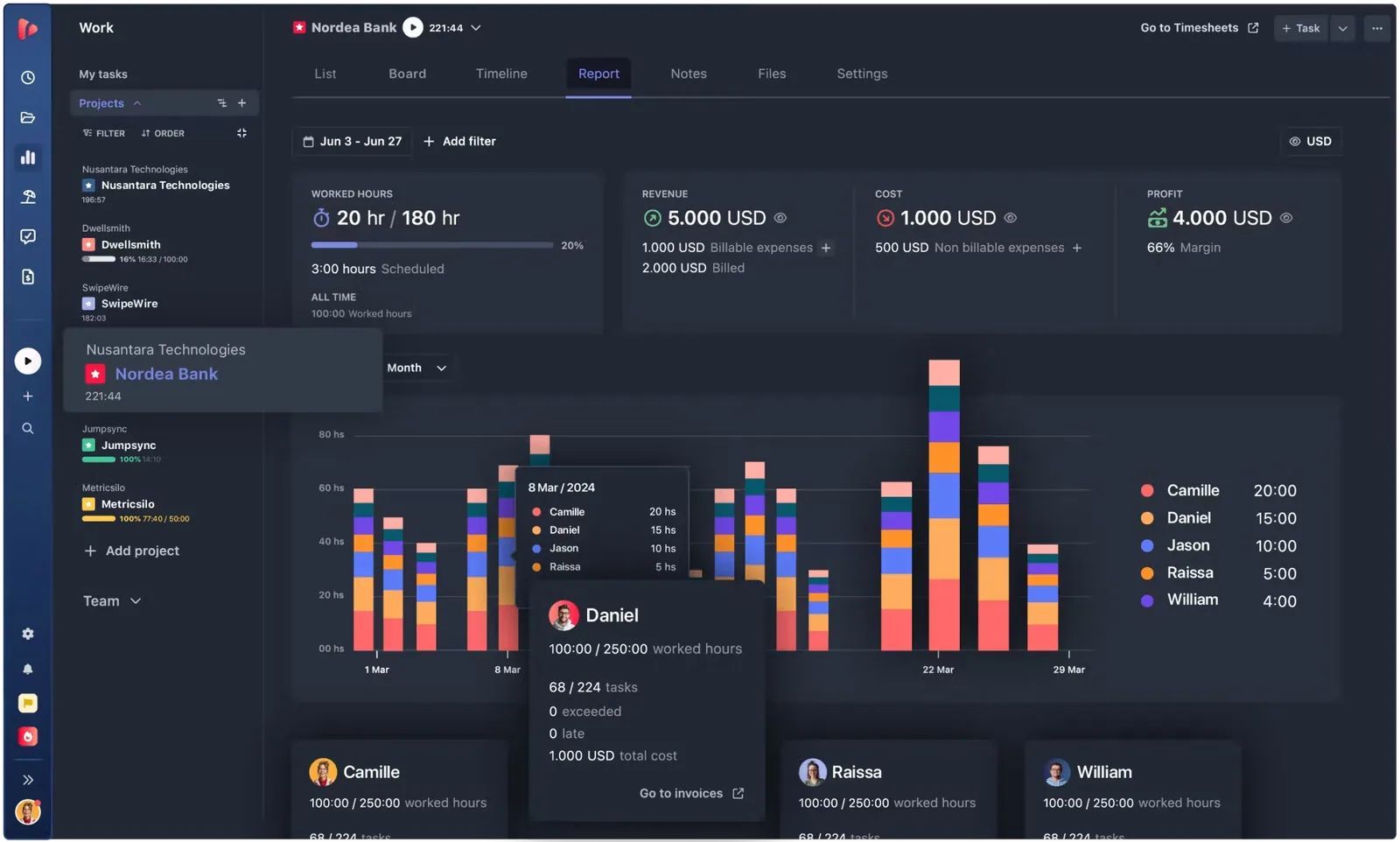
- Client Reports and Shared Reports
- Scheduled report delivery and CSV, Excel and PDF exports
- Billable rates and historical costs
- Invoicing
- Project retainers and estimates
- Expense tracking
- Time off, holidays and work schedules
- Time Cards for payroll and compliance
- Google Calendar and Outlook sync
- Custom fields and user roles
- Project access control
- Timesheet audits
- Reminders and timer-left-running alerts
- SSO and audit logs (Business)
- Unlimited external Viewers and Collaborators (Business)
- MCP server for AI assistants
Plans as the maker lists them
| Starter | $4.50 / month | Per user ($6 billed monthly): Client & Shared Reports, exports, AutoTrack |
|---|---|---|
| Pro | $6.50 / month | Per user ($8.50 billed monthly): billing rates, invoicing, approvals, Time C |
| Business | $10 / month | Per user ($13.50 billed monthly): time-off accruals, external client users, SSO, audit log |
Offer for our readers: Free for unlimited users
- Platforms
- Web, Windows, macOS, iOS, Android, Chrome extension, API
- Integrations
- Jira, Asana, ClickUp, Monday, Trello, Basecamp, Linear, GitHub, GitLab, Azure DevOps, Microsoft Planner, Slack, Microsoft Teams, Google Calendar, Outlook Calendar, Gmail, Notion, Figma, Zapier, Make
- Company
- TrackingTime
- Headquarters
- Buenos Aires
- Team size
- 11–50
- Founded
- 2012
- Links
- Documentation ↗ · Support ↗ · Pricing page ↗
TrackingTime pricing
All 4 TrackingTime plans and prices →
TrackingTime fact sheet
| Free plan | Yes |
|---|---|
| Paid from | $3.75/user/mo |
| Project tracking | Yes |
| Billable time | Yes |
| Timesheet approvals | Yes |
| Mobile apps | Both |
| Desktop app | Yes |
| Offline tracking | Not verified |
| Data export | Yes |
| Free trial | 14 days · no card needed |
| Money-back guarantee | 30 days |
| Deployment | Cloud, Desktop, Mobile, Browser extension |
| Platforms | Web, Windows, macOS, iOS, Android, Chrome extension |
| Compliance & security | SSO/SAML |
| Support | Email, Docs |
| Built for | Solo, Small business, Mid-market, Enterprise (editorial estimate) |
| Integrations | 60+ integrations: Asana, ActiveCollab, Basecamp, Bitbucket, ClickUp, Evernote … See all → |
| Pricing | Free plan · 14-day trial (source) |
| Website | trackingtime.co |
| Facts checked | 20 Sep 2026 |
TrackingTime integrations
TrackingTime lists 60+ integrations on its own site — the 16 named here are the ones its pages call out.
- Asana
- ActiveCollab
- Basecamp
- Bitbucket
- ClickUp
- Evernote
- Factorial
- Figma
- Google Sheets
- Microsoft Teams
- Monday.com
- Slack
- Trello
- Google Calendar
- Outlook Calendar
- Zapier
See all TrackingTime integrations →
Alternatives to TrackingTime
- Toggl TrackA mature time tracker with strong reporting, approvals, estimates, and integrations.9.2
- RescueTimeA broad automatic tracker for productivity, billable work, focus, and team timesheets.9.0
- Deltek RepliconA broad enterprise time-tracking suite for compliance-heavy project organizations.8.9


See all TrackingTime alternatives →
Also Ranked In
TrackingTime is ranked in 3 of our directories.
Used TrackingTime? Be the first to review it
The editor score above is our own research. What this page doesn't have yet is a reader's view — what you used TrackingTime for, what worked and what didn't. No stars are seeded and no review is paid for; an editor reads every one before it appears.
Write a reviewTwo minutes · verified accounts only · read by an editor before it appears
Featured on iTechGuides

TrackingTime is listed in our Time Tracking Software directory. Add the badge to your site — it links back to this page.
<a href="https://www.itechguides.com/products/trackingtime/"><img src="https://www.itechguides.com/best/badge/trackingtime.svg" alt="Featured on iTechGuides" width="230" height="46"></a>
Reviewed by iTechGuides Editors · Editorial team · Updated Oct 2026
Advertiser disclosure: iTechGuides is reader-supported. Vendors can pay for top positions in our rankings and for a place on other products' pages, and we may earn a commission when you click some links. Bought places stand at the number bought; this page and our disclosure say so. Paying vendors may get a fuller, more detailed review from our editors, and that review can change their score. How we rank.
Last updated · How we research and update