Toolr
Toolr: A field-focused time tracker with GPS attendance, payroll exports, and workforce workflows. Ranked #62 of 77 in Time Tracking Software by our editors (3.0/10); pricing: 15-day trial; best for field-service teams needing GPS attendance tools.
At a glance
- Editor score3.0 / 10
- Pricing15-day trial
- Best forField-service teams needing GPS attendance tools
- Free planNo
- Paid from$12.50/mo
- Facts checked22 Sep 2026
Where it wins
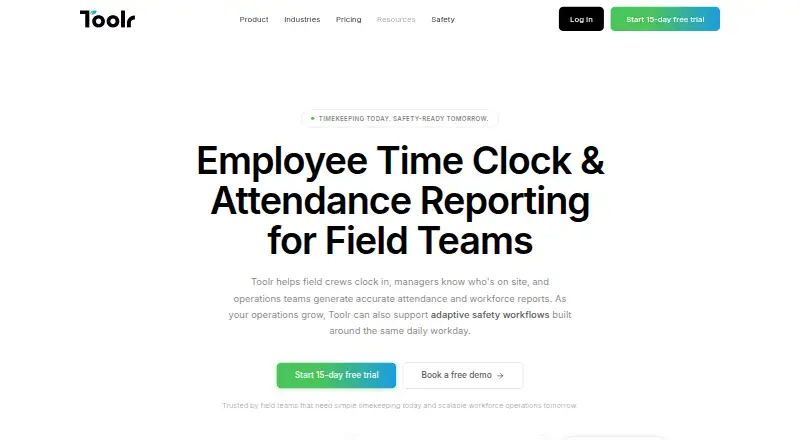
- GPS-verified clock-ins with mobile, kiosk, web, and manual options
- Payroll-ready reports, exports, and time categorization by job or crew
- Higher tiers add forms, workflows, training, messaging, and safety tools
Where it doesn't
- No free plan is available
- Separate per-active-employee charges apply beyond the first five
- No verified integrations are listed
Our verdict on Toolr
Toolr is a workforce timekeeping and attendance platform for field-based teams in construction, manufacturing, energy, transportation, facilities, and field services. Employees can clock in through phones, shared-device kiosks, the web, or manual timesheets. Managers get live attendance visibility, GPS-verified clock-ins, location logging, job and crew categorization, roll call, a digital in-out board, and payroll-ready reporting. Its fit spans small, mid-market, and enterprise teams that need attendance workflows tied to field operations.
Pricing is organized into Track, Manage, Operate, and Adaptive Safety. Track costs $15 per month with monthly billing or $12.50 per month with annual billing, adding timekeeping, attendance tracking, GPS verification, payroll reporting, and exports. Manage costs $30 monthly or $25 with annual billing and adds team messaging, announcements, shared files, a crew directory, and push notifications. Operate costs $50 monthly or $41.67 with annual billing, adding custom forms, workflows and programs, analytics and reports, training, and offline mode. Adaptive Safety costs $50 per month and includes OSHA-ready safety programs, job hazard analyses, inspections, checklists, training, testing, and updated safety content. Annual prices are monthly equivalents with annual billing, and charges apply per active employee beyond the first five.
Toolr’s strongest distinction is its field-oriented attendance layer: GPS verification, mobile and shared-device kiosk clock-ins, live visibility, and time categorization connect daily workforce records to payroll reporting. Its cloud and mobile deployment covers web, iOS, Android, and API access, with email, chat, and documentation support. SOC 2 and GDPR are listed compliance signals. Teams needing messaging, forms, training, or safety programs can expand into higher tiers, while teams seeking a free plan, verified integrations, or simpler time tracking may prefer a narrower alternative. Toolr is most suitable when location-aware attendance and operational workflows justify the paid structure.
Your product? Our editors can test Toolr in depth and publish a review, labelled as paid · from $149/mo →
Toolr pricing
All 4 Toolr plans and prices →
Toolr fact sheet
| Free plan | No |
|---|---|
| Paid from | $12.50/mo |
| Project tracking | Not verified |
| Billable time | Not verified |
| Timesheet approvals | Not verified |
| Mobile apps | Not verified |
| Desktop app | Not verified |
| Offline tracking | Not verified |
| Data export | Not verified |
| Free trial | 15 days · no card needed |
| Deployment | Cloud, Mobile |
| Platforms | Web, iOS, Android |
| Compliance & security | SOC 2, GDPR |
| Support | Email, Live chat, Docs |
| Built for | Small business, Mid-market, Enterprise (editorial estimate) |
| Pricing | 15-day trial (source) |
| Website | mytoolr.com |
| Facts checked | 22 Sep 2026 |
Alternatives to Toolr
- Toggl TrackA mature time tracker with strong reporting, approvals, estimates, and integrations.9.2
- RescueTimeA broad automatic tracker for productivity, billable work, focus, and team timesheets.9.0
- Deltek RepliconA broad enterprise time-tracking suite for compliance-heavy project organizations.8.9


Also Ranked In
Toolr is ranked in 2 of our directories.
Used Toolr? Be the first to review it
The editor score above is our own research. What this page doesn't have yet is a reader's view — what you used Toolr for, what worked and what didn't. No stars are seeded and no review is paid for; an editor reads every one before it appears.
Write a reviewTwo minutes · verified accounts only · read by an editor before it appears
Featured on iTechGuides

Toolr is listed in our Time Tracking Software directory. Add the badge to your site — it links back to this page.
<a href="https://www.itechguides.com/products/toolr/"><img src="https://www.itechguides.com/best/badge/toolr.svg" alt="Featured on iTechGuides" width="230" height="46"></a>
Reviewed by iTechGuides Editors · Editorial team · Updated Oct 2026
Advertiser disclosure: iTechGuides is reader-supported. Vendors can pay for top positions in our rankings and for a place on other products' pages, and we may earn a commission when you click some links. Bought places stand at the number bought; this page and our disclosure say so. Paying vendors may get a fuller, more detailed review from our editors, and that review can change their score. How we rank.
Last updated · How we research and update