TimeFlow
TimeFlow: A web calendar for AI-assisted time blocking with Google Calendar sync. Ranked #21 of 31 in Time Blocking Apps by our editors (7.1/10); pricing: Paid; best for AI weekly planning with Google Calendar.
At a glance
- Editor score7.1 / 10
- PricingPaid
- Best forAI weekly planning with Google Calendar
- Free planNo
- Paid from$5/mo
- Facts checked21 Sep 2026
Where it wins
- Automatically schedules tasks and habits around meetings
- Two-way Google Calendar sync with strategic weekly planning
- Combines projects, kanban, habits, and time tracking
Where it doesn't
- Web-only access with no mobile apps
- Currently in beta
- Focused on individual planning, not team scheduling
Our verdict on TimeFlow
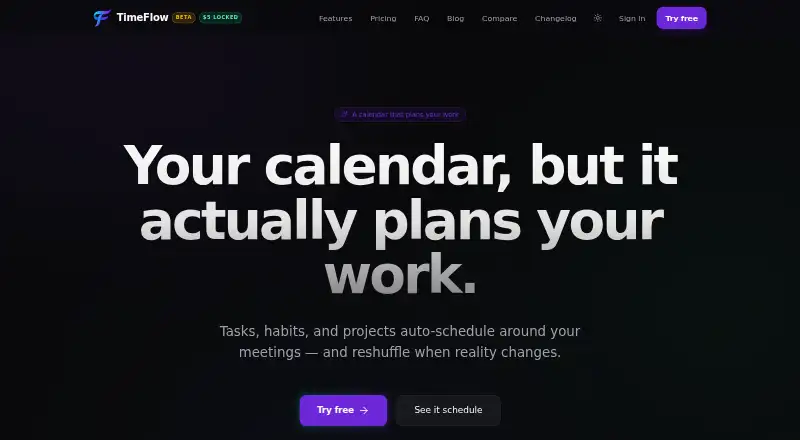
TimeFlow is a personal planning calendar for people who want tasks, habits, and project work arranged around existing meetings. Users can define durations, deadlines, working hours, recurring habits, and project phases, then let the auto-scheduler place or reshuffle work in available calendar gaps. Its feature set also includes kanban views, built-in time tracking, natural-language task and event creation, a calendar chat assistant with approval-based changes, and two-way Google Calendar synchronization. It is aimed at individual users rather than team scheduling.
The pricing is straightforward but tied to the product’s beta stage. The Beta plan costs $5 per month and includes the auto-scheduler, projects, kanban, time tracking, habits, and direct maintainer access. The Standard plan costs $10 per month, or $96 per year, and adds all TimeFlow features, the post-beta build, and priority email support. The $5 beta rate is described as locked for life once billing begins, while the annual plan is available at the 1.0 launch. There is no free plan, so the product is best suited to users who already want an automated planning workflow rather than those comparing free calendar tools.
TimeFlow’s main distinction is the combination of automatic scheduling with strategic weekly planning through its LLM-based AutoScheduler MAX. Google Calendar is the central ecosystem connection, while MCP support extends access through Claude Code, Cursor, Claude Desktop, Windsurf, and other MCP-compatible AI clients. The trade-off is a web-only experience and a product that is still in beta. Choose TimeFlow if you want calendar-based planning with projects, habits, and AI-assisted changes in one workspace. Choose an alternative if mobile access, mature post-beta availability, or team-oriented scheduling is essential.
Your product? Our editors can test TimeFlow in depth and publish a review, labelled as paid · from $149/mo →
TimeFlow pricing
All 2 TimeFlow plans and prices →
TimeFlow fact sheet
| Free plan | No |
|---|---|
| Paid from | $5/mo |
| Calendar sync | Yes |
| Task management | Yes |
| Recurring time blocks | Yes |
| Automatic scheduling | Yes |
| Desktop apps | Not verified |
| Mobile apps | No |
| Money-back guarantee | 14 days |
| Deployment | Cloud |
| Platforms | Web |
| Support | Email, Docs |
| Built for | Solo, Small business (editorial estimate) |
| Integrations | 6 integrations: Google Calendar, Claude Code, Cursor, Claude Desktop, Windsurf, MCP-compatible AI clients See all → |
| Pricing | Paid (source) |
| Website | usetimeflow.com |
| Facts checked | 21 Sep 2026 |
TimeFlow integrations
TimeFlow lists 6 integrations on its own site.
- Google Calendar
- Claude Code
- Cursor
- Claude Desktop
- Windsurf
- MCP-compatible AI clients
See all TimeFlow integrations →
Alternatives to TimeFlow
- FlowSavvyA flexible time-blocking app for automatic planning across major calendars.9.4
- RoutineA paid cross-platform planner that combines time blocking with calendars, tasks, and notes.9.2
- Trevor AIA focused time-blocking planner with AI scheduling, calendar sync, and a free tier.9.0



See all TimeFlow alternatives →
Used TimeFlow? Be the first to review it
The editor score above is our own research. What this page doesn't have yet is a reader's view — what you used TimeFlow for, what worked and what didn't. No stars are seeded and no review is paid for; an editor reads every one before it appears.
Write a reviewTwo minutes · verified accounts only · read by an editor before it appears
Featured on iTechGuides

TimeFlow is listed in our Time Blocking Apps directory. Add the badge to your site — it links back to this page.
<a href="https://www.itechguides.com/products/timeflow/"><img src="https://www.itechguides.com/best/badge/timeflow.svg" alt="Featured on iTechGuides" width="230" height="46"></a>
Reviewed by iTechGuides Editors · Editorial team · Updated Oct 2026
Advertiser disclosure: iTechGuides is reader-supported. Vendors can pay for top positions in our rankings and for a place on other products' pages, and we may earn a commission when you click some links. Bought places stand at the number bought; this page and our disclosure say so. Paying vendors may get a fuller, more detailed review from our editors, and that review can change their score. How we rank.
Last updated · How we research and update