
TimeCenter
TimeCenter: A practical booking and resource-scheduling tool for studios and small teams. Ranked #124 of 135 in Appointment Scheduling Software by our editors (3.0/10); pricing: 30-day trial; best for studios needing basic bookings and resource scheduling.
At a glance
- Editor score3.0 / 10
- Pricing30-day trial
- Best forStudios needing basic bookings and resource scheduling
- Free planNo
- Calendar syncOne-way
- Founded2007 · Stockholm, Sweden
- Facts checked20 Sep 2026
Where it wins
- Booking pages support appointments, classes, and event registration
- Automated reminders plus email and SMS notifications
- Schedules rooms, resources, customers, cancellations, and rescheduling
Where it doesn't
- Calendar synchronization is one-way
- No ongoing free plan after the 30-day trial
- Calendar capacity is limited to 1, 3, or 10 by plan
Our verdict on TimeCenter
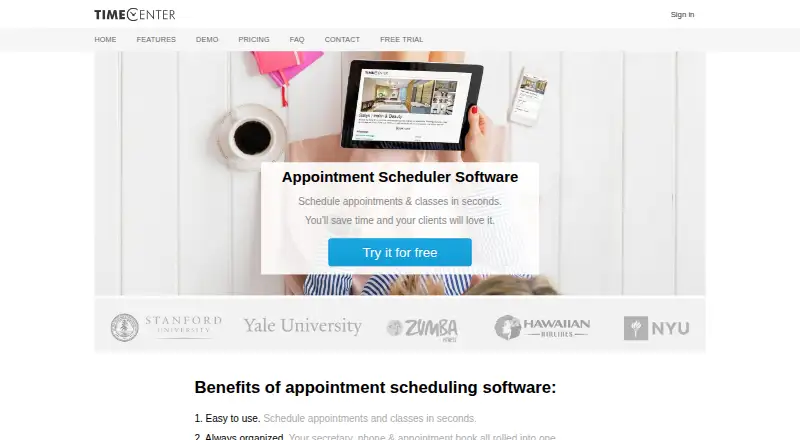
TimeCenter is web-based appointment scheduling software for small and medium-sized businesses. Its audience includes salons, massage therapists, coaches, yoga providers, schools, and event organizers. Customers can book through online appointment pages, while businesses can manage appointments, classes, customer records, notes, cancellations, rescheduling, rooms, and other resources. The service supports bookings from computers and mobile devices, with web, iOS, and Android access.
The paid plan structure is organized around team size and calendar capacity. One supports a single user and 1 calendar, Plus is designed for a small team with 3 calendars, and Pro supports 10 calendars. The published plans also describe Pro as the top-of-the-line option. TimeCenter offers a 30-day free trial with no credit card required, followed by paid access. Pricing is shown in USD and may vary by region; the listed starting price is 29. This structure fits a solo operator or small studio that can match its scheduling needs to one of the three calendar limits.
Calendar connections cover Google Calendar, Outlook Calendar, and iPhone calendars, while the published synchronization is one-way. That makes the product a focused fit for appointment-led businesses that need booking pages, reminders, group registration, and resource scheduling in one service. Email and SMS notifications, automated customer reminders, and customer self-service for cancellations or rescheduling add useful operational coverage. Studios with straightforward scheduling workflows should find the feature set relevant; businesses requiring two-way calendar synchronization, broader calendar capacity, or an ongoing free plan should consider another option.
Your product? Our editors can test TimeCenter in depth and publish a review, labelled as paid · from $149/mo →
TimeCenter pricing
All 3 TimeCenter plans and prices →
TimeCenter fact sheet
| Free plan | No |
|---|---|
| Paid from | Not verified |
| Booking pages | Yes |
| Calendar sync | One-way |
| Group booking | Yes |
| Round-robin scheduling | Not verified |
| Automated reminders | Yes |
| Payment collection | Not verified |
| Free trial | 30 days · no card needed |
| Money-back guarantee | 30 days |
| Deployment | Cloud, Mobile |
| Platforms | Web, iOS, Android |
| Support | Email, Phone |
| Built for | Small business, Mid-market (editorial estimate) |
| Integrations | 3 integrations: Google Calendar, Outlook Calendar, iPhone calendar |
| Pricing | 30-day trial (source) |
| Website | timecenter.com |
| Facts checked | 20 Sep 2026 |
TimeCenter integrations
TimeCenter lists 3 integrations on its own site.
- Google Calendar
- Outlook Calendar
- iPhone calendar
Alternatives to TimeCenter
- CalendlyA broad scheduler with strong team routing, payments, reminders, and integrations.9.4
- Cal.comA flexible scheduler with free basics, team routing, payments, and developer tools.9.2
- Zoho BookingsA flexible scheduler with a capable free tier and strong Zoho ecosystem fit.9.1



See all TimeCenter alternatives →
Used TimeCenter? Be the first to review it
The editor score above is our own research. What this page doesn't have yet is a reader's view — what you used TimeCenter for, what worked and what didn't. No stars are seeded and no review is paid for; an editor reads every one before it appears.
Write a reviewTwo minutes · verified accounts only · read by an editor before it appears
Featured on iTechGuides

TimeCenter is listed in our Appointment Scheduling Software directory. Add the badge to your site — it links back to this page.
<a href="https://www.itechguides.com/products/timecenter/"><img src="https://www.itechguides.com/best/badge/timecenter.svg" alt="Featured on iTechGuides" width="230" height="46"></a>
Reviewed by iTechGuides Editors · Editorial team · Updated Oct 2026
Advertiser disclosure: iTechGuides is reader-supported. Vendors can pay for top positions in our rankings and for a place on other products' pages, and we may earn a commission when you click some links. Bought places stand at the number bought; this page and our disclosure say so. Paying vendors may get a fuller, more detailed review from our editors, and that review can change their score. How we rank.
Last updated · How we research and update