TigerVNC
TigerVNC: A capable open-source VNC foundation for teams managing their own remote desktop infrastructure. Ranked #125 of 134 in Remote Desktop Software by our editors (5.4/10); pricing: Free plan; best for technical users deploying open-source VNC infrastructure.
At a glance
- Editor score5.4 / 10
- PricingFree plan
- Best forTechnical users deploying open-source VNC infrastructure
- Free planYes
- Paid fromFree
- Access modeBoth
- Facts checked20 Sep 2026
Where it wins
- Free and open source with viewer and server components
- TLS and X.509 certificate-based session security
- Supports Windows, macOS, Linux, and self-hosted deployments
Where it doesn't
- No mobile apps
- No verified session recording
- Windows server support is described as unmaintained
Our verdict on TigerVNC
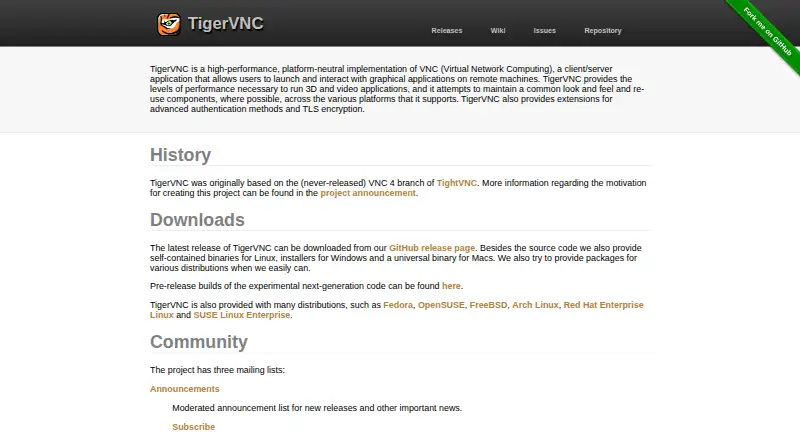
TigerVNC is an open-source implementation of Virtual Network Computing for viewing and interacting with graphical applications on remote machines. It is aimed at technical users, system administrators, and organizations that manage their own remote desktop infrastructure. The package includes a cross-platform VNC viewer, Unix/Linux virtual desktop support through Xvnc, a Windows server component through WinVNC, Wayland session support through w0vncserver, and shared-display access through x0vncserver.
Its platform coverage is a strong fit for mixed desktop environments: the published support includes Windows, macOS, Linux, and self-hosted deployments. TigerVNC also provides clipboard sharing, configurable full-screen and remote desktop sizing, automatic connection encoding, and pixel-format selection. For security-conscious deployments, sessions can use TLS and X.509 certificate-based authentication. These capabilities make it suitable for infrastructure teams that want direct control over how remote desktop access is deployed and maintained.
TigerVNC is less suitable for buyers seeking a managed remote-support suite with mobile access, verified session recording, or a broader support-management feature set. Its Windows server position also requires care: the Windows server documentation describes WinVNC as unmaintained, while reporting that version 1.14.0 worked reliably as of August 2024. Organizations comfortable maintaining open-source VNC infrastructure should find the viewer-and-server model well aligned with their needs. Teams prioritizing mobile clients, managed support workflows, or maintained Windows server functionality should choose another remote desktop product.
Your product? Our editors can test TigerVNC in depth and publish a review, labelled as paid · from $149/mo →
TigerVNC pricing
TigerVNC fact sheet
| Free plan | Yes |
|---|---|
| Paid from | Free |
| Access mode | Both |
| Supported platforms | Windows, macOS, Linux |
| File transfer | Not verified |
| Session recording | Not verified |
| Managed devices | Not verified |
| Mobile apps | No |
| Deployment | Self-hosted, Desktop |
| Platforms | Windows, macOS, Linux |
| Support | Community, Docs |
| Built for | Solo, Small business, Mid-market, Enterprise (editorial estimate) |
| Pricing | Free plan |
| Website | tigervnc.org |
| Facts checked | 20 Sep 2026 |
Alternatives to TigerVNC
- StarDeskA remote desktop app: reach your own Windows PC or Mac from Windows, macOS, Android or iOS.9.7
- TeamViewer RemoteA mature remote support platform with broad coverage, integrations, and AI features.9.4
- SplashtopA paid remote-access suite with low entry pricing, broad platforms, and deep integrations.9.2


See all TigerVNC alternatives →
Also Ranked In
TigerVNC is ranked in 2 of our directories.
Used TigerVNC? Be the first to review it
The editor score above is our own research. What this page doesn't have yet is a reader's view — what you used TigerVNC for, what worked and what didn't. No stars are seeded and no review is paid for; an editor reads every one before it appears.
Write a reviewTwo minutes · verified accounts only · read by an editor before it appears
Featured on iTechGuides

TigerVNC is listed in our Remote Desktop Software directory. Add the badge to your site — it links back to this page.
<a href="https://www.itechguides.com/products/tigervnc/"><img src="https://www.itechguides.com/best/badge/tigervnc.svg" alt="Featured on iTechGuides" width="230" height="46"></a>
Reviewed by iTechGuides Editors · Editorial team · Updated Oct 2026
Advertiser disclosure: iTechGuides is reader-supported. Vendors can pay for top positions in our rankings and for a place on other products' pages, and we may earn a commission when you click some links. Bought places stand at the number bought; this page and our disclosure say so. Paying vendors may get a fuller, more detailed review from our editors, and that review can change their score. How we rank.
Last updated · How we research and update