
tcpdump
tcpdump: Free, open-source capture with strong filtering and PCAP support, but limited analysis depth. Ranked #5 of 30 in Network Protocol Analyzers by our editors (8.8/10); pricing: Free plan; best for lightweight command-line capture.
At a glance
- Editor score8.8 / 10
- PricingFree plan
- Best forLightweight command-line capture
- Free planYes
- Paid fromFree
- DeploymentBoth
- Facts checked20 Sep 2026
Where it wins
- Free and open source across Windows, macOS, and Linux
- BPF filtering, protocol decoding, and timestamped output
- PCAP/pcapng handling, rotation, decryption, and remote capture
Where it doesn't
- Command-line workflow may require technical network knowledge
- No AI-assisted features
- Limited confirmed flow analysis and deep inspection
Our verdict on tcpdump
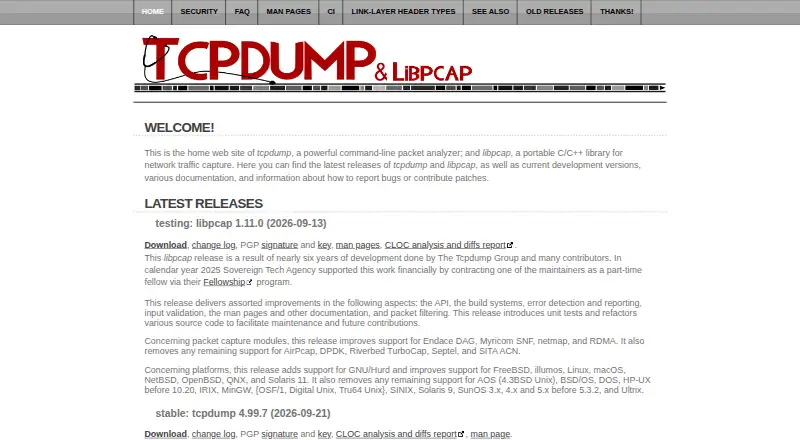
tcpdump is a free, open-source command-line network protocol analyzer for capturing and inspecting traffic. It is suited to network troubleshooting, monitoring, traffic analysis, and security diagnostics across Windows, macOS, and Linux. The tool captures packets from available interfaces, applies Berkeley Packet Filter expressions, and displays decoded protocol details with timestamps. It can work with both local and remote interfaces through RPCAP and libpcap, making it relevant for engineers who prefer terminal-based workflows and direct access to packet data.
Its open-source model keeps the core capability available without a paid tier structure. The published feature set includes live capture, BPF filtering, raw packet writing, and reading saved pcap or pcapng files. Capture-file rotation can be controlled by size or elapsed time, which supports longer collection jobs. IPv4 IPsec ESP decryption is also available when supplied secrets are provided. These capabilities give tcpdump a broad capture and file-handling scope, while keeping the product focused on packet acquisition and inspection rather than a wider network observability platform.
The main trade-off is analytical depth. tcpdump provides protocol decoding and packet output, but its verified feature set does not establish flow analysis or deep inspection capabilities. Its command-line format is a strength for precise, scriptable capture, yet it may be less suitable for buyers seeking a graphical investigation workflow or extensive higher-level analysis. Choose tcpdump when lightweight, cross-platform capture and PCAP handling are the priority. Consider an alternative when the requirement centers on advanced flow analysis, deeper inspection, or AI-assisted features.
Your product? Our editors can test tcpdump in depth and publish a review, labelled as paid · from $149/mo →
tcpdump pricing
tcpdump fact sheet
| Free plan | Yes |
|---|---|
| Paid from | Free |
| Deployment | Both |
| Capture sources | Both |
| PCAP support | Yes |
| Traffic decryption | Yes |
| CLI tools | Yes |
| Remote capture | Yes |
| Flow analysis | Not verified |
| Deployment | Desktop, Self-hosted |
| Platforms | Windows, macOS, Linux |
| Support | Community, Docs |
| Built for | Solo, Small business, Mid-market, Enterprise (editorial estimate) |
| Pricing | Free plan |
| Website | tcpdump.org |
| Facts checked | 20 Sep 2026 |
Alternatives to tcpdump
- WiresharkA broad, free desktop analyzer for live captures, PCAP files, filtering, and protocol inspection.9.4
- TSharkA free, scriptable Wireshark-based analyzer for live captures, PCAP files, and protocol workflows.9.2
- ScapyA free, programmable toolkit for crafting, capturing, decoding, and analyzing packets.9.0


See all tcpdump alternatives →
tcpdump vs the competition
- tcpdump vs Wireshark
- tcpdump vs TShark
- tcpdump vs Scapy
- tcpdump vs Kismet
- tcpdump vs Arkime
- tcpdump vs Ettercap



Compare tcpdump with any tool side by side →
Also Ranked In
tcpdump is ranked in 4 of our directories.
Used tcpdump? Be the first to review it
The editor score above is our own research. What this page doesn't have yet is a reader's view — what you used tcpdump for, what worked and what didn't. No stars are seeded and no review is paid for; an editor reads every one before it appears.
Write a reviewTwo minutes · verified accounts only · read by an editor before it appears
Featured on iTechGuides

tcpdump is listed in our Network Protocol Analyzers directory. Add the badge to your site — it links back to this page.
<a href="https://www.itechguides.com/products/tcpdump/"><img src="https://www.itechguides.com/best/badge/tcpdump.svg" alt="Featured on iTechGuides" width="230" height="46"></a>
Reviewed by iTechGuides Editors · Editorial team · Updated Oct 2026
Advertiser disclosure: iTechGuides is reader-supported. Vendors can pay for top positions in our rankings and for a place on other products' pages, and we may earn a commission when you click some links. Bought places stand at the number bought; this page and our disclosure say so. Paying vendors may get a fuller, more detailed review from our editors, and that review can change their score. How we rank.
Last updated · How we research and update